How does the style transfer functionality work in AI Photo Editor?
The style transfer functionality in AI Photo Editor allows you to transform your photos into various artistic styles. Once your photos are uploaded, the platform allows you to apply different styles including anime, cartoon, oil painting, and watercolor effects, all powered by advanced AI.
How can I modify objects in my photos using AI Photo Editor?
You can modify objects in your photos using AI Photo Editor's object manipulation capability. It enables you to add, remove, or modify objects in your photos by providing simple text descriptions.
What is the photorealistic results feature in AI Photo Editor?
The photorealistic results feature in AI Photo Editor allows the users to manipulate the images while ensuring a high standard of realistic visuals. This feature is especially beneficial when adding, removing, or modifying objects in photos, changing backgrounds or transforming scenes in photos.
What software skills are needed for AI Photo Editor?
AI Photo Editor does not require any complex software skills. All the intricate tasks such as image generation and editing, style transfer and object manipulation are all powered by advanced AI that only requires user's simple text descriptions.
What types of artistic styles can AI Photo Editor create?
AI Photo Editor can create a wide array of artistic styles. You can transform your photos into different styles such as anime, cartoon, oil painting, and watercolor effects.
How does AI Photo Editor understand my creative vision?
AI Photo Editor understands your creative vision through the text descriptions provided by you. The AI models interpret the text descriptions and execute your vision into a professional-quality visual.
How do I use free credits in AI Photo Editor?
Free credits offered by AI Photo Editor can be used to explore the capabilities of the platform. These credits can be used against any services offered by the AI Photo Editor.
How to convert simple text descriptions into visuals using AI Photo Editor?
Using AI Photo Editor, simple text descriptions can be converted into visuals through its Text to Image feature. You just provide a description in plain text of what you want to create and the AI generates the image reflecting your description.
Can AI Photo Editor transform existing photos?
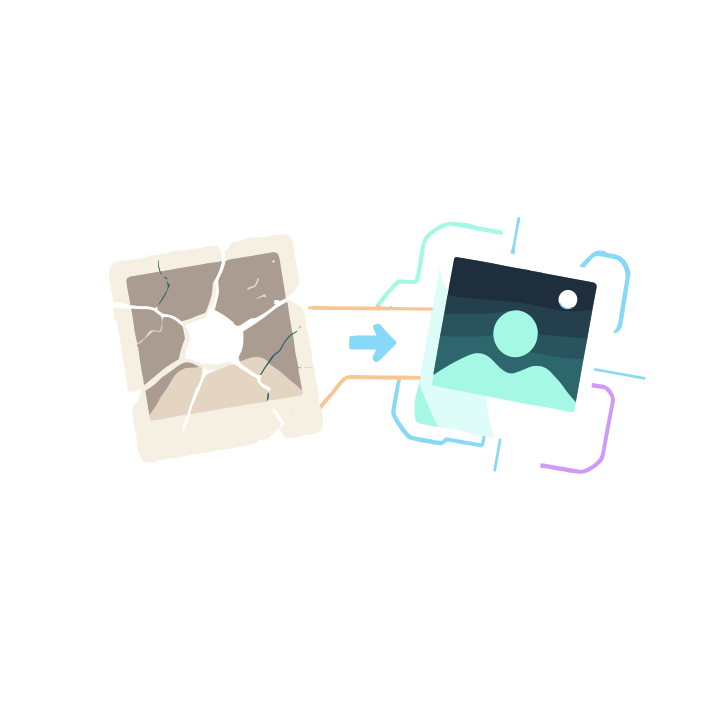
Yes, AI Photo Editor can transform existing photos. You need to upload your photo and describe the changes you want to make, and AI Photo Editor will then apply the changes to your satisfaction.
How to describe changes I want in a photo using AI Photo Editor?
Using AI Photo Editor, you simply need to provide a text description for the changes you desire in a photo. The AI models interpret your description and apply the changes on your image accordingly.
How to add, remove, or modify objects in photos using AI Photo Editor?
In AI Photo Editor, objects can be added, removed, or modified simply by providing a text description of the manipulation that you want in the photo. The AI models understand your intent and implement the changes.
Can I change backgrounds of photos using AI Photo Editor?
Yes, you can change backgrounds of photos using AI Photo Editor. It falls under the platform's object manipulation capability. You need to provide a description of the changes you want, and the AI will replace the background as per your instructions.
Can AI Photo Editor add elements or transform scenes in photos?
AI Photo Editor is equipped to add elements and transform scenes in photos. This is a part of its object manipulation capability. You only need to provide a description of the transformation you want, and AI Photo Editor executes it to your satisfaction.
What types of visuals can I create with AI Photo Editor?
With AI Photo Editor, you can create professional-quality visuals from a wide array of categories. You can create images from text descriptions, transform existing photos into different styles such as anime, cartoon, oil painting, watercolor effects, as well as add, remove, or modify objects in photos with photorealistic results.
What is AI Photo Editor?
AI Photo Editor is an advanced platform that employs state-of-the-art artificial intelligence, powered by Flux Models, to generate and edit images. The platform is designed to comprehend the artistic vision of the user and execute it into professional-grade images. It offers both creation of images from simple text descriptions and transformation of existing images. Further notable features include style transfer to render images in different artistic styles and object manipulation capability to adjust elements within images.
How does the Text to Image feature of AI Photo Editor work?
The Text to Image feature of AI Photo Editor allows users to generate images from simple text descriptions. It involves three straightforward steps. First, you describe what you envision in a written format. Following that, AI Photo Editor uses its advanced Flux models to understand your creative intent and creates a detailed picture. Finally, you can download your artistic creation. This feature turns your imagination into a professional-quality visual.
Can AI Photo Editor transform existing images?
Yes, AI Photo Editor can indeed transform existing images. Users can upload an image and communicate the changes they want. AI Photo Editor then applies the desired alterations swiftly and accurately, delivering highly satisfactory results.
What is the Style Transfer feature in AI Photo Editor?
The Style Transfer feature in AI Photo Editor allows users to transmute their photos into various artistic styles. Styles available include anime, cartoon, oil painting, and watercolor effects, among others. Users can choose any of these styles and the platform will accurately recreate the uploaded image in that particular style.
Does AI Photo Editor have an Object Manipulation functionality?
Yes, AI Photo Editor features an Object Manipulation functionality. This feature enables users to add, remove, or modify objects in the photos. They can change backgrounds, add elements, or transform scenes with photorealistic outcomes. This allows for deeper customization of images beyond standard editing parameters.
What are Flux models in AI Photo Editor?
Flux models in AI Photo Editor refer to its advanced artificial intelligence models. These models allow the platform to understand the user's creative direction and generate high-quality visuals from text descriptions or transform existing images to match the said vision.
How does AI Photo Editor understand my creative vision?
AI Photo Editor employs state-of-the-art Flux models to understand your creative vision. Flux models parse your written descriptions or instructions about the image to be generated or transformed, translating your imagination into a professional-grade visual.
Can I create professional-quality visuals with AI Photo Editor?
Absolutely, with AI Photo Editor, you can create professional-quality visuals. Driven by artificial intelligence and advanced Flux models, it provides highly satisfying results whether you are creating images from scratch through text descriptions or transforming existing photos.
Does AI Photo Editor offer any free services?
Yes, AI Photo Editor offers free services. New users receive free credits that they can use to explore the capabilities of the platform and see the stunning results for themselves.
What kind of artistic styles does AI Photo Editor offer?
AI Photo Editor offers a variety of artistic styles including anime, cartoon, oil painting, and watercolor effects. Users can transform their photos into these styles using the Style Transfer feature.
Can I add or remove objects in my photos using AI Photo Editor?
Yes, with AI Photo Editor's Object Manipulation feature, you can easily add or remove objects in your photos. Additionally, it allows you to modify objects, change backgrounds, add elements, or transform scenes.
How can I change backgrounds in my photos using AI Photo Editor?
AI Photo Editor allows you to change backgrounds in your photos via its Object Manipulation capability. You can choose to insert new backgrounds or delete existing ones to suit your creative needs. The Flux models comprehend and implement these changes with high precision to produce photorealistic outcomes.
Does AI Photo Editor allow scene transformations?
Yes, AI Photo Editor supports scene transformations. Users can utilize the Object Manipulation feature to modify scenes in their images with photorealistic results.
Does using AI Photo Editor require any complex software skills?
No, using AI Photo Editor does not require any complex software skills. The platform is designed to be intuitive and user-friendly, allowing users to generate or transform images with simple prompts.
What is the meaning of photorealistic results in AI Photo Editor?
Photorealistic results in AI Photo Editor refer to the high quality, professional-grade images the platform generates. These images, whether produced from text descriptions or transformations of existing photos, closely resemble real-life visuals, ensuring stunning final outcomes.
How does AI Photo Editor generate images from simple text descriptions?
AI Photo Editor utilizes a unique Text to Image feature to generate images from simple text descriptions. You input your envisioned image in text form, then its advanced Flux models process this, understand your creative intent, and generate a corresponding image, creating a visual representation of your thoughts.
How do I specify the transformations I want in my images on AI Photo Editor?
To specify the transformations you want in your images on AI Photo Editor, first, upload a photo. Then, input the changes you want through simple descriptions. The AI models will interpret your prompts and transform the image accordingly.
Can AI Photo Editor reproduce photos in watercolor effects?
Yes, AI Photo Editor can reproduce photos in watercolor effects. This is made possible through its Style Transfer feature. By selecting watercolor style, users can transform their traditional photos into watercolor paintings.
What is the Image-to-Image function of AI Photo Editor?
The Image-to-Image function in AI Photo Editor allows users to transform existing images. An image is first uploaded to the platform, and the changes desired are described. AI Photo Editor then takes these directives and applies them to the image, transforming it as per user instructions.