 CodeRabbit
 Mini tools



Stats
25 tools
349karma
Strategist
Joined: March 2024
Follow
Creative Hubs's tools
-
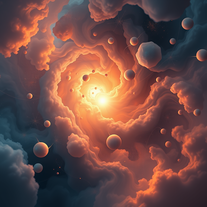 Transform cosmic energy into mesmerizing surreal art.OpenCreative Hubs🛠️ 25 tools 🙏 349 karmaJan 1, 2026@Aether Studio – Visionary Fantasy Art In A Singular, Consistent StyleAbout this app: “Where prompts become dreams — and every dream bears the same soul.”
 -
 Studio Organic Rift - Uncanny Organic Surrealism With Ambiguous Forms, Muted Chroma, And Dreamlike Dimensional TextureCreate hauntingly beautiful surreal art that hovers between dream and reality.Open
 -
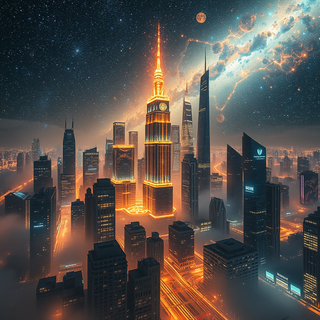
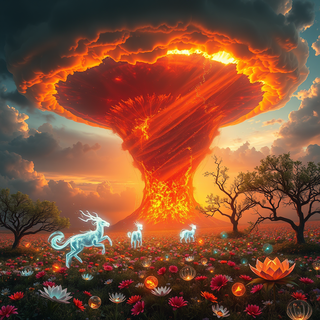
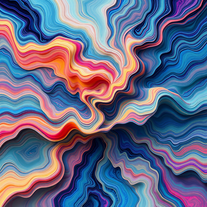 Vivid Studio - Painterly Conceptual Surrealism With Luminous Depth, Joyful Motion, And Hyperreal Dimensional TextureCreates luminous surreal art through AI.OpenTips for best results using the app: For best results, describe light as if it glows from within — use words like ‘feathered edges,’ ‘ambient drift,’ and ‘harmonized chroma.’ Avoid literal objects; let emotion shape form.
 -
 Generate warm autumn art for festive celebrations.Open
 -
 Transform ideas into ethereal watercolor masterpieces.Open
 -
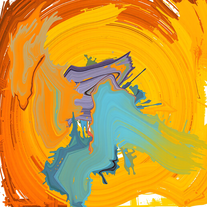 Create lifelike digital masterpieces with AI precision.Open
 -
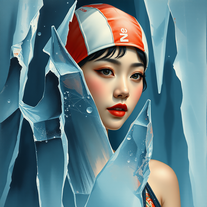 Transform imagination into hyper-realistic artwork.Open
 -
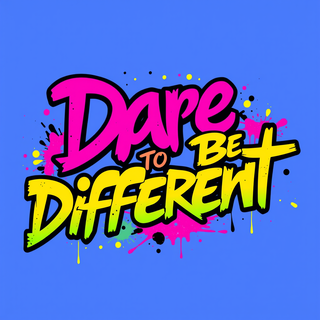
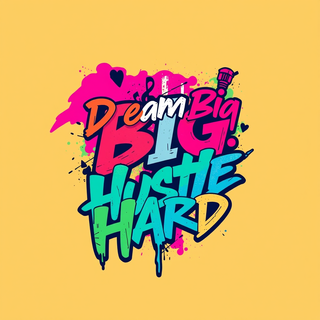
 AI-powered bold graphics for head-turning apparel.OpenUser Tips: To create standout t-shirt designs with InkCraze, start by locking in a bold concept—whether it’s a striking phrase, iconic symbol, or powerful visual mood. Use the app’s Loud Lettering tools to craft type that grabs attention, experimenting with stacked text, warped fonts, or bold contrasts. Layer in dynamic artwork using the Bold Shirt Art Generator, making sure your graphics and typography interact fluidly for maximum visual rhythm. Always preview your design on actual shirt mockups and design with print clarity in mind—high contrast, clean lines, and smart use of negative space are key.
 -
Artist Tips for Better Results with Design Maxx Pro: To create your most stunning images, start with a vivid first sentence that sets the tone—describe the atmosphere, subject, and feeling. Use rich, sensory details like light, texture, color, and motion. Combine unexpected elements for surprise: glowing coral forests, floating tigers, mechanical butterflies. Mention artistic styles if you like—watercolor, surrealist, neon-lit, dreamlike oil painting. The more poetic and specific you are, the more powerful and awe-inspiring your results will be.
-
Artist Tips for Better Results with Somnira Canvas: To help Somnira Canvas render the most compelling and emotionally resonant figures—whether human or animal—users are encouraged to guide the tool with poetic, suggestive phrasing rather than highly technical descriptions. This helps maintain harmony with the platform’s expressive strengths. For human figures, try emotion-based posture phrases like “curled in sorrow,” “reaching toward a fading light,” or “kneeling in wind.” Favor mood-based modifiers over anatomical specifics, such as “a silhouette bathed in dusk” or “a quiet figure in motion blur.” For animals, use mythic or metaphorical phrasing like “a fox made of stars,” “a deer outlined in frost,” or “a lion woven from dusk and gold.” Avoid strict biological realism unless intentionally stylized (e.g., “cubist owl,” “ink-drawn heron”). Best practices include specifying camera perspective or body angle with terms like “3/4 view,” “top-down shot,” or “over-the-shoulder,” and adding atmospheric cues such as “drifting in chalk mist,” “outlined by candlelight,” or “carved in shadow.” You can also add emotion-based tags directly into the prompt—words like “longing,” “grief,” “stillness,” or “wonder” will guide the aesthetic and expressive qualities of the final artwork.
-
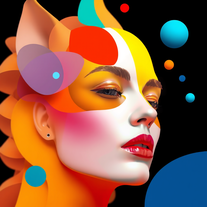 AI-powered art generation for unconventional masterpieces.Open
 -
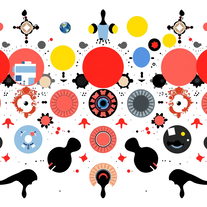 Unleash chaotic creativity with AI-powered Dada artOpen
 -
 AI-powered art generator for boundary-pushing visuals.Open
 -
 Transform thoughts into surreal, striking visuals.Open
 -
 Transform emotions into AI-generated art.Open
 -
a great app that assist you in creating wonderful minimalist style art worthy of displaying and decorating all sort of wall spaces at home or work.




























Comments
On Aether Studio – Visionary Fantasy Art In A Singular, Consistent Style

Creative Hubs
🛠️ 25 tools
🙏 349 karma
Jan 1, 2026
@Aether Studio – Visionary Fantasy Art In A Singular, Consistent Style
About this app: “Where prompts become dreams — and every dream bears the same soul.”
On Vivid Studio - Painterly Conceptual Surrealism With Luminous Depth, Joyful Motion, And Hyperreal Dimensional Texture
Creative Hubs
🛠️ 25 tools
🙏 349 karma
Dec 30, 2025
@Vivid Studio - Painterly Conceptual Surrealism With Luminous Depth, Joyful Motion, And Hyperreal Dimensional Texture
Tips for best results using the app:
For best results, describe light as if it glows from within — use words like ‘feathered edges,’ ‘ambient drift,’ and ‘harmonized chroma.’ Avoid literal objects; let emotion shape form.
On Subtle Space - Create Subtle Moods In Art And Images
Creative Hubs
🛠️ 25 tools
🙏 349 karma
Dec 23, 2025
@Subtle Space - Create Subtle Moods In Art And Images
a great app that assist you in creating wonderful minimalist style art worthy of displaying and decorating all sort of wall spaces at home or work.
On InkCraze - Produce Unique Graphic Statements In Designs
Creative Hubs
🛠️ 25 tools
🙏 349 karma
May 1, 2025
@InkCraze - Produce Unique Graphic Statements In Designs
User Tips: To create standout t-shirt designs with InkCraze, start by locking in a bold concept—whether it’s a striking phrase, iconic symbol, or powerful visual mood. Use the app’s Loud Lettering tools to craft type that grabs attention, experimenting with stacked text, warped fonts, or bold contrasts. Layer in dynamic artwork using the Bold Shirt Art Generator, making sure your graphics and typography interact fluidly for maximum visual rhythm. Always preview your design on actual shirt mockups and design with print clarity in mind—high contrast, clean lines, and smart use of negative space are key.
On Design Maxx Pro
Creative Hubs
🛠️ 25 tools
🙏 349 karma
Apr 29, 2025
@Design Maxx Pro
Artist Tips for Better Results with Design Maxx Pro: To create your most stunning images, start with a vivid first sentence that sets the tone—describe the atmosphere, subject, and feeling. Use rich, sensory details like light, texture, color, and motion. Combine unexpected elements for surprise: glowing coral forests, floating tigers, mechanical butterflies. Mention artistic styles if you like—watercolor, surrealist, neon-lit, dreamlike oil painting. The more poetic and specific you are, the more powerful and awe-inspiring your results will be.
On
Creative Hubs
🛠️ 25 tools
🙏 349 karma
Apr 23, 2025
Designer Tips for Better Results with Cover Craft Studio:
To get the most striking and professional results, guide the app with vivid, poetic descriptions rather than plain or technical instructions. Describe atmosphere, typography, and layout using mood-rich language—such as “a serif title drifting through fog,” or “bold sans-serif across a sun-bleached horizon.” For book covers, mention genre and emotional tone; for magazines, include layout cues like “top-aligned masthead” or “clean editorial spacing.” Referencing art movements (like Bauhaus, Art Nouveau) or textures (“cracked leather,” “velvet matte”) can help shape the design. The more your prompt reads like a visual story, the more expressive and print-ready your cover will be.
On Somnira Canvas
Creative Hubs
🛠️ 25 tools
🙏 349 karma
Apr 23, 2025
@Somnira Canvas
Artist Tips for Better Results with Somnira Canvas: To help Somnira Canvas render the most compelling and emotionally resonant figures—whether human or animal—users are encouraged to guide the tool with poetic, suggestive phrasing rather than highly technical descriptions. This helps maintain harmony with the platform’s expressive strengths. For human figures, try emotion-based posture phrases like “curled in sorrow,” “reaching toward a fading light,” or “kneeling in wind.” Favor mood-based modifiers over anatomical specifics, such as “a silhouette bathed in dusk” or “a quiet figure in motion blur.” For animals, use mythic or metaphorical phrasing like “a fox made of stars,” “a deer outlined in frost,” or “a lion woven from dusk and gold.” Avoid strict biological realism unless intentionally stylized (e.g., “cubist owl,” “ink-drawn heron”). Best practices include specifying camera perspective or body angle with terms like “3/4 view,” “top-down shot,” or “over-the-shoulder,” and adding atmospheric cues such as “drifting in chalk mist,” “outlined by candlelight,” or “carved in shadow.” You can also add emotion-based tags directly into the prompt—words like “longing,” “grief,” “stillness,” or “wonder” will guide the aesthetic and expressive qualities of the final artwork.
On Zoo by Replicate
Creative Hubs
🛠️ 25 tools
🙏 349 karma
Mar 7, 2024
@Zoo by Replicate
It was a great app that worked fine in the past, but over the last several months it has stopped generating images.




