 Rocket - Think it. Type it. Launch it.
 Mini tools
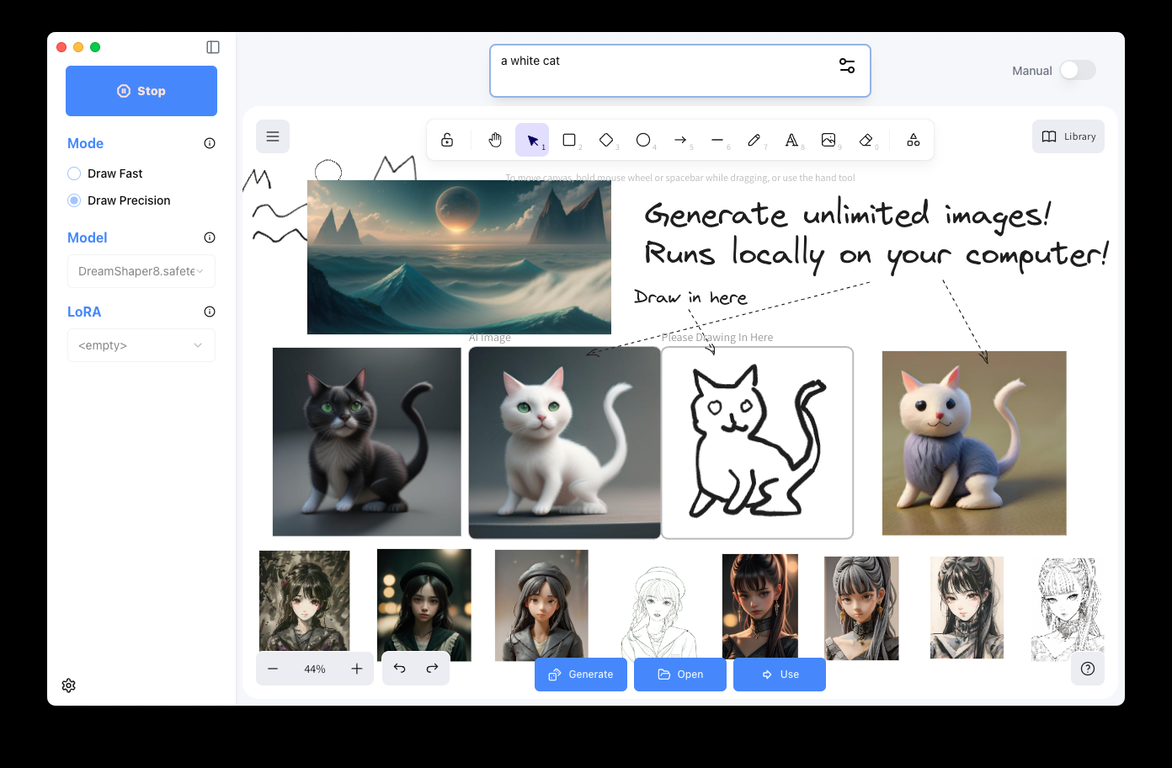
 Create unlimited images in a whiteboard, locally.
 Freepik Sketch to Image
 Draw3D
 Doodle Lab - AI Art Generator
 RenderAI
 Roughly
 NVIDIA Canvas
 SketchAI
 SketchImage
 PromeAI
 Doodle Morph AI
 VibePaint.ai
 Scribbletoart
 Drawings Alive
 Little Artist
 Visualizee
 AI Drawing Generator
 SageBrush
 Wand
Wand
 Vizcom AI
 So You Want To Be A Writer?
 Minka
Minka
 Ancient AI powered spirits
 somacguffin
 Jvb ai
 Cuty
Cuty
 Superfly Stoner
 Photo AI
 Freepik AI Image Generator
 Stockimg AI
 Midjourney
 CreativePixel
 BestPhotoAI
 INLINER
 Ideogram
 SD Telegram bot
 Getimg.ai
 Shoots by Diktatorial
 Seedream
 Picsman - AI Photo Editor
 PixAI Art
 NewHero AI
 GenTube
 Reface
 FLUX
FLUX
 Stable Diffusion
 TinderProfile.ai
 ArchyBase
VibePaint.ai
Roughly
ArchyBase
VibePaint.ai
Roughly
Overview
DrawingPics is an offline AI Art Generator tool that lives in a whiteboard interface. It utilizes advanced AI techniques including stable diffusion and LoRA models to enhance image creation process.
The tool operates offline ensuring user privacy and operational flexibility. Two key features offered by this tool are 'Draw Fast Mode' and 'Draw Precision Mode'.
The 'Draw Fast Mode' uses Stable Diffusions img2img technique, and the 'Draw Precision Mode' enables superior line control and optimizes the draft finalization process.
Integral to the tools functioning is its ability to download SD1.5 models from popular AI art websites and apply LoRA to any drawing mode for creating customized styles.
Beyond inherent models, users have the flexibility to adjust the model's parameters to achieve preferred results. A unique feature is that it manages the downloading and organization of model files for the user.
The tool is constantly evolving with continuous enhancements and updates. It also includes the option of free and standard versions. Although initially designed for the macOS platform, the support for Windows is expected shortly.
Depending on the models being used, the images created may potentially have commercial use applications. With a proactive provision for user feedback and a commitment for tool enhancement, DrawingPics is poised to facilitate a streamlined, user-friendly AI-based art creation process.
Releases


Top alternatives
-
 Envision and sketch any image, AI transforms it into art in real time.Open
 Bernard🙏 161 karmaFeb 27, 2024@Freepik Sketch to Imagelove it and the customization it offers. still needs some work creating faces :| even cartoon ones
 -
You can't even try it once but you can buy it for $100 a year or more. No I'll try it or leave it
-
I want a doodle wall design for IT company consists of an idea
-
-
It's kind of lame to promise the moon and deliver essentially nothing.
-
This is easily the best Ai tool for creating landscapes because it is completely free, really easy to use and the results are beautiful and almost indistinguishable from real photos


Related topics
 0
0





