
 Speechmatics - API for Voice AI Agents
 Mini tools
 Base44
 Rocket
 biela.dev
 Mocha
Mocha
 Trickle Magic Canvas
 Floot
Floot
 Emergent
 Lovable
 OnSpace.AI - AI Mobile App Builder
 devlo
devlo
 Verdent
 Devento
 AppIsUp
 OnSpace.AI - Build AI Apps, No Code & No API Keys
 Softgen
 Dreamlit AI
 Websites.ly
 AppWizzy
 Durable AI Website Builder
 UX Pilot
 So You Want To Be A Writer?
 Minka
Minka
 Ancient AI powered spirits
 Jvb ai
 somacguffin
 Cuty
Cuty
 Superfly Stoner

 Cursor
 OnSpace.AI - No Code App Builder
 Kilo Code
 Github Copilot
 CodingFleet
 Programming Helper
 Devra
Devra
 Codeium
 Autocoder.cc
 Qoder
Qoder
 Phala Cloud
 Warp
Warp
 Qodo (Formerly Codium)
 Who Codes Best?
 GoCodeo
 Google Antigravity
 Jovu
Jovu
 Zzzcode
 Traycer
 Refraction
Glide Apps







Overview
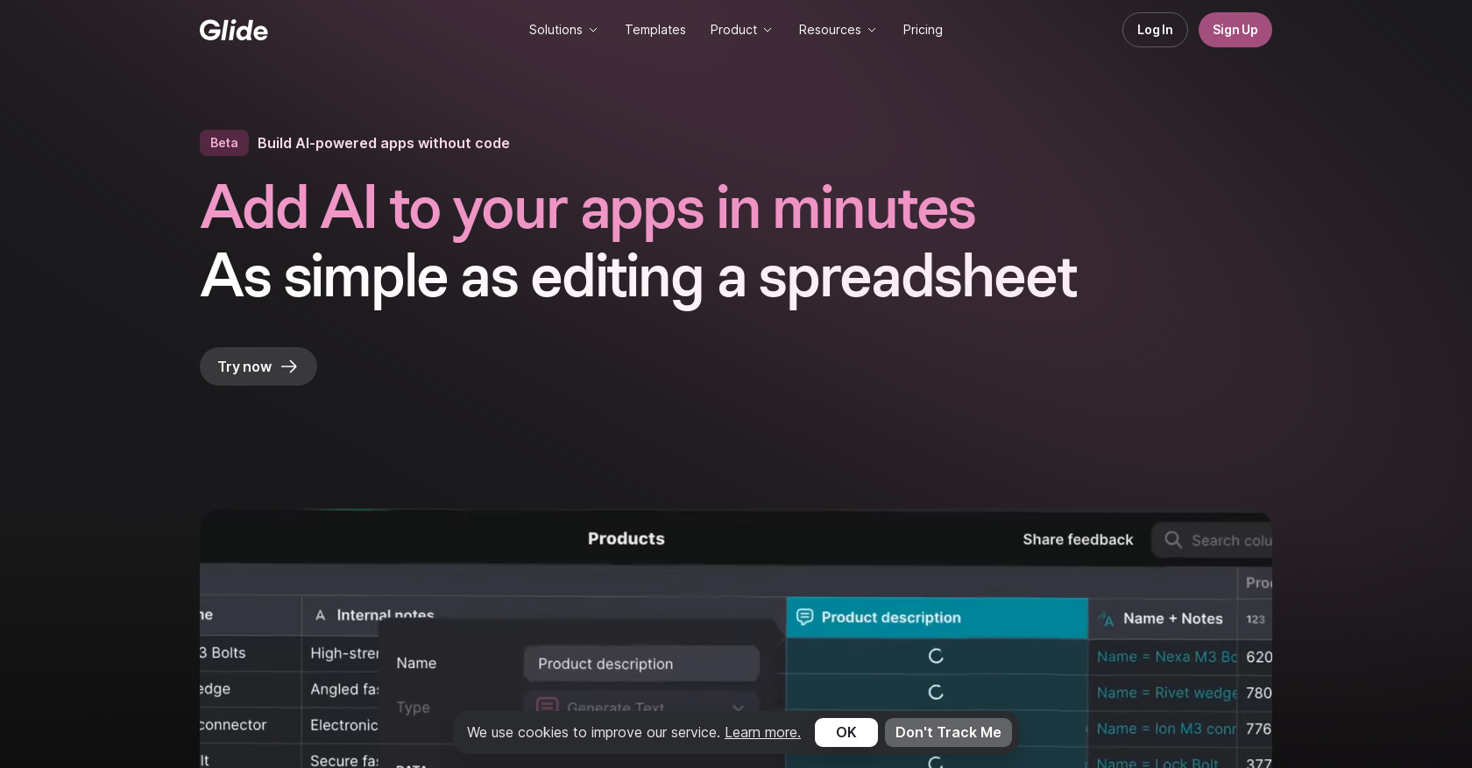
Glide AI is an AI tool that allows users to build and deploy custom AI-powered apps for their business. It offers a set of powerful AI building blocks that can easily be integrated into apps and workflows.
With Glide AI, users can build, design, and ship custom apps powered by AI in just minutes.One of the standout features of Glide AI is its simplicity.
Building with AI is as straightforward as adding a column to a table, eliminating the need to deal with complex APIs, manage prompts, choose models, or cache results for cost and performance optimization.
Glide AI handles all of these tasks automatically.The tool supports various AI capabilities, including text generation, image-to-text extraction, text-to-date/number/boolean/choice conversion, and audio-to-text transcription.
Glide AI automatically selects the best model for each use case, without requiring users to provision, authenticate, manage APIs, or worry about migration.Efficient caching is another notable feature of Glide AI.
Calls are cached at the app level, allowing for result reuse throughout the entire company. This not only reduces costs but also ensures optimal performance.Glide AI leverages models from OpenAI, Azure ML, and Google Cloud, constantly testing and refining to provide the best user experience.
It works seamlessly with any data source supported by the Glide platform, making it easy to add AI functionality to existing apps.For those looking to get started quickly, Glide AI offers templates and comprehensive resources, including documentation, video tutorials, and a supportive community.
The tool is currently available as a beta on Pro, Business, and Enterprise plans, with free preview access to AI-powered templates.
Releases
Pricing
Top alternatives
-
 Let’s make your dream a reality. Right now.Daniel Edri🛠️ 3 tools 🙏 36 karmaOct 20, 2025@Base44Base44 is an AI-powered platform for building fully-functional apps with no code and minimal setup hassle. The platform leverages advanced AI technology to translate simple, natural language descriptions into working apps. Let’s make your dream a reality. Right now.
 -
 Think It. Type It. Launch It.Rocket is fast as heeeelll for spinning up prototypes when an idea hits. I've shipped small tools and MVPs with this as the foundation, saves days of boilerplate setup. Great one :)
 -
 If you can imagine it, Biela can code it!Your builds just got faster. Here's what changed. Four updates shipped this week. Each one removes something that was slowing you down — an extra account to set up, a Git workflow that lived outside the platform, a repo handoff with dangling permissions, a build you could only poke at with a cursor. Here's what landed. 01 — Model access Use any LLM in your build. One prepaid key, full control over spend. Biela now has its own LLM API key dashboard. Create a key, add a prepaid balance, and start sending requests to whichever AI model your build needs — whether that's a chatbot, an automation, a content generator, or AI features wired into a SaaS product. Each key tracks its own usage so you always know what's being spent and where. No external accounts, no third-party billing — it's all inside Biela. In practice: You're building a SaaS product with two AI features — a support chatbot and an automated email summariser. You create two keys, assign a budget to each, and know at a glance which feature is consuming what. If one runs hot, you pause it without touching the other. 02 — Version control Branches, PRs, commits, pulls. A full Git workflow, inside Biela. Create and switch branches, raise and review pull requests, browse commit history, and pull the latest — without leaving the IDE. If you're shipping features to a team or running parallel environments, this is the workflow you were missing. In practice: You're adding a new checkout flow to a live e-commerce build. You branch off main, build and test in isolation, raise a PR for review, and merge when it's ready — all without touching a terminal or switching to GitHub in another tab. 03 — Repository management Connect, link, switch, hand off. Clean repo control, start to finish. Connect a new repo, link one you already have, or disconnect cleanly with a confirmation step. Permission checks are built in. No leftover access, no manual revokes, no awkward offboarding when a project ends. In practice: A client project wraps up. You disconnect the repo from Biela in one confirmed step — permissions cleared, connection closed. The next project gets a clean link from day one. No audit trail of half-removed integrations to clean up later. 04 — Mobile preview Stop looking at your mobile build. Start using it. Scan the QR code from Biela, open via Expo Go, and you're inside your actual build — navigating with your thumbs, tapping real buttons, scrolling real screens. Not a desktop simulation with a cursor pretending to be a finger. Your app, on your device, behaving exactly as your users will experience it. And when you prompt a change, it appears on your phone before you've set it down. In practice: You're building a field sales CRM. It looks fine on desktop. The moment you're actually holding it, you find it: the action buttons are buried, the nav takes two hands, the form fields are too small to tap cleanly. Thirty seconds of real use surfaces what hours of desktop review missed. One prompt per fix, each update on your screen in seconds. All four updates are live now at biela.dev — no update required, no configuration needed. Open a project and they're already there. Build faster. Ship smarter. Create without limits.
 -
 Turn app ideas into reality, instantly.
 -
 Turn your ideas into live apps and websites with AI.It’s super easy to use! Trickle can handle everything from forms to analytics, and you can deploy your project in no time. Impressive!
 -
 The easiest and most powerful way to build apps with AI.







