 Rocket - Think it. Type it. Launch it.
 Mini tools
QuikAuthor
 Build impactful e-learning 10x faster with AI.
Go to 💼 Business
📢
Marketing
(2241)
🔍
Industries
(957)
💾
Data
(873)
💼
Sales
(705)
💰
Finance
(387)
👔
Management
(307)
💡
Startups
(295)
⚖️
Legal
(252)
👔
HR
(234)
📈
Business strategy
(201)
📅
Meetings
(123)
📊
Product management
(114)
🔒
Security
(80)
📞
Calls
(42)
💻
Tech support
(37)
🤝
Networking
(36)
💻
Virtual employees
(24)
🤖
Enterprise
(15)
🚀
Business innovation
(13)
 Younet
 CleeAI
 Avataar's GenAI Creator
 Activepieces
 BigTeam
 Olivya
 Abstra
 Sreda.ai
 DoubleO
 AI Agents
 Pipefy
 Quixl
Quixl
 Cubeo
Cubeo
 Sema4.ai
 Ridvay
 Cognition by Mindcorp
 Tray.io
 UiPath
 Mr David
 Super Amplify
Younet
148,206
CleeAI
14,308
Avataar's GenAI Creator
4,525
Activepieces
4,322
BigTeam
3,195
Olivya
3,155
Abstra
2,721
Sreda.ai
2,659
DoubleO
2,643
AI Agents
2,538
Pipefy
2,426
Quixl
1,914
Cubeo
1,844
Sema4.ai
1,689
Ridvay
1,438
Cognition by Mindcorp
1,170
Tray.io
857
UiPath
549
Mr David
530
Super Amplify
393
Go to 👔 HR
💼
Recruiting
(187)
💼
Employee management
(8)
📚
Employee development
(8)
🤝
Employee engagement
(8)
💼
HR advice
(3)
🏋️
Workplace wellness
(3)
 Humaans AI
 EvaAI
EvaAI
 Sloneek
 AI HR Tool
 Ressources humaines
 Fitz HR Australia
 Human resource manager
 Personnel Assistant
 Workable
 HR Case Studies Generator
 MalakShahin
 Phenom X
Humaans AI
1,856
EvaAI
1,400
Sloneek
951
AI HR Tool
636
Ressources humaines
344
Fitz HR Australia
106
Human resource manager
65
Personnel Assistant
53
Workable
26
HR Case Studies Generator
14
MalakShahin
14
Phenom X
14



QuikAuthor
Inputs:
Outputs:
Build impactful e-learning 10x faster with AI.
Top alternatives
 SafetyCulture
 Everlearn
 Employment Training lesson plan
SafetyCulture
1,983
Everlearn
266
Employment Training lesson plan
64
Overview
Socials:


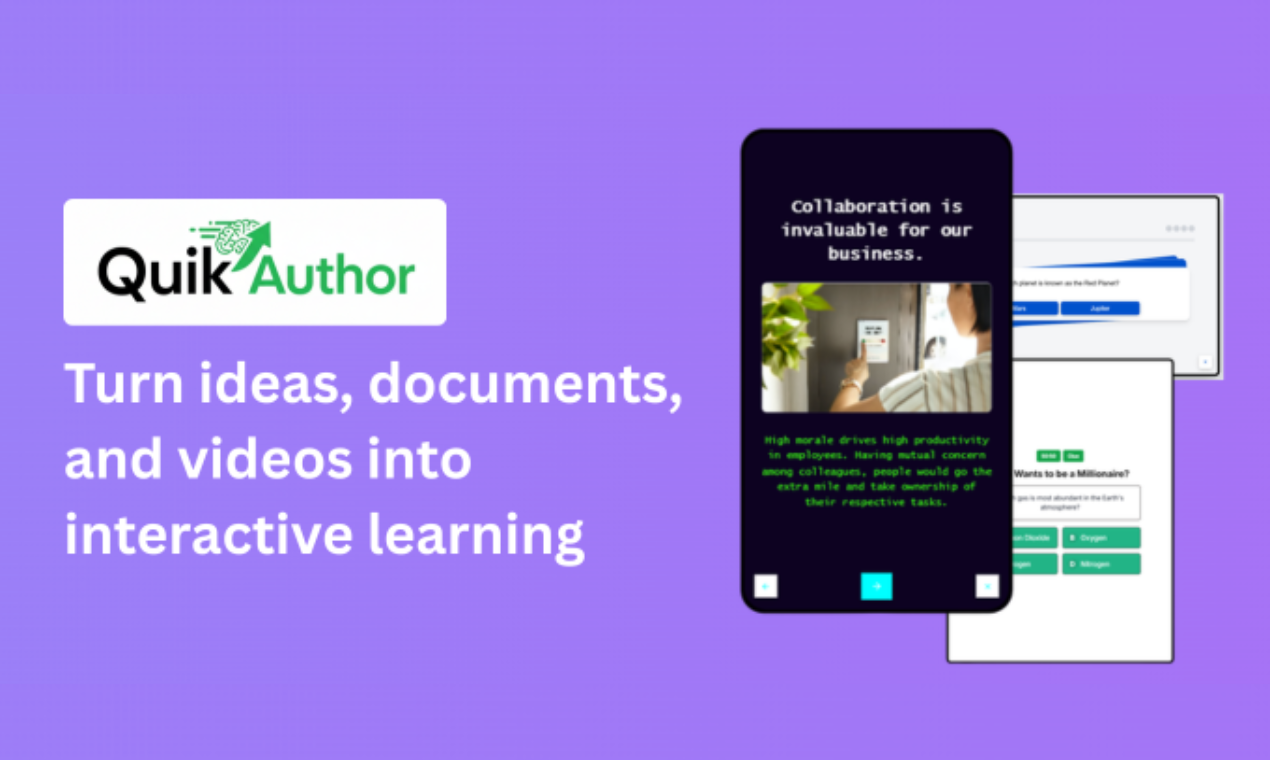
QuikAuthor makes professional e-learning and microlearning course creation fast and accessible for anyone. No authoring tool experience needed.
There are five ways to create courses.
#1: AI Avatar Video. Select an illustrated presenter, choose a natural AI voice, and generate professional video lessons with synchronized lip-sync, subtitles, and interactive knowledge checks. No cameras, no studios, no actors.
#2: AI Video to Course. Upload a video and AI automatically transcribes, segments, and generates interactive lessons with quizzes and activities.
#3: AI PDF to Course. Upload a document and AI converts it into a structured, engaging course.
#4: AI Course Generator. Describe what you want to teach, and AI builds the entire course from scratch, with optional prompting.
#5 Build from Scratch. Start with a blank course and build using 60+ rapid templates including teach slides, game-based quizzes, drag and drop, swipe interactions, and branching scenarios. Full manual control for instructional designers who want to craft every detail.
Over 60 interactive slide templates including drag and drop, swipe games, millionaire quizzes, and memory games. Illustrated AI avatar video generator with multiple presenters, ElevenLabs voices, and automatic quiz generation from scripts. Built in AI video editor with timeline editing, breakpoint detection, transcript editing, and subtitling. Export as HTML, PDF, SCORM 1.2, and SCORM 2004 for seamless LMS integration. Custom branding at account, course, and lesson level. Branching scenarios using skip, confidence, and test out functions. Multi language support with AI powered translation. Fully responsive on desktop, tablet, and mobile.
Built for L&D teams, corporate trainers, instructional designers, and educators who need to produce high quality interactive courses quickly.
Key Features
- Ai Video Generator
Show more
Releases
Get notified when a new version of QuikAuthor is released
Notify me
February 16, 2026

Jamie Thomson
Initial release of QuikAuthor.
Author

Follow
Pricing
Pricing model
Freemium
Paid options from
$69/month
Billing frequency
Monthly
Keeping you safe
Good to know
#700
 0
0
0




How would you rate QuikAuthor?
Help other people by letting them know if this AI was useful.