Do I need to switch to the terminal to manage permissions with Redlight Greenlight?
No, one of the key features of Redlight Greenlight is the ability to respond to Claude Code permission requests without the need to switch to the terminal.
How can Redlight Greenlight potentially expedite coding projects?
Redlight Greenlight can potentially expedite coding projects by streamlining the decision-making process for Claude Code permissions. This not only saves time but also reduces disruptions in the workflow.
Can Redlight Greenlight be integrated into my coding workflow?
Yes, Redlight Greenlight is designed to be seamlessly integrated into any coding workflow, thereby simplifying the management of Claude Code permissions.
Who can benefit the most from using Redlight Greenlight?
Software developers who handle code permissions in their workflows would be the ones to benefit the most from using Redlight Greenlight.
How does Redlight Greenlight streamline the decision-making process in coding?
Redlight Greenlight streamlines the decision-making process in coding by showcasing Claude Code permissions requests on a floating overlay. This offers an efficient way to respond to these requests without the need to move away from the ongoing tasks.
Can Redlight Greenlight reduce the time spent navigating away from my current screen?
Yes, by showcasing Claude Code permissions requests on a floating overlay on the desktop, Redlight Greenlight reduces the time spent navigating away from the current screen.
Is Redlight Greenlight only beneficial for software developers or can other roles benefit as well?
While Redlight Greenlight is specifically valuable for software developers, its utility of streamlining macOS menu bar tasks extends its benefits to any macOS user.
Can I control the Claude code permissions without leaving my workflow using Redlight Greenlight?
Yes, with Redlight Greenlight, you can control Claude Code permissions without deviating from your workflow.
Does Redlight Greenlight function as a Desktop Overlay on macOS?
Yes, Redlight Greenlight operates as a floating overlay on the macOS desktop.
Does Redlight Greenlight display Claude Code permission requests in a real-time?
There's no specific information indicating that Redlight Greenlight displays Claude Code permissions requests in real time.
Does Redlight Greenlight require any special setup or integration steps?
There is no provided information about any special setup or integration steps required for Redlight Greenlight.
How does Redlight Greenlight help in task management?
Redlight Greenlight aids in task management by bringing Claude Code permissions into the macOS menu bar app, thereby making them readily accessible and easy to manage.
What are the minimum system requirements for running Redlight Greenlight?
There's no specific information about the minimum system requirements for running Redlight Greenlight.
Can Redlight Greenlight be used with different versions of macOS?
There is no available information indicating that Redlight Greenlight can be used with different versions of macOS.
What is Redlight Greenlight?
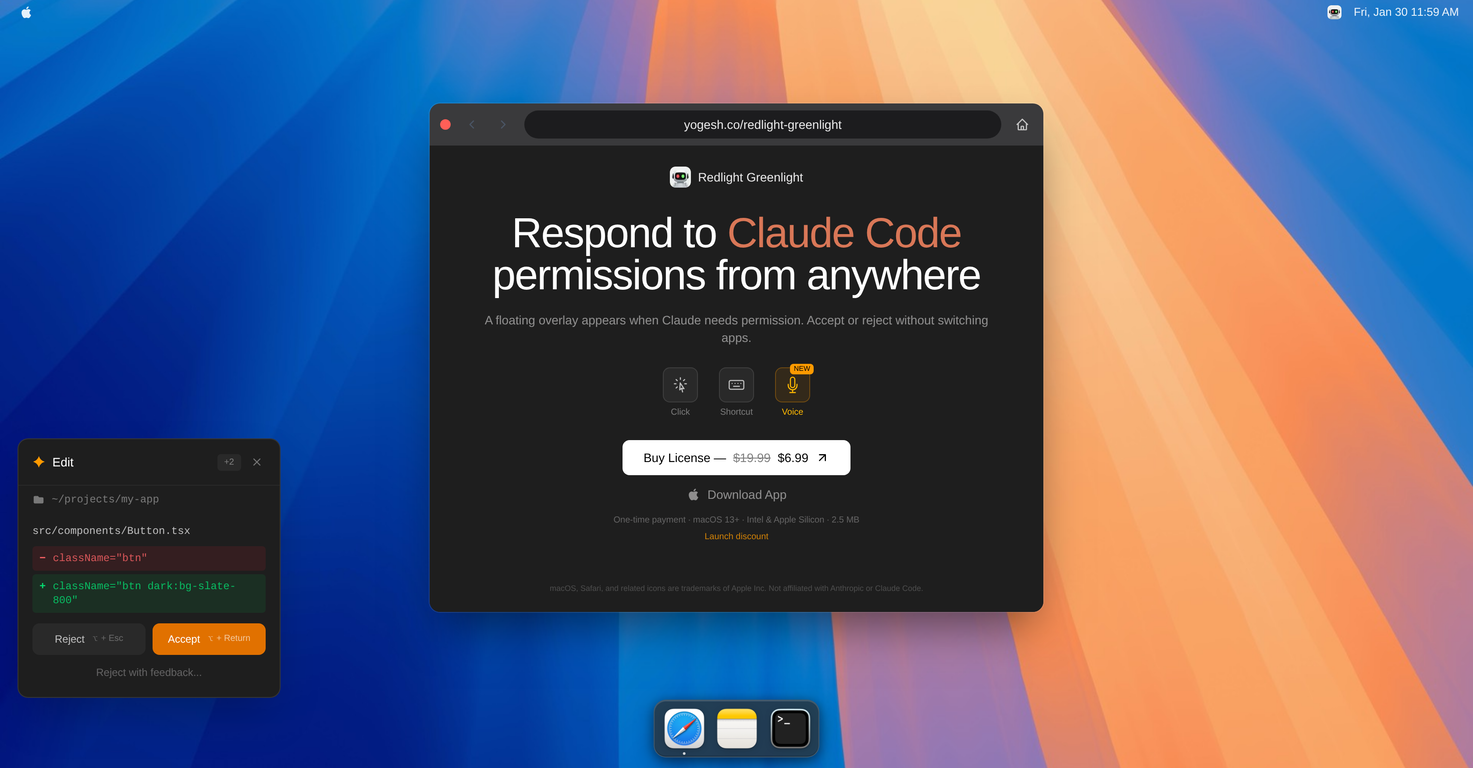
Redlight Greenlight is an macOS application designed to provide an efficient method for managing Claude Code permission requests. It integrates these requests into the native menu bar for a streamlined user experience, allowing users to respond within a floating overlay on the desktop without needing to divert to the terminal.
How does Redlight Greenlight integrate with macOS?
Redlight Greenlight smoothly integrates with macOS by being a native menu bar application. It uses the macOS menu bar as a home base for serving permission requests, providing users with a swift, intuitive, and unobtrusive way to respond, all without needing to switch interfaces or disrupt their workflow.
What is the primary function of Redlight Greenlight?
The primary function of Redlight Greenlight is to manage and respond to code permission requests from Claude Code. This tool strives to keep the production environment in sync by providing real-time notifications and an easy way to authorize these code permissions without a need to navigate back and forth to the terminal.
Is Redlight Greenlight useful for software developers?
Indeed, Redlight Greenlight can be extremely useful for software developers. By providing an efficient way to manage code permission requests, it can aid in keeping production environments in sync, all while saving time and reducing interruptions by eliminating the need to switch to the terminal.
Does Redlight Greenlight support real-time notifications?
Yes, Redlight Greenlight does support real-time notifications. This feature allows users to receive instant updates about Claude Code permission requests, enabling them to respond promptly without having to manually check for new requests.
How does Redlight Greenlight contribute to workflow optimisation?
Redlight Greenlight contributes to workflow optimisation by providing an intuitive way to manage Claude Code permissions. It allows users to approve requests directly from their workflow in a seamless manner. This tool eliminates the necessity to continuously switch to the terminal, thereby reducing disruptions, saving time, and enhancing productivity.
Does Redlight Greenlight support Code Syncing?
You can infer, based of the given information, that Redlight Greenlight might not directly support code syncing. However, by managing and streamlining permission requests from Claude Code, which is a platform used to maintain production environments in sync, Redlight Greenlight indirectly facilitates code syncing.
Who can benefit from using Redlight Greenlight?
Software developers who handle Claude Code permissions can significantly benefit from using Redlight Greenlight. They can improve their productivity by using this tool, as it simplifies and streamlines the management of code permissions within their workflows.
Which types of code permissions can Redlight Greenlight handle?
Based on the information available, Redlight Greenlight primarily handles permission requests from Claude Code. There isn't enough data to infer about other types of code permissions that Redlight Greenlight may handle.
Is Redlight Greenlight suitable for all operating systems?
No, Redlight Greenlight is not suitable for all operating systems. It is a native macOS application, so it only works on that platform.
How does Redlight Greenlight add to productivity?
Redlight Greenlight adds to productivity by streamlining the management of Claude Code permission requests. Instead of switching back and forth to the terminal to approve requests, users can do this directly from their macOS menu bar using a floating overlay. This efficient approach saves time and minimizes disruptions to the user's workflow.
How does the overlay interface of Redlight Greenlight work?
The overlay interface of Redlight Greenlight works by displaying Claude Code permission requests in a floating overlay on the user's desktop. This way, users can interact and respond to these requests without veering away from their current workflow.
Does Redlight Greenlight directly integrate with other coding platforms?
The data does not provide definitive information on Redlight Greenlight directly integrating with other coding platforms. IDK.
Can Redlight Greenlight manage MacOS menu bar actions?
While Redlight Greenlight is primarily designed to manage Claude Code permission requests, its functionality extends to managing macOS menu bar actions, based on user preference or requirement.
How does Redlight Greenlight improve user experience?
Redlight Greenlight improves user experience by offering a seamless and efficient way of handling Claude Code permission requests. Its user-friendly overlay interface displays requests directly on the user's desktop, minimizing disruptions and enabling prompt responses, all from within the user's current workflow.
Is Redlight Greenlight limited only to the macOS operating system?
Yes, Redlight Greenlight is a native macOS app and thus it's functionality is limited to the macOS operating system.
Can I respond to Claude Code permission requests using Redlight Greenlight?
Yes, you can respond to Claude Code permission requests using Redlight Greenlight. A user can easily approve these requests without having to switch to the terminal, saving time and reducing disruption to their workflow.
Does Redlight Greenlight require any additional extensions or plugins?
The data provided does not mention any additional extensions or plugins required for Redlight Greenlight. IDK.
What features of Redlight Greenlight make it a time-saving tool?
The features of Redlight Greenlight that make it a time-saving tool include real-time notifications of permission requests, productive management of these requests directly from a floating overlay on the desktop, and eliminating the need to switch to the terminal to approve requests.
How does Redlight Greenlight handle automation of permission requests?
The specific details about how Redlight Greenlight handles automation of permission requests are not clearly provided. However, by delivering real-time notifications and allowing users to respond to permission requests directly from their workflow, one can infer this tool helps in streamlining and potentially automating the management of Claude Code permission requests.
 Rocket - Think it. Type it. Launch it.
 Mini tools
 Approve/reject Claude code permission requests from anywhere on Mac
 Base44 Superagents


 0
0






How would you rate Redlight Greenlight for Claude Code?
Help other people by letting them know if this AI was useful.