Can it help in the removal of all types of logos or labels on product or brand demos?
Yes, the AI tool can remove all types of logos or labels on product or brand demos.
How does this tool aid in content reuse and reposting?
The AI tool aids in content reuse and reposting by removing unnecessary text, logos, watermarks, and subtitles from the video. After cleaning up, the video results in a cleaner and ready-to-republish version.
Can it help in cleaning older content like tutorials and UGC ads?
Yes, the AI tool can extend the lifecycle of older content such as tutorials and UGC ads by removing unnecessary titles, captions, or lower-thirds.
What does the cleaned-up version of the video look like?
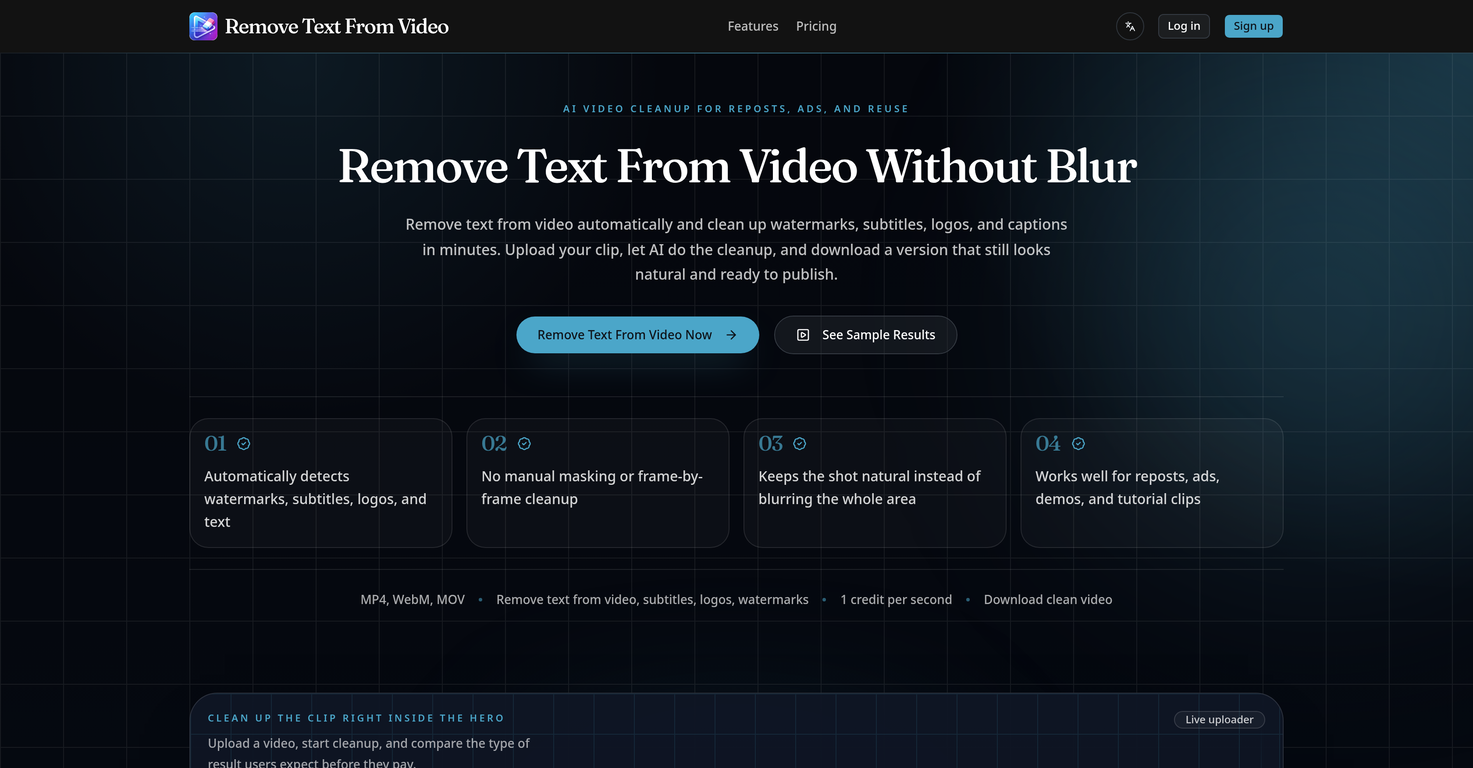
The cleaned-up version of the video looks natural and ready to publish. Any distracting watermarks, subtitles, logos, or text are removed without the need for manual masking or frame-by-frame cleanup.
Can I remove text from video without blurring the whole frame?
Yes, you can remove text from video without blurring the whole frame. The tool delivers cleaner shots and keeps the scene looking natural.
Can the AI find and remove the distracting areas from the video on its own?
Yes, the AI tool automatically detects and removes distracting areas from the video when you need to remove text. This makes cleanup faster when the problem is text, subtitles, logos, or mixed overlays.
What is '1 credit per second' mean in the pricing of this tool?
'1 credit per second' refers to the AI tool's pricing system where clean-up of a video file is charged on a per-second basis.
What video formats does Remove Text From Video support?
Remove Text From Video supports MP4, WebM, and MOV video formats.
What is the maximum size for a video file?
The maximum size for a video file is 100MB.
Does Remove Text From Video affect the quality of the video after text removal?
Yes, Remove Text From Video is designed to preserve the video quality while removing text, logos, subtitles, and watermarks from the video.
Is Remove Text From Video suitable for individual use or team collaboration?
Remove Text From Video is suitable for both individual use and team collaboration.
How does the AI detect text in videos?
The AI in Remove Text From Video automatically detects text, logos, subtitles, and watermarks in the video then performs the cleanup.
Can Remove Text From Video remove multiple text elements at once?
Yes, Remove Text From Video can remove multiple text elements at once, including mixed overlays of text, subtitles, logos, and watermarks.
Does the AI blur out the removed text area?
No, the AI doesn't blur out the removed text area. It makes the scene appear natural after text removal.
Can I repurpose my content after using Remove Text From Video?
Yes, you can repurpose your content after using Remove Text From Video. The tool removes distracting text elements, allowing you to use the cleaned-up video for reposting, re-editing, or localization.
Can this tool be used for video advertisements?
Yes, Remove Text From Video can be used for video advertisements. It enables easier editing and re-purposing of ads by removing unwanted text elements.
How does Remove Text From Video aid in video localization?
Remove Text From Video aids in video localization by removing burned-in subtitles from talking-head clips, making them easier to localize or re-edit.
What is the usefulness of this tool for product demo editing?
Remove Text From Video is useful for product demo editing as it can remove distracting corner logos or labels, helping to maintain the focus on the product in the demo.
Can it remove subtitles from talking-head clips?
Yes, it can remove subtitles from talking-head clips. This makes the clips easier to localize or re-edit.
Is this tool effective for tutorial footage cleanup?
Yes, Remove Text From Video is effective for tutorial footage cleanup. It removes titles, captions, or lower-thirds that are no longer needed in older tutorial footage.
Can I use this tool for editing archived footage?
Yes, you can use this tool for editing archived footage. It helps to remove outdated titles, captions, or lower-thirds, helping to get more life out of archived content.
Is this tool useful for removing text from user-generated content?
Yes, Remove Text From Video is useful for removing text from user-generated content. By removing text elements, user-generated ads can be edited and repurposed more easily.
How does it automatically clean up the video?
Remove Text From Video automatically cleans up the video by detecting distractions such as text, subtitles, logos, or mixed overlays and removes them without needing manual intervention.
Does Remove Text From Video preserve the original video quality?
Yes, Remove Text From Video preserves the original video quality. It is designed to keep the edited video looking natural, without any heavy blurring commonly seen with other tools.
What's the process for using Remove Text From Video?
Using Remove Text From Video involves three steps: 1. Upload the video. 2. Let the AI automatically detect and remove the distractive elements. 3. Download the cleaned-up version.
Can I use this with short-form platforms like TikTok, Reels, and Shorts?
Yes, Remove Text From Video can be used with short-form platforms like TikTok, Reels, and Shorts. It is designed to clean up short-form reposts by removing watermarks or extra text.
What is the pricing of Remove Text From Video?
Remove Text From Video offers a flexible pricing system with a credit-based structure. It offers three monthly plans; Starter, Standard, and Pro priced at $19.99, $49.99, and $99.99 respectively, each offering a different amount of credits.
 Rocket - Think it. Type it. Launch it.
 Mini tools
 AI video cleanup for reposts, ads, and reuse


 MuseCraft
 Fineshare Sora Watermark Remover
 Halloween AI Filters by Media.io


 Remove subtitles, captions, and watermarks from videos instantly.Open
 0
0






How would you rate Remove Text From Video.net?
Help other people by letting them know if this AI was useful.