 Rocket - Think it. Type it. Launch it.
 Mini tools
SpicyChat
 Unleash your imagination with FREE uncensored AI roleplay chat

Go to 🎲 Random
🎲
Storytelling game
(72)
💬
Philosophical conversations
(62)
🎮
Game strategies
(50)
🗣️
English communication improvement
(47)
🎮
Gaming coach
(36)
🎨
Artistic guidance
(35)
🗣
Conversational management
(35)
🧘
Stoic advice
(28)
🔍
Tech insights
(26)
💡
Coding help
(25)
💬
Conversation support
(25)
🔧
Vehicle diagnosis
(24)
🌱
Gardening
(23)
🛠
DIY
(21)
🏋️
Workout planning
(21)
🌍
Immigration advice
(21)
❓
Questions generation
(21)
🎯
Strategic advice
(21)
🎤
Speeches
(20)
😱
Horror images
(20)
Unleash your imagination with FREE uncensored AI roleplay chat
Overview







Overview
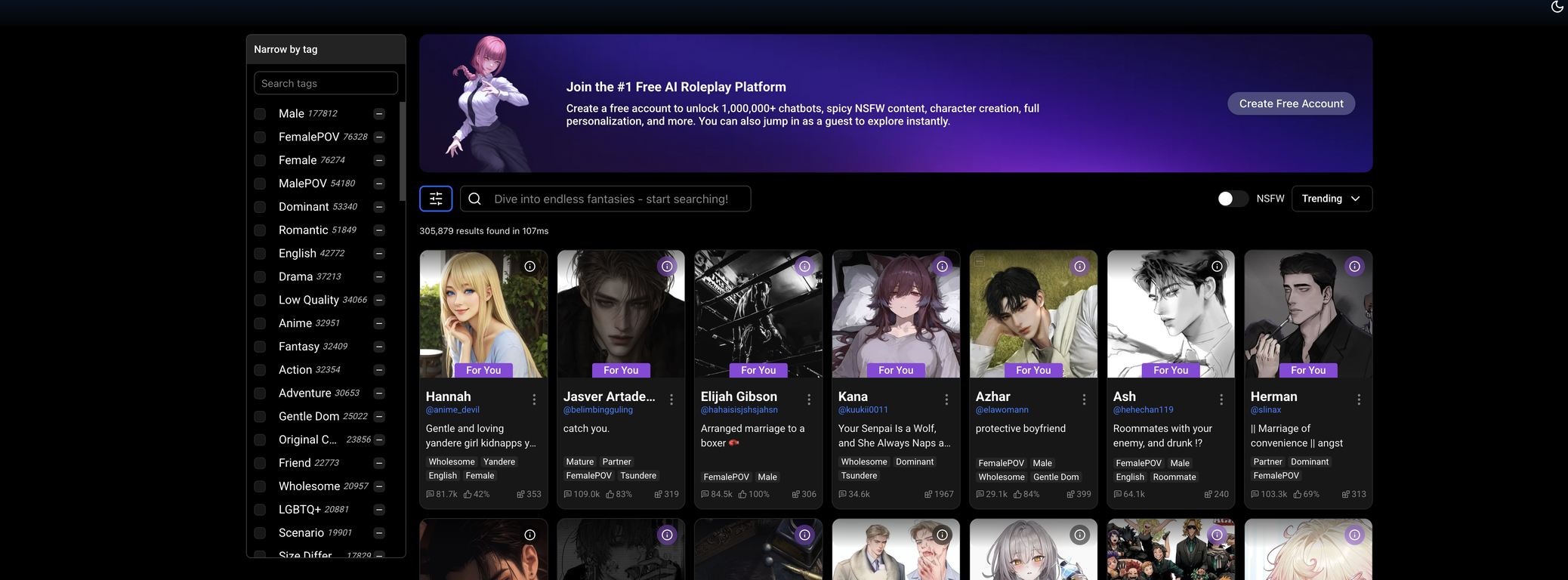
With over 5 million registered users and a public library of nearly 1 million community-created chatbots, SpicyChat.AI is the leading platform for AI-powered roleplaying and character creation.Dive into a vast library of chatbots or craft your own custom AI characters. From deep storytelling to immersive roleplay, SpicyChat offers unlimited freedom to explore any fantasy, scenario, or relationship dynamic.
Interact with chatbots across countless genres—romance, adventure, NSFW, and beyond. Advanced AI ensures dynamic, engaging, and personalized conversations like never before.
SpicyChat isn’t just about chatting—it’s about creating. Design your own AI characters, shape their personalities, and share them with the world (or keep them private). With powerful tools at your fingertips, you can bring any concept to life.
We believe in full creative expression. SpicyChat provides a space where users can explore fantasy-driven, adult-oriented, and NSFW content without limitations.
Whether you're looking for casual chats, immersive roleplay, or AI-driven storytelling, SpicyChat.AI offers the most advanced, unrestricted chatbot experience available. Create, explore, and unleash your imagination today!
Show more
Releases
Get notified when a new version of SpicyChat is released
Notify me
Feb 10, 2026

Brandon
🔥 Open Access to Glam Arcturus for all Paid Subscribers
SpicyChat is rolling out access to Glam Arcturus, a premium large-language model, for all paid users from February 12 to 16, 2026.
Regardless of your tier, you have full access to explore everything Glam Arcturus offers.
About Glam Arcturus
Glam Arcturus is a special, fine-tuned version of GLAM 4.6, designed to deliver smoother, more immersive, and story-forward conversations. It stays on plot, produces more natural dialogue, and adds richer scene detail with less repetitive phrasing, making creative roleplay feel lively, grounded, and coherent without going off the rails.
Key highlights:
🧠 355B parameter model with 16K context
✍️ Optimised for storytelling and roleplay
🎭 More natural dialogue and improved narrative flow
🏷️ Currently the Best Model within SpicyChat
🚀 Available to all paid SpicyChat subscribers from 12 to 16 Feb, 2026
This open access is for you if you want deeper, smoother, and more consistent roleplay sessions.
Check it out now!
0
0
SpicyChat is rolling out access to Glam Arcturus, a premium large-language model, for all paid users from February 12 to 16, 2026.
Regardless of your tier, you have full access to explore everything Glam Arcturus offers.
About Glam Arcturus
Glam Arcturus is a special, fine-tuned version of GLAM 4.6, designed to deliver smoother, more immersive, and story-forward conversations. It stays on plot, produces more natural dialogue, and adds richer scene detail with less repetitive phrasing, making creative roleplay feel lively, grounded, and coherent without going off the rails.
Key highlights:
🧠 355B parameter model with 16K context
✍️ Optimised for storytelling and roleplay
🎭 More natural dialogue and improved narrative flow
🏷️ Currently the Best Model within SpicyChat
🚀 Available to all paid SpicyChat subscribers from 12 to 16 Feb, 2026
This open access is for you if you want deeper, smoother, and more consistent roleplay sessions.
Check it out now!
May 26, 2023
Brandon
Initial release of SpicyChat.
Author

Pricing
Pricing model
Freemium
Paid options from
$5/month
Billing frequency
Monthly

Top alternatives
-
 OpenTania Mayo🙏 48 karmaAug 15, 2024@ChatUp AI GirlfriendAmazing for therapy
 -
 Open
Open
















 4
4





