✅
Tasks22,566💼
Work8,353💼
Business6,519📢
Marketing2,170🎥
Presentations102📹
Presentations to videos2PPT/PDF to Video by Vidsembly
Go to 💼 Business
📢
Marketing
(2170)
🔍
Industries
(800)
💾
Data
(775)
💼
Sales
(703)
💰
Finance
(373)
💡
Startups
(289)
👔
Management
(274)
👔
HR
(228)
⚖️
Legal
(217)
📈
Business strategy
(188)
📅
Meetings
(119)
📊
Product management
(115)
🔒
Security
(77)
📞
Calls
(39)
💻
Tech support
(35)
🤝
Networking
(31)
💻
Virtual employees
(27)
🚀
Business innovation
(13)
🤖
Enterprise
(12)
FirstSign AI
Bika.ai
CleeAI
Avataar's GenAI Creator
Sreda.ai
Neferdata
Activepieces
AI Agents
Kong.ai
Ridvay
Calk AI
Abstra
Cognition by Mindcorp
Olivya
BigTeam
DoubleO
Pipefy
Quixl
Cubeo
Sema4.ai
33,620
16,954
13,360
2,792
2,397
2,132
1,861
1,672
1,290
1,193
1,061
1,052
1,049
994
914
879
859
805
792
601
Go to 📢 Marketing
📣
Marketing channels
(1488)
🔥
Branding
(224)
🎥
Presentations
(102)
🤝
Public relations
(62)
🎯
Marketing strategies
(52)
📢
Marketing content
(50)
📑
Landing pages
(40)
🔍
QR codes
(35)
🌱
Business growth
(19)
📣
Marketing campaigns
(17)
📈
Marketing assistance
(8)
📊
Marketing analysis
(8)
📊
Marketing optimization
(7)
Averi AI
Digibate
DFIRST AI
Beno One
Waxwing
Markifact
Swipe Insight
ActiveCampaign
BOSCO
Moda
mavic.ai
Sleek
Social Hub.AI
InstantPersonas
LiftKit
Creative Fast AID
Hopprz
Gentura
Planist
Practina
33,983
27,324
14,816
8,051
5,757
4,698
3,598
3,325
3,247
2,863
2,620
1,928
1,923
1,871
1,842
1,518
1,371
1,145
1,152
892
Go to 🎥 Presentations
🖥️
PowerPoint presentations
(29)
🎬
Interactive presentations
(3)
📹
Presentations to videos
(2)
MagicSlides.app
Gamma
HyperPresent AI
GPT for Slides
VoxDeck
GenPPT
PresentationGPT
okkslides
NextDocs.io
SlidesPilot
Xavier AI
SlidesAI
Decktopus AI
Chronicle
PresentationsAI
AI GPT for Slides
Prezo
Beautiful.ai DesignerBot
PPTX
SlideSpeak
179,994
88,554
61,009
58,624
47,747
43,606
38,221
37,507
30,180
26,545
26,511
25,493
22,515
21,501
20,067
19,955
16,938
14,154
13,460
12,463
July 24, 2025
Dashboard
Edit AI
PPT/PDF to Video by Vidsembly
Inputs:
Outputs:
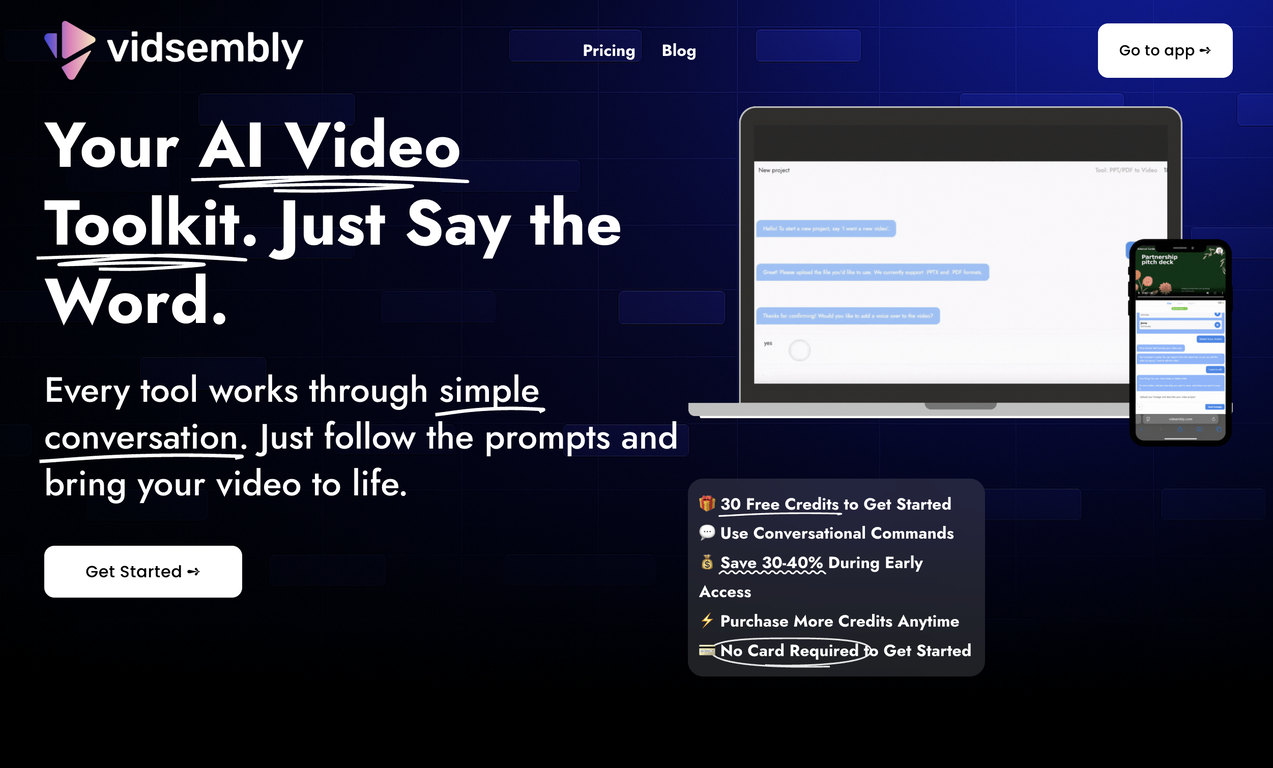
Turn your slides into narrated videos with AI voiceover
Top alternatives
AI Slides to Videos
660
23,464
www.vidsembly.com
Overview
PPT/PDF to Video by Vidsembly turns your slide decks into ready to share videos through simple conversational steps. Upload a PowerPoint or PDF file and Vidsembly will convert each slide into a video frame, generate narration that matches each slide, and let you adjust the structure with natural instructions.This tool is ideal for teachers, trainers, sales teams, HR departments, onboarding specialists, and creators who want to turn presentations into video format without spending time in an editor. It works well for training videos, walkthroughs, announcements, lessons, and internal updates.
This tool is part of Vidsembly’s larger AI powered video toolkit, where every feature is guided through prompts instead of timelines. You follow the steps, upload your files, and Vidsembly handles the technical editing.
About Vidsembly:
Vidsembly is a suite of AI powered video tools with a conversational interface. It helps anyone, from first time creators to experienced editors, create professional quality videos without editing timelines or technical complexity.
Vidsembly runs on a credit system that works across every tool, and users can choose a subscription to receive credits each month.
Show more
Releases
Get notified when a new version of PPT/PDF to Video by Vidsembly is released
Notify me
July 24, 2025
Rielly Milne
Initial release of PPT/PDF to Video by Vidsembly.
Pricing
Pricing model
Freemium
Paid options from
$14.99/month
Billing frequency
Monthly
Save
🔗 Copy link
Use tool
Save
Other tools by this author
-
Generate custom copyright-free music that fits to your video automaticallyOpen14,564 www.vidsembly.comShareRielly Milne🛠️ 2 tools 🙏 24 karmaNov 23, 2025@Video Music-Score by VidsemblyWe built Vidsembly’s Video Music-Score tool to make adding background music simple and fast. Upload your MP4 video, choose a music style, and get a copyright-free soundtrack that is automatically fit to your video and ready for export. No editing skills needed. You can try it free with 15 credits.3 Reply Share Edit Delete ReportReleased 7d agoFree + from $14.99/mo16,24385.0
Reviews
3.7
Average from 3 ratings.
2
0
0
0
1
Post
Comments(1)
Rielly Milne
🛠️ 2 tools
🙏 24 karma
Jul 25, 2025
@ initial release
Rated it
@PPT/PDF to Video by Vidsembly
We built Vidsembly to make video creation from presentations as simple as having a conversation. Just upload your slide deck, pick a voice, and get a clean narrated video in minutes. No editing software or mic needed. Great for creators, educators, and sales teams who want their message to land. You can try it free with 30 credits.
115
Reply
Share
Edit
Delete
Report
How would you rate PPT/PDF to Video by Vidsembly?
Help other people by letting them know if this AI was useful.
Prompts & Results
Add your own prompts and outputs to help others understand how to use this AI.
Pros and Cons
Pros
Transforms presentations into videos
Interactive voice commands
Allows personal content modifications
Simple conversational prompts
Optimized for various sectors
Boosts information comprehension
Improves asynchronous communication
Credit system for processing
Credits applicable across tools
Credits without expiration date
Aids remote learning
Useful for hybrid workplaces
Converts PPTX to video
Converts PDF to video
Efficient content creation
Organized project handling
Supports video sans audio
Natural language for edits
Early access discounts
No card required start
Blog resources for usage
Boosts engagement
Promotes clarity in communication
Supports sales follow-ups
Enhances pitch deck performance
Caters to educators
Promotes message retention
Improves internal communications
Supports content after presentations
View 24 more pros
Cons
Limited to PPT/PDF formats
Overly simplistic functionality
Requires purchase of credits
Voiceover may sound unnatural
Dependent on internet connection
No option for human narration
Lack of advanced editing tools
Potentially expensive for frequent users
Cannot edit video post-creation
View 4 more cons
Q&A
What is Vidsembly?
Vidsembly is an AI-based toolkit that transforms PowerPoint or PDF presentations into polished video content. It employs interactive voice commands for editing and allows for the customization of content. Vidsembly serves a range of users, notably sales teams, founders, teachers, and internal communication teams, aiming to elevate information delivery methods.
How does Vidsembly convert PowerPoint presentations to videos?
Vidsembly converts PowerPoint presentations into videos through user-friendly, conversation-like steps. Users start by naming their video project and then upload a PPTX. Each slide is transformed into a video frame which users can choose to have the AI narrate or proceed without audio.
Can I make modifications to the slides in Vidsembly?
Yes, Vidsembly enables users to make modifications to the slides. Through referenced voice commands, users can make certain changes such as moving or deleting slides, effectively personalizing their content.
What voice options does Vidsembly offer for narrating my slides?
Vidsembly's AI provides the option to narrate the slides. Users have the choice to let the AI take over the voiceover for their slides, or if they prefer, they can choose to work solely with visuals and proceed without audio.
Does Vidsembly only support PowerPoint presentations or can it convert PDFs as well?
Vidsembly supports both PowerPoint and PDF files. The users can upload either a PPTX or a PDF file and the AI will transform each of the slides or pages into a video frame.
What purpose does the credit system in Vidsembly serve?
The credit system in Vidsembly relates processing minutes to the number of credits used. It provides a convenient and unambiguous method of determining usage.
+ Show 13 more
Are Vidsembly credits only available for the video creation tool or can they be used for other tools as well?
Vidsembly credits are not limited to the video creation tool. They can be applied across all existing and prospective Vidsembly tools, expanding the versatility of the credits.
Do credits in Vidsembly have an expiration date?
Absolutely not, Vidsembly credits do not have an expiration date. They remain valid indefinitely, ensuring users can utilize them whenever they need to in the future.
How does Vidsembly enhance asynchronous communication in remote or hybrid workplaces?
Vidsembly promotes asynchronous communication in remote or hybrid workplaces by transforming static decks or presentations into narrated videos. It enhances engagement, clarity, and comprehension over traditional emails or slides, thus effectively addressing the communication needs in diverse work environments.
Does Vidsembly offer any sort of free trial or starter credits?
Yes, Vidsembly offers 30 free credits for users to get started. This enables new users to try out the service without any initial investment.
Can Vidsembly be effectively used by sales teams?
Absolutely, sales teams can greatly benefit from Vidsembly. It helps turn slide decks into succinct, narrated videos that improve clarity, engagement, and follow-up response, which can better capture prospect attention compared to static decks.
Why is Vidsembly a beneficial tool for founders and teachers?
Vidsembly provides significant benefits to both founders and teachers. Founders can generate narrated versions of their pitch decks to outperform traditional slide decks, attracting more investor interest. Teachers can transform slides into narrated videos to enhance learning outcomes and adapt to the requirements of remote teaching.
What can internal communication teams gain from utilizing Vidsembly?
Internal communication teams can leverage Vidsembly to switch from static decks and lengthy emails to more engaging video content, which may significantly improve employee engagement, message retention, and synchronous communication across hybrid workplaces.
How does Vidsembly assist in content personalization?
Vidsembly helps in content personalization by allowing users to make certain modifications to the slides. Users can choose to rearrange or delete slides using referenced voice commands, and also have the option to either include AI narration or proceed without audio.
What are the steps I need to follow to create a video in Vidsembly?
The steps to create a video with Vidsembly begin by naming a video project, followed by uploading a PPTX or PDF file. Users can then decide if they want the AI to narrate the slides, or if they would rather proceed without audio. Finally, any desired modifications, such as moving or deleting slides, can be made using referenced voice commands.
Can I proceed with creating a video in Vidsembly without including audio?
Yes, users have the option to create videos in Vidsembly without including audio. While the AI can narrate the slides, users can choose to proceed with visuals only.
How does Vidsembly's pricing work with regards to processing minutes and credits?
In Vidsembly's model, 1 credit equals 1 processing minute. The minimum charge is 1 credit per render and durations are rounded up. For instance, a 1:01 rendering time equates to 2 credits. Each new edit or render uses additional credits.
Is a credit card required to start using Vidsembly?
No, a credit card is not required to get started with Vidsembly. Users can initiate their experience with the provided 30 free credits.
How are Vidsembly's voice commands interactive and conversational?
Vidsembly's voice commands are designed to be interactive and conversational. Users can manage their video creation process using simple spoken prompts, enhancing user-friendliness and allowing for a more intuitive editing process. This includes tasks like making changes to slides or exporting the final video.
Ask a question
Submit
#1297
25