 Base44 Superagents-AI agent that does it all
 Mini tools
 OnSpace.AI - No Code App Builder
 Cursor
 Kilo Code
 CodingFleet
 Programming Helper
 Github Copilot
 Devra
Devra
 Codeium
 Autocoder.cc
 Qoder
Qoder
 Phala Cloud
 Warp
Warp
 Qodo (Formerly Codium)
 Verdent
 Who Codes Best?
 Jovu
Jovu
 Google Antigravity
 GoCodeo
 Refraction
 Zzzcode
 So You Want To Be A Writer?
 Ancient AI powered spirits
 Minka
Minka
 Jvb ai
 somacguffin
 Cuty
Cuty
 Superfly Stoner


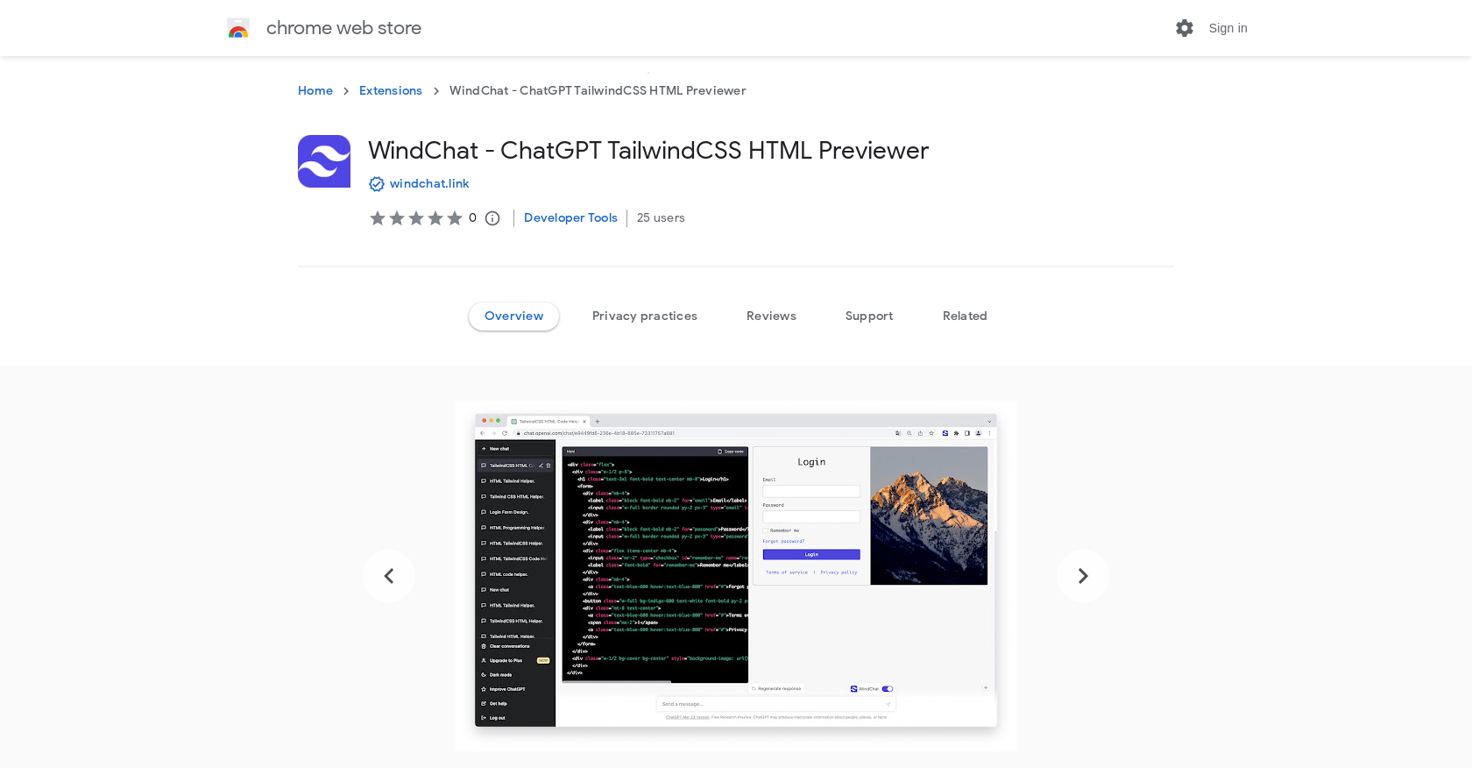







Overview
WindChat - ChatGPT TailwindCSS HTML Previewer is a Chrome web browser extension that enables users to preview HTML and Tailwind CSS code in real-time within the ChatGPT chat window.
This tool eliminates the need for tedious copying and pasting of code for those who want to tweak page designs in ChatGPT. With WindChat, users can merge code from multiple chatboxes to preview the code for the entire chat session, which is especially useful when the answer text from ChatGPT is too lengthy and spans several chatboxes.
In addition, WindChat provides editing capabilities for HTML and Tailwind CSS code in real-time, allowing users to make modifications and immediately see the changes.
The tool is regularly updated to ensure compatibility with the latest versions of ChatGPT. WindChat is easy to install from the Chrome Web Store and is offered by windchat.link.
It does not require any additional subscriptions or fees to use, but it does offer in-app purchases. WindChat will be helpful for those who want to fine-tune their web page design in ChatGPT without wasting time on copying and pasting code.
Releases
Top alternatives
-
 Johnson🙏 122 karmaJul 16, 2025@OnSpace.AI - No Code App BuilderWould rate 4.9 if possible, but rounding up to 5 stars because this app truly excels compared to other AI coding tools. Why 5 Stars: Best-in-class AI coding assistance Huge improvements over competitors Actually works for real development Real Impact: I successfully built and published an actual app using this tool - that's game-changing for non-developers like me. Bottom Line: Yes, there's room for improvement, but this is already the top AI coding app available. The fact that ordinary people can create real apps with it says everything. Perfect for anyone wanting to turn ideas into actual apps!
 -
-
>Why is this website so ugly? Our goal is to rapidly make the software better, not to have a shiny website. Love it!
-
CodingFleet has evolved a lot over the past year. We added the latest flagship coding models including GPT-5.4, Grok-4.20 Beta, Gemini 3.1 Pro, Claude Sonnet 4.6 / Opus 4.6, Qwen 3.5, MiniMax M2.5, and newer Codex reasoning models. The platform also gained major new capabilities like Image Generation, Diagram Generator, Diagram-to-Code, vision support, improved Web Access, and MCP integrations. For builders, Code Execution became much more powerful with better sandboxes, filesystem tools, shell/database access, and improved long-running workflows. We also significantly improved the product experience with larger context limits, broader file upload support, Chat Memory, cross-tab/live chats, a much better dashboard, and detailed usage statistics. On the business side, we refreshed pricing with a stronger Pro plan, cheaper credit purchases, and permanent Pro access.
-
Code varies from run to run. Still it is a helpful app. You can specify coding languages that are not in the dropdown menu.
-





 0
0





