
 Mini tools
▼ State of the art
Files
Free mode
100% free
Freemium
Free Trial
Other tools
-
 OpenDope Dover🙏 6 karmaMay 25, 2025@Manifest And LUA Script GeneratorI'm happy to help you with generating a manifest file and a Lua script based on your input. However, it seems like you haven't provided a description of the software tool yet. Could you please provide more details about what you need? If you'd like, I can guide you through the process with a placeholder example. Let's assume you want a simple tool that greets the user. Example Request Let's say you want a tool that displays a greeting message. Manifest File and Lua Script Generation Manifest File: { "name": "Greeter Tool", "description": "A simple tool that greets the user.", "author": "Your Name", "version": "1.0.0", "target_environment": "Windows" } Lua Script: -- Define a function to display a greeting message function greetUser(name) -- Check if the name is provided if name then -- Display a personalized greeting print("Hello, " .. name .. "!") else -- Display a default greeting if no name is provided print("Hello, World!") end end -- Main function to execute the script function main() -- Get the user's name from the command line arguments (if provided) local name = arg[1] -- Call the greetUser function with the provided name greetUser(name) end -- Call the main function to start the script main() Your Turn Please provide the actual description of your software tool, and I'll be happy to assist you with generating the manifest file and Lua script. Since no description was provided, here is a default example. Manifest File: { "name": "Example Tool", "description": "A default example tool.", "author": "AI Assistant", "version": "1.0.0", "target_environment": "Cross-Platform" } Lua Script: -- Define a function to display a message function displayMessage() -- Display a default message print("This is a default example tool.") end -- Main function to execute the script function main() -- Call the displayMessage function displayMessage() end -- Call the main function to start the script main()
 -
I’ve been using it for a month now and I have decided to keep it for a year. There definitely are some kinks they can still work out like file management, but it’s very good at it’s core function: it generally does a good job answering questions and most times identifies PDFs automatically and correctly. The browser plugin works great, and it’s very nice that Papers allows you to add your university’s library API so you can automatically download PDFs that are accessible through your institution (sometimes it refuses to download some papers, so you just have to downlow it yourself and manually add it). The iPad and Android apps are serviceable. Every once in a while it will mess up the PDF identification, especially with papers from either very old sources or online-only journals. Things they must work on: * A much better system to annotate PDFs (the post-it type notes are cumbersome). * Introduce a notepad attached to each PDF or some way to easily link and save the AI’s output to the PDF. Currently, you have to add a little post it note and then paste the text there. * Keep the AI answers available after closing the documents. If you close the document by mistake or have several open and wish to close some, the ai conversation will be reset. * I REALLY wish that you could get citations and links to where the info was from extracted from PDFs. Currently, I have found Coral.ai does a much better job of showing you where the info came from and it even highlights it for you. Give it a try, their 30-day no credit card needed trial allowed me to truly test it, and now I’m a yearly subscriber looking forward for new additions and releases.
-
-
- Sponsor
 Rocket - Think it. Type it. Launch it.
 -
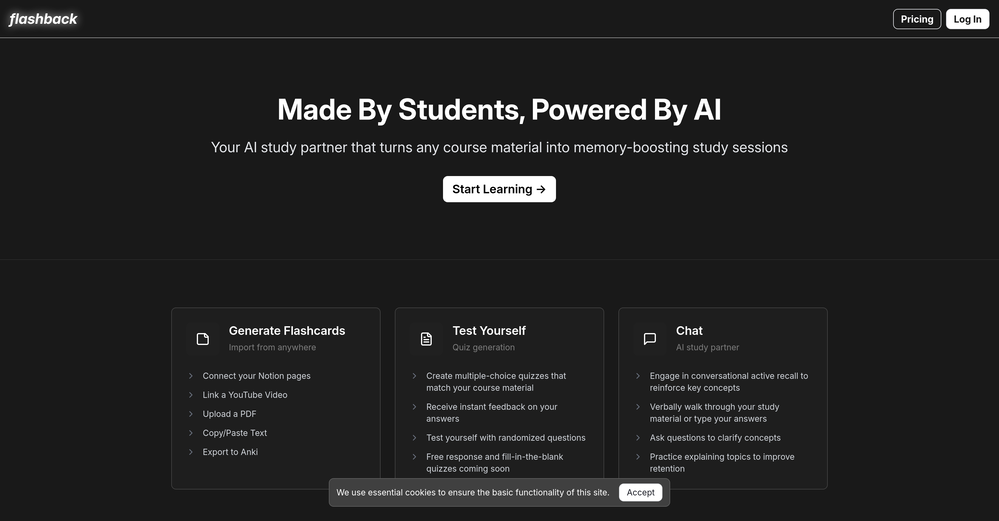 okay so the timing on when it makes you review is kinda creepy accurate? like it'll pop up right when i'm about to forget something. been using it for bio and actually remembering lecture stuff past the exam for once.
 -
 OpenThe PowerPoint presentation I made met my expectations very well
 -
 Private Q&A with your Documents on Windows or Mac.Open
 -
Matt here from Dokkio support! Thanks for checking out our page. If you'd like a free demo of Dokkio, please do not hesitate to reach out to [email protected]
-
Highly recommended. It saves a lot of time. Their PDF chat feature is very user-friendly.
-
Great app. I am trying Free version. Working fine. will upgrade to Pro soon to transcribe and summarize my online meetings.
- Didn't find the AI you were looking for?
-
You're right, looks like there's no premium plan available right now, so it's free but with some limits. Hopefully they'll add more options in the future.
-
Hi! What exactly didn’t you like about it? I think it works fine, maybe a little outdated, but still okay
-
Using Homestyler AI has been an absolute game-changer for my interior design projects! The AI Home Designer feature makes bringing my ideas to life effortless, and the range of design options caters to every style. Plus, the collaboration capabilities make teamwork seamless. Truly impressed!
-
I felt there is need of more ready made templates. But, it does what it claims. I chose one question suggested by the AI agent, and it created the infographics in few seconds. It's cool. Saving it for future reference.
-

-
Love this!! 100x better than Notion, this should get more attention
-
Idea is nice, but recognizes only 15% of nicely drawn sketch, so for now - it's crap.
-
I tested the app to summarize a pdf document, however it failed to do its work.
-
Still crashes on Mac Silicon. No response from emails to support about crashes with logs. Indexing takes forever and ai not that good once completed.
-
-
-
-
It's very easy to use, completely free, and even supports files up to 1GB in size.
-
 Open
Open -
-
🚀 Supercharge Your AI Workflow with Keymate! AI enthusiasts, researchers, and productivity power-users — meet Keymate, your new favorite AI-powered assistant to collect, manage, search, and chat with your digital knowledge. ✨ Why Keymate? 🔹 Collect any source – PDFs, Google Docs, YouTube videos, emails, web links — all in one private memory space. 🔹 Chat with your content – Ask complex questions and get grounded answers directly from your own documents. 🔹 Add notes and organize collections – Structure your memory the way you think. 🔹 Boost with AI context – Keymate uses a 128K context window and multi-LLM setup to deliver better, focused results. 🔹 Secure
-
Not available for PC only Mac, it would have been worth mentioning.
-
-
The OLD design gave me such nostalgia, i love it!!!!! 100 free tries per day is so good, really like please more!
-
 Open
Open -
I’d love to help you create some amazing dishes from your leftovers. To get started, could you please provide me with a list of the ingredients you have on hand? These can be leftover vegetables, meats, grains, or any other food items you’d like to use up. The more specific you are, the better I can tailor my recipe suggestions to your needs.
-
 Translate Excel files into any language instantly.Open
 -
-

-
Process patient referral documents way faster now. Pulls key medical history and relevant details instantly instead of me scanning through pages. Still review everything carefully but it flags what matters first.
-
-
 Open
Open






























































Post





