 Marketeze
 Mini tools
▼ Top rated
Flexibility
Free mode
100% free
Freemium
Free Trial
Featured matches
-
-
-

-

-
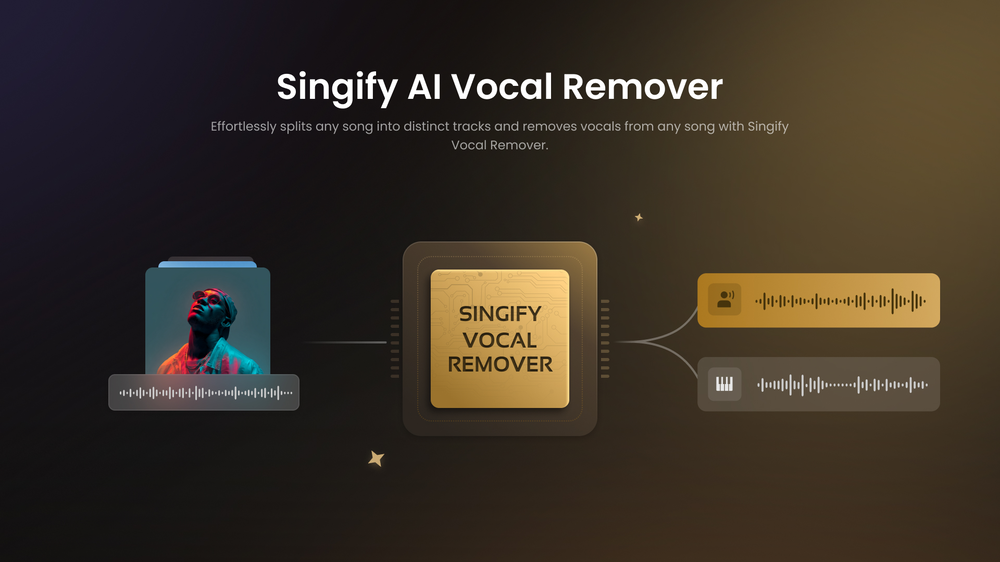 FoxSerSep 30, 2025@Singify AI Vocal RemoverLadies and gentlemen, welcome to Pak Udin's duck rice stall. The sun sets in the evening. Accidentally saw an apparition. As night falls, I wish you bon appetit. Where does love begin? From the eyes to the heart. Thank you for your time. Your presence means a lot.
 -
-

-

-
-










Other tools
-
 Cooking healthy and yummy dishes has never been this easy with AIOpenGreat UI, personal go-to for left over recipes
 -
quick magic ai motion capture is amazing, so smooth, very great
-
-
- Spotlight: Marketeze (Video hook rating)
-
It is such a great tool if you are looking for a customizable generative AI experience! The company works very hard to impress its users and constantly listens to and ships new features that we want!
-
Very helpful and pretty full of "shiny" gems.
-
Appears to give factual and relevant responses. Includes sources. Has a clean interface and provides quick responses. It's also free. Awesome AI web app!
-
If you are just starting a company and need an All in one place for your operation, this is the tool you need!
- Didn't find the AI you were looking for?
-
Took this one for a spin on portraits shots: edge aware masking around hair clothes is solid, background cleanup quick color grades are fast and relight gives believable shifts without wrecking skin tones.
-
I have been using z.ai for two weeks for web development and it's mind blowing for me. What amaze me more is its capacity to understand my existing code with very little context and suggest -or just write- lot of improvement. I did some test to compare it with ChatGPT, Claude, etc. but the results were no even close. And I keep pushing the limits but it doesn't even blink.
-
-
Easily my favorite ai music generator. One of the only ones I’ve found that lets you input Artist names for the style prompt and it actually sounds good. Plus it’s free!
-
 Transform your music into stunning visual experiences with AIOpen🎶 BeatViz 2.3 is here We’re excited to introduce BeatViz 2.3, an update focused on giving creators more control over motion and character performance. With smarter motion understanding and a new edit workflow, BeatViz can now transfer real movements from video directly onto your characters—making music videos feel more alive and expressive. ✨ What’s New 1. Video-to-Image Motion Transfer (New) Turn real movement into character animation. Upload a dance or motion-based video along with a character image. BeatViz’s AI analyzes the movements in the video and applies them to the character, transforming a static image into a dynamic performance. Perfect for dance visuals, animated characters, and expressive music videos. 🔧 How It Works Motion Extraction & Transfer Our AI detects body movement and motion patterns from your uploaded video and maps them onto the character in your image for smooth, natural animation. Edit Mode Workflow This feature is available in Video Generator → Custom Mode. Simply switch Generate Mode to Edit Mode to start applying motion to your image. 💡 Why It Matters Bring characters to life – Real motion creates more engaging visuals Less manual tweaking – Let AI handle motion mapping More creative freedom – Use any video as a movement reference BeatViz 2.3 helps you turn movement into storytelling—so your music videos don’t just look good, they move with purpose.
 -
AutoEditor is a tool powered by AI that allows users to create highly customized short videos. It is primarily designed to make video editing easier and more efficient, thus enabling users to focus more on content creation. Distinct features include the automatic generation of subtitles in more than 40 languages, detection of silence or non-relevant content in videos, and the ability to enhance videos by adding b-rolls, watermarks, and other effects. The platform provides an easy-to-use interface for video editing, putting users in complete control of their content. Users can change text, styles, and various other aspects of their videos without prior knowledge in video editing. Furthermore, AutoEditor supports editing of long videos, which can be broken down into smaller parts without pre-cutting them. Videos for editing can be directly processed from YouTube, eliminating the need for separate downloading websites. Users can also customize their captions, save their unique styles as presets, and create videos with a few simple clicks for a fast editing experience. AutoEditor's pricing is designed to be simple and affordable, with plans tailored to suit different needs. Users can also access a free tier to get started. Flexibility is one of its key advantages, providing users the means to edit their videos exactly how they want them. The software works best with videos containing any type of voice or talking, such as podcasts, talk shows, documentaries, educational videos, or speeches.
-
-
Shockingly good tool generating usable html code and easy to customize already generated desing using additional prompt without loosing previus design. Good job , keep improving this tool. I really like it.
-





























Post





