
 Mini tools
▼ Latest
Future
Free mode
100% free
Freemium
Free Trial
Featured matches
-
 Don't just go, know the vibe first.Open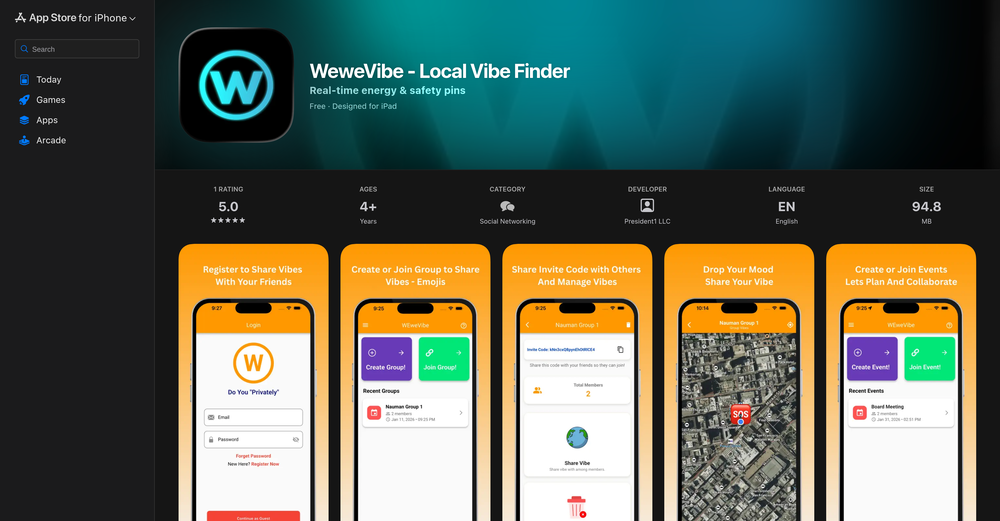
-
 Jezza Beard🛠️ 1 tool 🙏 41 karmaNov 30, 2024@Format MagicThis is a gamechanger!
 -

-
-
-
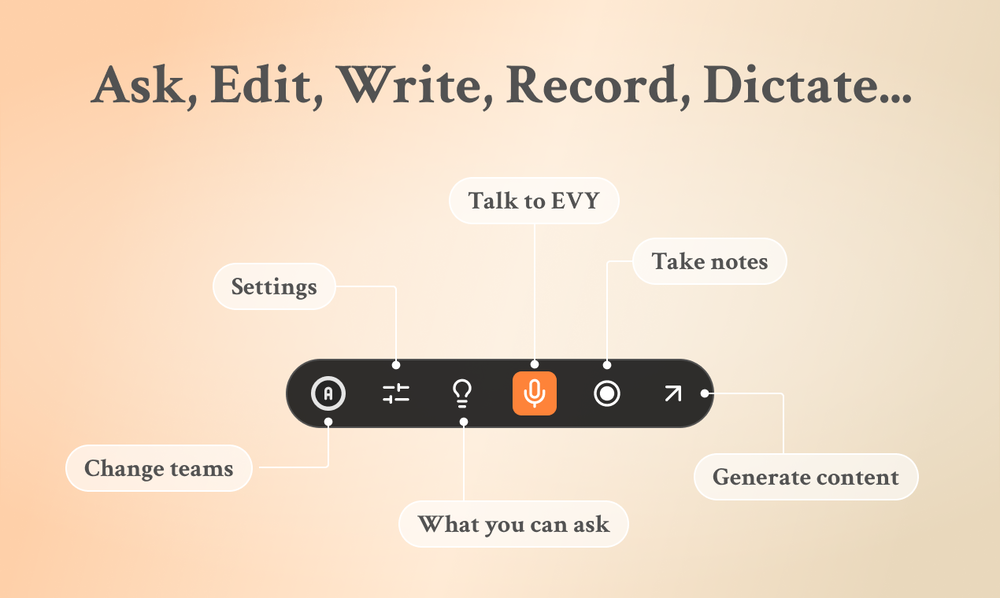 Use it every day! Best AI support for work
 -
 Thank you! What did you find interesting about this website? Did you try daily moon reading?
 -
 🪄TarotAI: An all-in-one AI Tarot platform. Redefining your Tarot experience with AI. 🔮 Why Choose TarotAI? Traditional Tarot decks are fixed, but we believe Tarot should be fluid and personal. Core features of TarotAI: 1. Generate Unique Tarot Cards with AI Our AI Tarot card image generation engine is incredibly powerful. You can upload your favorite Tarot card template images and generate Tarot cards with highly consistent artistic style in 30 seconds, with full control over each card's elements, symbolism, and details. 2. Craft Your Own Deck Design and create an entirely original Tarot deck from scratch, visualizing your inspiration and ideas. Infuse it with your personal beliefs or narratives, and use the custom deck for genuine readings. 3. Receive Insightful Free Readings Select any Tarot deck on our platform and ask any question on your mind. Our AI provides thoughtful, empathetic, and in-depth interpretations, designed to offer you meaningful guidance. 4. Share Your Creations Whether you're a creative enthusiast or a professional Tarot reader, you can share your card designs and unique Tarot insights in our community gallery. 👋 Try It Today! We can't wait to hear what you think. Visit our website to experience free AI Tarot readings and create your first AI-generated Tarot card. ✨ Start here: https://tarotai.art
 -

-














Verified tools
-
 Create and download your digital clone to live forever. Interact with others.Open
 - Sponsor
 Rocket - Start building, Now!💻 Vibe coding
 -
Cool tool! I really like how it checks different areas of a website—like design, SEO, performance, and more. It gives a clear picture of what’s good and what needs fixing.
-
Thanks for the nice comment Cath! I'm working on it by myself, it's the first app that I build and I try to make the customer experience as good as I can. It's always the number one focus.
-
Personally it was really helpful for my experiments and it supports the inline edits like figma.
-
This AI stock-picking tool delivers real-time data-driven insights, user-friendly interface and smart rankings, simplifying wise investment decisions.
-
 Discover your life's secrets through professional palm reading analysis.Open
 -
Why we built Elham.ai Elham.ai started as a personal project to compete in Kaggle competitions. While experimenting, we noticed something surprising: our AutoML engine consistently outperformed Microsoft Azure on key benchmarks. That was the turning point — what began as a personal tool for experimentation transformed into a full product. What makes Elham.ai unique: - Outperforms big players (like Azure) in real-world benchmarks. - Designed to be **simple, fast, and production-ready** for anyone who wants to turn their data into insights. - Built with the philosophy of *“AI for everyone”* — no steep learning curve, no endless configuration. What we’re most proud of: Turning a side project into a product that challenges industry giants. And now, opening it up for the community to explore and shape with us. Try it out here: [https://elham.ai](https://elham.ai)
-
Prefect Idea! I love it. I just wish to keep up the good work
-
Hi, I would like to help. do you mind post a screenshot so I can better understand what happened? https://www.reddit.com/r/ClicknowAI/
-
The privacy focus of AI Avatar is commendable. It’s refreshing to use an app that lets you create cool avatars while ensuring your data stays private. Five stars!
-
-
Thanks for the support! We feel all this ourselves and that's why started this project. Keep up with our updates ;)
-
 Summarize any webpage portion with ChatGPT.Open
 -
 OpenHi all, I am the founder of Futurwise, and we build this tool to help people keep up-to-date on fast-changing topics as the world is changing so incredibly fast. Our objective is to build a next gen media platform and help anyone cut through the noise of information overload and find your next insight faster. At the moment, we do that with an MVP focused on super fast summaries of many types of content but from trusted sources, available with one click, in your style and language. Ready in under 5 seconds, regardless of content type. Securely stored in your private library. Distraction free, no ads, forever. As we collapse hours into seconds and keep professionals aligned on what matters across 25 languages and trusted sources, we envision helping individuals, enterprises and global societies increase awareness on fast changing topics, such as emerging technologies, climate change or healthcare, that will affect humanity in the long run. I hope you enjoy our app!
 -























Other tools
-
 Open
Open -
really solid guide, snap a pic and it pulls likely images in seconds with handy notes on habitat and look-alikes. ids were mostly on point and the few misses were easy to fix. perfect if you love animals and plants.
-
1) I like that it can produce many diff image sizes and multiple images. 2) Does a nice job of embellishing the prompt. 3) Nice that it can take in a specific Seed. 4) BUT I found it hard to replicate a specific character. Tried loading a pic or providing a link to it. Neither seemed to work.
-
 Open
Open -
- Didn't find the AI you were looking for?
-
Really simple approach - you select the part of the page you want the summary to be inserted, add a question to the article or it just sticks to the prompt you defined (even the standard prompt is a fun inspiration - never thought about letting the AI read an article from the angle of my professional background or let it build fun analogies for even the darkest articles). I use it to send articles from website directly to my Kindle - so you can basically read AI summarized articles on Kindle. Of course it could be extended but with the basic features it does the job.
-
I'm not familiar with their main product, but they offer the best AI web search.
-
 Open
Open -
Very helpful tool in my design process and coming up with new features!
-
Extremely excited about this project and all the possibilities that follow!
-
Generate Nextatlas is a remarkable platform that embodies the power of data and innovation. Its ability to uncover valuable insights and trends is truly impressive, empowering businesses and individuals alike to make informed decisions and stay ahead of the curve. The intuitive interface and user-friendly features make it accessible to users of all backgrounds, ensuring that anyone can tap into the vast potential of data-driven knowledge. Nextatlas has proven to be a valuable ally in navigating the ever-changing landscape of industries, fostering creativity, and facilitating meaningful connections. Kudos to the Nextatlas team for creating such a transformative tool that paves the way for a brighter and more prosperous future.
-
-
-
great tool. no keyword BS, just write your talents, who you really are, how you'd like to work, and your job environment. you get matched by an AI based on how similar those things are to the job descriptions. then you'll get a nice summary of each job, so you can skim them easily. and if you're interested, you can still read the whole description. recommend!
-
-
 Open
Open -
 Open
Open -
 Open
Open -
 Transform your vision into stunning futuristic realities.Open
 -
 Uncover hidden truths from history's patterns.Open
 -
 OpenVideo editing is the process of selecting, trimming, and arranging footage to create a cohesive story or visual narrative. Here are some fundamental concepts and techniques: Types of Video Editing Linear editing: A straightforward, sequential approach to editing, where clips are arranged in a linear timeline. Non-linear editing: A more flexible approach, where clips can be arranged and rearranged freely in a timeline. Key Video Editing Techniques Cutting: A transition between two clips, where one clip ends and another begins. Cutting on action: Cutting between two clips while an action is in progress, to create a seamless transition. J-cut: Cutting from one clip to another while audio from the second clip starts playing before the video cuts to it. L-cut: Cutting from one clip to another while audio from the first clip continues to play. Video Editing Software Popular video editing software includes: Adobe Premiere Pro: A professional-level editing software with advanced features and integration with other Adobe tools. Final Cut Pro: A professional-level editing software for Mac users, known for its user-friendly interface and advanced features. DaVinci Resolve: A free and paid editing software that offers advanced color grading and audio editing tools. Best Practices for Video Editing Plan your edit: Develop a clear vision and storyboard before starting to edit. Organize your footage: Label and categorize your clips to make them easily accessible. Keep it simple: Avoid overusing transitions and effects; focus on telling a clear story. Advanced Video Editing Techniques Color grading: Adjusting the color and brightness of footage to create a specific mood or atmosphere. Audio ducking: Automatically reducing the volume of background audio when dialogue is present. Motion graphics: Adding animated text, logos, or other graphics to enhance the visual narrative. Video editing involves selecting, trimming, and arranging footage to create a cohesive story. Linear and non-linear editing are two fundamental approaches. Key techniques include cutting, cutting on action, J-cuts, and L-cuts. Popular software includes Adobe Premiere Pro, Final Cut Pro, and DaVinci Resolve. Best practices involve planning, organizing footage, and keeping it simple. Advanced techniques include color grading, audio ducking, and motion graphics. Capcat pro Capcat pro Download image-to-image-generator generated imagetransparent pixel Image to Image Generator Image to Image Generator Download image-to-image-generator generated imagetransparent pixel Image to Image Generator Image to Image Generator Download image-to-image-generator generated imagetransparent pixel Image to Image Generator Image to Image Generator Download image-to-image-generator generated imagetransparent pixel Image to Image Generator Image to Image Generator Download image-to-image-generator generated imagetransparent pixel Image to Image Generator Image to Image Generator Download image-to-image-generator generated imagetransparent pixel Image to Image Generator Image to Image Generator Download image-generator generated imagetransparent pixel Image Generator Image Generator Copy Video Editing Basics Video editing is the process of selecting, trimming, and arranging footage to create a cohesive story or visual narrative. Here are some fundamental concepts and techniques: Types of Video Editing Linear editing: A straightforward, sequential approach to editing, where clips are arranged in a linear timeline. Non-linear editing: A more flexible approach, where clips can be arranged and rearranged freely in a timeline. Key Video Editing Techniques Cutting: A transition between two clips, where one clip ends and another begins. Cutting on action: Cutting between two clips while an action is in progress, to create a seamless transition. J-cut: Cutting from one clip to another while audio from the second clip starts playing before the video cuts to it. L-cut: Cutting from one clip to another while audio from the first clip continues to play. Video Editing Software Popular video editing software includes: Adobe Premiere Pro: A professional-level editing software with advanced features and integration with other Adobe tools. Final Cut Pro: A professional-level editing software for Mac users, known for its user-friendly interface and advanced features. DaVinci Resolve: A free and paid editing software that offers advanced color grading and audio editing tools. Best Practices for Video Editing Plan your edit: Develop a clear vision and storyboard before starting to edit. Organize your footage: Label and categorize your clips to make them easily accessible. Keep it simple: Avoid overusing transitions and effects; focus on telling a clear story. Advanced Video Editing Techniques Color grading: Adjusting the color and brightness of footage to create a specific mood or atmosphere. Audio ducking: Automatically reducing the volume of background audio when dialogue is present. Motion graphics: Adding animated text, logos, or other graphics to enhance the visual narrative. Video editing involves selecting, trimming, and arranging footage to create a cohesive story. Linear and non-linear editing are two fundamental approaches. Key techniques include cutting, cutting on action, J-cuts, and L-cuts. Popular software includes Adobe Premiere Pro, Final Cut Pro, and DaVinci Resolve. Best practices involve planning, organizing footage, and keeping it simple. Advanced techniques include color grading,
 -
 Transform ordinary scenes into stunning visual masterpieces.Open
 -
 Transform any character into a professional action figure image.Open
 -
 Turn ideas into haunting post-apocalyptic scenes.Open
 -
 Openinsane generator, crisp mountains, misty forests, lights that feels real. a few prompts came out a bit mid but most were sharp and high res. i really have a wallpaper from here.
 -
 Create AI-powered coloring books with whimsical pop culture mashups.Open
 -
i tried creating an image and it was really nice, warm and cozy, with a true nature vibe
-
 Open
Open -
 Transform text into mesmerizing art.OpenI am obsessed! Overall the images are amazing. Sometimes one will come out with a third arm or something. But not like some others I've tried. I love it!
 -
 Open
Open -
The art is whimsical and fun. The style is absolutely a joy to work with and I love how the characters look. The only struggle I have is for the prompt to understand what I want. I understand you have to be absolutely explicit with your instructions, but when I ask for a mother hugging two of her children, I get the children hugging each other instead or the mother is hugging only one child. I am unsure how to get the three to hug at once. But the style is on point. Keep up the good work!
-
 Open
Open -
 Open
Open -
It’s good tool, but needs work when I write what supposed to be written is not working properly
-
 Generate hyper-realistic images of natural disasters.Open
 -
It is a good tool for generating pictures, respected the prompt 80%, for a free generator it's pretty awesome.
-
really cool tool, it does a great job at depicting environments that i would love to lose myself in.
-
 Open
Open -
 Transform photos into cinematic National Geographic wildlife scenes.Open
 -
Simply upload your photo; you don't need to type anything in the prompt field. Just click "generate" and watch the magic happen.
-
 Open
Open -
 Open
Open -
this tool is amazing, generates ultra high resolution leaf vein visuals with lifelike details and amazing texture. Ideal for botany, design work or just nature art.
-
 Open
Open -
 Open
Open -
 Transform photos into Back to the Future scenes.Open
 -
Just landed first time and well satisfied and convinced to use the tools
-
 Create hyper-realistic fisheye skyscraper selfies with precise facial reproduction.Open
 -
 AI-powered YouTube niche researcher for profitable faceless channels.Open
 -
 Generate nostalgic visions of tomorrow from the past.OpenChanged the prompt to improve results.
 -
 Transform prompts into haunting dystopian visions.OpenChanged the prompt to improve results.
 -
 AI-powered Cubist and Futuristic Art GeneratorOpen
 -
 AI-powered database design for efficient, scalable solutions.Open
 -
 Open
Open -
 Open
Open -
 Craft AI-powered 'Oshi no Ko' future stories.Open
 -
 Precision climate risk analysis for informed decisions.Open
 -
 AI-powered credit score advice in minutes.Open
 -
dope, gets the job done, gets cool cars out for me to look at. B)
-
 Breathing life into specs with hyper-realistic airplane images.Open


























































































































Lists





Post





