
 Mini tools
▼ Latest
Sop
Free mode
100% free
Freemium
Free Trial
Featured matches
-
-
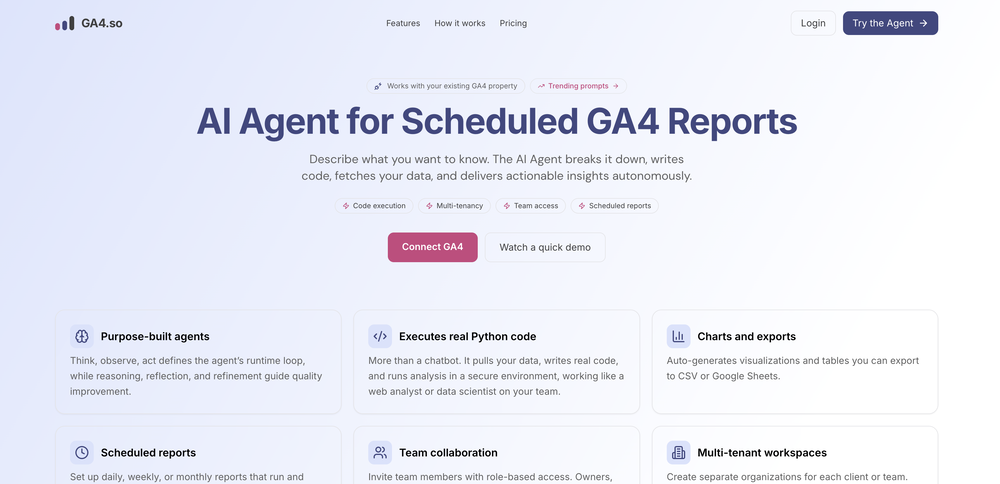
 Kimi Lu🛠️ 1 tool 🙏 9 karmaNov 17, 2025@Aident AIInsanely easy to use yet reliable automation tool. Recommend to give it a try.
 -


Verified tools
-
 OpenHi Jay- Thank you for the review and for pulling together that video. Please reach out to us at [email protected] as we would love to use your video on TAAFT. Best, David
 -
Vey nice tool, i use it with other like: https://seoupdateshub.com/
-
If you are a LinkedIn Premium member sure. If not, this is useless.
- Sponsor
 Base44 Superagents-AI agent that does it all
 -
 All-in-one AI kitchen assistant: pantry management, recipe generation, meal planning, shopping listsOpenThis app is great- I use it weekly to create meal plans, recipes, and reduce waste and save money by using leftover ingredients that I already have!








Other tools
-
-
- Didn't find the AI you were looking for?
-
-
Sadly they no longer offer this. It was exactly what I was looking for/needed. I chatted with them and they said I could build it using their platform, but nothing more.
-
-
Cool writing assistant from what features you have listed. Heads up, the 1st time you try to sign in with google it gives an error message "Wrong Captcha". Complete it and try again.
-
 Transform photos into vibrant comic book illustrations.Open
 -
 OpenVideo editing is the process of selecting, trimming, and arranging footage to create a cohesive story or visual narrative. Here are some fundamental concepts and techniques: Types of Video Editing Linear editing: A straightforward, sequential approach to editing, where clips are arranged in a linear timeline. Non-linear editing: A more flexible approach, where clips can be arranged and rearranged freely in a timeline. Key Video Editing Techniques Cutting: A transition between two clips, where one clip ends and another begins. Cutting on action: Cutting between two clips while an action is in progress, to create a seamless transition. J-cut: Cutting from one clip to another while audio from the second clip starts playing before the video cuts to it. L-cut: Cutting from one clip to another while audio from the first clip continues to play. Video Editing Software Popular video editing software includes: Adobe Premiere Pro: A professional-level editing software with advanced features and integration with other Adobe tools. Final Cut Pro: A professional-level editing software for Mac users, known for its user-friendly interface and advanced features. DaVinci Resolve: A free and paid editing software that offers advanced color grading and audio editing tools. Best Practices for Video Editing Plan your edit: Develop a clear vision and storyboard before starting to edit. Organize your footage: Label and categorize your clips to make them easily accessible. Keep it simple: Avoid overusing transitions and effects; focus on telling a clear story. Advanced Video Editing Techniques Color grading: Adjusting the color and brightness of footage to create a specific mood or atmosphere. Audio ducking: Automatically reducing the volume of background audio when dialogue is present. Motion graphics: Adding animated text, logos, or other graphics to enhance the visual narrative. Video editing involves selecting, trimming, and arranging footage to create a cohesive story. Linear and non-linear editing are two fundamental approaches. Key techniques include cutting, cutting on action, J-cuts, and L-cuts. Popular software includes Adobe Premiere Pro, Final Cut Pro, and DaVinci Resolve. Best practices involve planning, organizing footage, and keeping it simple. Advanced techniques include color grading, audio ducking, and motion graphics. Capcat pro Capcat pro Download image-to-image-generator generated imagetransparent pixel Image to Image Generator Image to Image Generator Download image-to-image-generator generated imagetransparent pixel Image to Image Generator Image to Image Generator Download image-to-image-generator generated imagetransparent pixel Image to Image Generator Image to Image Generator Download image-to-image-generator generated imagetransparent pixel Image to Image Generator Image to Image Generator Download image-to-image-generator generated imagetransparent pixel Image to Image Generator Image to Image Generator Download image-to-image-generator generated imagetransparent pixel Image to Image Generator Image to Image Generator Download image-generator generated imagetransparent pixel Image Generator Image Generator Copy Video Editing Basics Video editing is the process of selecting, trimming, and arranging footage to create a cohesive story or visual narrative. Here are some fundamental concepts and techniques: Types of Video Editing Linear editing: A straightforward, sequential approach to editing, where clips are arranged in a linear timeline. Non-linear editing: A more flexible approach, where clips can be arranged and rearranged freely in a timeline. Key Video Editing Techniques Cutting: A transition between two clips, where one clip ends and another begins. Cutting on action: Cutting between two clips while an action is in progress, to create a seamless transition. J-cut: Cutting from one clip to another while audio from the second clip starts playing before the video cuts to it. L-cut: Cutting from one clip to another while audio from the first clip continues to play. Video Editing Software Popular video editing software includes: Adobe Premiere Pro: A professional-level editing software with advanced features and integration with other Adobe tools. Final Cut Pro: A professional-level editing software for Mac users, known for its user-friendly interface and advanced features. DaVinci Resolve: A free and paid editing software that offers advanced color grading and audio editing tools. Best Practices for Video Editing Plan your edit: Develop a clear vision and storyboard before starting to edit. Organize your footage: Label and categorize your clips to make them easily accessible. Keep it simple: Avoid overusing transitions and effects; focus on telling a clear story. Advanced Video Editing Techniques Color grading: Adjusting the color and brightness of footage to create a specific mood or atmosphere. Audio ducking: Automatically reducing the volume of background audio when dialogue is present. Motion graphics: Adding animated text, logos, or other graphics to enhance the visual narrative. Video editing involves selecting, trimming, and arranging footage to create a cohesive story. Linear and non-linear editing are two fundamental approaches. Key techniques include cutting, cutting on action, J-cuts, and L-cuts. Popular software includes Adobe Premiere Pro, Final Cut Pro, and DaVinci Resolve. Best practices involve planning, organizing footage, and keeping it simple. Advanced techniques include color grading,
 -
 Open
Open -
 Transform photos into cinematic Funko-Pop portraits.Open
 -
 Transform photos into bold WPA-style geometric art.Open
 -
 Transform famous landmarks into stunning soap sculptures with AI.Open
 -
 Open
Open -
 Create adorable Funko Pop-style characters from any concept!OpenChanged the prompt to improve results.
 -
 Transform ideas into charming stop-motion style images.OpenChanged the prompt to improve results.
 -
Changed the prompt to improve results.
-
To be honest it's insane how accurate the logos are, it really listens to your prompt. Good first sketch.
-
 Transform photos into Lichtenstein pop-art portraits.Open
 -
 Transform words into vibrant pop art portraits.Open
 -
 Transform ideas into 3D anime-inspired battle scenes.Open
 -
 Transform ideas into vibrant pop art masterpieces.Open
 -
Well... it does make pizza pies, but it hardly listens to the instructions you give it, and as a result, you get very samey pies.
-
 Create AI-powered coloring books with whimsical pop culture mashups.Open
 -
-
 Craft multilingual pop-rock lyrics effortlessly.Open
 -
cool concept. the cartoons look nice and pretty accurate, though some feel a bit basic.still a fun tool overall.
-
 Open
Open -
 OpenChanged the prompt to improve results.
 -
 Open
Open -















































Post





