
 Mini tools
▼ Latest
Text extraction
Free mode
100% free
Freemium
Free Trial
Featured matches
-
 Open
Open Lane Wood🙏 120 karmaJul 4, 2024@VoilaI love this extension, mobile app and desktop software! I use it everyday and everywhere. Generated text are amazing. Well done to the team and continue your incredible work! For me, Voilà is the best AI assistant, copilot and AI writer on the market. I stopped my ChatGPT plus subscription since I discoverer it.
 -

-
 Best tool to interact with local AI and search your local files. Instant insights from files and loved the inline citation feature so that I know where the answer is coming from. I can easily verify answer and know more about the context.
 -
 AI-native OCR platform, 95%+ accuracy, zero prompt engineering, flags uncertain fields.Open
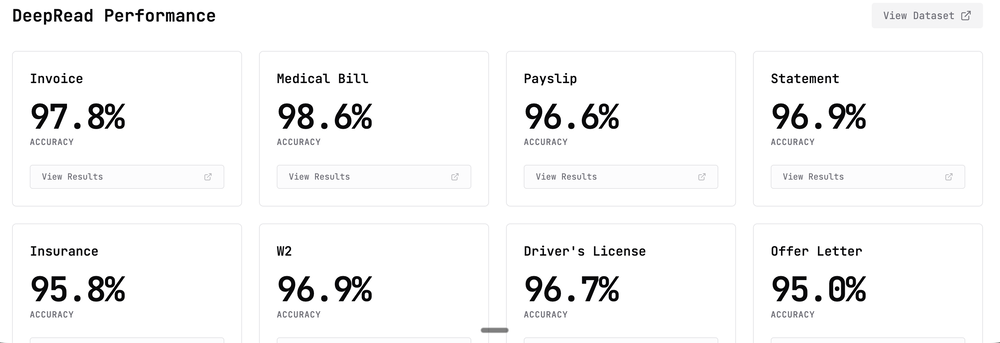 We are a team of founders who worked before in data extraction, with traditional manual review of each document to check accuracy / errors. We are so excited about AI and the new LLM models because we have created DeepRead using those and the accuracy is 95% and we flag uncertain fields so no one has to manually review entire documents (whew), only the exceptions! We hope you try it out and please share your review, comments and feedback. Looking forward to hearing from users!
 -
-
-
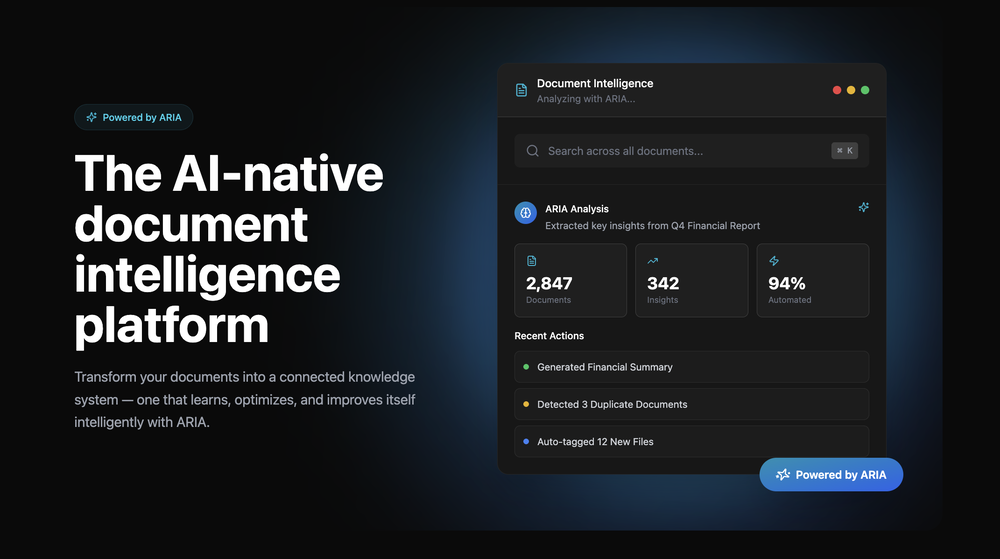 Great platform! Very impressed by the ability to combine documents to generate full research reports or extract data in large PDF files.
 -
 Create flashcards, quizzes, and study materials instantly.Open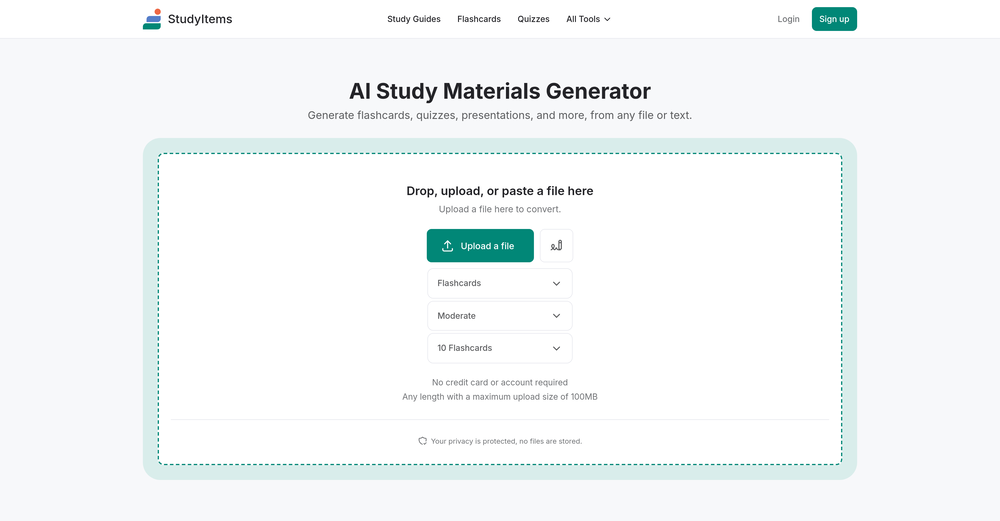









Verified tools
-
 Extract Wisdom from Any Link -- 3 AI Models Fully SynthesizedOpenExtract wisdom from YT, websites, PDFs, any link. Multiple models catch what single perspectives miss. Organized thematically. Honest about uncertainty. Built for understanding, not compression. All feedback welcome!
 -
 Open
Open -
 Transform documents into interactive knowledge bases using advanced AI.OpenThis tool is expected to evolve rapidly, we are also taking all feature requests so submit what you like and we'll build it if it aligns with our product vision! Have fun with the tool and let us know what you think!
 -
throw research pdfs in here and get summaries in like 30 seconds. saves me hours when i'm doing background reading for articles. simple but does exactly what i need.
- Sponsor:
 Base44💻 Vibe coding
 -
 Extract data instantly: Grab text, images, emails & links from any websiteOpen
 -
This AI PDF Summarizer worked really well
-
Great platform to increase your productivity. The infographic generator is my favorite tool.
-
 vocal remover, remove vocal, vocal remover online free, vocal remover AIOpen
 -
Hello, I'm the founder of this tool. It's currently in its early stages, but we are actively developing and refining it. Give it a try and share your thoughts!
-
YouTube to Doc is freaking awesome! Total lifesaver for turning videos into text. Just paste the URL → boom, you’ve got a doc. Perfect for notes or quotes. 10/10 recommend!
-
Faster than sifting through reddit myself. TY for building.
-
 OpenUnable to tried its functionality as its keep asking to pay
 -
 Chat with any PDF, ask questions, summarize and extract insights effortlessly.OpenThe maximum number of pdf pages for the free tier is 10, which is a bit small. Generally, I think people need this service for pdf documents over 50 pages or so.
 -
 Private Q&A with your Documents on Windows or Mac.Open
 -
 Summarize any webpage portion with ChatGPT.Open
 -





















Other tools
-
Absolutely PERFECT!!! After several image files with multiple fonts and subtleties therein, it never missed a single character. Several files transcribed accurately in less time than it would have taken me to do one manually. I can see myself needing to do this in "batches" possibly and it appears as though I'll be able to do that as well, although I have no idea as to the parameters there, but I'm sure it'll tell ya if you are trying to process too many at once. If I could add one constructive addendum, a line of text on the super clean UI to tell folks the file formats for the input. PNG files uploaded and processed quickly, but only figured that out when I couldn't get a .JPG to upload, but I figured it out quickly ... some may not. Thanks Lexy, It's Sweet to use something in today's world that completes a complex task, yet is simple, and simply works!!! Much love!!! ✌ "Without ART, the eARTh would just be 'eh'!" ოΓ. e
-
Tried using it to clean up a messy dataset and generate some quick formulas. It actually got most of them right, but sometimes overcomplicates simple stuff. Still, way faster than doing it all manually.
-
This is a text extraction service. Not image to text.
-
I have been using ProNoto for over an year, the extension has helped a lot with my meetings and presentations.
- Didn't find the AI you were looking for?
-
-
 Open
Open -
-
-
 Transform unstructured documents into actionable data instantly.Open
 -
 Convert YouTube videos to text fast and freeOpenHands down the best ai tool for content creators. Their free YouTube transcriptor is always on point
 -
 Intelligent browser assistant for deep content analysis and instant translations.Open
 -
-
-
I've tried several Youtube summarizers and this is...by far...the best.
-
Only extension that Worked well for large PDFs for Free.
-
It just said error, try again later over and over again
-
Super useful tool I use daily. Seamless and easy to use without any installs.
-
These are garbage there are 1000s of these fake free PDF editors. They don’t work and just waste everyones time.
-
I have used this for several personal assistant applications and it works amazingly. Obviously it is still restricted to the flaws of any model you are using it with, but the ability to constrain prompts is incredibly helpful (especially when it comes to getting things like JSON format from the AI).
-
They started charging for documents , Please change from no pricing to freemium
-
Such an impressive platform for all of us who are looking for more efficient ways to do the investigation. OpenRead has the potential to solve our problems.
-
-
Nice interface, but no good at PDF answers, especially tables data.
-
Sharly AI is a total lifesaver at work! When I'm dealing with those super-long documents or reports, Sharly steps up and makes things way more manageable. It's also a big help for my studies, it kicks in to make studying way easier.
-
I couldn't use it because it wouldn't let me upload a PDF file, so I can't really review it properly. This tool would work best with audio files. For example, if your teacher gave you an assignment in a PDF file, you wouldn't be able to use it. Until it enables that feature, it's not very useful for students. However, it is useful if you're incorporating audio.
-
-
-
-
I wasn't able to use this one (I have my API key)
-
Combines knowledge graphs with AI, reveals main topics and gaps in a discourse.
-
easy to pick up and you get a few free file imports. it gives you results pretty fast, unfortunately i can't find a way to get back to these, they're locked behind the paid service.
-
Mindgrasp was the best upgrade from using Chat GPT for school cuz I can upload anything I want and get help from the AI and it’s really detailed notes and answers. It’s cheap too I only pay 9.99 per month
-
It does exactly what is expected and more. I asked it to create a map with pins for 30 addresses and it did exactly that within a few seconds. It has great customization options also.
-
-
Inscrivez-vous, c'est gratuit! 9h41  Qu’est-ce que Playtext ? Playtext transforme n'importe quel texte en livre audio et vous aide à lire 3 x plus rapidement. Nous extrayons le contenu et le présentons dans un environnement sans distraction tout en utilisant l'IA pour générer des voix humaines qui lisent le texte à haute voix. Avec Playtext, vous pouvez lire à un rythme qui vous convient, que ce soit 1x, 2x ou même 3x la vitesse. Vous pouvez entraîner vos oreilles à lire jusqu'à 3 fois plus vite avec une utilisation régulière ! Pour accélérer les choses, appuyez simplement sur l'icône . Et le meilleur ? Vous pouvez toujours comprendre tout ce que vous lisez, même à des vitesses plus élevées. En effet, Playtext vous permet de lire et d'écouter en même temps, ce qui améliore considérablement la rétention et la compréhension du contenu. Donc, si vous cherchez une nouvelle façon de profiter de vos articles préférés et d'améliorer votre vitesse de lecture, essayez Playtext. Vous pourriez être surpris de voir à quel point vous allez l'adorer !
-
Think its a fab tool but why wont it allow you to save your workflows?
-
 Book Summarizer instantly transforms any book into a crisp, intelligent summary.OpenBy far the most complete summary I received. Thank you.
 -
Pretty handy, not always helpful since sometimes notes are not in a simple text format, but it does the job
































































































































Post





