
 Mini tools
▼ Popular
Top
Free mode
100% free
Freemium
Free Trial
Featured matches
-
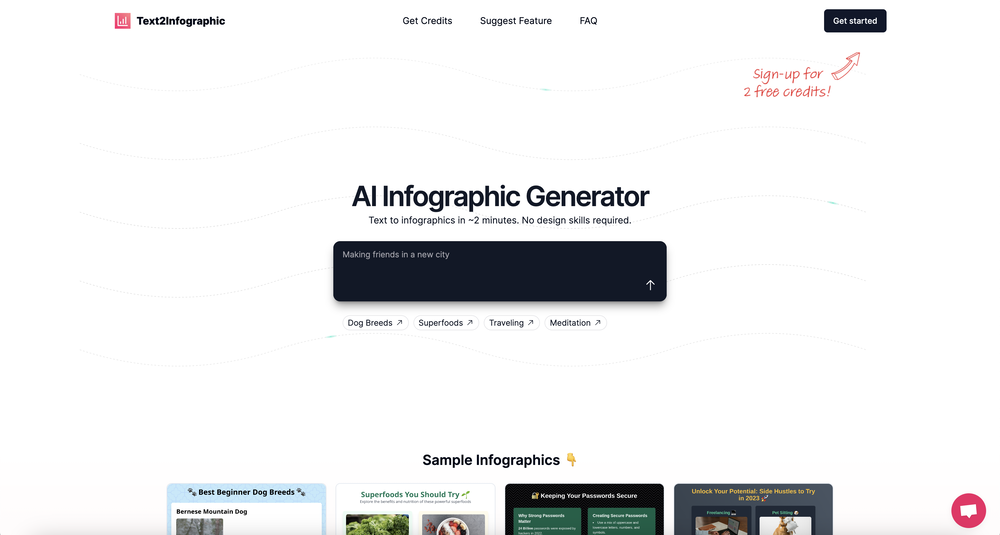 David Parsons🙏 5 karmaJun 15, 2024@Text to InfographicThis definitely has potential. The lack of control over what gets generated is annoying, in particular how it will insert meaningless graphs despite being provided with no data - there needs to be a way of preventing this. However, the fact that you can download the HTML and then edit yourself is a big plus. Unfortunately only having two credits to test it out didn't really give me a chance to find out what it could do.
 -
 It's kind of lame to promise the moon and deliver essentially nothing.
 -
 AI-powered task list: Dictate tasks, integrate with Gmail, Slack, ChatGPT & Calendar.Open
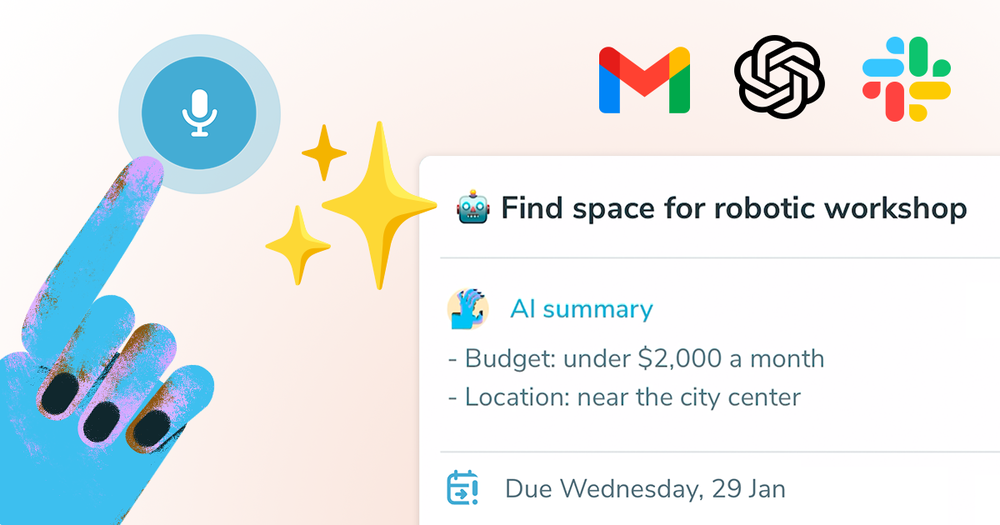 Easy to use and the AI does its work but it is not something extraordinary. But the AI can do nothing more as it does right now
 -
 Great tool for experimenting with paint effects. It's like an AI-powered version of microsoft paint. Also made a video on it https://youtu.be/ZWOP1M7pgSE
 -

-
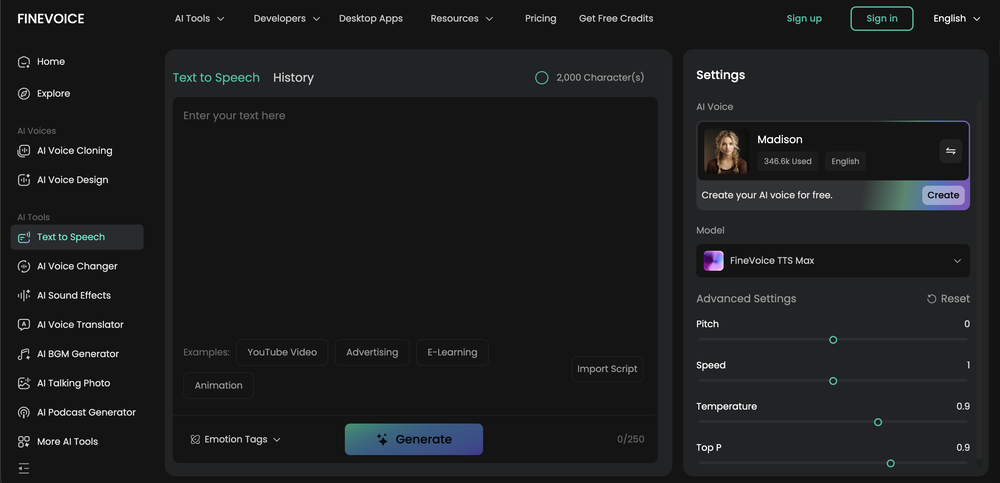
 Steer clear of this by any cost ! it gives you ONE video for free and then ask you for no less than FIFTY dollars a month for only FIVE videos ! they must be crazy with all the alternatives.
 -
-
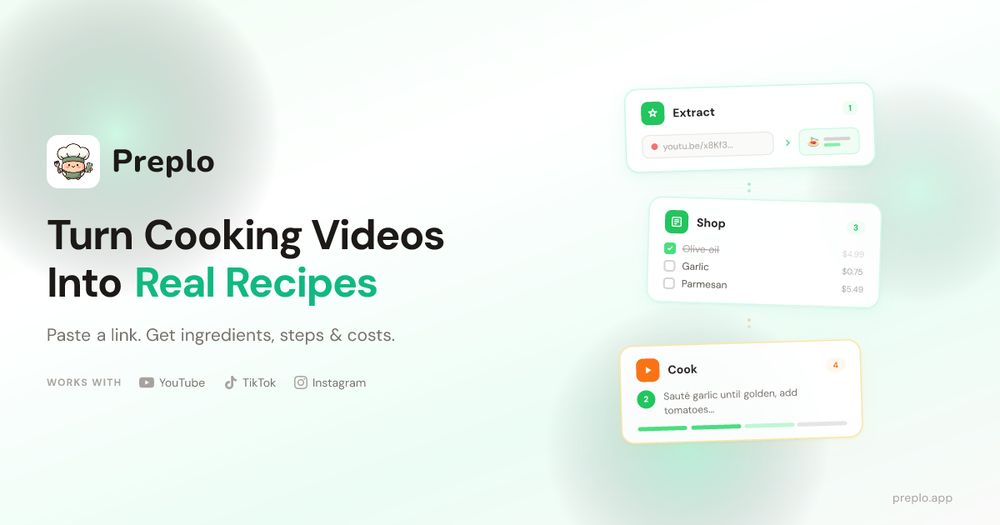 Preplo really helped me cook more at home. Can't wait to see what new features they will add in the future.
 -

-
 "I’m genuinely impressed by how quickly AI to Song turns a simple text prompt into a coherent track. As someone without a musical background, it’s a game-changer for creating quick demos or just having fun with song ideas. The UI is clean and the generation speed is top-notch!"
















Other tools
-
 Transform your images with AI — effortlessly enhance, edit, or reimagine any picture using advanced image-to-image generation. Perfect for creatives, designers, and anyone looking to bring visual ideas to life.OpenNot at all accurate…. The only thing similar between original and generated images were the clothes and accessories… face was absolutely new and unconnected.
 -
too expensive for me, I just want to make memes, not pay that much
-
Thank you for your feedback! :) I previously offered free credits, but an overwhelming number of users chose the complimentary service, leading to substantial GPU-related expenses. However, in appreciation of your kind words, we are offering a 20% discount on the first 5 purchases using this coupon code: TAAFT Simply visit our website and apply it at checkout in Stripe. Enjoy your conversions!
-
hmm it is un-real...literally...sounds robotic....far awy from Real
- Sponsor
 KiloClaw - Managed 🦀 OpenClaw hosting
 -
 Convert speech to text with our AI speech to text tool. Simply upload your audio file and our AI will transcribe your speech into text. Easy and accurate!Open2 times I tried and it threw error. it is not clear how to use it.
 -
i use free generative fill use in photoshop 2024
-
 Open
Open -
-
 Transform static images into animated videos instantly.OpenHi everyone! I'm the creator of AI Video Maker. It's completely free to use and doesn't require any signup. You can instantly generate unlimited 5-second AI videos from text or images. Great for testing ideas before upgrading to HD or commercial plans. Excited to see what you all create!
 -
Best PDF to Explainer Videos AI Tool
-
Used to work... now the website doesn't load and may have been abandoned. Edit: Cannot log in and my purchased credits are gone.
-
- Didn't find the AI you were looking for?
-
 Create Celebrity voices and voiceovers in 120 languages with 800+ AI voices.OpenThis is a cool little generator for a quick clip! Could see some potential quick use cases if you needed to generate something with an accent on the fly. Not a bad little tool!
 -
it does only do one image per time i am looking for multiple images to video
-
-
-
-
I really enjoy Article Reader AI, it's a no-frills article/pdf converter to narrated audio. The voices are excellent and there are no crazy expensive yearly commitment to use it. Perfect for multitasking and staying productive during my busy days!
-
Amazing and unbelievable. Just did one song and it sounded amazing
-
it's kinda disappointing that all you get upon registration is enough to make only one 4 second clip that gets hit or miss. it looked promising tho
-
tried it on selfies and random shots and it did fine. faces look good objects get weird if the source is rough. free tier is tight too on my account it gave 20 credits which basically covered one export then a small daily drip of +2 or +5 before I could play more. would love more runway up front. paid packs lift the watermark and quality if you need it.
-
Nice art! This tool seems promising, keep up the good work
-
Feels illegal to be this early, quick run with Grok Imagine: great for teaser bits. The image-to-video pass holds up for shorts ~6s loops with decent motion and sound sync. Style range is solid. Access sits behind the Grok sub on mobile, so not fully free and I’d love longer clips!
-
At last, we have a voice AI hub that works like OpenRouter.
-
 OpenThe features are incredibly comprehensive. I really love it — the AI videos I created got a ton of praise when I shared them. Likes galore!
 -
 Read aloud PDFs, GDocs, & more using text-to-speech to boost productivityOpengreat app, in school that is fully online to career switch and this app has really saved my degree. it helps me do all my assigned readings alongside my busy job, and has been a lifesaver.
 -
What I like is how practical it is. No fancy setup—just type, generate, tweak, export. The paid plan is a good value if you’re making content regularly, because it cuts out a lot of editing time.
-
VideoWeb AI is an useful AI tool for my video creation. I like the video to video feature that I can create the anime video with my videos.
-
Currently, the website provides free text-to-speech (TTS) with emotions without requiring registration. You can generate 50,000 characters using generic Microsoft voices which are available also within any ReadAloud/Read out Loud apps. However, these voices lack emotion, but you can generate 5,000 characters with emotion per generation for free. Firstly, you have to select a voice, preview it, and then select it - paste your text or write it down and after a few minutes, you can listen and download it for free. However, the website's reviews are likely fake, suggesting that this free service might not last long.
-
It's working very well. AI chat is 100% free, but image and video are not free, though they are still good. You get a few daily credits, but at least you still have some
-
You're right, looks like there's no premium plan available right now, so it's free but with some limits. Hopefully they'll add more options in the future.
-
A reaaly good AI, though not completely free, when register will still give you a good word limit, and there's a lot of voices from almost every language.
-
I've used several Pinterest schedulers before Blogtopin but this is really the next level of automation! It takes a bit of time to set things up but once you get things set, it's amazing how AI in the tool matches blog posts to the boards, generates unique and relevant for the content pin titles, descriptions and gets respective images for each pin - all automatically! I also was very impressed with the speed of improvements that the founder adds to this tool, he's also replying to questions very fast. In a meaningful way and really trying to make it work perfectly. This is a true Pinterest automation tool, not just a scheduler. It's ideal for blogs that have a lot of content and many URLs.
-
I ama YouTuber, scrambling to put out content,this AI video maker works.No weird,glitchy stuff here—just realistic footage that doesn’t make my viewers go‘that’s AI?’Total lifesaver when I’m tight on time.
-
Every claim on this site starting with #1 Free use as many times as you like is false. Dont waste your time! "https://imagetovideoai.run/#:~:text=1,as%20you%20need.
-
-
 Open
Open -
Not what I expected. The roblocks stuff. When you say PDF to video, I was expecting whatever the PDF says there would be an animation or cartoon or something visually animated going on.
-
The feature of having a file as reference is great, having two files for reference would be better when conceptualizing conplex ideas. Like I want A element from pic A and B element from pic B to make C
-
This is a text extraction service. Not image to text.
-
-
Easy to use but no accent support for Singapore English
-
 Open
Open -
I have tried to import a docx file, and it said that it can't extract content from it. I tried again with a PDF file and it worked like a charm. Hope you guys will fix this.
-
this one looks good, it has a clean layout and a clear flow that makes prompt-building feel approachable. the idea is genuinely useful, and the execution alr feels solid, it has a lot of potential, WELL DONE! :)
-
Idea is nice, but recognizes only 15% of nicely drawn sketch, so for now - it's crap.
-
 Open
Open -
Good at precise environment and scene image generation. Bad at fingers and hands.
-
 Turn your slides into narrated videos with AI voiceoverOpenWe built Vidsembly to make video creation from presentations as simple as having a conversation. Just upload your slide deck, pick a voice, and get a clean narrated video in minutes. No editing software or mic needed. Great for creators, educators, and sales teams who want their message to land. You can try it free with 30 credits.
 -
 Transform photos into sketches, anime, paintings instantly.OpenNOT even 1 FREE demo to TEST it. It demands subscription right away! IT'S A BANDIT ON STEROIDS! ;-(
 -
 Open
Open -
-
 OpenThe only model available to use as a non-subscriber is Music 3.5, which is not available to select in the model menu. As a result, no music can be created unless you are a subscriber. This is a bit ... annoying.
 -
I like that the ai support many languages the only disadvantage is that the free version is limited and the paid version is also high $8 per month!!
-
To be honest it's insane how accurate the logos are, it really listens to your prompt. Good first sketch.
-
-
Hands down best multilingual stt API.
-
 Two-way voice translator that turns your phone into a speaking interpreterOpen
 -
-
-
It helped me save so much time! Thank you to whoever made this.
-
 OpenVideo editing is the process of selecting, trimming, and arranging footage to create a cohesive story or visual narrative. Here are some fundamental concepts and techniques: Types of Video Editing Linear editing: A straightforward, sequential approach to editing, where clips are arranged in a linear timeline. Non-linear editing: A more flexible approach, where clips can be arranged and rearranged freely in a timeline. Key Video Editing Techniques Cutting: A transition between two clips, where one clip ends and another begins. Cutting on action: Cutting between two clips while an action is in progress, to create a seamless transition. J-cut: Cutting from one clip to another while audio from the second clip starts playing before the video cuts to it. L-cut: Cutting from one clip to another while audio from the first clip continues to play. Video Editing Software Popular video editing software includes: Adobe Premiere Pro: A professional-level editing software with advanced features and integration with other Adobe tools. Final Cut Pro: A professional-level editing software for Mac users, known for its user-friendly interface and advanced features. DaVinci Resolve: A free and paid editing software that offers advanced color grading and audio editing tools. Best Practices for Video Editing Plan your edit: Develop a clear vision and storyboard before starting to edit. Organize your footage: Label and categorize your clips to make them easily accessible. Keep it simple: Avoid overusing transitions and effects; focus on telling a clear story. Advanced Video Editing Techniques Color grading: Adjusting the color and brightness of footage to create a specific mood or atmosphere. Audio ducking: Automatically reducing the volume of background audio when dialogue is present. Motion graphics: Adding animated text, logos, or other graphics to enhance the visual narrative. Video editing involves selecting, trimming, and arranging footage to create a cohesive story. Linear and non-linear editing are two fundamental approaches. Key techniques include cutting, cutting on action, J-cuts, and L-cuts. Popular software includes Adobe Premiere Pro, Final Cut Pro, and DaVinci Resolve. Best practices involve planning, organizing footage, and keeping it simple. Advanced techniques include color grading, audio ducking, and motion graphics. Capcat pro Capcat pro Download image-to-image-generator generated imagetransparent pixel Image to Image Generator Image to Image Generator Download image-to-image-generator generated imagetransparent pixel Image to Image Generator Image to Image Generator Download image-to-image-generator generated imagetransparent pixel Image to Image Generator Image to Image Generator Download image-to-image-generator generated imagetransparent pixel Image to Image Generator Image to Image Generator Download image-to-image-generator generated imagetransparent pixel Image to Image Generator Image to Image Generator Download image-to-image-generator generated imagetransparent pixel Image to Image Generator Image to Image Generator Download image-generator generated imagetransparent pixel Image Generator Image Generator Copy Video Editing Basics Video editing is the process of selecting, trimming, and arranging footage to create a cohesive story or visual narrative. Here are some fundamental concepts and techniques: Types of Video Editing Linear editing: A straightforward, sequential approach to editing, where clips are arranged in a linear timeline. Non-linear editing: A more flexible approach, where clips can be arranged and rearranged freely in a timeline. Key Video Editing Techniques Cutting: A transition between two clips, where one clip ends and another begins. Cutting on action: Cutting between two clips while an action is in progress, to create a seamless transition. J-cut: Cutting from one clip to another while audio from the second clip starts playing before the video cuts to it. L-cut: Cutting from one clip to another while audio from the first clip continues to play. Video Editing Software Popular video editing software includes: Adobe Premiere Pro: A professional-level editing software with advanced features and integration with other Adobe tools. Final Cut Pro: A professional-level editing software for Mac users, known for its user-friendly interface and advanced features. DaVinci Resolve: A free and paid editing software that offers advanced color grading and audio editing tools. Best Practices for Video Editing Plan your edit: Develop a clear vision and storyboard before starting to edit. Organize your footage: Label and categorize your clips to make them easily accessible. Keep it simple: Avoid overusing transitions and effects; focus on telling a clear story. Advanced Video Editing Techniques Color grading: Adjusting the color and brightness of footage to create a specific mood or atmosphere. Audio ducking: Automatically reducing the volume of background audio when dialogue is present. Motion graphics: Adding animated text, logos, or other graphics to enhance the visual narrative. Video editing involves selecting, trimming, and arranging footage to create a cohesive story. Linear and non-linear editing are two fundamental approaches. Key techniques include cutting, cutting on action, J-cuts, and L-cuts. Popular software includes Adobe Premiere Pro, Final Cut Pro, and DaVinci Resolve. Best practices involve planning, organizing footage, and keeping it simple. Advanced techniques include color grading,
 -
 Transform any photograph into elegant engraving-style line art.Open
 -
-
 Turn academic jargon into human conversation.Open
 -
 Transform one photo into complete Etsy media kits.Open
 -
-
 Transform any image into stunning artistic masterpieces.Open
 -
 Transform text descriptions into professional circuit diagrams instantly.Open
 -
 Transform photos into bold WPA-style geometric art.Open
 -
 Transform words into vibrant pop art portraits.Open
 -
 Create AI-powered coloring books with whimsical pop culture mashups.Open
 -
 Create adorable Funko Pop-style characters from any concept!OpenChanged the prompt to improve results.
 -
 AI planning partner that simplifies executive function and focus.Open
 -
 Transform thoughts into surreal, striking visuals.Open
 -
-
 Uncover must-read books tailored for indecisive readers.Open
 -
 Transform photos into vibrant comic book illustrations.Open
 -
 Glamorize photos into 1940s Hollywood portraits.Open
 -
Not my usual kind of tool, but this one’s actually fun. Played with it for a bit and it handed me a couple of really touching letters I didn’t see coming. Might keep it around just for that.
-
-
 Transform any photo into charming crayon art with childlike wonder.Open
 -
Changed the prompt to improve results.
-
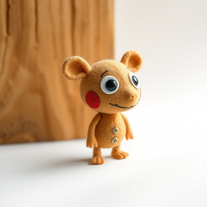 Transform ideas into charming stop-motion style images.OpenChanged the prompt to improve results.
 -
 Generate hilariously exaggerated failure scenarios for any character.Open
 -
 Create unique art toys with AI in seconds.Open
 -
 Transform ideas into vibrant pop art masterpieces.Open
 -
 Transform photos into Lichtenstein pop-art portraits.Open
 -
 Open
Open -
 Instant answers on any topic from an AI encyclopedia.Open
 -
Well... it does make pizza pies, but it hardly listens to the instructions you give it, and as a result, you get very samey pies.
-
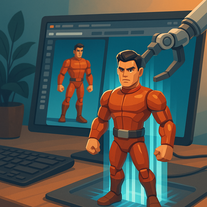 Transform any character into a professional action figure image.Open
 -
 Break language barriers with AI-powered English-Swahili translation.Open
 -
 Your culinary companion for global cuisines.Open
 -
 Travel through time with AI-powered historical narratives.Open
 -
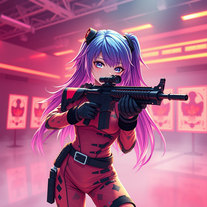 Transform ideas into 3D anime-inspired battle scenes.Open
 -
 Open
Open -
 Transform photos into epic 3D cartoon characters.OpenSimply upload your photo; you don't need to type anything in the prompt field. Just click "generate" and watch the magic happen.
 -
 OpenChanged the prompt to improve results.
 -
 Microsoft BING alternative that generates ONE precise, anatomically correct image per request.Open
 -
 Transform ideas into breathtaking AI-generated art.Open
 -
 Open
Open -
 Transform ordinary images into luminous masterpieces with AI-powered shining effects.Open
 -
 Transform yourself into a Renaissance masterpiece.Open
 -
 Open
Open -
 Create charming 3D toy-style characters like classic action figures.Open
 -
 Transform yourself into a hyperrealistic collectible action figure.Open
 -
 Transform into a car maintenance expert with AI-powered guides.Open
 -
 Transform photos into cinematic Funko-Pop portraits.Open
 -
 Your personal culinary expert for mastering the perfect roast dinner.Open
 -
 Transform your selfie into a cinematic horror masterpiece.Open
 -
 Transform any colored image into a kid-friendly coloring page instantly.Open
 -
 Instantly translate English words to Kannada with AI precision.Open
 -
 Create vibrant comic-style illustrations with neon energy.Open
 -
 Your AI culinary expert for mastering sauce recipes.Open




































































































































Lists
-
Top Virtual GirlfriendsPublicSubscribe14612





-
Top ai tools for journalistsPublicSubscribe816









 +1
+1 -
TOP generative AI toolsPublicSubscribe57



-
Top AI Tools for Artistic Image TransformationPublicSubscribe146






Post





