
 Mini tools
▼ Top rated
User-friendly interaction
Free mode
100% free
Freemium
Free Trial
Featured matches
-

 J.I.🙏 127 karmaFeb 20, 2026@VibePaint.aiGreat tool for experimenting with paint effects. It's like an AI-powered version of microsoft paint. Also made a video on it https://youtu.be/ZWOP1M7pgSE
 -

-

-
-
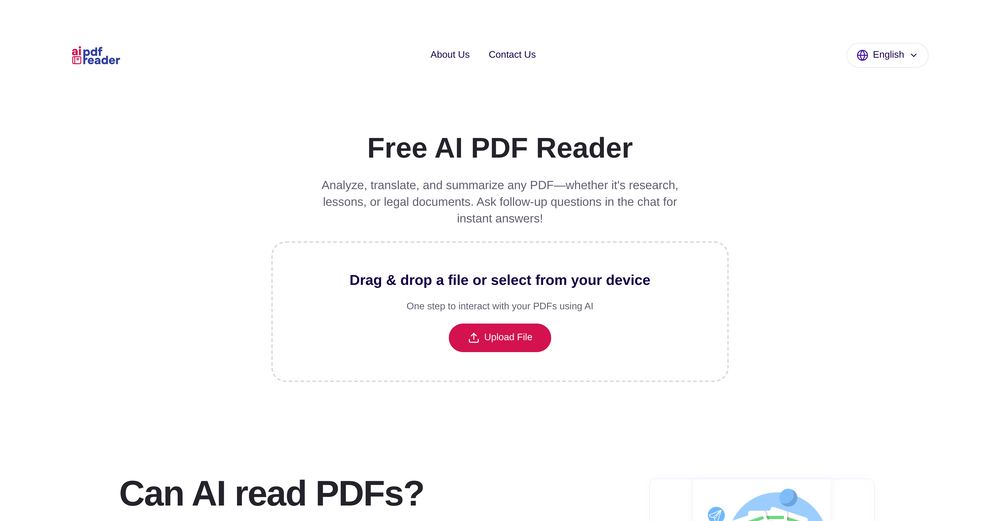 Great for skimming research papers and reports
 -
-
-
-







Other tools
-
Intuitive UI with quick insights backed by actionable suggestions.
-
Its actually good. I was able to make 3 screens using the promo code and they were better than the other UI tools.
- Sponsor
 Rocket - Think it. Type it. Launch it.
 -
Awesome team collaboration app! I am of course very biased :)
-
 OpenAmazing! This is exactly what I‘ve been looking for for years
 -
The OLD design gave me such nostalgia, i love it!!!!! 100 free tries per day is so good, really like please more!
-
Whiteboard by Athena AI is a user-friendly, AI-powered tool that makes digital collaboration seamless. supports real-time brainstorming, and integrates easily with other apps—ideal for teams, educators, and remote learners alike.
- Didn't find the AI you were looking for?
-
TDGesk's multi-account messaging feature is highly efficient and user-friendly. It simplifies communication across multiple accounts, saving time and effort. Highly recommended for businesses seeking streamlined messaging solutions.
-
Great tool. I used to be a music producer, now I work in AI and can see this app going far. Even made a video about it https://youtu.be/31_mJql58Ts
-
I like it. It can be a very useful tool if used properly
-
-
Thanks a lot 🙏 Glad you’re using it for full outbound. Anything you’d change or want us to add next?
-
As a technical entrepreneur, working with designers is often way too slow - when I have an idea, I want a prototype the same day - not days/weeks later. I created UX Canvas because I wanted a better way to communicate my UI/UX ideas to developers, without having to spend thousands on hiring UI/UX designers or opening Figma and spending days/hours manually creating, iterating on, and prototyping designs myself. UX Canvas unlocks the ability for anyone - technical or not - to rapidly prototype their design ideas and instantly share them with team members in minutes. If you can put your idea into words, you can design it. No design skills required. (Although they are helpful) The agent has the ability to do cool things like generate it’s own image assets to be used in the design, and you can even export your designs to clean React/Typescript code - so you can hand the code over to your developers (or other AI tools like Cursor, Windsurf, etc.) to bring your product idea to life. Try it for free and let me know what you think! https://uxcanvas.ai
-
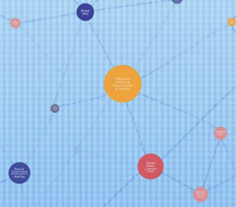 Turn Any Workshop Recording Into a Process Map in 60 SecondsOpen🚀 RapidMap — Product Update Turn workshop recordings into client-ready deliverables in minutes This release focuses on one thing: removing the gap between running a workshop and delivering something clients can act on. ✨ What’s New 🎙️ 1. Recording → Process Map (End-to-End Input Defined) You can now: - Upload Zoom / Teams recordings - Or voice recording during workshops RapidMap automatically: - Transcribes - Structures roles and handoffs - Generates a clean swimlane diagram (export for BPMN or Visio) Impact --> - Eliminates manual note-to-diagram translation - Removes 8–10 hours of post-workshop work 🧠 2. AI-Generated First Draft (Not a Blank Canvas) Instead of starting from scratch, you now get: - A structured, editable process map - Organised by roles, steps, and decisions Impact --> - You review and refine — not build - Cuts diagram creation from hours → minutes 📊 3. Built-In “Before / After + ROI” Layer RapidMap now automatically: - Highlights bottlenecks - Suggests improvements - Estimates time savings Impact --> - Turns diagrams into business cases - Makes it easier to: - Justify work - Win follow-on projects 🏗️ 4. Built-In Consulting Thinking RapidMap now embeds: - Pain point detection - Automation opportunities - Optimisation insights Impact - Standardises discovery quality - Helps solo consultants deliver consistent, high-quality outputs 🎯 5. Designed for Independent Consultants Product experience now explicitly supports: - Solo operators - Fractional COOs - Small delivery teams Impact --> - Deliver Big 4–level outputs without a team - Improve perceived expertise and pricing power Try It on a Real Workshop - Don’t test this on a simple process. 👉 Upload your messiest workshop recording: Multiple stakeholders Unclear handoffs Lots of back-and-forth **If it doesn’t save you at least 5 hours, you get a full refund.**
 -
This app is awesome because it has two cool features. First, it lets you chat with an AI that talks like a real person, perfect for customer service or just having fun conversations. The second feature lets you create amazing artwork instantly using AI. The app is super easy to use, and you don’t even need to sign up. Plus, it’s a free mobile app, so you can take it anywhere! It’s a fun, creative tool for everyone.
-
Uizard is so great for spinning out ideas and iterating. You can generate designs from text prompts as well as individual screens and themes. Also has a ton of other cool AI features like turning screenshots into editable designs and attention heatmaps. I suck at design so this is a game changer for me.

























Post





