Mini tools
AI Tools for Python
A small assortment of Python tools I use to help with my coding endeavors. Helpful for beginners and experts alike, so give them a try.
4 tools
2 subscribers
Subscribe
Author

Umer Colville
🙏 30 karma

-
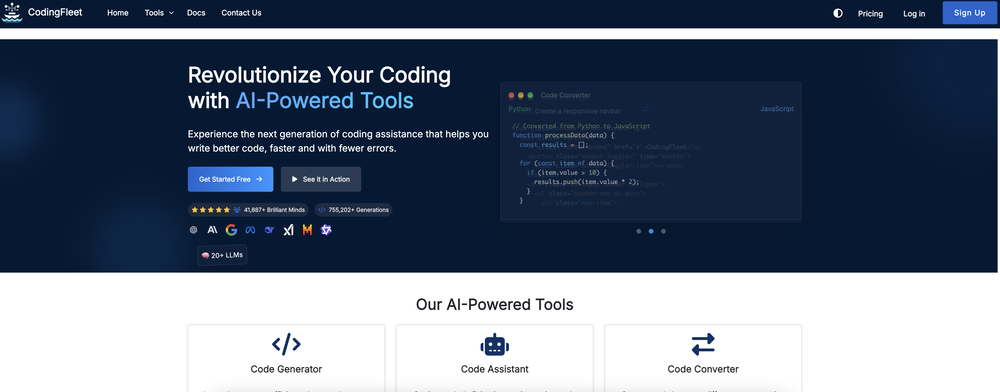 Umer Colville🙏 30 karmaJul 30, 2025@CodingFleetHonestly this is the GOAT, I tried this tool and it was able to either help debug or make scripts from the ground up. It has support for a lot of support languages too, which adds extra points to how good this tool is.
 -
### Overview of the AI-Powered Mock Interview Platform The platform utilizes artificial intelligence to simulate real interview experiences. It is designed to help users prepare for job interviews by providing a dynamic and adaptive questioning process. #### Key Features: * **Targeted Interview Preparation**: Users can select a target company and role, allowing the system to tailor the interview questions to the specific position. * **Adaptive Questioning**: The AI analyzes the user's spoken answers and selects follow-up questions based on their responses, mimicking the behavior of a skilled interviewer. * **Real-time Feedback**: Users receive immediate, actionable feedback on their communication skills, thought process, and presentation style. * **Data Protection**: The platform ensures strong privacy controls to safeguard user data. #### Business Model: * **B2B Partnerships**: The platform focuses on partnerships with universities and bootcamps to enhance placement success rates and build trust among users. * **User Base Growth**: As the platform grows its user base, the AI engine learns from a larger dataset of real answers, improving its adaptability and human-like interaction. #### Unique Selling Proposition (USP): * **Real-time Adaptive Feedback Loop**: The platform's ability to provide personalized, real-time feedback and adapt to the user's responses sets it apart from static question banks and larger, less adaptable platforms.
-
-
```python import pygame import sys import time import random # Direction Constants UP = 1 RIGHT = 2 DOWN = 3 LEFT = 4 class SnakeGame: def __init__(self, width=800, height=600): self.width = width self.height = height self.snake = [(200, 200), (220, 200), (240, 200)] self.direction = RIGHT self.apple = self.set_new_apple() pygame.init() self.display = pygame.display.set_mode((width, height)) pygame.display.set_caption('Snake Game') self.font = pygame.font.Font(None, 36) def set_new_apple(self): while True: x = random.randint(0, self.width - 20) // 20 * 20 y = random.randint(0, self.height - 20) // 20 * 20 apple = (x, y) if apple not in self.snake: return apple def draw_snake(self): for pos in self.snake: pygame.draw.rect(self.display, (0, 255, 0), (pos[0], pos[1], 20, 20)) def draw_apple(self): pygame.draw.rect(self.display, (255, 0, 0), (self.apple[0], self.apple[1], 20, 20)) def draw_score(self): score = len(self.snake) - 3 text = self.font.render(f'Score: {score}', True, (255, 255, 255)) self.display.blit(text, (10, 10)) def update(self): for event in pygame.event.get(): if event.type == pygame.QUIT: pygame.quit() sys.exit() elif event.type == pygame.KEYDOWN: if event.key == pygame.K_UP and self.direction != DOWN: self.direction = UP elif event.key == pygame.K_DOWN and self.direction != UP: self.direction = DOWN elif event.key == pygame.K_LEFT and self.direction != RIGHT: self.direction = LEFT elif event.key == pygame.K_RIGHT and self.direction != LEFT: self.direction = RIGHT head = self.snake[-1] if self.direction == UP: new_head = (head[0], head[1] - 20) elif self.direction == DOWN: new_head = (head[0], head[1] + 20) elif self.direction == LEFT: new_head = (head[0] - 20, head[1]) elif self.direction == RIGHT: new_head = (head[0] + 20, head[1]) self.snake.append(new_head) if self.snake[-1] == self.apple: self.apple = self.set_new_apple() else: self.snake.pop(0) if (self.snake[-1][0] < 0 or self.snake[-1][0] >= self.width or self.snake[-1][1] < 0 or self.snake[-1][1] >= self.height or self.snake[-1] in self.snake[:-1]): print("Game Over") pygame.quit() sys.exit() def draw(self): self.display.fill((0, 0, 0)) self.draw_snake() self.draw_apple() self.draw_score() pygame.display.update() def run(self): clock = pygame.time.Clock() while True: self.update() self.draw() clock.tick(10) if __name__ == "__main__": game = SnakeGame() game.run() ```

#
Tool
Task
Released
Price
Country
Views
Features
Saves
Reviews
Comments

CodingFleet
AI wizard transforms instructions into code snippets.