TAAFT Tutorial
Generate image
Tasks
Generate text
Free mode
Trending
Leaderboard
Characters
 Mini tools
New
Featured
Lists
Agents
Requests
Jobs
Map
Newsletter
Starter pack
Free tools
Speech to text
Text translator
Remove background
Settings
Edit profile
My tools
Gallery
Dashboard
Inbox
Get featured
Contact TAAFT
For you
Popular
Job impact index
Most saved
Affiliate program
Submit AI tool
Notification preferences
Glossary
Home
Timeline
My profile
Create tool
Deals
Companies
Models
Robots
Papers
Fundraises
Repositories
Devices
Organizations
Events
Prompt Pack
Merchendise
APIs
Features
Tools
Countries
Collections
Videos
Mini tools
New
Featured
Lists
Agents
Requests
Jobs
Map
Newsletter
Starter pack
Free tools
Speech to text
Text translator
Remove background
Settings
Edit profile
My tools
Gallery
Dashboard
Inbox
Get featured
Contact TAAFT
For you
Popular
Job impact index
Most saved
Affiliate program
Submit AI tool
Notification preferences
Glossary
Home
Timeline
My profile
Create tool
Deals
Companies
Models
Robots
Papers
Fundraises
Repositories
Devices
Organizations
Events
Prompt Pack
Merchendise
APIs
Features
Tools
Countries
Collections
Videos
Mini tools
New
Featured
Lists
Agents
Requests
Jobs
Map
Newsletter
Starter pack
Free tools
Speech to text
Text translator
Remove background
Settings
Edit profile
My tools
Gallery
Dashboard
Inbox
Get featured
Contact TAAFT
For you
Popular
Job impact index
Most saved
Affiliate program
Submit AI tool
Notification preferences
Glossary
Home
Timeline
My profile
Create tool
Deals
Companies
Models
Robots
Papers
Fundraises
Repositories
Devices
Organizations
Events
Prompt Pack
Merchendise
APIs
Features
Tools
Countries
Collections
Videos

▼ Most saved
Characters
Free mode
100% free
Freemium
Free Trial
Other tools
-
 stablereligion🛠️ 1 tool 🙏 5,341 karmaApr 1, 2025@GhiblifyHey I made this because another tool I found didn’t work lol
 -
 AI-powered digital illustrations with minimalist flair.Open
 -
 OpenIt follows the prompt almost precisely and offers a free 4x upscale ;-)
 -
 Create custom 2D characters for games and animations.OpenI like it, please make it more sexual...😁
 - Sponsor
 Tripo AI 3D Generator
 -
 Open
Open -
A power that can know other people powers and abilities
-
I’ve wanted to create my own mangas for so long but never had the talent for drawing or writing them properly… This generator is a game-changer for me
-
 Openquick n easy to use, great results with upscaling option. great tool. 5/5
 - Didn't find the AI you were looking for?
-
 OpenVideo editing is the process of selecting, trimming, and arranging footage to create a cohesive story or visual narrative. Here are some fundamental concepts and techniques: Types of Video Editing Linear editing: A straightforward, sequential approach to editing, where clips are arranged in a linear timeline. Non-linear editing: A more flexible approach, where clips can be arranged and rearranged freely in a timeline. Key Video Editing Techniques Cutting: A transition between two clips, where one clip ends and another begins. Cutting on action: Cutting between two clips while an action is in progress, to create a seamless transition. J-cut: Cutting from one clip to another while audio from the second clip starts playing before the video cuts to it. L-cut: Cutting from one clip to another while audio from the first clip continues to play. Video Editing Software Popular video editing software includes: Adobe Premiere Pro: A professional-level editing software with advanced features and integration with other Adobe tools. Final Cut Pro: A professional-level editing software for Mac users, known for its user-friendly interface and advanced features. DaVinci Resolve: A free and paid editing software that offers advanced color grading and audio editing tools. Best Practices for Video Editing Plan your edit: Develop a clear vision and storyboard before starting to edit. Organize your footage: Label and categorize your clips to make them easily accessible. Keep it simple: Avoid overusing transitions and effects; focus on telling a clear story. Advanced Video Editing Techniques Color grading: Adjusting the color and brightness of footage to create a specific mood or atmosphere. Audio ducking: Automatically reducing the volume of background audio when dialogue is present. Motion graphics: Adding animated text, logos, or other graphics to enhance the visual narrative. Video editing involves selecting, trimming, and arranging footage to create a cohesive story. Linear and non-linear editing are two fundamental approaches. Key techniques include cutting, cutting on action, J-cuts, and L-cuts. Popular software includes Adobe Premiere Pro, Final Cut Pro, and DaVinci Resolve. Best practices involve planning, organizing footage, and keeping it simple. Advanced techniques include color grading, audio ducking, and motion graphics. Capcat pro Capcat pro Download image-to-image-generator generated imagetransparent pixel Image to Image Generator Image to Image Generator Download image-to-image-generator generated imagetransparent pixel Image to Image Generator Image to Image Generator Download image-to-image-generator generated imagetransparent pixel Image to Image Generator Image to Image Generator Download image-to-image-generator generated imagetransparent pixel Image to Image Generator Image to Image Generator Download image-to-image-generator generated imagetransparent pixel Image to Image Generator Image to Image Generator Download image-to-image-generator generated imagetransparent pixel Image to Image Generator Image to Image Generator Download image-generator generated imagetransparent pixel Image Generator Image Generator Copy Video Editing Basics Video editing is the process of selecting, trimming, and arranging footage to create a cohesive story or visual narrative. Here are some fundamental concepts and techniques: Types of Video Editing Linear editing: A straightforward, sequential approach to editing, where clips are arranged in a linear timeline. Non-linear editing: A more flexible approach, where clips can be arranged and rearranged freely in a timeline. Key Video Editing Techniques Cutting: A transition between two clips, where one clip ends and another begins. Cutting on action: Cutting between two clips while an action is in progress, to create a seamless transition. J-cut: Cutting from one clip to another while audio from the second clip starts playing before the video cuts to it. L-cut: Cutting from one clip to another while audio from the first clip continues to play. Video Editing Software Popular video editing software includes: Adobe Premiere Pro: A professional-level editing software with advanced features and integration with other Adobe tools. Final Cut Pro: A professional-level editing software for Mac users, known for its user-friendly interface and advanced features. DaVinci Resolve: A free and paid editing software that offers advanced color grading and audio editing tools. Best Practices for Video Editing Plan your edit: Develop a clear vision and storyboard before starting to edit. Organize your footage: Label and categorize your clips to make them easily accessible. Keep it simple: Avoid overusing transitions and effects; focus on telling a clear story. Advanced Video Editing Techniques Color grading: Adjusting the color and brightness of footage to create a specific mood or atmosphere. Audio ducking: Automatically reducing the volume of background audio when dialogue is present. Motion graphics: Adding animated text, logos, or other graphics to enhance the visual narrative. Video editing involves selecting, trimming, and arranging footage to create a cohesive story. Linear and non-linear editing are two fundamental approaches. Key techniques include cutting, cutting on action, J-cuts, and L-cuts. Popular software includes Adobe Premiere Pro, Final Cut Pro, and DaVinci Resolve. Best practices involve planning, organizing footage, and keeping it simple. Advanced techniques include color grading,
 -
 Opennot at all accurate
 -
 Open
Open -
 AI-powered character generator creating ultra-realistic, consistent images from specifications.OpenIts very Good for creating High quality image , Image OUT PUT is like a real
 -
 Open
Open -
 AI Fanfiction Generator creates personalized stories based on your favorite fandoms, characters, and themes.OpenIt's a cool AI, i mean, it is really helpful. You just have to use it correctly lmao
 -
-
 Open
Open -
 Create charming cartoons of animal friends for kids.Open
 -
 Open
Open -
 Turn ideas into 1920s-30s cartoons instantly.OpenReally poor prompt adherance. Needs work.
 -
 Openso cute!!!! i created a picture with me and my two cats, awesome
 -
 Open
Open -
It's perfect for creating simple images that will serve as reference images in more advanced generative AI applications! Thank you!
-
 Generate stunning manga-style illustrations in One Piece art style.Open
 -
 Bring character ideas to life with AI-generated sketches.Open
 -
 Transform your photo into a premium Pixar-style 3D character.Open
 -
Very cute, it really does an outstanding job! Would use it to make smth for my niece.
-
 Create anime characters with unique powers.Open
 -
-
 Turn minimal details into vivid character profiles.OpenAccurate when can i see it
 -
 Craft vivid fantasy races with AI-powered magic.Open
 -
 Open
Open -
 OpenHILARIOUS! This is a crazy idea for a tool and the results are pure comedy
 -
 Create vibrant character illustrations from your specifications.Open
 -
Well this would help me out to write some My Hero Academia fan made Heroes! Nice!
-
 Transform emotions into adorable chibi anime art.Open
 -
-
 Open
Open -
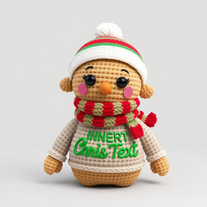 Craft charming 3D Pixar-style amigurumi for festive designs.Open
 -
 Transform photos into charming retro cartoons.Open
 -
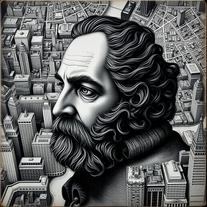 Create mesmerizing charcoal portraits blended with NYC maps.Open
 -
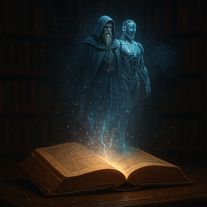 Creates stunning 8K photorealistic images of literary characters.Open
 -
 Turn character specs into ultra-realistic 8K artwork.Open
 -
 Transform imagination into stunning fantasy characters with AI.OpenI have been looking for an image for ages! This platform designed my perfect image after a couple of changes!
 -
-
 Open
Open -
 OpenImages created are pretty good. It would be nice if you can upload a reference image, though. Does not always follow the prompt though, sometimes it puts in extra things you don't want, even when you tell it not to. But it is worth using and you can edit the image it creates, but not needed most times.
 -
 Create detailed character profiles for storytelling and marketing.Open
 -
 Open
Open -
 Generate stunning AI princess characters with ultra-realistic detail.Open
 -
 Design unique AI personas with depth and personalityOpen
 -
 Open
Open -
 Transform into cinematic steampunk characters with personalized AI art.Open
 -
 Open
Open -
 AI artist creating whimsical feminine character illustrations.Open
 -
 Transform iconic characters into haunting, weathered relics.Open
 -
 Transform bland characters into compelling heroes.Open
 -
 Open
Open -
 Transform any description into vibrant cartoon-style images instantly.Open
 -
 Create a compelling tagline for your AI tool.Open
 -
 OpenHi, everything alright? Sorry my friend, the intention of the prompt is exactly to use the photo you send; just insert the characters and create the environment. It was trained to do only that, meaning you just need to send the photo and generate it. I have Star Wars in my tools; take a look at the most recent ones I created and you'll find it. Thanks.
 -
 Transform ideas into Victorian-era futuristic masterpieces.OpenChanged the prompt to improve results.
 -
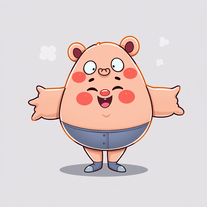 AI-powered cartoon character generator for vibrant, inclusive characters.Open
 -
 Create ultra-realistic selfies with The Mask characters.Open
 -
 Open
Open -
 Opentried this and yeah it’s aight, but the pics come out kinda plain. cute vibes, just meh. samey faces, flat backgrounds. fun to poke at, needs more style control to really pop.
 -
 Create adorable Funko Pop-style characters from any concept!OpenChanged the prompt to improve results.
 -
 Transform concepts into whimsical characters with AI-generated sketches.Open
 -
 Create vibrant artwork inspired by Kaiu Shirai's style.Open
 -
 Generate hilariously exaggerated failure scenarios for any character.Open
 -
 Transform photos into cinematic scenes with cartoon characters.OpenNot what I expected . Need more info
 -
 Create vivid fantasy characters inspired by global myths.Open
 -
 AI-generated Mortal Kombat visuals, customized to perfection.Open
 -
All this foes is generate photos of dragons. Ask for a dog? Get a dragon. Ask for a cat? Dragon Ask for a giraffe? Dragon
-
 Transform anything into adorable wide-eyed characters.OpenChanged the prompt to improve results.
 -
 Transform character names into comprehensive storytelling profiles instantly.Open
 -
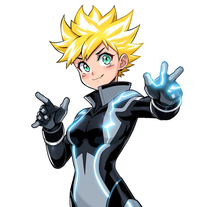 Create anime-style heroes with unique powers.Open
 -
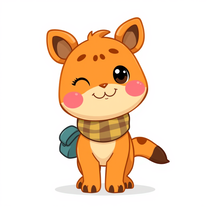 Transform any animal into whimsical cartoon characters instantly.Open
 -
 Open
Open -
 Create magical My Little Pony characters with friendship themes.Open
 -
 Open
Open -
 Create kawaii embroidery designs with AI magicOpen
 -
 Transform any idea into whimsical Adventure Time-style artwork.Open
 -
 Transform ideas into rich D&D character backstories instantly.Open
 -
 Create hilarious wallpapers with goofy animals and characters.Open
 -
 Transform photos into epic 3D cartoon characters.OpenSimply upload your photo; you don't need to type anything in the prompt field. Just click "generate" and watch the magic happen.
 -
 Generate ultra-realistic steampunk characters with Victorian-industrial aesthetics.Open
 -
-
 Create hilarious Rick and Morty-style images with bold 2D animation.OpenChanged the prompt to improve results.
 -
 Create clean cartoon illustrations for children.Open
 -
 Turn one photo into studio-grade Disney character selfies.Open
 -
 Open
Open -
 Create haunting urban AI art with surreal characters.Open
 -
 Generate imaginative heroes for children's stories.Open
 -
 Open
Open -
 AI portrait generator creating stunning, customizable characters from descriptions.Open
 -
 Open
Open -
 Transform your D&D adventures with AI-generated character portraits.Open
 -
 Create unique 3D superhero characters with inventive powers.Open
 -
 Generate creepy FNAF-inspired animatronic designs.Open
 -
 Transform photos into stunning Pixar-style 3D characters.Open
 -
 Generate unique character names from your keywords.Open
 -
 Transform any idea into stunning GTA-style images with satirical flair.OpenChanged the prompt to improve results.
 -
 Create apocalyptic art that explores human nature.Open
 -
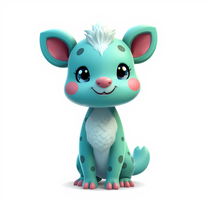 Creates vibrant, whimsical animal characters with unique features.Open
 -
 Transform anything into magical Winx Club cartoons.Open
 -
 Create adorable chibi-style sticker illustrations with AI.Open
 -
 Create charming 3D toy-style characters like classic action figures.Open
 -
 Transform dark surrealism into striking AI visuals.Open
 -
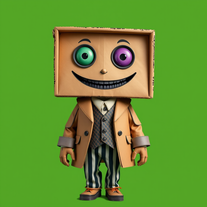 Generate quirky cardboard characters for creative projects.Open
 -
 Open
Open -
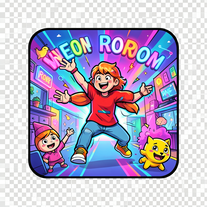 Create vibrant comic-style illustrations with neon energy.Open
 -
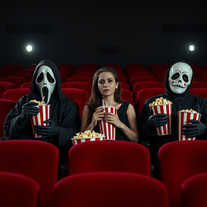 Open
Open -
 Open
Open -
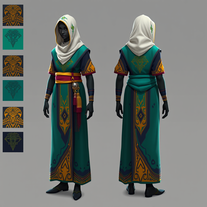 AI fashion designer blending African culture with fantasy gaming.Open
 -
 AI-powered digital artist creating adorable winter and Christmas clipart.Open
 -
I typed in "cats" and I received Whiskers, Fluffina and Snugglebug. 5/5 too cute to rank.
-
 Transform anyone into a Gryffindor student from Harry Potter movies.Open
 -
 Open
Open -
 Open
Open