Tools 50,376
Mini tools 36,058
Companies 7,160
Tasks 11,173
Jobs 5,236
Events 76
Papers 7,806
Models 1,188
Repos 42,269
Robots 545
Devices 197
Countries 100
Investors 1,682
Collections 13,206
Job openings 338
Requests 1,504
Fundraises 1,896
Deals 410
Characters 23,242
Features 68
Tools 50,376
Tasks 11,173
Models 1,188
Mini tools 36,058
Characters 23,242
Companies 7,160
Requests 1,504
Papers 7,806
Collections 13,206
Fundraises 1,896
Investors 1,682
Countries 100
Repos 42,269
Devices 197
Features 68
Jobs 5,236
Robots 545
Events 76
Deals 410
Tools 50,376
Mini tools 36,058
Companies 7,160
Tasks 11,173
Jobs 5,236
Events 76
Papers 7,806
Models 1,188
Repos 42,269
Robots 545
Devices 197
Countries 100
Investors 1,682
Collections 13,206
Job openings 338
Requests 1,504
Fundraises 1,896
Deals 410
Characters 23,242
Features 68
Tools 50,376
Tasks 11,173
Models 1,188
Mini tools 36,058
Characters 23,242
Companies 7,160
Requests 1,504
Papers 7,806
Collections 13,206
Fundraises 1,896
Investors 1,682
Countries 100
Repos 42,269
Devices 197
Features 68
Jobs 5,236
Robots 545
Events 76
Deals 410
Go to section
Spotlight AdaptTask automation
#1 website for AI tools.Used by 80M+ humans.
TAAFT Tutorial
Generate image
Tasks
Generate text
Free mode
Trending
Leaderboard
Characters
 Mini tools
New
Featured
Lists
Agents
Requests
Jobs
Map
Newsletter
Starter pack
Free tools
Speech to text
Text translator
Remove background
Settings
Edit profile
My tools
Gallery
Dashboard
Inbox
Get featured
Contact TAAFT
For you
Popular
Job impact index
Most saved
Affiliate program
Submit AI tool
Notification preferences
Glossary
Home
Timeline
My profile
Create tool
Deals
Companies
Models
Robots
Papers
Fundraises
Repositories
Devices
Organizations
Events
Prompt Pack
Merchendise
Credits
APIs
Features
Tools
Countries
Collections
Mini tools
New
Featured
Lists
Agents
Requests
Jobs
Map
Newsletter
Starter pack
Free tools
Speech to text
Text translator
Remove background
Settings
Edit profile
My tools
Gallery
Dashboard
Inbox
Get featured
Contact TAAFT
For you
Popular
Job impact index
Most saved
Affiliate program
Submit AI tool
Notification preferences
Glossary
Home
Timeline
My profile
Create tool
Deals
Companies
Models
Robots
Papers
Fundraises
Repositories
Devices
Organizations
Events
Prompt Pack
Merchendise
Credits
APIs
Features
Tools
Countries
Collections
Mini tools
New
Featured
Lists
Agents
Requests
Jobs
Map
Newsletter
Starter pack
Free tools
Speech to text
Text translator
Remove background
Settings
Edit profile
My tools
Gallery
Dashboard
Inbox
Get featured
Contact TAAFT
For you
Popular
Job impact index
Most saved
Affiliate program
Submit AI tool
Notification preferences
Glossary
Home
Timeline
My profile
Create tool
Deals
Companies
Models
Robots
Papers
Fundraises
Repositories
Devices
Organizations
Events
Prompt Pack
Merchendise
Credits
APIs
Features
Tools
Countries
Collections

▼ Top rated
Ai code generator
Free mode
100% free
Freemium
Free Trial
-
I'll provide a high-level design for the client compliance tracking software and a sample Python implementation. **System Design** The system will consist of the following components: 1. **Client Management**: Store client information, including name, address, and contact details. 2. **Form Management**: Store information about each form, including form name, description, and submission deadlines. 3. **Form Submissions**: Track each form submission, including the client, form, submission date, and status (pending, submitted, approved, rejected). 4. **Compliance Status**: Provide a summary of each client's compliance status, including the forms they need to submit and their current status. 5. **Deadline Reminders**: Send reminders to clients about upcoming deadlines for form submissions. 6. **Reporting**: Generate reports on compliance status, including summaries and detailed lists of form submissions. **Database Schema** The database schema will include the following tables: * **clients**: client information (id, name, address, contact details) * **forms**: form information (id, name, description, submission deadline) * **form_submissions**: form submissions (id, client_id, form_id, submission_date, status) * **compliance_status**: compliance status summary (client_id, form_id, status) **Python Implementation** I'll provide a sample implementation using Python and the Flask web framework. ```python from flask import Flask, render_template, request, redirect, url_for from flask_sqlalchemy import SQLAlchemy from datetime import datetime app = Flask(__name__) app.config["SQLALCHEMY_DATABASE_URI"] = "sqlite:///compliance.db" db = SQLAlchemy(app) class Client(db.Model): id = db.Column(db.Integer, primary_key=True) name = db.Column(db.String(100), nullable=False) address = db.Column(db.String(200), nullable=False) contact_details = db.Column(db.String(100), nullable=False) class Form(db.Model): id = db.Column(db.Integer, primary_key=True) name = db.Column(db.String(100), nullable=False) description = db.Column(db.String(200), nullable=False) submission_deadline = db.Column(db.DateTime, nullable=False) class FormSubmission(db.Model): id = db.Column(db.Integer, primary_key=True) client_id = db.Column(db.Integer, db.ForeignKey("client.id"), nullable=False) form_id = db.Column(db.Integer, db.ForeignKey("form.id"), nullable=False) submission_date = db.Column(db.DateTime, nullable=False) status = db.Column(db.String(50), nullable=False) class ComplianceStatus(db.Model): id = db.Column(db.Integer, primary_key=True) client_id = db.Column(db.Integer, db.ForeignKey("client.id"), nullable=False) form_id = db.Column(db.Integer, db.ForeignKey("form.id"), nullable=False) status = db.Column(db.String(50), nullable=False) @app.route("/") def index(): return render_template("index.html") @app.route("/clients") def clients(): clients = Client.query.all() return render_template("clients.html", clients=clients) @app.route("/forms") def forms(): forms = Form.query.all() return render_template("forms.html", forms=forms) @app.route("/form_submissions") def form_submissions(): form_submissions = FormSubmission.query.all() return render_template("form_submissions.html", form_submissions=form_submissions) @app.route("/compliance_status") def compliance_status(): compliance_status = ComplianceStatus.query.all() return render_template("compliance_status.html", compliance_status=compliance_status) if __name__ == "__main__": app.run(debug=True) ``` **Forms and Templates** Create the following templates: * `index.html`: dashboard overview * `clients.html`: client management page * `forms.html`: form management page * `form_submissions.html`: form submissions page * `compliance_status.html`: compliance status summary page **Forms List** The following forms will be included: * ROC forms: ADT-1, ADT-2, ADT-3, ADT-4, AOC-1, AOC-2, AOC-3, AOC-3A, AOC-4, AOC-5, BEN-1, BEN-2, BEN-3, BEN-4, CHG-1, CHG-4, CHG-6, CHG-8, CHG-9, CRA-1, CRA-2, CRA-3, CRA-4, CSR-1, CSR-2, DIR-10, DIR-11, DIR-12, DIR-03, DIR-03 KYC, DIR-5, DIR-06, DIR-08, DIR-09, DPT-03, FC-1, FC-2, FC-3, FC-4, IEPF-1, IEPF-2, IEPF-4, IEPF-5, INC-12, INC-18, INC-19, INC-2, INC-20, INC-20A, INC-22, INC-23, INC-24, INC-25A, INC-26, INC-27, INC-27A, INC-28, INC-29, INC-4, INC-6, INC-7, MBP-1, MGT-1, MGT-11, MGT-12, MGT-13, MGT-14, MGT-15, MGT-2, MGT-3, MGT-4, MGT-5, MGT-6, MGT-7, MGT-7A, MGT-8, MR-1, MR-2, MR-3, MSC-1, MSC-3, MSC-4, MSME-1, MSME-1, PAS-1, PAS-2, PAS-3, PAS-4, PAS-5, PAS-6, SH-1, SH-2, SH-3, SH-4, SH-5, SH-6, SH-7, SH-8, SH-9, SH-10, SH-11, SH-12, SH-13, SH-14, SH-15, SPICE Part A, SPICE Part B, STK-1, STK-2, STK-3, STK-4 * Other forms: Form-3, Form-4, Form-5, Form-8, Form-11, Form-12, Form-15, Form-22, Form-23, Form-24, Form-25, Form-27, Form-28, Form-31, Form-32, Form LLP BEN2, Form4D **Next Steps** 1. Implement user authentication and authorization. 2. Develop the client management page. 3. Develop the form management page. 4. Develop the form submissions page. 5. Develop the compliance status summary page. 6. Implement deadline reminders. 7. Implement reporting features. This is a high-level design and implementation, and there are many details that need to be addressed. However, this should provide a good starting point for building a client compliance tracking software. This high-level design and sample Python implementation provides a good starting point. However, the implementation details are not sufficient. Could you provide a more detailed implementation in Python, including the following: 1. **Models**: Define the models for Client, Form, FormSubmission, and ComplianceStatus using SQLAlchemy. 2. **Database**: Create the database tables using the models. 3. **Forms**: Define forms for client management, form submissions, and compliance status updates using Flask-WTF. 4. **Routes**: Implement routes for client management, form submissions, and compliance status updates. 5. **Templates**: Provide sample templates for each page. I'll review the detailed implementation and provide feedback. Here's a more detailed implementation: **Models** ```python from flask_sqlalchemy import SQLAlchemy from datetime import datetime db = SQLAlchemy() class Client(db.Model): id = db.Column(db.Integer, primary_key=True) name = db.Column(db.String(100), nullable=False) address = db.Column(db.String(200), nullable=False) contact_details = db.Column(db.String(100), nullable=False) def __repr__(self): return f"Client('{self.name}', '{self.address}', '{self.contact_details}')" class Form(db.Model): id = db.Column(db.Integer, primary_key=True) name = db.Column(db.String(100), nullable=False) description = db.Column(db.String(200), nullable=False) submission_deadline = db.Column(db.DateTime, nullable=False) def __repr__(self): return f"Form('{self.name}', '{self.description}', '{self.submission_deadline}')" class FormSubmission(db.Model): id = db.Column(db.Integer, primary_key=True) client_id = db.Column(db.Integer, db.ForeignKey("client.id"), nullable=False) form_id = db.Column(db.Integer, db.ForeignKey("form.id"), nullable=False) submission_date = db.Column(db.DateTime, nullable=False, default=datetime.utcnow) status = db.Column(db.String(50), nullable=False, default="pending") client = db.relationship("Client", backref=db.backref("form_submissions", lazy=True)) form = db.relationship("Form", backref=db.backref("form_submissions", lazy=True)) def __repr__(self): return f"FormSubmission('{self.client.name}', '{self.form.name}', '{self.submission_date}', '{self.status}')" class ComplianceStatus(db.Model): id = db.Column(db.Integer, primary_key=True) client_id = db.Column(db.Integer, db.ForeignKey("client.id"), nullable=False) form_id = db.Column(db.Integer, db.ForeignKey("form.id"), nullable=False) status = db.Column(db.String(50), nullable=False, default="not started") client = db.relationship("Client", backref=db.backref("compliance_status", lazy=True)) form = db.relationship("Form", backref=db.backref("compliance_status", lazy=True)) def __repr__(self): return f"ComplianceStatus('{self.client.name}', '{self.form.name}', '{self.status}')" ``` **Database** ```python with app.app_context(): db.create_all() ``` **Forms** ```python from flask_wtf import FlaskForm from wtforms import StringField, DateField, SelectField, SubmitField from wtforms.validators import DataRequired class ClientForm(FlaskForm): name = StringField("Name", validators=[DataRequired()]) address = StringField("Address", validators=[DataRequired()]) contact_details = StringField("Contact Details", validators=[DataRequired()]) submit = SubmitField("Submit") class FormSubmissionForm(FlaskForm): client_id = SelectField("Client", coerce=int) form_id = SelectField("Form", coerce=int) submission_date = DateField("Submission Date") status = SelectField("Status", choices=["pending", "submitted", "approved", "rejected"]) submit = SubmitField("Submit") class ComplianceStatusForm(FlaskForm): client_id = SelectField("Client", coerce=int) form_id = SelectField("Form", coerce=int) status = SelectField("Status", choices=["not started", "in progress", "completed"]) submit = SubmitField("Submit") ``` **Routes** ```python @app.route("/") def index(): return render_template("index.html") @app.route("/clients") def clients(): clients = Client.query.all() return render_template("clients.html", clients=clients) @app.route("/clients/new", methods=["GET", "POST"]) def new_client(): form = ClientForm() if form.validate_on_submit(): client = Client(name=form.name.data, address=form.address.data, contact_details=form.contact_details.data) db.session.add(client) db.session.commit() return redirect(url_for("clients")) return render_template("new_client.html", form=form) @app.route("/forms") def forms(): forms = Form.query.all() return render_template("forms.html", forms=forms) @app.route("/form_submissions") def form_submissions(): form_submissions = FormSubmission.query.all() return render_template("form_submissions.html", form_submissions=form_submissions) @app.route("/form_submissions/new", methods=["GET", "POST"]) def new_form_submission(): form = FormSubmissionForm() form.client_id.choices = [(client.id, client.name) for client in Client.query.all()] form.form_id.choices = [(form.id, form.name) for form in Form.query.all()] if form.validate_on_submit(): form_submission = FormSubmission(client_id=form.client_id.data, form_id=form.form_id.data, submission_date=form.submission_date.data, status=form.status.data) db.session.add(form_submission) db.session.commit() return redirect(url_for("form_submissions")) return render_template("new_form_submission.html", form=form) @app.route("/compliance_status") def compliance_status(): compliance_status = ComplianceStatus.query.all() return render_template("compliance_status.html", compliance_status=compliance_status) @app.route("/compliance_status/new", methods=["GET", "POST"]) def new_compliance_status(): form = ComplianceStatusForm() form.client_id.choices = [(client.id, client.name) for client in Client.query.all()] form.form_id.choices = [(form.id, form.name) for form in Form.query.all()] if form.validate_on_submit(): compliance_status = ComplianceStatus(client_id=form.client_id.data, form_id=form.form_id.data, status=form.status.data) db.session.add(compliance_status) db.session.commit() return redirect(url_for("compliance_status")) return render_template("new_compliance_status.html", form=form) ``` **Templates** Create the following templates: * `index.html`: dashboard overview * `clients.html`: client management page * `new_client.html`: new client page * `forms.html`: form management page * `form_submissions.html`: form submissions page * `new_form_submission.html`: new form submission page * `compliance_status.html`: compliance status summary page * `new_compliance_status.html`: new compliance status page This implementation provides a more detailed example of how the client compliance tracking software could be built using Flask and SQLAlchemy. Your implementation provides a good foundation for building the client compliance tracking software. However, I would like to add more functionality to the software, such as: 1. **User Management**: Add user management features, including user registration, login, and role-based access control. 2. **Form Automation**: Automate form submissions by integrating with external APIs or services. 3. **Notifications**: Send notifications to clients and users about upcoming deadlines, form submissions, and compliance status updates. To implement these features, I can leverage libraries like Flask-Login, Flask-Principal, and Flask-Mail. Here's an example of how you could implement user management using Flask-Login and Flask-Principal: **User Model** ```python class User(db.Model): id = db.Column(db.Integer, primary_key=True) username = db.Column(db.String(64), unique=True, nullable=False) email = db.Column(db.String(120), unique=True, nullable=False) password_hash = db.Column(db.String(128)) def set_password(self, password): self.password_hash = generate_password_hash(password) def check_password(self, password): return check_password_hash(self.password_hash, password) def __repr__(self): return f"User('{self.username}', '{self.email}')" ``` **User Registration and Login** ```python from flask_login import LoginManager, UserMixin, login_user, logout_user, login_required, current_user login_manager = LoginManager() login_manager.init_app(app) @login_manager.user_loader def load_user(user_id): return User.query.get(int(user_id)) @app.route("/register", methods=["GET", "POST"]) def register(): form = RegistrationForm() if form.validate_on_submit(): user = User(username=form.username.data, email=form.email.data) user.set_password(form.password.data) db.session.add(user) db.session.commit() return redirect(url_for("login")) return render_template("register.html", form=form) @app.route("/login", methods=["GET", "POST"]) def login(): form = LoginForm() if form.validate_on_submit(): user = User.query.filter_by(username=form.username.data).first() if user and user.check_password(form.password.data): login_user(user) return redirect(url_for("index")) return render_template("login.html", form=form) @app.route("/logout") @login_required def logout(): logout_user() return redirect(url_for("index")) ``` **Role-Based Access Control** ```python from flask_principal import Principal, Permission, RoleNeed principals = Principal(app) admin_permission = Permission(RoleNeed("admin")) moderator_permission = Permission(RoleNeed("moderator")) @app.route("/admin") @admin_permission.require(http_exception=403) def admin(): return "Admin page" @app.route("/moderator") @moderator_permission.require(http_exception=403) def moderator(): return "Moderator page" ``` **Notifications** ```python from flask_mail import Mail, Message mail = Mail(app) def send_notification(subject, recipients, body): msg = Message(subject, recipients=recipients, body=body) mail.send(msg) @app.route("/send_notification", methods=["POST"]) def send_notification_route(): subject = request.form["subject"] recipients = request.form["recipients"] body = request.form["body"] send_notification(subject, recipients, body) return "Notification sent" ``` Please let me know if this implementation meets your requirements or if you need further modifications.
-
Here is an example of HTML code for a simple login form: ``` <!DOCTYPE html> <html> <head> <title>Login Form</title> <style> body { font-family: Arial, sans-serif; } .container { width: 300px; background-color: #f9f9f9; padding: 20px; border: 1px solid #ccc; border-radius: 5px; box-shadow: 0 0 10px rgba(0, 0, 0, 0.1); } </style> </head> <body> <div class="container"> <h2>Login Form</h2> <form> <label for="username">Username:</label> <input type="text" id="username" name="username"><br><br> <label for="password">Password:</label> <input type="password" id="password" name="password"><br><br> <input type="submit" value="Login"> </form> </div> </body> </html> ``` This code creates a basic login form with a username and password input, and a submit button. Note that this code does not include any server-side validation or authentication, it's just a basic HTML form. If you want to add functionality to this form, you will need to add JavaScript code to handle the form submission and validate the input data. You will also need to create a server-side script to handle the form data and authenticate the user. Let me know if you need any further assistance or if you have any specific requirements for the login form.
-
```html <!DOCTYPE html> <html lang="en"> <head> <meta charset="UTF-8"> <meta name="viewport" content="width=device-width, initial-scale=1.0"> <title>Minimal Digital Clock</title> <style> body { font-family: Arial, sans-serif; display: flex; justify-content: center; align-items: center; height: 100vh; margin: 0; background-color: #f0f0f0; } .clock-container { background-color: #fff; border-radius: 10px; padding: 20px; box-shadow: 0 0 10px rgba(0,0,0,0.1); } #clock { font-size: 3rem; font-weight: bold; text-align: center; margin-bottom: 10px; } select { width: 100%; padding: 5px; margin-bottom: 10px; } label { display: flex; align-items: center; justify-content: center; margin-bottom: 10px; } </style> </head> <body> <div class="clock-container"> <div id="clock"></div> <select id="timezone"> <!-- Time zones will be populated dynamically --> </select> <label> <input type="checkbox" id="format-toggle"> 24-hour format </label> </div> <script> const clock = document.getElementById('clock'); const timezoneSelect = document.getElementById('timezone'); const formatToggle = document.getElementById('format-toggle'); // Populate time zone options moment.tz.names().forEach(tz => { const option = document.createElement('option'); option.value = tz; option.textContent = tz; timezoneSelect.appendChild(option); }); function updateClock() { const selectedTimezone = timezoneSelect.value; const use24HourFormat = formatToggle.checked; const now = moment().tz(selectedTimezone); const format = use24HourFormat ? 'HH:mm:ss' : 'hh:mm:ss A'; clock.textContent = now.format(format); } // Update clock every second setInterval(updateClock, 1000); // Update clock when time zone or format changes timezoneSelect.addEventListener('change', updateClock); formatToggle.addEventListener('change', updateClock); // Initial clock update updateClock(); </script> <script src="https://cdnjs.cloudflare.com/ajax/libs/moment.js/2.29.1/moment.min.js"></script> <script src="https://cdnjs.cloudflare.com/ajax/libs/moment-timezone/0.5.33/moment-timezone-with-data.min.js"></script> </body> </html> ``` This code creates a minimal digital clock with the following features: 1. Displays time in 12-hour or 24-hour format 2. Allows selection of any time zone 3. Updates in real-time 4. Has a clean, modern design Key points: - Uses HTML, CSS, and JavaScript for implementation - Utilizes the Moment.js library for handling time zones and formatting - Responsive design that works on various screen sizes - Easy to customize colors and styles To use this code, save it as an HTML file and open it in a web browser. Make sure you have an active internet connection for the Moment.js library to load properly.
-
### Even Number Filter Function #### Function Description The following Python function filters a list of integers and returns a new list containing only the even numbers. #### Code ```python def filter_even_numbers(numbers): """ This function takes a list of integers and returns a new list containing only the even numbers. Args: numbers (list): A list of integers. Returns: list: A list of even integers. """ # Using list comprehension to create a new list with only even numbers # The 'if' condition inside the list comprehension checks if a number is even (i.e., remainder when divided by 2 is 0) even_numbers = [num for num in numbers if num % 2 == 0] # Return the list of even numbers return even_numbers # Example usage if __name__ == "__main__": numbers_list = [1, 2, 3, 4, 5, 6, 7, 8, 9, 10] print("Original List:", numbers_list) print("Even Numbers:", filter_even_numbers(numbers_list)) ``` #### Explanation - The function `filter_even_numbers` takes one argument: `numbers`, which is expected to be a list of integers. - Inside the function, a list comprehension is used to iterate over each number (`num`) in the input list (`numbers`). - The `if` condition `num % 2 == 0` filters out odd numbers, only including numbers that are divisible by 2 (i.e., even numbers) in the new list. - The resulting list of even numbers is then returned by the function. #### Important Considerations - This function assumes that the input will be a list. If the input might be something else, you should add error checking code to handle that. - The function uses list comprehension for conciseness and efficiency. For very large lists, this approach is memory-efficient because it avoids the need to append to a list in a loop.Dua Batool🙏 1 karmaSep 24, 2025@Code Generatoruser friendly and gaves accurate results so for me its 10/10 tool




Featured matches
-
 First General AI Agency. Designed for long-horizon tasks.Open
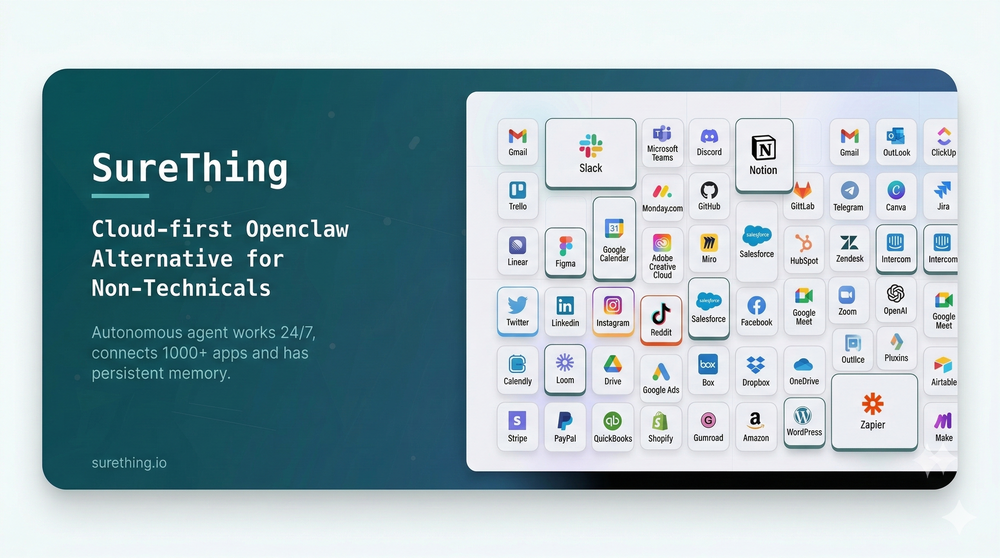 I've put about 30-40 hours into SureThing, and it's seriously been a game-changer, basically acting like a virtual COO for my business!
 -
-
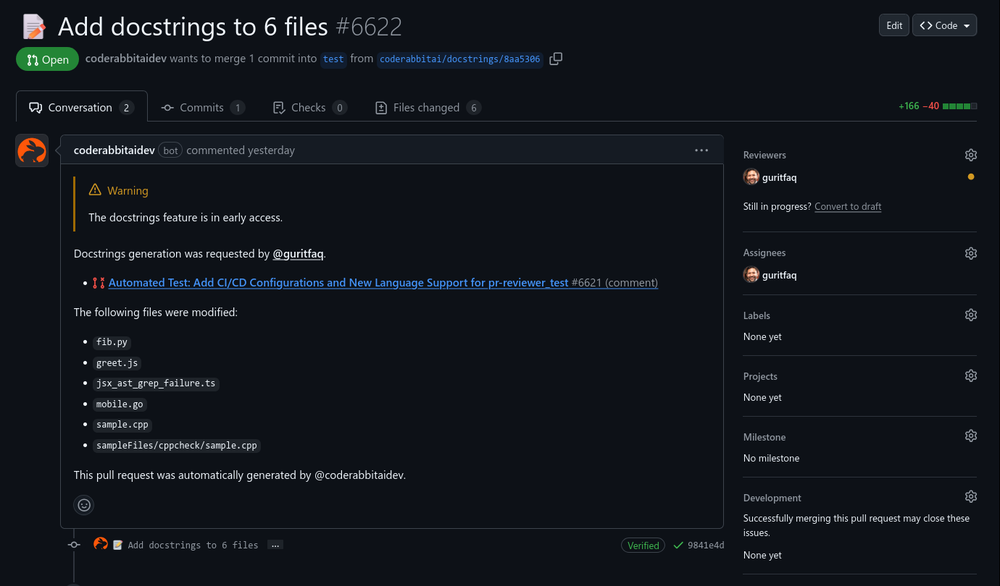 Reducing manual efforts in first-pass during code-review process helps speed up the "final check" before merging PRs
 -
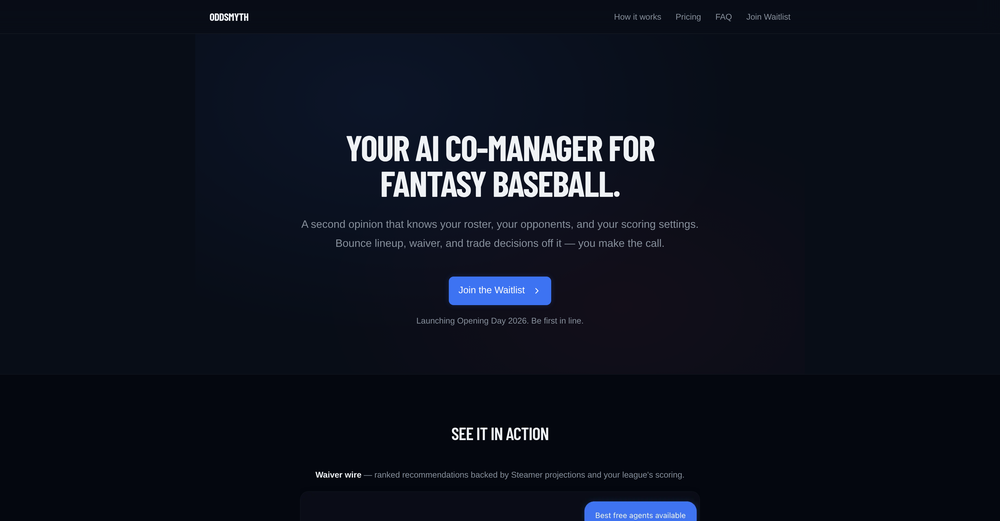 Hey! I'm Kwan, the solo founder behind Oddsmyth. I built this because I play in 2 Yahoo H2H fantasy baseball leagues and was spending 30+ minutes every morning researching lineups, scanning the waiver wire, and evaluating trades. The tools I tried (FantasyPros, Yahoo's built-in recs) all had the same problem: they don't know my league. They give generic advice based on generic rankings. Oddsmyth connects to your Yahoo Fantasy league and actually knows your roster, your opponents, your scoring settings, and who's available on your waiver wire. You can ask it anything in plain English ("who should I start today?", "is this trade worth it?", "who should I grab off waivers?") and it gives you a specific answer with reasoning based on your situation. It's not meant to replace doing your own research. It's a second opinion you can bounce decisions off of when you're torn on a close call or managing multiple leagues and don't have time to dig into every decision. The AI is powered by Claude and uses live data from the MLB Stats API, FanGraphs Steamer projections, and your Yahoo league data. You get 5 free credits to try it. Quick questions (game times, scores, injury checks) are always free. I'd love feedback from anyone who plays Yahoo fantasy baseball. What's working, what's not, what would make it more useful. I'm building this in public and actively improving it based on what real users tell me.
 -
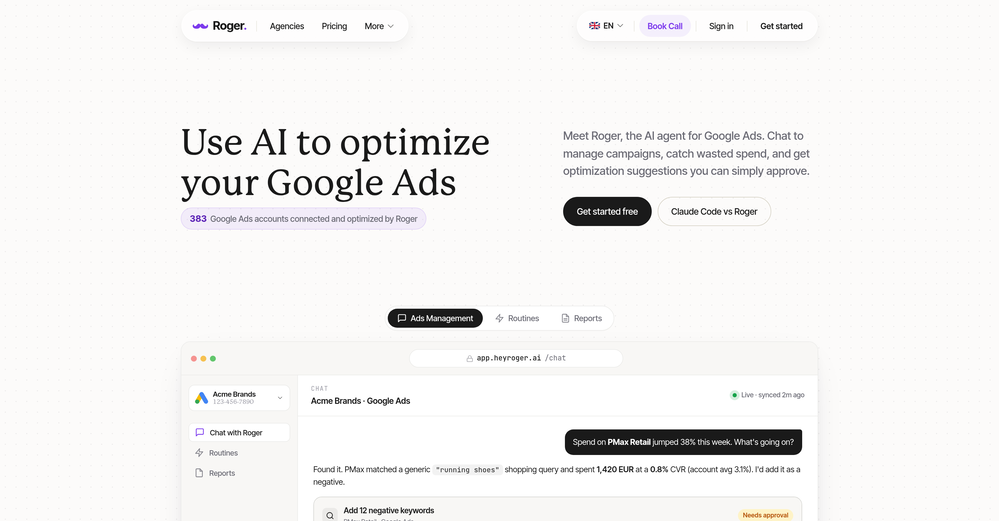
-

-
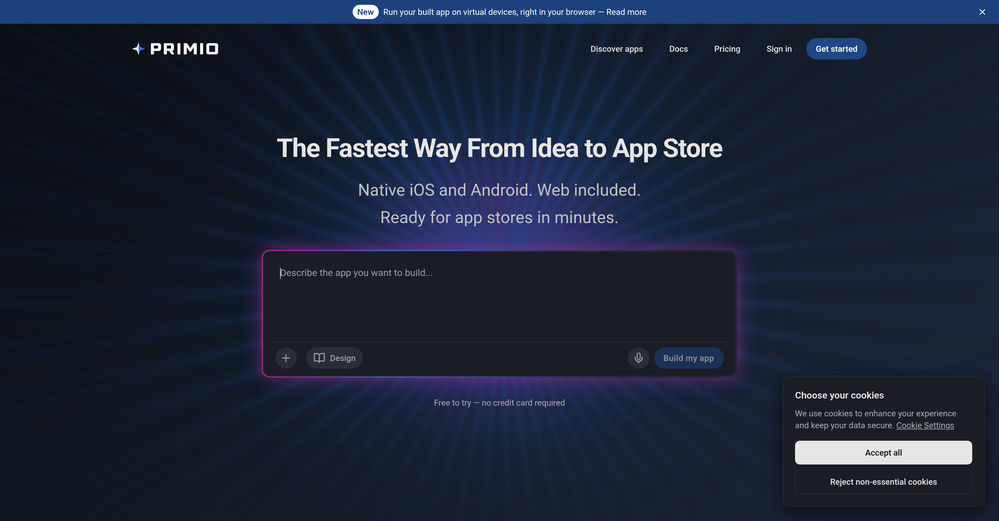
-
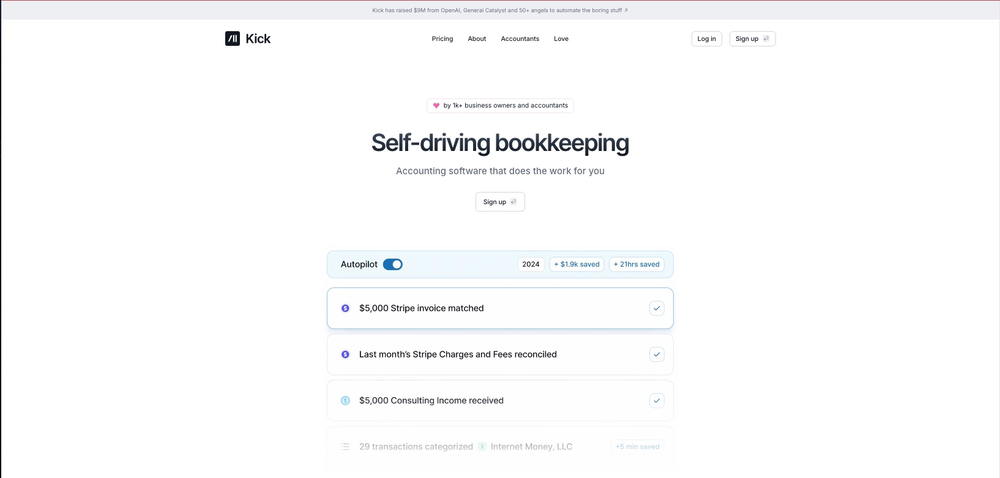 This team took the time to understand the industry, problem and its users and designed a perfectly engineered solution. Kudos.
 -
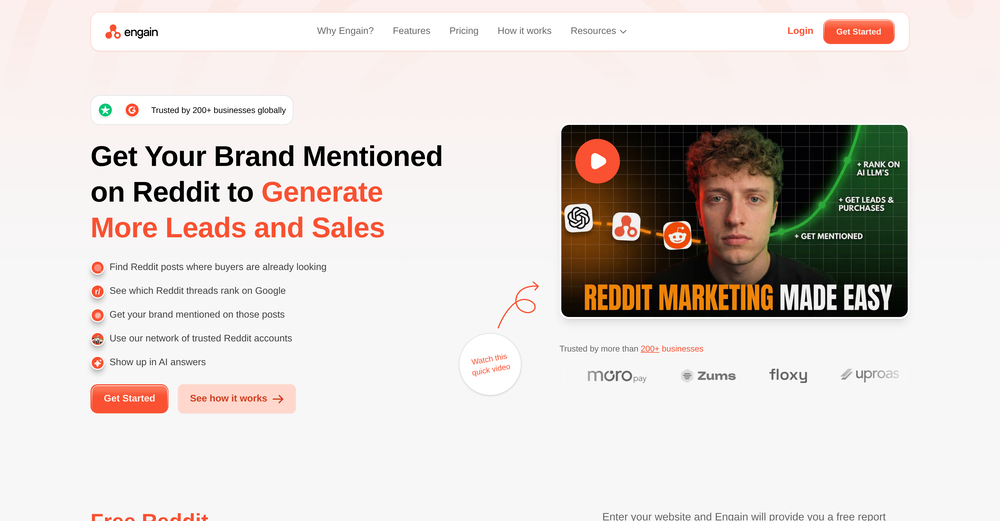 Reddit's been a blind spot for us forever and this actually makes it manageable. The AI catches relevant threads before they blow up so we can jump in early. Organic reach has been wild compared to paid channels.
 -
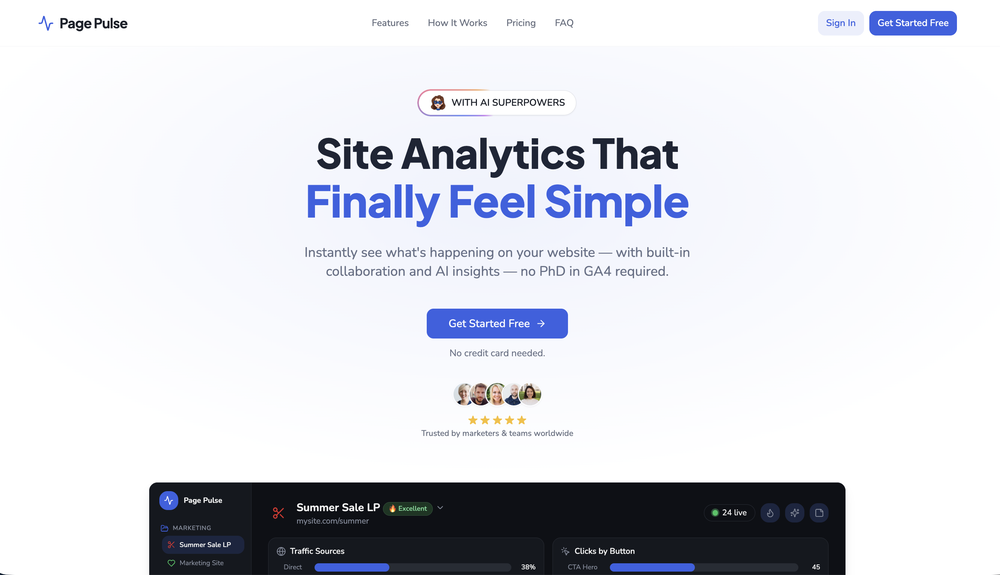













Other tools
-
I was impressed this tool was able to find not just bugs/formatting issues with the code itself, but also real risks in my ML pipeline such as train-test bleed through.
-
I have been using Aicado.ai actively for a few months, and it has started to replace my ChatGPT subscription. I also built a website on top of Aicado and several chatbots. o1-preview and o1-mini released yesterday and Aicado team launched these models today! Nice move 👍🏻
-
 Build AI Mobile & Web Apps - No Code, No Api KeysOpenI built my fitness app and published it to both App Store and Google Play in just 3 days. OnSpace AI handled all the mobile development complexity. I'm now earning from in-app subscriptions.
 - SpotlightAdaptTask automation
-
 Open
Open -
Impressive work from the team at Tented.ai, their approach to AI-driven automation is genuinely next-level.
-
 OpenI built Remy to solve a problem I face every day: Newsletter overload 📬 Remy is your personal AI assistant that summarizes all your newsletters into a single digest email. Go from a cluttered inbox to a clear, concise briefing in one go.
 -
Zi Wei Astrology makes ancient Chinese destiny analysis much easier to explore. The interface is clean, the chart experience feels structured, and the AI-guided reading helps translate complex Zi Wei Dou Shu ideas into something more practical for modern users. It is especially useful for people who are curious about life path, personality patterns, relationships, and long-term timing cycles but do not know how to read a traditional chart on their own. A strong concept with real potential.
- Didn't find the AI you were looking for?
-
This started from a small frustration that wouldn't go away: I'd open 12 tabs for "research," skim none of them properly, and close my laptop feeling more behind than when I started. The web rewards reading speed, not reading depth — and I wanted a tool that flipped that. So I built GetTheGists: a Chrome extension that gives you the gist of any page in 3 seconds, then lets you ask follow-up questions like you would a smart friend who already read it. A few things we went out of our way to get right: - Cognitive hierarchy, not walls of text. Every summary is structured as Gist → Why It Matters → Key Takeaways → Implications. Compression before precision. - Ask, don't just read. Hit the page with follow-ups, get answers grounded in the content. - 20 languages, full dark mode, and a resizable side panel that actually respects your screen. What surprised me building this: the hardest part wasn't the AI — it was deciding what not to show. Every iteration was about removing a section, not adding one. It's free to try (Premium and Pro tiers if you want higher limits). I'd love your honest feedback — especially on the summary format and where it falls short on your favorite kind of page. I'll be in the comments all day. Thank you for taking a look 🙏
-
Reloop let's you create and edit ads in different kind of styles, whether you want to promote a product, a service or a tool, you can do it in 3 minutes, by having a convo with an agent. The output and ease of use is great!
-
 Generate code snippets, functions, and components with AI assistance.OpenGreat tool for helping with coding tasks.
 -
 Open
Open -
I need to create a relationship between the Excel that contains the phone numbers in column A for the people to whom I want to send their performance sheet via WhatsApp every month with the click of a button automatically and without any intervention from me, knowing that the performance sheet is an image in column C and each person has his own sheet where the only link between the performance sheet and the phone number is their personal names
-
Farol is been clutch for spotting trends before they blow up everywhere. I've caught a few product launches and tech shifts early enough to actually post something original instead of just adding to the noise. If you're always feeling a step behind on what's trending, this one's worth a look!
-
Geekflare Chat has made my workflow much simpler by bringing multiple AI models into one place. I can quickly compare responses, which is really helpful for content ideas and research. It’s fast, clean, and easy to use, and I haven’t faced any issues so far.
-
Chatsistant has completely transformed how we run our business. Its custom LLM framework and RAG technology allow us to automate lead generation, streamline customer support, and create consumer-facing products with ease. With multi-platform integration like WhatsApp and Slack, plus API and webhook connections, we’ve customized workflows and scaled seamlessly. The AI Supervisor ensures all chatbots perform efficiently, while multilingual support helped us reach new markets. From automating tasks to optimizing operations, Chatsistant is more than a tool... it’s a true game-changer. If you’re ready to innovate, Chatsistant.com is the way to go!