
 Mini tools
▼ Latest
Ai developer
Free mode
100% free
Freemium
Free Trial
Featured matches
-
 Teemu Valkonkari🙏 2 karmaJan 12, 2026@Pagesmith.aiI made my website with Pagesmith. Seems the best for fast content based sites.
 -
 Purely magic. It increases the productivity by a lot and the process is pretty addictive. I've been building websites like there's not tomorrow.
 -
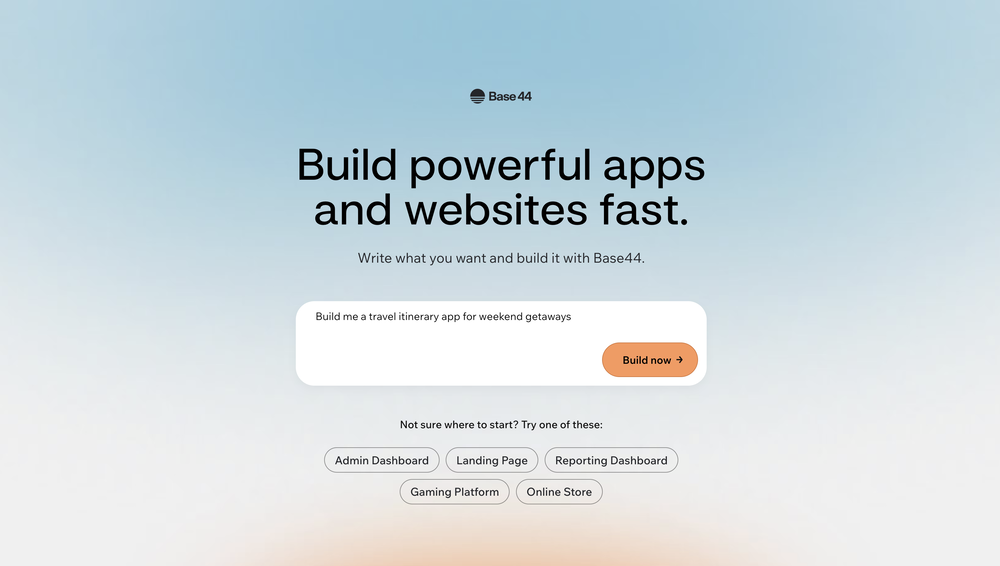 Base44 is an AI-powered platform for building fully-functional apps with no code and minimal setup hassle. The platform leverages advanced AI technology to translate simple, natural language descriptions into working apps. Let’s make your dream a reality. Right now.
 -
 Open
Open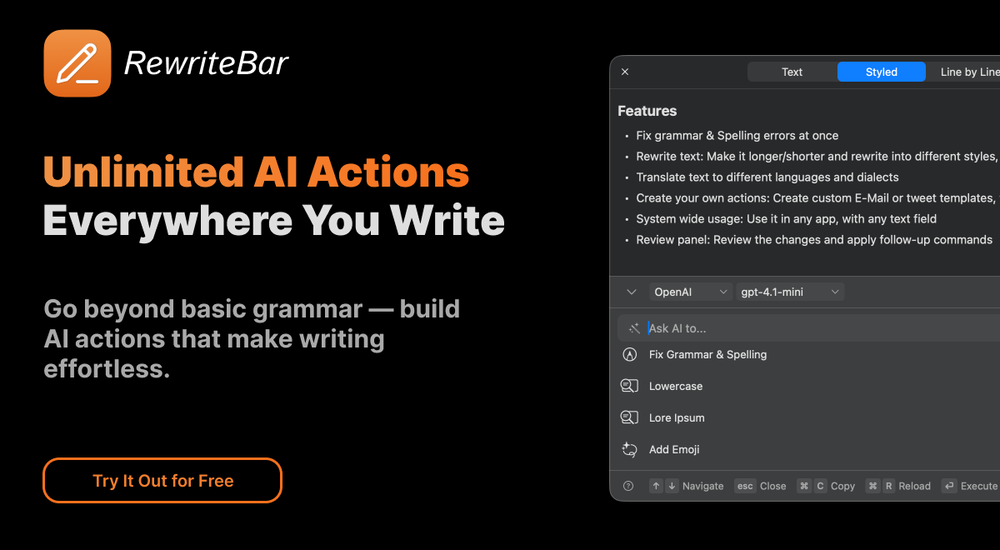
-
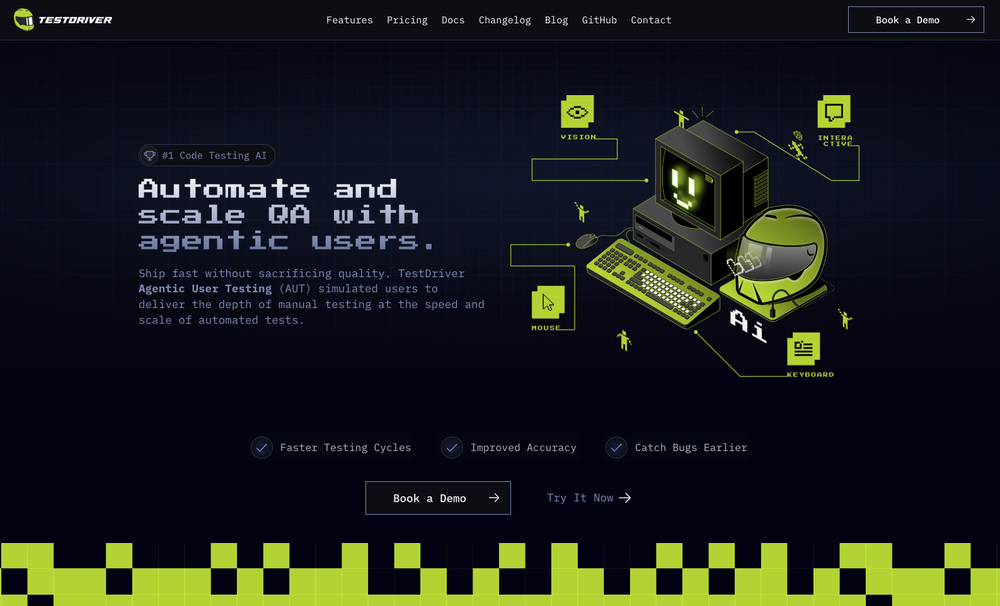 Test failure can be triggered by: - Text not being found - Image not being found - "Assert" condition not being met (according to AI with 90% confidence)
 -
-
Waitlist
 I'm in early beta and I'm managing to orchestrate my 3 openclaw agents with my 2 claude code sessions. It's cool, maybe this is the future.
 -
 I recently tried legasite.io The process was straightforward. You paste in your site’s URL, choose a template, and wait. It didn’t take long before I got a downloadable version built with modern structure (Next/React.js). That alone saved me a decent chunk of manual setup time. The generated layout was clean and usable. Overall, I’d say it’s genuinely useful if you’re modernizing legacy sites and want a head start with the possibility of refining the output if the original website has messy interactions or complex structures.
 -

-
 AI-native OCR platform, 95%+ accuracy, zero prompt engineering, flags uncertain fields.Open
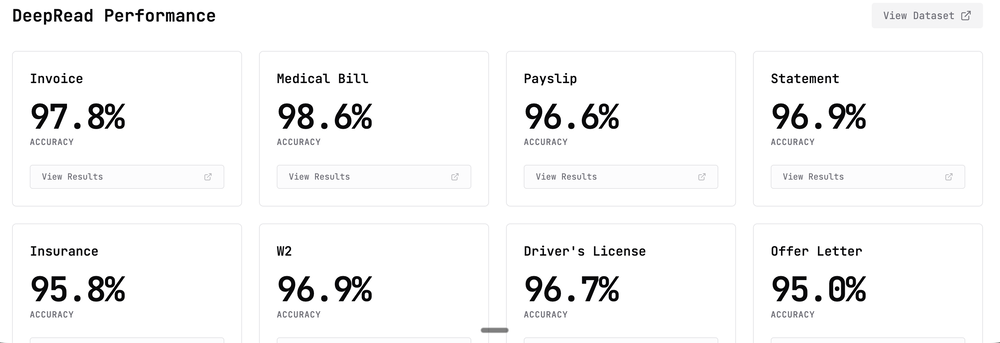 We are a team of founders who worked before in data extraction, with traditional manual review of each document to check accuracy / errors. We are so excited about AI and the new LLM models because we have created DeepRead using those and the accuracy is 95% and we flag uncertain fields so no one has to manually review entire documents (whew), only the exceptions! We hope you try it out and please share your review, comments and feedback. Looking forward to hearing from users!















Verified tools
- Sponsor:
 Base44💻 Vibe coding
 -
Far beyond my expectation. Thanks for bribg us such a great work.
-
New Features 🚀 Ace Max Agent Introducing Ace Max alongside our existing agent versions (Fast and Think) — built for complex reasoning across multi-dimensional tasks. Ace Max handles multi-step workflows that require planning, research, creation, and delivery in a single conversation. 🔌 Connectors Connectors library with 40+ pre-built connectors including: - Gmail - Google Drive - Notion - Supabase - Calendar - Outlook - And more... Key Features: - Add custom MCP servers as connectors to plug in any tool or API - Filter tools to limit access to specific actions per session - Context-efficient design — add as many as you need without worrying about context bloat 🛝 Presenter View for Slides Professional presentation mode with advanced controls: - Multi-window setup — presenter view in one window, slide view in another with real-time synchronization - Interactive cursor tools — laser pointer, arrow, and other cursor types that broadcast across windows - Presenter notes — AI-generated speaker notes with inline editing, resizable panels, and auto-sync - Timer controls — built-in timer with pause/reset functionality - Autoplay mode — configurable auto-advance with adjustable duration - Slide navigation — thumbnail preview, keyboard shortcuts, and progress tracking - Publishing — share slides via public URL for remote viewing 📄 File Publishing and Editing - Publish any file to a public URL — share with anyone, access from anywhere - Edit files inline in the smart editor with changes synced to the agent in real-time - Redesigned workspace sidebar with improved file navigation and management ⏮️ Rewind Rewind any session to any previous message: - All files, context, and agent state are fully restored to the rewind point - Branch your session in a new direction from any point in the conversation history 🎤 Audio and Input Experience - Audio input support — dictate prompts using the microphone - Prompt enhancement with `Cmd/Ctrl + Shift + E` to refine your prompts before sending - Quick file picker (`Cmd/Ctrl + U`) - Drive import (`Cmd/Ctrl + Shift + U`) - Command palette (`Cmd/Ctrl + K`) for power users 🌐 Web App Previews - Significantly stabler previews with fixed race conditions, stale content, and server restoration issues - In-preview navbar to quickly navigate between pages of your app - Inspect mode — select any element directly on screen and ask the agent to modify it visually - Cloud integration — connect your Supabase account in a few clicks and build full stack web apps with authentication, database and cloud storage, all managed by the agent. 🧭 Explore and Navigation - Recent sessions sidebar with quick actions to switch between sessions or start new ones instantly - Explore section with detailed capability guides to discover everything Raccoon AI can do - Focused in-session experience with updated tool output UI and performance improvements - Connect your web app to cloud hosting anytime during a session 🌍 Localization Raccoon AI now supports 7 languages natively across the entire platform. And you can work with the agent in any language including these 7. Bug Fixes and Stability - Fixed session listing delays - Fixed stale file previews - Fixed missing files - Fixed delayed UI updates - Autoloading knowledge bases when tags are present in queries - Unified and optimized image handling across the agent - Improved media generation tools and media knowledge bases - Fixed system prompt propagation for API users
-
Works well and connects with my apps easily. I’m considering using it for daily reports and posts
-
Love how intuitive the workflow is—clean, simple, and gets the job done!
-
This is actually amazing. It has all the main features I need to be very efficient at my work.
-
We built ModelRed because most teams don't test AI products for security vulnerabilities until something breaks. ModelRed continuously tests LLMs for prompt injections, data leaks, and exploits. Works with any provider and integrates into CI/CD. Happy to answer questions about AI security!
-
Very accurate.I check videos and audios to detect fakes before sharing viral news
-
I have read their documentation, specifically the basics of how to get started and the test script commands. Surprisingly the commands are easy to read and understand. I may need to do a bit more exploring, I think I saw a blogpost that you can also use javascript with this tool like many other tools, so I'll check that out as well. But for now, this tool seems to be promising enough for QA Testers and Automation testers who want to work faster and more efficient.
-
 AI-powered code reviews that accelerate pull requests and improve code qualityOpenI signed up for early access and have been using codoki for a few months now, eventually brought it into my team as well. Great tool, simple to use, not overwhelming and has caught things in a way thats actually digestible
 -
The tool is working for me. Try giving it another chance.
-
-
Didn’t find it helpful they all are working on same memory model
-
It's amazing, I have already used it to create a personal website.
-
-
From one of our customers: We are running our 15 person VC-backed company right now without a PM. Devplan helps fills that gap for us by generating high-quality user stories that sync in Linear in minutes. What used to take me days of back and forth and refinement I’m now doing in less then a hour.







































Other tools
-
Finally an API provider that is actually affordable. Nano Banana Pro API saved me over 50% on my bill. Also super impressed that they have access to video models like Sora 2. Wisdom Gate is legit!
-
 Open
Open -
The tool's quality has dropped significantly over the past three months. The AI is taking three times longer to solve problems and is still making many mistakes. Accuracy has decreased by at least 60%. I had to manually fix everything and stop using the prompt. Unfortunately, it used to work very well for me, but now it no longer does.
- Didn't find the AI you were looking for?
-
Handles long texts really well. Super useful if you’re into detailed content but want the quick version without losing key info.
-
Hi there! It worked great for me, it might have been a temporary issue.
-
-
create stock control, delivery and product management
-
I do recommend this platform for layout and basic designing. It can help for you to show a first draft to your client. It's easy to use and precise. I think it's good for building "one page" or landing pages. I am showing my finished web page to a programmer so he can have a guide line and build a more personalized web page outside this unicorn platform.
-
-
Why do most apps of that kind require the newest versions of Mac OS?
-
Absolute BS crap. Don't bother, waste of money and it is just a trap
-
-
Its actually good. I was able to make 3 screens using the promo code and they were better than the other UI tools.
-
Very helpful tool in my design process and coming up with new features!
-
It’s amazing to see what AI can achieve, but many tools fall short because they lack the structure needed to deliver exactly what users want. That’s not the case with Aire! This innovative AI-powered app-building tool can create fully functional apps for managing any type of organization or business in just minutes. It doesn’t stop at generating ideas—it builds a complete data model, including modules, fields, relationships, charts, dashboards, and user interfaces tailored to your specific business needs. Here’s what sets Aire apart: Smart Prompt Builder: Aire includes a guided prompt builder that helps you create detailed, accurate prompts for better results. Customizable Scope: You can choose the size of your output—small, medium, or large—ensuring your app fits your needs without unnecessary complexity. Step-by-Step Process: Aire divides app-building into modules, fields, and relationships, delivering each component separately. This speeds up the process and allows you to tweak individual parts without redoing the entire app. Manual Adjustments: At every step, you can manually customize your app—add, delete, or modify modules, fields, and relationships. The AI integrates your changes seamlessly into the next steps. Field Configuration: Aire doesn’t just generate fields; it assigns field types (text, numbers, dropdowns, etc.) and even prepopulates dropdown options, which you can edit if needed. Intelligent Relationships: Mapping relationships between fields—like one-to-one or one-to-many—can be a headache, but Aire handles it effortlessly, even explaining its rationale so you understand the logic. Automatic Charts: Aire generates a range of charts based on your data model. While some might need tweaking, the out-of-the-box charts save days of manual effort. Pages and Dashboards: The tool creates well-organized record pages, list pages, dashboards, and homepages. These layouts are highly functional and customizable, eliminating tedious setup work. Aire deploys apps to Corteza, an open-source low-code platform. While Corteza is incredibly powerful—with features like a workflow builder, API, and integration tools—it requires technical knowledge for advanced tasks like creating workflows or integrations. For non-technical users, this might be a limitation, but Aire simplifies deployment by offering a shared hosted instance of Corteza. You can use this instance to edit your app, upload records, and make adjustments without diving into advanced configuration. For those who prefer self-hosting, Aire lets you export your app’s configuration files (its source code) to deploy on your own Corteza instance. This flexibility is a standout feature, and Aire’s team plans to introduce hosted Corteza instances soon, making deployment even more seamless. Looking ahead, Aire is developing an AI-powered process builder and connector builder, which will allow users to create automated workflows and integrate external data sources without relying on Corteza’s advanced tools. Once launched, this will elevate Aire to a fully autonomous app-building platform—no technical expertise required. In summary, Aire is a trailblazer in AI-driven app development. It’s fast, flexible, and packed with features that save users days of manual effort. Whether you’re a business owner, a tech-savvy developer, or somewhere in between, Aire is paving the way for the future of app-building. Don’t miss out!
-
 Transform programming ideas into crystal-clear pseudocode instantly.Open
 -
 OpenI'm happy to help you with generating a manifest file and a Lua script based on your input. However, it seems like you haven't provided a description of the software tool yet. Could you please provide more details about what you need? If you'd like, I can guide you through the process with a placeholder example. Let's assume you want a simple tool that greets the user. Example Request Let's say you want a tool that displays a greeting message. Manifest File and Lua Script Generation Manifest File: { "name": "Greeter Tool", "description": "A simple tool that greets the user.", "author": "Your Name", "version": "1.0.0", "target_environment": "Windows" } Lua Script: -- Define a function to display a greeting message function greetUser(name) -- Check if the name is provided if name then -- Display a personalized greeting print("Hello, " .. name .. "!") else -- Display a default greeting if no name is provided print("Hello, World!") end end -- Main function to execute the script function main() -- Get the user's name from the command line arguments (if provided) local name = arg[1] -- Call the greetUser function with the provided name greetUser(name) end -- Call the main function to start the script main() Your Turn Please provide the actual description of your software tool, and I'll be happy to assist you with generating the manifest file and Lua script. Since no description was provided, here is a default example. Manifest File: { "name": "Example Tool", "description": "A default example tool.", "author": "AI Assistant", "version": "1.0.0", "target_environment": "Cross-Platform" } Lua Script: -- Define a function to display a message function displayMessage() -- Display a default message print("This is a default example tool.") end -- Main function to execute the script function main() -- Call the displayMessage function displayMessage() end -- Call the main function to start the script main()
 -
 Open
Open -
Web Development and App Building Services Overview As a skilled developer, I can assist with creating websites and building mobile applications. I can also generate code to help with programming tasks. Web Development Services Mobile App Development Services Cross-Platform Mobile Apps: I can also develop cross-platform mobile apps using frameworks like React Native, Flutter, or Xamarin. Mobile App Design: I can create user-friendly and intuitive mobile app designs that meet your specific needs. Programming Services Code Generation: I can generate code snippets in various programming languages, including Python, Java, JavaScript, and C . Programming Language Support: I can assist with programming tasks in a variety of languages, including but not limited to: Bug Fixing and Debugging: I can help identify and fix errors in your code. Example Code Generation Here's an example of a simple "Hello, World!" program in Python: def main(): print("Hello, World!") if __name__ == "__main__": main() Or a simple JavaScript function to add two numbers: function addNumbers(a, b) { return a b; } console.log(addNumbers(2, 3)); // Output: 5 Let me know if you have a specific project in mind, and I'll be happy to assist you. I can create websites, build apps and generate codes
-
 Open
Open -
 AI-powered wizard for crafting Chrome extensions effortlesslyOpen




























































































Lists





Post





