 Rocket
 Mini tools
▼ Top rated
Ai tools for research
Free mode
100% free
Freemium
Free Trial
Featured matches
-
-
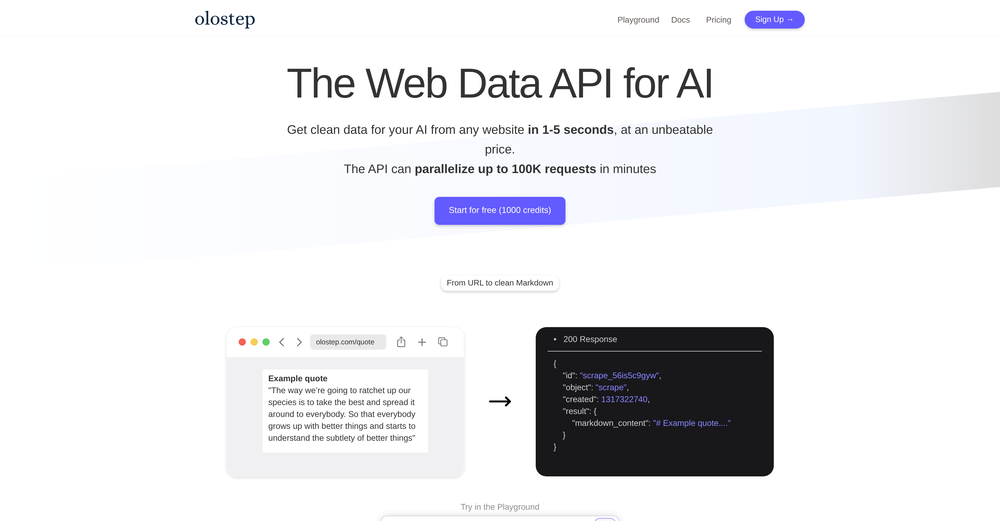 Hamza Ali🛠️ 1 tool 🙏 7 karmaSep 10, 2025@OlostepI use Olostep to gather data from millions of e-commerce pages for my AI shopping assistant service and it's the most cost-effective and reliable product on the market
 -
 Hello everyone, As a AI power user, I constantly faced the multi-tab scramble and the uncertainty of getting truly reliable answers from various AI tools. That frustration led me to build Singulairity AI. My goal was simple: to create a unified, intelligent, and trustworthy platform where you can access leading AI models with unprecedented clarity and efficiency. I poured my efforts into features like Intelligent Auto-Routing, Side-by-Side Response Comparison, and the innovative Truth Mode to give you the confidence I always sought. I truly hope Singulairity AI enhances your workflow. Please review the tool and share your invaluable feedback; it's essential for Singulairity's continued evolution.
 -






Other tools
-
 Open
Open -
- Sponsor:Rocket
-
-
I found a lot of value so far. I'm surprised this isn't saved more often. Great tool for speeding up qual data analysis and repository.
-
I've tried to find the exact articles via WoS, Google, or Scopus. Despite using a very advised and complicated search query, it was just a waste of time. Perplexity didn't help either. The Jenni AI, which may add useful links when generating text, finds nothing but trash. SciScape gave exactly what I needed from the first query! A couple of fresh relative articles with very exact topics!
-
 Unlock insights for success with AI across 540M+ scientific resources.Open
 -
This is really great opportunity to check any business ideas!
- Didn't find the AI you were looking for?
-
# 🚀 NextDocs v1.3 – Custom Themes & Pageless Document Editor **Released:** December 2025 This release brings brand consistency and document flexibility to NextDocs. Create custom themes that reflect your brand identity, and use the new pageless editor for flowing content like reports, proposals, and articles. Your documents. Your brand. Your way. --- ## 🎨 Complete Theme System Create branded documents that look unmistakably yours: - **12 Built-in Themes** – Professionally designed themes ready to use, from Academic Ivory to Midnight Blue - **Custom Theme Creation** – Define your own fonts, colors, and styling - **AI Theme Generation** – Describe your brand, get a complete theme instantly - **One-Click Application** – Transform your entire document with a single click - **Theme Management** – Edit, duplicate, and delete themes as needed - Works across presentations, documents, posters, and more Example: "Modern tech startup, clean and minimal with blue accents" → Complete theme with fonts and colors generated instantly. --- ## ✏️ Define Your Brand Identity Full control over every visual element: ### Fonts - **Primary Font** – For headings, titles, and display text - **Secondary Font** – For body text and paragraphs - **50+ Google Fonts** – Curated collection that exports perfectly to PDF and Google Slides ### Colors - **Primary Color** – Your main brand color for headings and key elements - **Secondary Color** – Supporting accent for highlights and emphasis - **Background & Foreground** – Page and text colors (supports gradients) - **Extended Colors** – Tertiary, muted, card, border, and shadow colors - **Smart Derivation** – Optional colors are automatically derived if not specified Set up your brand once, and every document follows your guidelines automatically. --- ## 📝 Pageless Document Editor A new way to create documents without page boundaries: - **Continuous Flow** – Content flows naturally without awkward page breaks - **Full Theme Support** – Apply any built-in or custom theme - **AI-Powered Writing** – Generate and edit content with chat commands - **Rich Formatting** – Headings, lists, tables, code blocks, images, and more - **Real-Time Saving** – Auto-save with visible status so you never lose work - **Version History** – Track changes and restore previous versions Perfect for business reports, proposals, technical documentation, meeting notes, and articles. --- ## 🖼️ Professional Image Filters Apply professional-grade filters to any image: - **Blur** – Soften images for background effects - **Brightness** – Control overall lightness - **Contrast** – Adjust light and dark differences - **Grayscale** – Convert to black and white - **Invert** – Reverse colors for creative effects - **Sepia** – Apply warm, vintage toning - **Adjustable Intensity** – Fine-tune every filter - **Export Preservation** – Filters maintained in PDF and Google Slides exports --- ## 📤 Export Anywhere Take your documents everywhere: - **PDF Export** – Professional output with theme colors and fonts preserved - **HTML Export** – Web-ready format with responsive styling - **Google Slides** – Seamless export with full formatting - **Google Docs** – Continue editing in Google's ecosystem - Theme styling preserved across all formats --- ## 🌟 Everything in v1.3 ✅ 12 professionally designed built-in themes ✅ Custom theme creation with fonts and colors ✅ AI theme generation from text descriptions ✅ Theme management (edit, duplicate, delete) ✅ AI instructions per theme ✅ Pageless document editor ✅ Continuous document flow (no page breaks) ✅ AI-powered content generation ✅ Rich formatting and tables ✅ Real-time saving with version history ✅ 6 professional image filters ✅ Multi-format export (PDF, HTML, Google Slides, Google Docs) ✅ Bug fixes and performance improvements --- Ready to create branded documents? 👉 **[Start Creating with NextDocs v1.3](https://nextdocs.io)** Questions or feedback? We're here to help: **[email protected]** --- _Your brand. Your documents. Your way._ **— The NextDocs Team**
-
 AI researcher: Questions to literature reviews from 200M+ papers.OpenThis is a great tool for researches like us and our research community, it makes the literature review so easy. all the data is extracted automatically related to our query along with citation. Truly commendable tool and recommendable to those who are not using it till now.
 -
 Bulk Image Downloader & AI Video Generator in Your BrowserOpenThis plugin is super useful! It not only extracts images from webpages for bulk download, but its smart selection feature is faster and more accurate than other image downloaders. The most amazing part is that it can even turn images into videos, making static pictures on a page come alive. Such a fun experience!
 -
I’ve been using it for a month now and I have decided to keep it for a year. There definitely are some kinks they can still work out like file management, but it’s very good at it’s core function: it generally does a good job answering questions and most times identifies PDFs automatically and correctly. The browser plugin works great, and it’s very nice that Papers allows you to add your university’s library API so you can automatically download PDFs that are accessible through your institution (sometimes it refuses to download some papers, so you just have to downlow it yourself and manually add it). The iPad and Android apps are serviceable. Every once in a while it will mess up the PDF identification, especially with papers from either very old sources or online-only journals. Things they must work on: * A much better system to annotate PDFs (the post-it type notes are cumbersome). * Introduce a notepad attached to each PDF or some way to easily link and save the AI’s output to the PDF. Currently, you have to add a little post it note and then paste the text there. * Keep the AI answers available after closing the documents. If you close the document by mistake or have several open and wish to close some, the ai conversation will be reset. * I REALLY wish that you could get citations and links to where the info was from extracted from PDFs. Currently, I have found Coral.ai does a much better job of showing you where the info came from and it even highlights it for you. Give it a try, their 30-day no credit card needed trial allowed me to truly test it, and now I’m a yearly subscriber looking forward for new additions and releases.
-
 Podcasts, scholarships, literature reviews - study and work faster with AIOpen
 -
Think its a fab tool but why wont it allow you to save your workflows?
-
Amazing presentations, and for free!!11
-
























Lists







Post





