Go to section
Sponsor
 Wispr Flow - Don’t type, just speak
🎤 Dictation
Wispr Flow - Don’t type, just speak
🎤 Dictation
The front page of AI.Used by 90M+ humans.

TAAFT Tutorial
Generate image
Tasks
Generate text
Free mode
Trending
Leaderboard
Characters
 Mini tools
New
Featured
Lists
Agents
Requests
Jobs
Map
Newsletter
Starter pack
Free tools
Speech to text
Text translator
Remove background
Settings
Edit profile
My tools
Gallery
Dashboard
Inbox
Get featured
Contact TAAFT
For you
Popular
Job impact index
Most saved
Affiliate program
Submit AI tool
Notification preferences
Glossary
Home
Timeline
My profile
Create tool
Deals
Companies
Models
Robots
Papers
Fundraises
Repositories
Devices
Organizations
Events
Prompt Pack
Merchendise
APIs
Features
Tools
Countries
Collections
Videos
Mini tools
New
Featured
Lists
Agents
Requests
Jobs
Map
Newsletter
Starter pack
Free tools
Speech to text
Text translator
Remove background
Settings
Edit profile
My tools
Gallery
Dashboard
Inbox
Get featured
Contact TAAFT
For you
Popular
Job impact index
Most saved
Affiliate program
Submit AI tool
Notification preferences
Glossary
Home
Timeline
My profile
Create tool
Deals
Companies
Models
Robots
Papers
Fundraises
Repositories
Devices
Organizations
Events
Prompt Pack
Merchendise
APIs
Features
Tools
Countries
Collections
Videos
Mini tools
New
Featured
Lists
Agents
Requests
Jobs
Map
Newsletter
Starter pack
Free tools
Speech to text
Text translator
Remove background
Settings
Edit profile
My tools
Gallery
Dashboard
Inbox
Get featured
Contact TAAFT
For you
Popular
Job impact index
Most saved
Affiliate program
Submit AI tool
Notification preferences
Glossary
Home
Timeline
My profile
Create tool
Deals
Companies
Models
Robots
Papers
Fundraises
Repositories
Devices
Organizations
Events
Prompt Pack
Merchendise
APIs
Features
Tools
Countries
Collections
Videos

▼ Latest
Ai-powered content
Free mode
100% free
Freemium
Free Trial
Featured matches
-
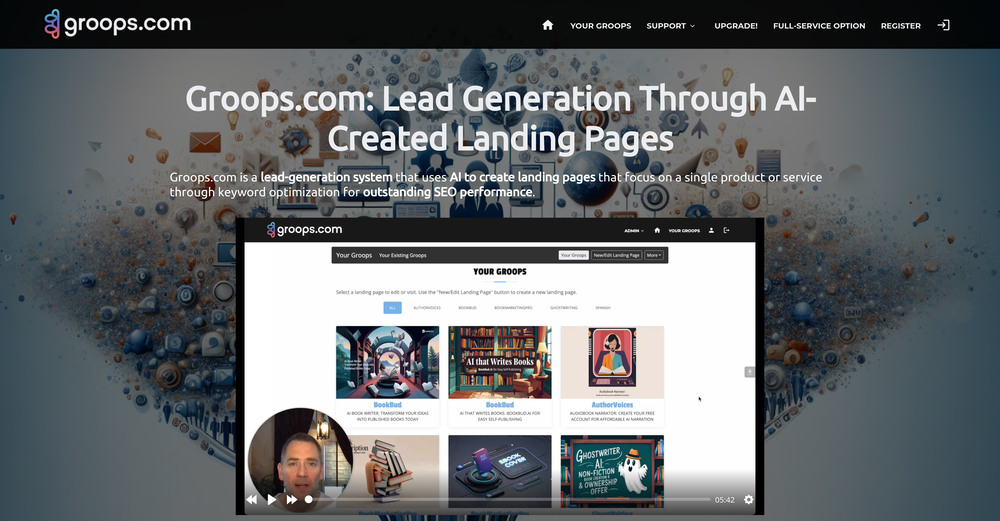
 Bo Bennett🛠️ 6 tools 🙏 110 karmaFeb 1, 2025@Groops.comHi Rod, you did not click the "include" for each section you wanted to include. I did that for you so you can now see your page. Looks good so far.
 -

-
 BlogWorkflow AI | Opus 4.6 GPT 5.4 GPT Image 2.0 Supported | Structured SEO Workflow for Individual and ProfessionalFrom fragmented ideas to structured, reviewable 8-step publish-ready SEO content.Open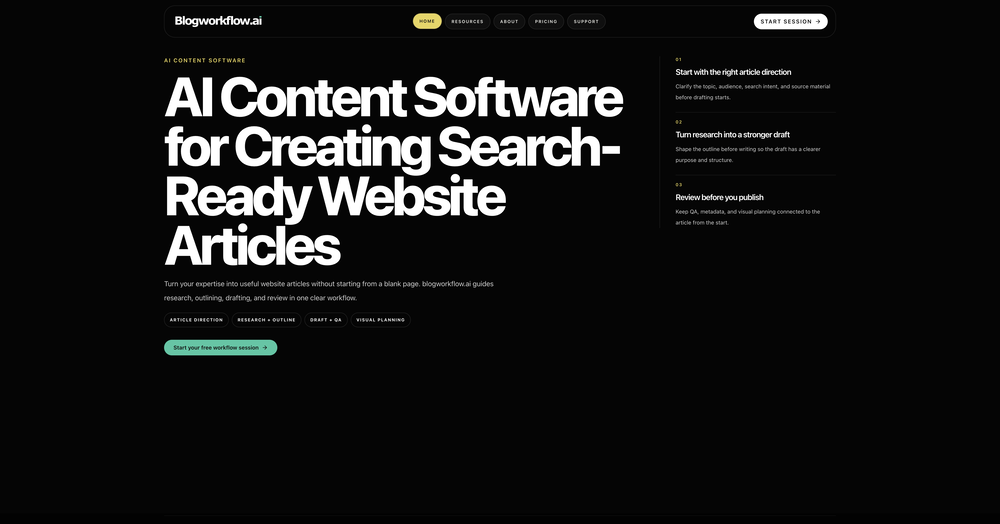
-
-
-

-
-
 Open
Open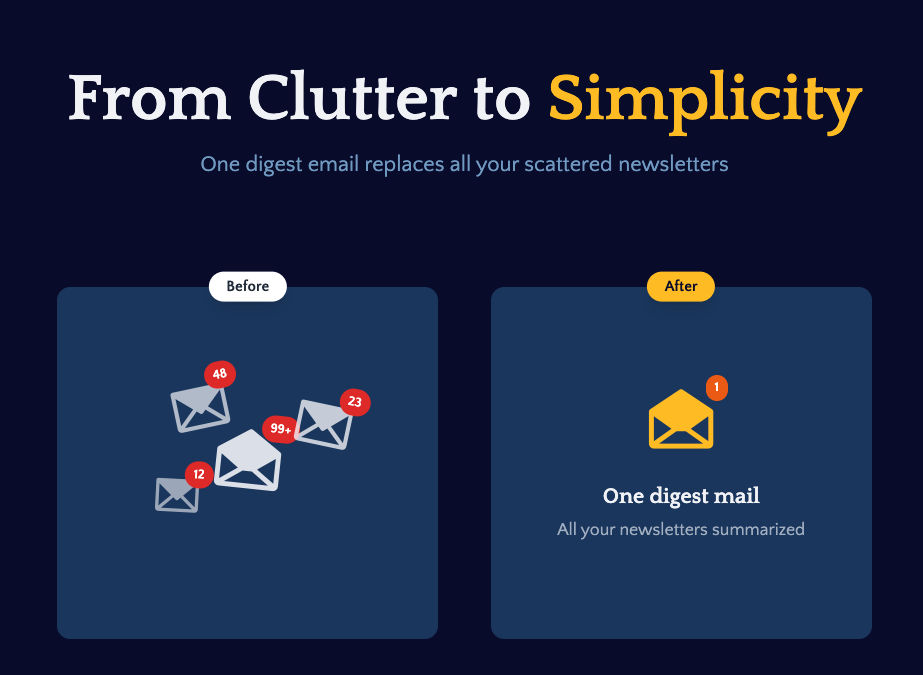 I built Remy to solve a problem I face every day: Newsletter overload 📬 Remy is your personal AI assistant that summarizes all your newsletters into a single digest email. Go from a cluttered inbox to a clear, concise briefing in one go.
 -
 One of the better AI marketing tools out there. It's clear that the people behind this are passionate about delivering brand value
 -










Verified tools
- SponsorWispr Flow - Don’t type, just speak🎤 Dictation
-
-
Amazing deep research feature! Haven't seen this level of execution through any other tool. It gives a designed socket to view a presentation at the end.
-
Hello 👋, I'm Luc, surfmind creator. I built this tool to solve my own problem of getting instant AI assistance on tab without switching tabs and disrupting my flows. I hope you find it just as helpful!
-
Reloop let's you create and edit ads in different kind of styles, whether you want to promote a product, a service or a tool, you can do it in 3 minutes, by having a convo with an agent. The output and ease of use is great!
-
Great tool for content creation. It automatically finds context on your brand and learns your brand voice
-
 Turn notes into perfect infographics from 500+ designs.OpenHi TAAFT! I'm Henry, the founder of CartoMind. CartoMind offers a fully automated AI workflow to help you quickly organize text content and generate the perfect infographics to match. 【Why did I build this?】 When creating infographics with AI today, users are often forced to choose between two extremes. You either use generic AI image SaaS tools that trap you in complex prompt engineering and steep design learning curves with zero knowledge management, or you use products like NotebookLM. While they are fantastic for knowledge management, their infographic generation is just an afterthought, lacking design freedom and rich templates. 【Here is where CartoMind stands out:】 1. Lightweight knowledge & note management: We support uploading multiple file formats and automatically parsing text, allowing you to freely select the exact knowledge snippets you want to visualize. 2. Fully automated workflow: Based on your selected content, our AI automatically distills the key text elements and instantly matches you with the ideal infographic design from over 500 professional combinations. 3. Massive template library: A rich selection of infographic templates offering a true what-you-see-is-what-you-get experience. 【Who is using it?】 Marketers, educators, social media creators... In fact, anyone who needs to make their domain knowledge "visible" and loves to share it will find it incredibly useful. 【I can't wait for you all to try it out!】
 -
Geek Link seems genuinely practical for people working with recordings, meetings, or voice notes regularly. I like transcription tools that focus on speed and usability instead of making the workflow feel overly technical.
-
 OpenHey 👋 — founder of Pinci here. Most AI tools hand you the controls and expect you to figure out the rest, the right model, the right prompt, the right settings. That's fine if you're an AI power user. It's a wall if you're not. Pinci works the opposite way. Each agent is a specialist creative director in one domain: Jules directs product video, Paul directs product photography, Tommy handles brand design. You describe the result you want in plain language. The agent decides how to get there, coordinates the right tools, and hands you a finished, ready-to-publish asset. No prompts. No model-picking. No AI knowledge required. You get 300 free credits on signup, enough to see exactly what I mean on your own product today. I'd love your honest feedback: which agent would you try first, and where does it fall short? 🙏
 -
 OpenCreate any book. Publish it directly on the platform. Export for other publications. Create your website in 2 clicks. No payment setup needed - sell through Automateed. Promo studio - create promo videos on the platform
 -
made a presentation for my site with just 1 prompt, lol how did the AI get so much information out of my website lol
-
this is very impressive, it tracks everything from SEO to website changes
-
 Turn long-form pieces into LinkedIn and X posts that match your brandOpen
 -
What is My AI Ninja? My AI Ninja simplifies content creation for social media posts, carousels, long blog posts and editorial calendars tailored to your business, writing style, and audience profile. Powered by AI, it transforms your insights into authentic, engaging content. The tool is not limited to generating text; it also comes equipped with features to aid with the appropriate illustration of the content, ensuring a comprehensive package for your content requirements with a simple and efficient user interface. ► Why My AI Ninja? Social media growth is crucial but time-consuming. Balancing authenticity with efficiency is a challenge. That’s where My AI Ninja comes in: → Save Time: No more hours spent crafting posts. → Stay Authentic: Content reflects your voice, not a cookie-cutter template. → Achieve Results: Build influence without sacrificing your focus. ► How It Works: → We Understand You: The AI learns your tone, style, and goals. → Simplified Input: Share ideas via text or voice notes; we handle the rest. → Authentic Output: From social media posts to blogs and carousels, every piece feels uniquely you. ► What You Gain: → Direct connection with your audience. → Insightful sharing that feels natural. → Expanded reach while staying true to your expertise. ►►►Join Hundreds of Entrepreneurs My AI Ninja already supports hundreds of users in turning ideas into impactful content. With new features on the horizon, it’s the perfect time to amplify your voice and share
-
SEATEXT is an AI-powered platform designed to optimize websites for better user engagement, higher conversions, and enhanced international reach. With tools tailored for online stores, multilingual sites, landing pages, and personalized experiences, SEATEXT combines dynamic A/B testing, AI text generation, and advanced personalization to drive growth. It supports 40 languages and offers free and premium plans, ensuring scalability for businesses of all sizes. Core Features
-
-
 Your AI-powered hub for seamless social media scheduling and content creation.OpenSadly is not working as described but they have pretty many things planned so maybe in the future it will.
 -
 OpenI love this extension, mobile app and desktop software! I use it everyday and everywhere. Generated text are amazing. Well done to the team and continue your incredible work! For me, Voilà is the best AI assistant, copilot and AI writer on the market. I stopped my ChatGPT plus subscription since I discoverer it.
 -
-
 OpenGreat tool! Found me super niche influencers pretty quickly!
 -
This is truly a wonderful experience that brings joy and delight.
-
It runs extremely smoothly, and the UI design is absolutely flawless.
-
 AI-powered whiteboard for marketers to create winning content fast.Open
 -
-
 OpenI played around with PodScribe.IO for just 5 minutes, and it helped me save at least 35 minutes when transcribing my first podcast (for free - have not subscribed to the paid version yet). That's pretty sweet! The way it presents and separates podcast data into different formats is really well done. It makes it super easy to find what you're looking for.
 -
Vey nice tool, i use it with other like: https://seoupdateshub.com/
-
-
Hey TAAFT community 👋 We’ve just rolled out two new features on Uramaki Studio AI: ✨ Enhanced Brand Kit You can now define your Tone of Voice, branding guidelines, and typography to keep your content fully consistent and on-brand. 🚀 More for free users We’ve increased the limit — free users can now create up to 2 Instagram campaigns per month, each with 3-image carousels. Would love to hear your feedback and see what you create with it!
-
-
I handle a large number of tasks simultaneously through VoooAI to complete my creative work, thereby accomplishing the workload equivalent to one month in one day
-
I made my website with Pagesmith. Seems the best for fast content based sites.
-
-
You're able to input your website and it will create posts for you to use right away
-
Thanks! So happy to hear you're liking FlowPost.
-
-
This is one of the best scrapers I have ever seen, especially considering that Cloudflare explicitly advises against scraping their pages. What makes this scraper stand out is that it opens a virtual machine and runs an agent on top of it, which allows it to bypass bot detection errors effectively. This advanced approach enables it to grab the text content reliably, even from websites with strong anti-scraping measures. By simulating a real user environment, it avoids common blocks and restrictions.
-
Cool tool! I really like how it checks different areas of a website—like design, SEO, performance, and more. It gives a clear picture of what’s good and what needs fixing.
-
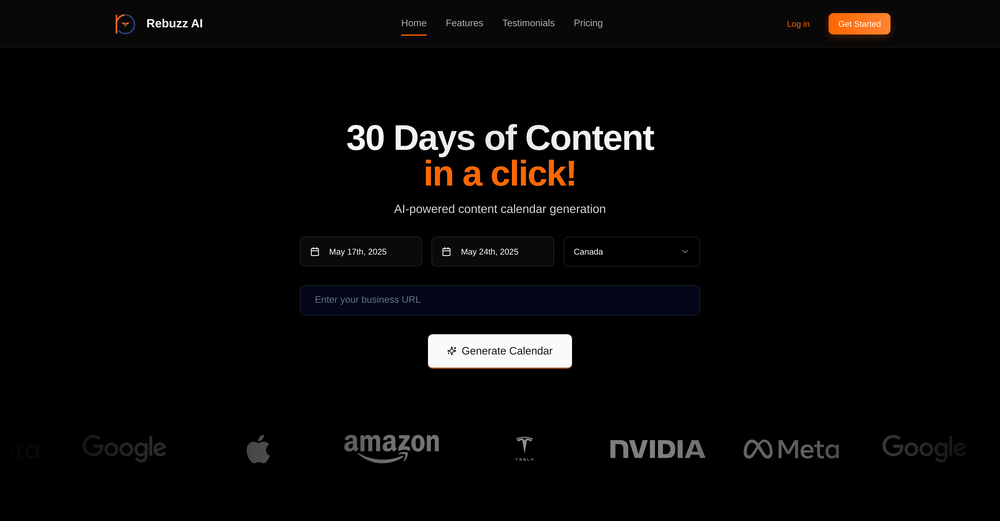
 AI-powered social content calendar that automatically creates content.Open
 -
-
 Open
Open -
Been using ViralReels.co for a few days and it honestly saves me a ton of time editing shorts. The animated captions look really good, and I can turn one video into multiple Reels and Shorts in minutes.
-
 Open
Open -
 AI-powered YouTube thumbnail maker for click-ready designs.Open
 -
Klayn looks really solid — simple to use, clean interface, and genuinely useful. It saves a lot of time on tasks that would normally take way longer. Definitely a tool worth trying!
-
I tried Animon for a bit and it’s actually pretty solid. It does a good job with simple animations and keeps the original image style pretty well, so the results usually look clean.
-
The infographic maker lets you use it once for free without signing in. This infographic maker is simple and easy to use, even more so than Canva or Venngage. However, the available styles and templates are still limited. I hope they add more design options and customization in future updates. Overall, a good choice for quickly creating infographics.
-
Hi Paul, our core customer is the founder who typed their product category into ChatGPT, watched three competitors come up, and realized they had no one to hand that problem to. That moment is what brings most people to Citable.
-
-
-
 Open
Open -
CreatOK is an AI-based video generator designed for TikTok e-commerce. The tool allows users to create original sales content and mimic viral content with ease. It excels at transforming product photos and descriptions into engaging videos optimized for TikTok. Also, it offers the option to generate videos from scratch by inputting product information for AI to create high-quality sales videos or replicate popular trends by uploading a viral video.
-
I was skeptical about the "one-click video" claim, but I gave TemVideo a shot for a new product I'm testing. The biggest headache with AI video tools is usually the prompt engineering—you spend 30 minutes typing descriptions just to get a weird-looking hand. TemVideo completely bypasses that. My honest take after using it: The "From Raw Footage" feature is the real MVP. You know those random 10-second clips you take on your phone just to check lighting? The AI somehow turns those messy scraps into coherent ads. It’s almost spooky how well it edits around the product. It’s built for speed. If you are a dropshipper who needs to test 5 different products today, this workflow is unbeatable. Upload, click, done. I had an export ready faster than I could find a coffee. Multi-language is a bonus. It’s smart they included localization. If you sell globally, having the AI handle the lip sync and narration in different languages from one workflow is a massive time-saver. Best part? The built-in "Viral Hooks" library. It takes the guesswork out of what text to put on screen to stop the scroll.
-
 OpenI recently tried legasite.io The process was straightforward. You paste in your site’s URL, choose a template, and wait. It didn’t take long before I got a downloadable version built with modern structure (Next/React.js). That alone saved me a decent chunk of manual setup time. The generated layout was clean and usable. Overall, I’d say it’s genuinely useful if you’re modernizing legacy sites and want a head start with the possibility of refining the output if the original website has messy interactions or complex structures.
 -
Just paste content in, layout will automatically be desigend
-
Great platform to increase your productivity. The infographic generator is my favorite tool.
-
 OpenIt's completely free, I created lots of posts with it
 -
this has to be one of the best face swapping tools , I recommend it








































































































Other tools
-
I’ve been an entrepreneur since my early 20s so I don’t often give low ratings even if I don’t like a product as it’s never my intention to potentially hurt a small company that’s just starting out but I’ve got to say that this is beyond worthless as a tool. The promise of street interviews Sounds like an excellent way to promote a product, but after paying you find out that it has a limitation of eight seconds. Barely enough time for an extremely simple question and a one sentence answer at best. It was only 10 bucks to find out but for this to be viable there needs to be an option to extend up to at least 20 or 30 seconds. I’d happily pay the 10 bucks for 1 32nd St. interview that could be solid for marketing than 5 videos of 8 seconds each that are just useless. Also, just a quick update. The first video I generated took maybe five minutes. The next two attempts are still processing after almost a half an hour. I think with something like this, it needs to be made much clearer that the interview is limited to eight seconds. But in my opinion, that’s besides the point as that kind of time limitation is just way too short for any kind of “interview”.
-
Classic tool 😮💨 Loving Gen 4, it's wild how good the motion consistency is. It feels like a full studio in your browser. Big W guys keep it up!
-
Makes it easy to get started with a presentation if you have an outline, but as soon as you want more control, you're better off using Google Slides. Gamma's feature that I used the most was image generation - you can select among a variety of models (Ideogram, Flux, DALL-E, but not Midjourney), and it shows 3 variations to choose from. Performance is slow and a little janky, even in Chrome. Prompts and settings are often not respected - e.g. you set it to "preserve text" and just generate slides, and it goes onto dumping an entire 3 paragraphs of text in one slide. You can't overlay text over images (e.g. for image attribution), and there's no precise positioning control, or grouping elements. No way to control table layout, e.g. to have two images slide-by-side in full bleed mode. I tried Gamma for a new presentation, but next time I need to make a presentation, I'll go back to Google Slides and generate images independently.
- Didn't find the AI you were looking for?
-
-
It's really simple to use, even for people who might not be super quick at picking up new technology! This tool is a real time-saver when it comes to making social media posts and interacting with others online. No doubt about it, this is one of the best tools available!
-
 Open
Open -
-
 Grow 100x faster on social with AI-powered content creation and scheduling.Open
 -
It is only free for 7 days, then it is $149 per month.
-
 Create immersive AI-powered roleplay adventures with instant image generation.Open
 -
-
-
At the moment it works for me, perhaps try again?
-
 Transform your social media strategy with AI-powered content creation.OpenPerfect! Quick and effortless posts for my social media PLUS a variety of ideas to match different styles!
 -
 Open
Open -
your answer is much too general, so useless. You could have just tell me to ask Perplexity.
-
 Craft immersive RPG adventures with AI-powered storytelling.OpenDoesn't listen to text unless it fails to put it in captions or titles.
 -
Hmmmm I’d say it’s a pretty useful tool, it generates solid outlines if you’re working on an article. You can’t just use them as-is, since you’ll still need to add details and review everything, but as a starting point it’s really good for getting an idea
-
This ”Blog post pushing agent” sounds pretty cool! I’m always looking for ways to speed up content creation. Might give it a try and see if it actually saves me some time. Hope it’s as good as it sounds! By the way, if anyone’s interested in exploring AI-powered design tools, I’ve been using an AI design agent called Lovart (https://lovart.ai) and found it really helpful for creative projects.
-
 Turn raw ideas into bestseller book blueprints.Open
 -
 AI photo restoration that preserves original identity.Open