
 Mini tools
▼ Price
App code
Free mode
100% free
Freemium
Free Trial
Featured matches
-

-
 Kolsi Adam🛠️ 3 tools 🙏 71 karmaFeb 24, 2026@AtomsMan, with the free models that we have web creation became so easy. But everyone had the same websites. I really like how different they look from others.
 -
 Base44 is an AI-powered platform for building fully-functional apps with no code and minimal setup hassle. The platform leverages advanced AI technology to translate simple, natural language descriptions into working apps. Let’s make your dream a reality. Right now.
 -
-
 Fabricate v2.0 — Build Apps Just by Describing Them 🚀 Faster App Generation — Apps now build up to 3x faster than before 💬 Smarter AI — Just describe what you want in plain English and get a working app 🎨 Better Looking Apps — Upgraded design system with modern, polished templates 🔐 Built-in Login & User Accounts — Add sign-up/login to your app with one click 💳 Accept Payments Instantly — Stripe payments built in — no coding needed 🗄️ Database Included — Your app stores data automatically, no setup required 🌍 One-Click Publish — Go live worldwide in seconds 🐛 AI Error Fixing — Fabricate spots and fixes bugs for you automatically
 -
 25,000+ Free Landing Page Templates — The Largest Free Drop in AI Builder History Every AI builder starts you with a blank canvas. Rocket just made that obsolete. We've launched 25,000+ professionally designed, animated, interactive landing page templates. Restaurants, fashion brands, portfolios, travel businesses, tech startups, event pages, personal sites, and dozens more categories. Every template is production-grade. Not wireframes. Not mockups. Fully designed pages that look like a team of designers and developers built them. The workflow is dead simple: browse rocket.new/templates, pick a template that fits your niche, customize it visually or just tell the AI what to change, and hit Launch. You get a live URL in minutes. Here's why this matters: every template is a checkpoint. Instead of burning tokens generating a landing page from zero, you start 90% done. Your tokens go toward personalizing, not creating from scratch. That's the difference between spending 30 minutes prompting your way to a decent page and spending 3 minutes picking a stunning one and making it yours. 25,000+ templates. Every niche covered. Free to browse. Free to customize. Free to launch.
 -
-
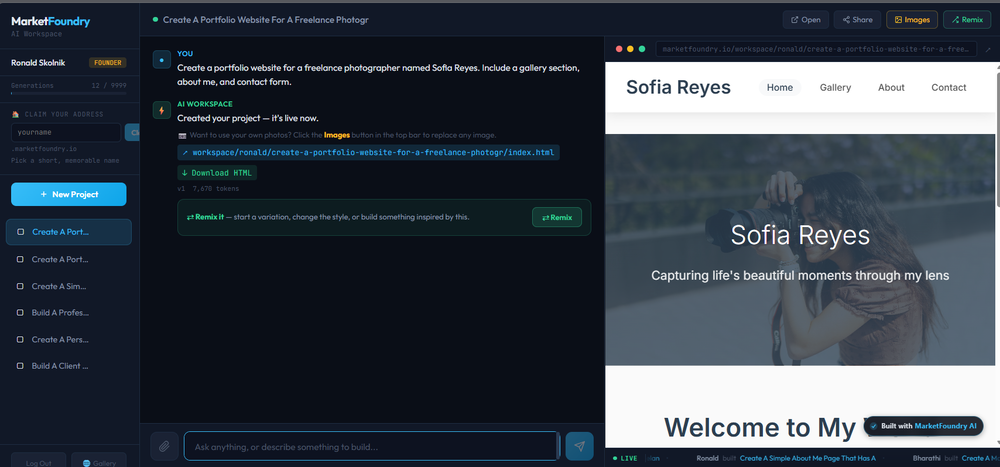
 Purely magic. It increases the productivity by a lot and the process is pretty addictive. I've been building websites like there's not tomorrow.
 -
 Open
Open
-
 The AI agent users trust to run their business stable and unsupervised.Open
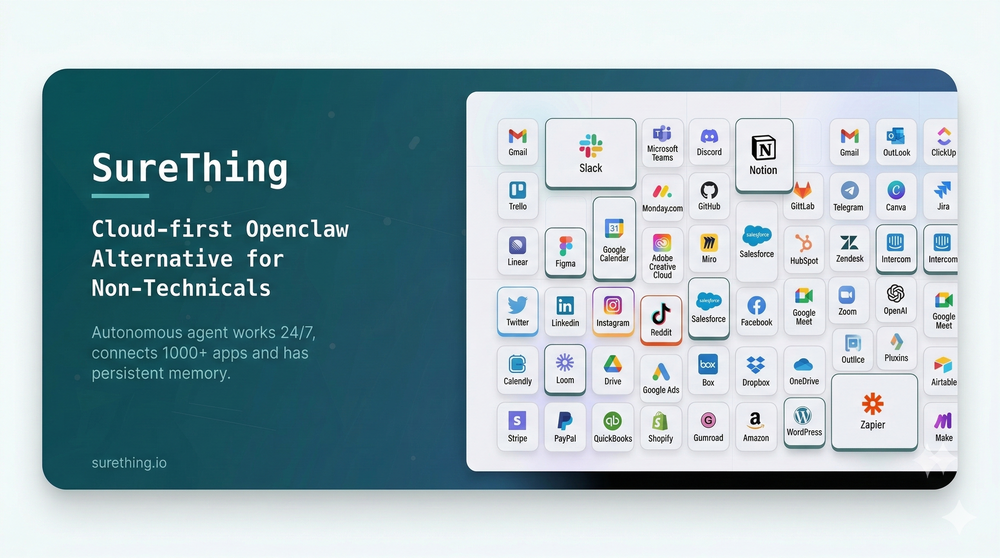 What's new since launch (Feb 17 – Mar 10, 2026): ✨ New - Mobile apps are live on both iOS and Android — SureThing is now fully in your pocket, running your work wherever you are. - Voice input — speak to your agent directly; transcription is fast, accurate. - Dark mode — full dark theme across all screens, consistent and easy on the eyes. 🔧 Improved - Memory got smarter — your agent now searches contacts and memories using AI-powered similarity, so it finds the right context even when you don't use exact words. Memory states are also more visible: you can see when something was saved, updated, or removed. - The execution log is now always visible so you can follow exactly what your agent is doing in real time.













Other tools
-
 This Year, Don’t Just Set Resolutions - Build the App for themOpen
 -
-
Really handy app, lets me control Virtual Studio Code from my phone, send over code or files in seconds, and even use voice commands.
- Sponsor
 Rocket - Start building, Now!💻 Vibe coding
 -
Photobooth AI allows users to create events in a fully self-service process! The configurator is intuitive, letting you choose the number of credits, event type, layout options (like adding your own logo and overlay), and more. Once the event is set up, the virtual Photobooth is available both from the desktop web version and the native mobile apps, making it easy for guests to participate. The pricing is fair, and the flexibility is perfect for customizing events to your exact needs!
- Didn't find the AI you were looking for?
-
Whiteboard by Athena AI is a user-friendly, AI-powered tool that makes digital collaboration seamless. supports real-time brainstorming, and integrates easily with other apps—ideal for teams, educators, and remote learners alike.
-
Hey! My name is Domantas and I invite all fellow solopreneurs, business and product owners to try Hostinger Horizons. Using it is super simple - you are creating a website or application just by prompting - chatting with AI. No struggle, code or design skills are needed. You can literally have your website live in few minutes. Looking forward for your feedback!
-
 OpenHi all, I am the founder of Futurwise, and we build this tool to help people keep up-to-date on fast-changing topics as the world is changing so incredibly fast. Our objective is to build a next gen media platform and help anyone cut through the noise of information overload and find your next insight faster. At the moment, we do that with an MVP focused on super fast summaries of many types of content but from trusted sources, available with one click, in your style and language. Ready in under 5 seconds, regardless of content type. Securely stored in your private library. Distraction free, no ads, forever. As we collapse hours into seconds and keep professionals aligned on what matters across 25 languages and trusted sources, we envision helping individuals, enterprises and global societies increase awareness on fast changing topics, such as emerging technologies, climate change or healthcare, that will affect humanity in the long run. I hope you enjoy our app!
 -
It’s easy to plan and test app ideas and the AI helps a bit with coding. Some things could be smoother, but it works fine for simple projects.
-
Cool tool. I hope you continue to develop this tool to reach its full potential. Keep it up
-
-
-
We're live folks! Do check us out and drop your feedback or requests.
-
Really liked the performance dashboard features. Very unique. Also the output was very polished, ready to deploy. Did not have to use Supabase - though would like to have the option of also using it if I want. Also cheaper compared to alternatives
-
Would rate 4.9 if possible, but rounding up to 5 stars because this app truly excels compared to other AI coding tools. Why 5 Stars: Best-in-class AI coding assistance Huge improvements over competitors Actually works for real development Real Impact: I successfully built and published an actual app using this tool - that's game-changing for non-developers like me. Bottom Line: Yes, there's room for improvement, but this is already the top AI coding app available. The fact that ordinary people can create real apps with it says everything. Perfect for anyone wanting to turn ideas into actual apps!
-
I was just trying it out at first, used some free credits a few hours ago to build a simple app. Turns out, it actually came out pretty decent! I got to test it on my phone without spending a dime, and even showed it to my wife, she was pretty surprised too. So we decided to go ahead and pay to polish it up and download it properly. So far, everything’s running smooth
-
It’s super easy to use! Trickle can handle everything from forms to analytics, and you can deploy your project in no time. Impressive!
-
Personally it was really helpful for my experiments and it supports the inline edits like figma.
-
huge timesaver, had an ideea for an app to help me with my invoices and it made a working website without me needing to set up anything, I didn't even have to leave the chat to do this
-
 Ship Your Full-Stack MVP in Hours, No CodeOpenThe AI tool that turns Figma design into production-ready websites, automates complex backend tasks like auth and payments, adds AI capabilities, and I like their support team service.
 -
Honestly, this took waaaay too long to generate. I didn’t really have the patience for it. However, I did appreciate the little group chat animation during the wait, definitely more fun than just staring at a boring loading bar. But still, I couldn't wait until the website was done
-
 Build AI Mobile & Web Apps - No Code, No Api KeysOpenI built my fitness app and published it to both App Store and Google Play in just 3 days. OnSpace AI handled all the mobile development complexity. I'm now earning from in-app subscriptions.
 -
I tested. Loved it. Tried with 3 different websites. Full Marks to the output! Worth paying for!
-
Idk why a guy put one star because this AI is casually better than all the other with a lot of functionality
-
I think imagica.ai could be a game changer in app creation!
-
Hi there! I tested it myself and didn’t run into any errors, maybe try again now
-
-
-
says there is a free option(not a free trial) and no credit card is necessary but as soon as you sign up it prompts you to enter a credit card and states its a free trial...there are too many substandard ai platforms that this bait and switch is ridiculous..
-
Integrated vector db tool invocation typed json output, pretty standard AI agent builder. Lack of pre-defined tools is a bit of a drawback compared to alternatives like Relevance.ai. BUT, it makes up for it as it allows you to monetize with account system / stripe integration. It is also WAAAAAAY cheaper than Relevance.ai Bubble.io.
-
While Mazaal still has a ways to go in terms of product stability, it has lots of potential and can potentially one day be a competitor to Zapier.
-
It requires users to choose a preset, which is fine, but it won't accept anything I choose.
-
-
-
It’s amazing to see what AI can achieve, but many tools fall short because they lack the structure needed to deliver exactly what users want. That’s not the case with Aire! This innovative AI-powered app-building tool can create fully functional apps for managing any type of organization or business in just minutes. It doesn’t stop at generating ideas—it builds a complete data model, including modules, fields, relationships, charts, dashboards, and user interfaces tailored to your specific business needs. Here’s what sets Aire apart: Smart Prompt Builder: Aire includes a guided prompt builder that helps you create detailed, accurate prompts for better results. Customizable Scope: You can choose the size of your output—small, medium, or large—ensuring your app fits your needs without unnecessary complexity. Step-by-Step Process: Aire divides app-building into modules, fields, and relationships, delivering each component separately. This speeds up the process and allows you to tweak individual parts without redoing the entire app. Manual Adjustments: At every step, you can manually customize your app—add, delete, or modify modules, fields, and relationships. The AI integrates your changes seamlessly into the next steps. Field Configuration: Aire doesn’t just generate fields; it assigns field types (text, numbers, dropdowns, etc.) and even prepopulates dropdown options, which you can edit if needed. Intelligent Relationships: Mapping relationships between fields—like one-to-one or one-to-many—can be a headache, but Aire handles it effortlessly, even explaining its rationale so you understand the logic. Automatic Charts: Aire generates a range of charts based on your data model. While some might need tweaking, the out-of-the-box charts save days of manual effort. Pages and Dashboards: The tool creates well-organized record pages, list pages, dashboards, and homepages. These layouts are highly functional and customizable, eliminating tedious setup work. Aire deploys apps to Corteza, an open-source low-code platform. While Corteza is incredibly powerful—with features like a workflow builder, API, and integration tools—it requires technical knowledge for advanced tasks like creating workflows or integrations. For non-technical users, this might be a limitation, but Aire simplifies deployment by offering a shared hosted instance of Corteza. You can use this instance to edit your app, upload records, and make adjustments without diving into advanced configuration. For those who prefer self-hosting, Aire lets you export your app’s configuration files (its source code) to deploy on your own Corteza instance. This flexibility is a standout feature, and Aire’s team plans to introduce hosted Corteza instances soon, making deployment even more seamless. Looking ahead, Aire is developing an AI-powered process builder and connector builder, which will allow users to create automated workflows and integrate external data sources without relying on Corteza’s advanced tools. Once launched, this will elevate Aire to a fully autonomous app-building platform—no technical expertise required. In summary, Aire is a trailblazer in AI-driven app development. It’s fast, flexible, and packed with features that save users days of manual effort. Whether you’re a business owner, a tech-savvy developer, or somewhere in between, Aire is paving the way for the future of app-building. Don’t miss out!
-
Bot9.ai's intuitive interface and powerful natural language processing have transformed our customer support. With seamless customization and insightful analytics, it's boosted efficiency and satisfaction. The stellar customer service is the cherry on top. Highly recommend for any business looking to enhance their customer experience!
-
It works for me. Give it another go, maybe try using a different browser.
-
Web Development and App Building Services Overview As a skilled developer, I can assist with creating websites and building mobile applications. I can also generate code to help with programming tasks. Web Development Services Mobile App Development Services Cross-Platform Mobile Apps: I can also develop cross-platform mobile apps using frameworks like React Native, Flutter, or Xamarin. Mobile App Design: I can create user-friendly and intuitive mobile app designs that meet your specific needs. Programming Services Code Generation: I can generate code snippets in various programming languages, including Python, Java, JavaScript, and C . Programming Language Support: I can assist with programming tasks in a variety of languages, including but not limited to: Bug Fixing and Debugging: I can help identify and fix errors in your code. Example Code Generation Here's an example of a simple "Hello, World!" program in Python: def main(): print("Hello, World!") if __name__ == "__main__": main() Or a simple JavaScript function to add two numbers: function addNumbers(a, b) { return a b; } console.log(addNumbers(2, 3)); // Output: 5 Let me know if you have a specific project in mind, and I'll be happy to assist you. I can create websites, build apps and generate codes









































































































Post





