Tools 50,586
Mini tools 36,247
Companies 7,168
Tasks 11,172
Jobs 5,238
Events 94
Papers 7,825
Models 1,189
Repos 39,608
Robots 547
Devices 198
Countries 100
Investors 1,913
Collections 13,269
Job openings 341
Requests 1,506
Fundraises 1,896
Deals 411
Characters 23,300
Features 68
Tools 50,586
Tasks 11,172
Models 1,189
Mini tools 36,247
Characters 23,300
Companies 7,168
Requests 1,506
Papers 7,825
Collections 13,269
Fundraises 1,896
Investors 1,913
Countries 100
Repos 39,608
Devices 198
Features 68
Jobs 5,238
Robots 547
Events 94
Deals 411
Tools 50,586
Mini tools 36,247
Companies 7,168
Tasks 11,172
Jobs 5,238
Events 94
Papers 7,825
Models 1,189
Repos 39,608
Robots 547
Devices 198
Countries 100
Investors 1,913
Collections 13,269
Job openings 341
Requests 1,506
Fundraises 1,896
Deals 411
Characters 23,300
Features 68
Tools 50,586
Tasks 11,172
Models 1,189
Mini tools 36,247
Characters 23,300
Companies 7,168
Requests 1,506
Papers 7,825
Collections 13,269
Fundraises 1,896
Investors 1,913
Countries 100
Repos 39,608
Devices 198
Features 68
Jobs 5,238
Robots 547
Events 94
Deals 411
Go to section
Sponsor
 MongoDB - Build AI That Scales
🗄️ Database
MongoDB - Build AI That Scales
🗄️ Database
#1 website for AI tools.Used by 90M+ humans.
TAAFT Tutorial
Generate image
Tasks
Generate text
Free mode
Trending
Leaderboard
Characters
 Mini tools
New
Featured
Lists
Agents
Requests
Jobs
Map
Newsletter
Starter pack
Free tools
Speech to text
Text translator
Remove background
Settings
Edit profile
My tools
Gallery
Dashboard
Inbox
Get featured
Contact TAAFT
For you
Popular
Job impact index
Most saved
Affiliate program
Submit AI tool
Notification preferences
Glossary
Home
Timeline
My profile
Create tool
Deals
Companies
Models
Robots
Papers
Fundraises
Repositories
Devices
Organizations
Events
Prompt Pack
Merchendise
Credits
APIs
Features
Tools
Countries
Collections
Mini tools
New
Featured
Lists
Agents
Requests
Jobs
Map
Newsletter
Starter pack
Free tools
Speech to text
Text translator
Remove background
Settings
Edit profile
My tools
Gallery
Dashboard
Inbox
Get featured
Contact TAAFT
For you
Popular
Job impact index
Most saved
Affiliate program
Submit AI tool
Notification preferences
Glossary
Home
Timeline
My profile
Create tool
Deals
Companies
Models
Robots
Papers
Fundraises
Repositories
Devices
Organizations
Events
Prompt Pack
Merchendise
Credits
APIs
Features
Tools
Countries
Collections
Mini tools
New
Featured
Lists
Agents
Requests
Jobs
Map
Newsletter
Starter pack
Free tools
Speech to text
Text translator
Remove background
Settings
Edit profile
My tools
Gallery
Dashboard
Inbox
Get featured
Contact TAAFT
For you
Popular
Job impact index
Most saved
Affiliate program
Submit AI tool
Notification preferences
Glossary
Home
Timeline
My profile
Create tool
Deals
Companies
Models
Robots
Papers
Fundraises
Repositories
Devices
Organizations
Events
Prompt Pack
Merchendise
Credits
APIs
Features
Tools
Countries
Collections

▼ Top rated
Coding platform
Free mode
100% free
Freemium
Free Trial
Featured matches
-
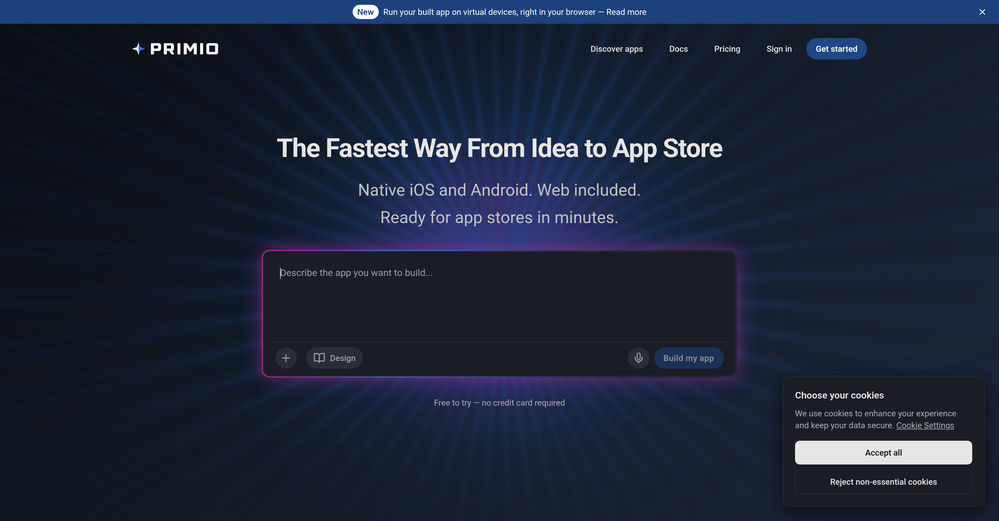
 Grzegorz🛠️ 1 tool 🙏 5 karmaMay 25, 2026@PrimioRecommended!
 -
 ✨ AI-Powered Building • ChatGPT integration • Smarter AI generation and editing • Edit exactly what you want with prompts • Pre-made templates • Better project generation quality • Faster AI workflows 🛠️ Development & Backend • Built-in code editor • Auto-generated Supabase backend code • Native Supabase integration • All-in-one backend infrastructure • Improved publishing stability • Better error auto-fixing 🎨 Design & Editing • Easier image editing • Improved text editing mode • Better-looking projects from first prompt • One-click project duplication • Improved desktop and mobile responsiveness 📊 Analytics & Productivity • Visitor analytics • AI credits overview • Easier domain management • Stop generation with one click 🛒 E-commerce & Business • Native online store support • Improved ecommerce experience • Stripe Express Checkout integration Since September 2025, we’ve released a huge number of new features and improvements focused on making app and website creation dramatically easier with AI. Our goal remains simple: Make building websites, apps, and AI-powered experiences accessible to everyone — without coding complexity.
 -
 Ready-to-use AI Teams for Your Automation NeedsOpen
 good!A different kind of AI tool that has been very helpful for my work!
 -
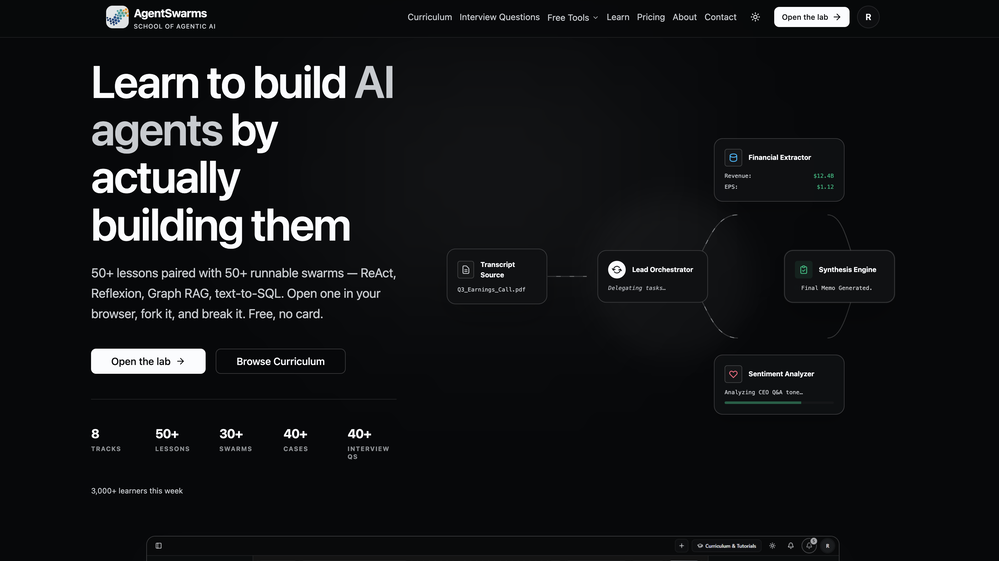 Building multi-agent AI systems shouldn’t require wrestling with messy Python boilerplate, cloud subscription or complex local setups. I built AgentSwarms (AgentSwarms.fyi) to solve this. It’s an interactive, in-browser visual sandbox for learning, building, testing, and orchestrating multi-agent AI workflows. Instead of relying on a single AI chatbot that easily hallucinates, AgentSwarms lets you drag and drop specialized AI agents—like data extractors, code reviewers, and SQL query nodes—to handle complex tasks reliably. Key features for builders: Visual Edge Tracing: Stop guessing why your AI failed. Click any connection line to see the exact JSON data passing between agents in real-time. In-Browser Execution: Powered by local DuckDB WASM. No backend setup required. Enterprise Templates: Test reverse-engineered Agenitic AI architectures for Cybersecurity, Finance, and E-commerce and 10+ industries right on the canvas. If you are tired of black-box AI debugging and want to master Agentic AI orchestration visually, come try the sandbox for free! Let me know what you think of the new execution history features. 🚀
 -
-
-
 Yes, finally a slack tool that does it all. I wonder how safe it is?
 -
-
 More than a vibe-coding tool, Whacka helps users build, launch, run, and maintain their own apps, with updated resources and a smoother end-to-end experience in the new version.
 -
 I love the idea of how one platform can hold so many features in one place, working so efficiently.














Other tools
-
- SponsorMongoDB - Build AI That Scales🗄️ Database
-
I'm non-technical and I've tried Lovable, Emergent, Bolt. Nothing comes close to imagine.bo right now. The UI is clean and dead simple: type your idea, watch it build a real full-stack app in minutes. But what actually blew me away? Whenever I got stuck and had no idea what to do next, I clicked Hire a Human and a real engineer jumped in and sorted it out. No Fiverr. No agency. One platform, start to finish.
-
Another ClawdBot inversion, love it. Gotta hope for safety!
-
Great tool, easy to get started building AI-native apps, and it has a depth of features needed for production usage
- Didn't find the AI you were looking for?
-
If voice agents break on real conversations, you’re losing leads silently -> ~20% conversion drop. How often do calls actually complete successfully end-to-end?
-
Your builds just got faster. Here's what changed. Four updates shipped this week. Each one removes something that was slowing you down — an extra account to set up, a Git workflow that lived outside the platform, a repo handoff with dangling permissions, a build you could only poke at with a cursor. Here's what landed. 01 — Model access Use any LLM in your build. One prepaid key, full control over spend. Biela now has its own LLM API key dashboard. Create a key, add a prepaid balance, and start sending requests to whichever AI model your build needs — whether that's a chatbot, an automation, a content generator, or AI features wired into a SaaS product. Each key tracks its own usage so you always know what's being spent and where. No external accounts, no third-party billing — it's all inside Biela. In practice: You're building a SaaS product with two AI features — a support chatbot and an automated email summariser. You create two keys, assign a budget to each, and know at a glance which feature is consuming what. If one runs hot, you pause it without touching the other. 02 — Version control Branches, PRs, commits, pulls. A full Git workflow, inside Biela. Create and switch branches, raise and review pull requests, browse commit history, and pull the latest — without leaving the IDE. If you're shipping features to a team or running parallel environments, this is the workflow you were missing. In practice: You're adding a new checkout flow to a live e-commerce build. You branch off main, build and test in isolation, raise a PR for review, and merge when it's ready — all without touching a terminal or switching to GitHub in another tab. 03 — Repository management Connect, link, switch, hand off. Clean repo control, start to finish. Connect a new repo, link one you already have, or disconnect cleanly with a confirmation step. Permission checks are built in. No leftover access, no manual revokes, no awkward offboarding when a project ends. In practice: A client project wraps up. You disconnect the repo from Biela in one confirmed step — permissions cleared, connection closed. The next project gets a clean link from day one. No audit trail of half-removed integrations to clean up later. 04 — Mobile preview Stop looking at your mobile build. Start using it. Scan the QR code from Biela, open via Expo Go, and you're inside your actual build — navigating with your thumbs, tapping real buttons, scrolling real screens. Not a desktop simulation with a cursor pretending to be a finger. Your app, on your device, behaving exactly as your users will experience it. And when you prompt a change, it appears on your phone before you've set it down. In practice: You're building a field sales CRM. It looks fine on desktop. The moment you're actually holding it, you find it: the action buttons are buried, the nav takes two hands, the form fields are too small to tap cleanly. Thirty seconds of real use surfaces what hours of desktop review missed. One prompt per fix, each update on your screen in seconds. All four updates are live now at biela.dev — no update required, no configuration needed. Open a project and they're already there. Build faster. Ship smarter. Create without limits.