Go to section
Spotlight SureThing.io - "OpenClaw" for BeginnersTask automation
The front page of AI.Used by 90M+ humans.

TAAFT Tutorial
Generate image
Tasks
Generate text
Free mode
Trending
Leaderboard
Characters
 Mini tools
New
Featured
Lists
Agents
Requests
Jobs
Map
Newsletter
Starter pack
Free tools
Speech to text
Text translator
Remove background
Settings
Edit profile
My tools
Gallery
Dashboard
Inbox
Get featured
Contact TAAFT
For you
Popular
Job impact index
Most saved
Affiliate program
Submit AI tool
Notification preferences
Glossary
Home
Timeline
My profile
Create tool
Deals
Companies
Models
Robots
Papers
Fundraises
Repositories
Devices
Organizations
Events
Prompt Pack
Merchendise
APIs
Features
Tools
Countries
Collections
Videos
Mini tools
New
Featured
Lists
Agents
Requests
Jobs
Map
Newsletter
Starter pack
Free tools
Speech to text
Text translator
Remove background
Settings
Edit profile
My tools
Gallery
Dashboard
Inbox
Get featured
Contact TAAFT
For you
Popular
Job impact index
Most saved
Affiliate program
Submit AI tool
Notification preferences
Glossary
Home
Timeline
My profile
Create tool
Deals
Companies
Models
Robots
Papers
Fundraises
Repositories
Devices
Organizations
Events
Prompt Pack
Merchendise
APIs
Features
Tools
Countries
Collections
Videos
Mini tools
New
Featured
Lists
Agents
Requests
Jobs
Map
Newsletter
Starter pack
Free tools
Speech to text
Text translator
Remove background
Settings
Edit profile
My tools
Gallery
Dashboard
Inbox
Get featured
Contact TAAFT
For you
Popular
Job impact index
Most saved
Affiliate program
Submit AI tool
Notification preferences
Glossary
Home
Timeline
My profile
Create tool
Deals
Companies
Models
Robots
Papers
Fundraises
Repositories
Devices
Organizations
Events
Prompt Pack
Merchendise
APIs
Features
Tools
Countries
Collections
Videos

▼ Most saved
Content data extraction
Free mode
100% free
Freemium
Free Trial
Featured matches
-
 Open
Open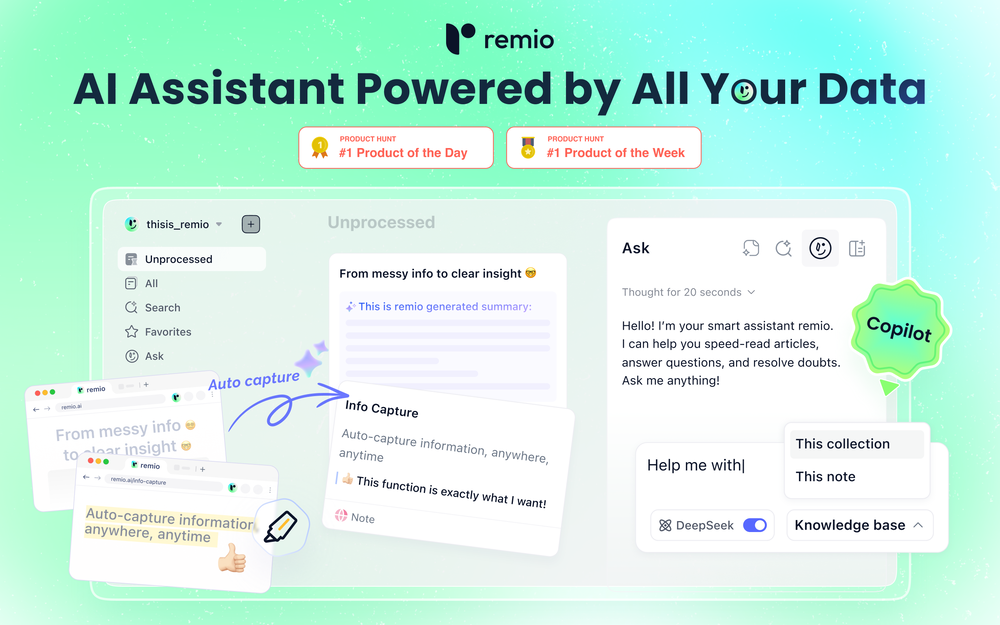 Most AI tools start from zero. You paste in context, re-explain your work, and hope the output is relevant. Every. Single. Time. remio is different. It automatically captures everything you work on — web pages you browse, documents you read, meetings you record, emails you send — and turns it all into a living, private knowledge base. No manual tagging. No copy-pasting. No setup. Then, when you need to get something done, remio already knows your context. Write a doc, draft an email, generate a report, create slides — just tell it what you need. It pulls from your actual work history to produce output that's genuinely relevant to you. What makes remio different: 🧠 Passive, automatic context capture — works silently in the background 🔒 Local-first & privacy-focused — your data stays on your device ⚡ BYOK support — bring your own API key from OpenAI, Google, DeepSeek and more 🖥️ Local model support via Ollama 📎 Connects to Gmail, Google Docs, local files, YouTube, and more 🛠️ Build reusable aApp workflows powered by your own knowledge This is not another note-taking app. This is your personal agent — one that already knows your world. From knowledge to getting things done. 👉 Try remio today.
 -
 AI browser assistant for intelligent automation.Open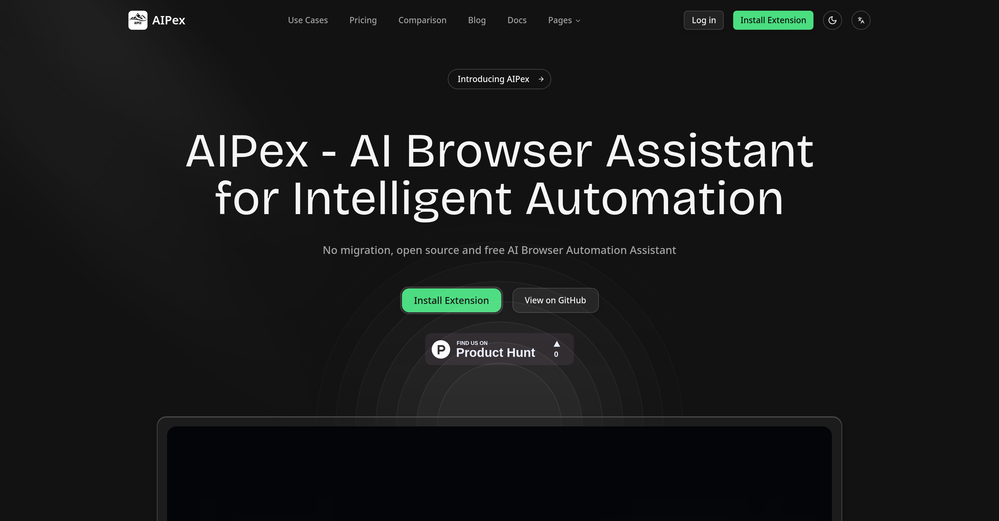
-
 One API to track mentions, sentiment, and visibility across top LLMs.Open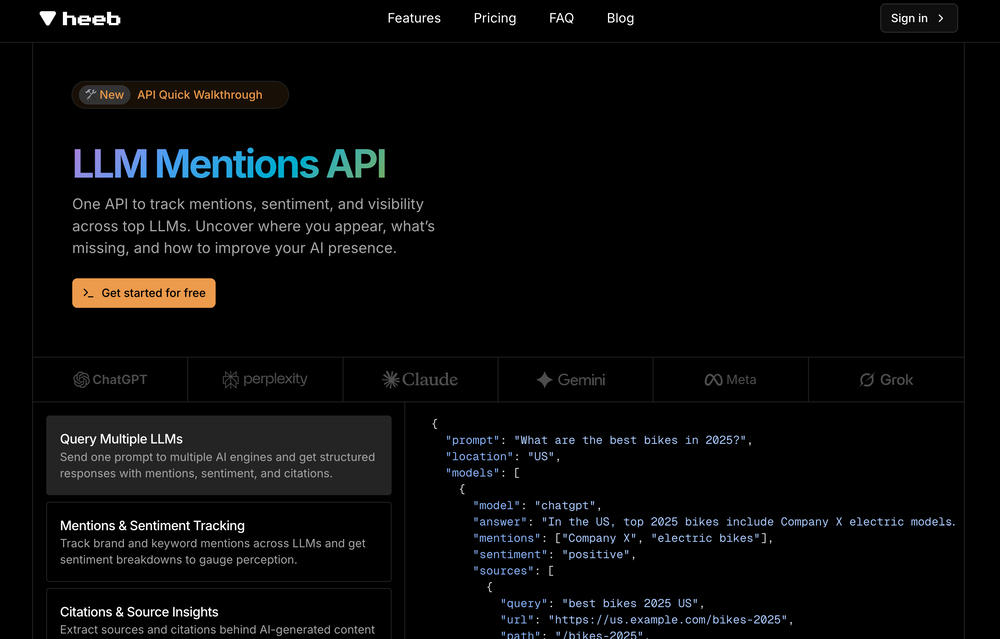
-
-
-
-

-
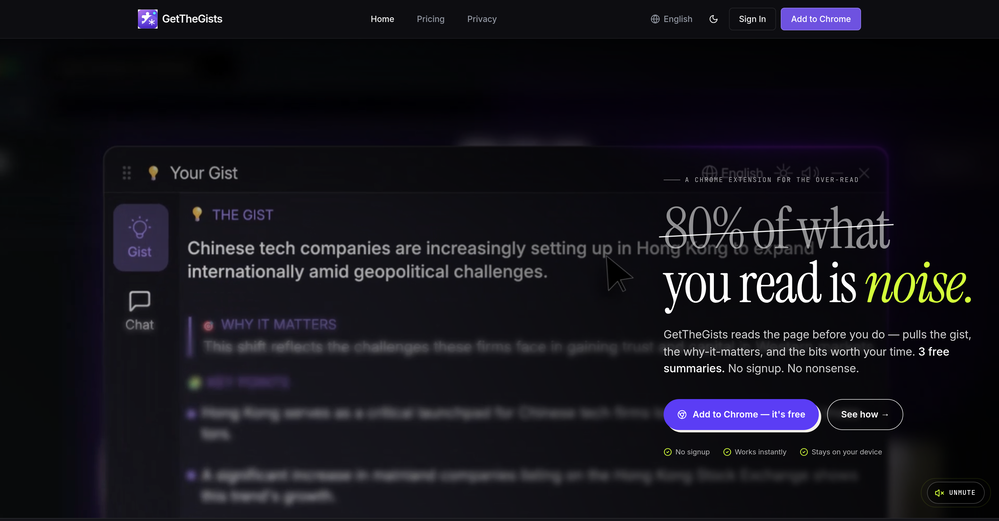
 GetTheGists🛠️ 1 tool 🙏 2 karmaMay 13, 2026@GetTheGistsThis started from a small frustration that wouldn't go away: I'd open 12 tabs for "research," skim none of them properly, and close my laptop feeling more behind than when I started. The web rewards reading speed, not reading depth — and I wanted a tool that flipped that. So I built GetTheGists: a Chrome extension that gives you the gist of any page in 3 seconds, then lets you ask follow-up questions like you would a smart friend who already read it. A few things we went out of our way to get right: - Cognitive hierarchy, not walls of text. Every summary is structured as Gist → Why It Matters → Key Takeaways → Implications. Compression before precision. - Ask, don't just read. Hit the page with follow-ups, get answers grounded in the content. - 20 languages, full dark mode, and a resizable side panel that actually respects your screen. What surprised me building this: the hardest part wasn't the AI — it was deciding what not to show. Every iteration was about removing a section, not adding one. It's free to try (Premium and Pro tiers if you want higher limits). I'd love your honest feedback — especially on the summary format and where it falls short on your favorite kind of page. I'll be in the comments all day. Thank you for taking a look 🙏
 -
-








Other tools
-
easy to pick up and you get a few free file imports. it gives you results pretty fast, unfortunately i can't find a way to get back to these, they're locked behind the paid service.
-
Such an impressive platform for all of us who are looking for more efficient ways to do the investigation. OpenRead has the potential to solve our problems.
-
Very expensive for most common pages, no way you pay that
-
I wasn't able to use this one (I have my API key)
- SpotlightSureThing.io - "OpenClaw" for BeginnersTask automation
-
-
They started charging for documents , Please change from no pricing to freemium
-
You can now ask AI about your typed note. This issue has been fixed.
- Didn't find the AI you were looking for?
-
It does exactly what is expected and more. I asked it to create a map with pins for 30 addresses and it did exactly that within a few seconds. It has great customization options also.
-
 Extract data instantly: Grab text, images, emails & links from any websiteOpen
 -
This is one of the best scrapers I have ever seen, especially considering that Cloudflare explicitly advises against scraping their pages. What makes this scraper stand out is that it opens a virtual machine and runs an agent on top of it, which allows it to bypass bot detection errors effectively. This advanced approach enables it to grab the text content reliably, even from websites with strong anti-scraping measures. By simulating a real user environment, it avoids common blocks and restrictions.
-
 Summarize any webpage portion with ChatGPT.Open
 -
YouTube to Doc is freaking awesome! Total lifesaver for turning videos into text. Just paste the URL → boom, you’ve got a doc. Perfect for notes or quotes. 10/10 recommend!
-
 Open
Open -
 AI-powered research assistant for diverse content analysis.Open
 -
-
PDF Digest is a helpful AI tool that makes working with PDF files easier and saves time.
-
-
Great platform to increase your productivity. The infographic generator is my favorite tool.
-
Combines knowledge graphs with AI, reveals main topics and gaps in a discourse.
-
Only extension that Worked well for large PDFs for Free.
-
 Extract Wisdom from Any Link -- 6 AI Models, Haiku 4.5 SynthesizedOpenExtract wisdom from YT, websites, PDFs, any link. Multiple models catch what single perspectives miss. Organized thematically. Honest about uncertainty. Built for understanding, not compression. All feedback welcome!
 -
 Schedule without effort: speak, snap, paste — plan and adapt as youOpenGood job dud good job , i wanna try sure
 -
-
I couldn't use it because it wouldn't let me upload a PDF file, so I can't really review it properly. This tool would work best with audio files. For example, if your teacher gave you an assignment in a PDF file, you wouldn't be able to use it. Until it enables that feature, it's not very useful for students. However, it is useful if you're incorporating audio.
-
Way better than most Chat with PDF tools I tried
-
-
Works really well, I will definitely be recommending to our clients. - [email protected]
-
-
 Debating AI models, tireless agents, and workspaces. Unlocked, pay-as-you-go.Open- Added instant integration of the newest AI models (including Claude Fable 5, Claude 3.5 Sonnet, and Gemini Flash) immediately upon their release. - Upgraded the autonomous AI Agent with a built-in Virtual Desktop and Python execution to search the web and complete real-world tasks. - Enhanced Council Mode to seamlessly switch between multiple AI experts, delivering comprehensive multi-perspective analysis. - Unlocked all premium tools and expert features for everyone using a flexible Pay-As-You-Go credit system with no rigid subscription walls. - Redesigned the interface for instant loading, buttery-smooth mobile scrolling, and a beautiful premium Amber theme.
 -
Hi everyone. 👋 I created Ozigi because I was tired of seeing AI slop in content all over the internet, from social media posts to long-form content. Ozigi operates on two principles: 1. We eliminate AI slop words from your content, using a banned lexicon feature that filters common/known AI words or structures from getting into your content. 2. We encourage a human-in-the-loop philosophy. We do not believe in mindless automation that values quantity over quality. We value quality, and that is why it is important to us to make sure that you--a human--reviews the generated content first before setting it up for publishing. Ozigi does more than just social media content. It generates email newsletters and blogppsts as well.
-
I have been using ProNoto for over an year, the extension has helped a lot with my meetings and presentations.
-
-
 Open
Open -
Paying $300-$500/month for a docs site, as a small founder, is way too much. We've been looking for a simple, affordable, practically autonomous tool like Docsio for a while.
-
 Open
Open -
Without a doubt Petal is the most comprehensively helpful ai for analysing, comparing and paraphrasing multiple papers or websites etc. it’s table feature totally rocks for gathering citations and will answer you]r questions in a table containing your choice of docs - it then mines each uploaded doc for answers to your questions. The multi-doc lit review writer it’s very cool once you get the hang of it’s. Honestly, there are so many things to love in this ai - I’m truly surprised it’s isn’t more widely used … it mines your documents thoroughly and finds all kinds of helpful insights. I use it by preference.
-
Been using TranscriptTool whenever I need to quickly turn short videos into text. I like that it keeps things simple and makes it easier to review claims or pull quotes without having to watch clips repeatedly. Handy tool for anyone dealing with video content regularly.
-
Either I write like AI, or this tool is really bad at telling the difference. I question these detectors, especially when you give them something you know you wrote and they claim it is 80% AI-generated. I tested it by pasting in something I wrote entirely on my own, without using AI. I didn’t even proofread it, just ran a basic spell check, and that was it. The tool still claimed that 80% of it was written by AI. Then it rewrites the supposedly “AI-generated” text using AI, which essentially makes it AI-written. 😆 That’s kind of a weird concept.