
 Mini tools
▼ Most saved
Content extraction
Free mode
100% free
Freemium
Free Trial
Featured matches
-
 Open
Open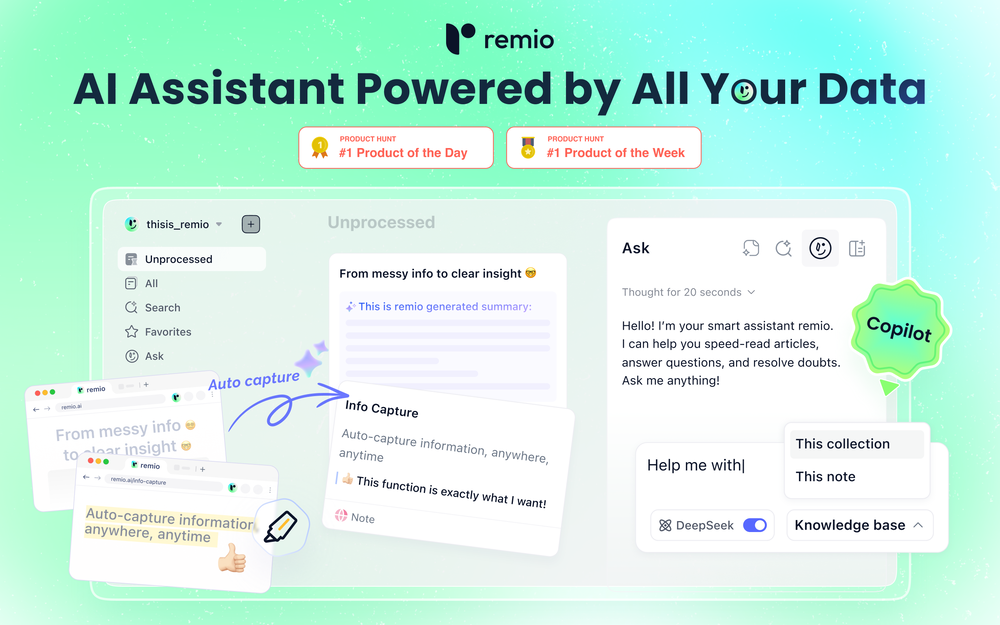 🚀Meet remio v2.12.0, which added lots of new and useful features to boost your productivity! Let's dive in! 1.🍌 Visualize thoughts faster with Nano Banana 2 Turn complex logic into professional diagrams and infographics instantly with the most affordable model. 2.🎧 Put Podcasts into your personal library Simply paste a link to save full transcripts from your favorite podcasts and get instant summaries. You can chat with your podcast library to find specific insights without listening to every second. 3.💬 Write at the speed of thought With global voice input, remio transforms natural speech into clear and polished writing across all your apps. Experience a creation process up to 5x faster than typing. 4.🔗 Seamless sharing of notes & recordings Knowledge is most powerful when it flows. You can now generate shareable links for your notes and recordings, and move insights from your personal library into team discussions. 5.🆙Advanced models upgrade Switch to the latest Gemini 3.1 and Claude Sonnet 4.6 models for superior accuracy and speed.
 -
 Open
Open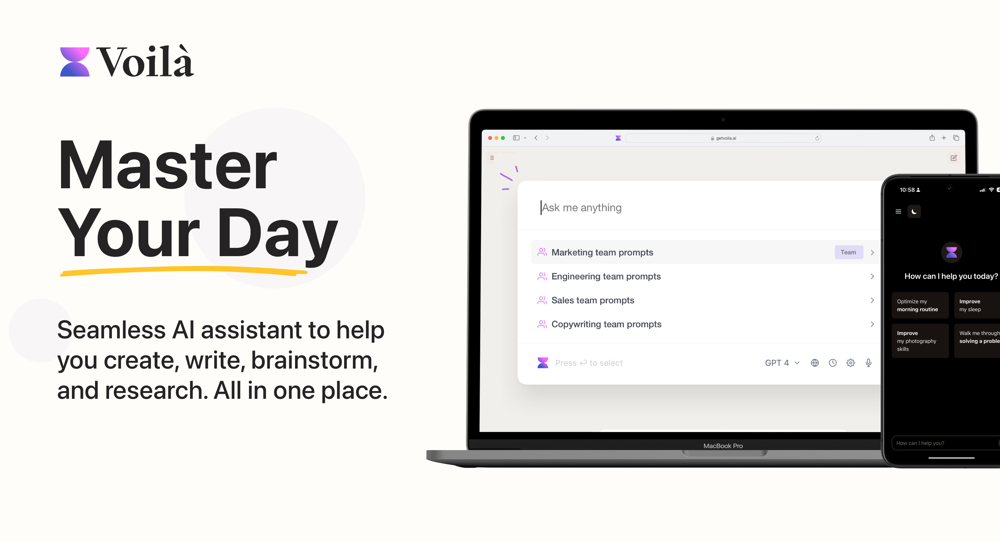 Lane Wood🙏 120 karmaJul 4, 2024@VoilaI love this extension, mobile app and desktop software! I use it everyday and everywhere. Generated text are amazing. Well done to the team and continue your incredible work! For me, Voilà is the best AI assistant, copilot and AI writer on the market. I stopped my ChatGPT plus subscription since I discoverer it.
 -
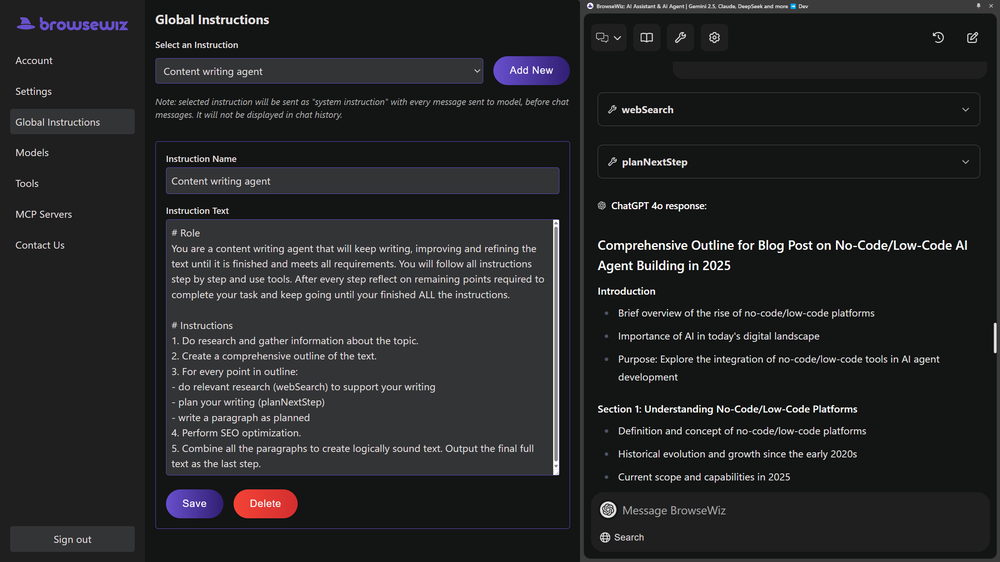 Like copilot, but for power users. Nice for my n8n workflows command center
 -
 I use Coolo to remove bass from the song. By isolating the bass track, I can hear every single note and nuance. It’s also been great for making backing tracks to practice my guitar solos over. Very nice!!
 -
-

-

-

-
-










Other tools
-
easy to pick up and you get a few free file imports. it gives you results pretty fast, unfortunately i can't find a way to get back to these, they're locked behind the paid service.
-
Such an impressive platform for all of us who are looking for more efficient ways to do the investigation. OpenRead has the potential to solve our problems.
-
-
Very expensive for most common pages, no way you pay that
- Sponsor
 Rocket - Think it. Type it. Launch it.
 -
I wasn't able to use this one (I have my API key)
-
-
-
-
 Summarize any YouTube video, any size, under 30 seconds, for free.Open
 -
They started charging for documents , Please change from no pricing to freemium
-
It just said error, try again later over and over again
- Didn't find the AI you were looking for?
-
 Book Summarizer instantly transforms any book into a crisp, intelligent summary.OpenBy far the most complete summary I received. Thank you.
 -
I was able to get a summary for a half hour video in just under 2 minutes. An hour long video took 5 minutes. Saved me a phenomenal amount of time having to watch videos for courses!
-
-
Tried using it to clean up a messy dataset and generate some quick formulas. It actually got most of them right, but sometimes overcomplicates simple stuff. Still, way faster than doing it all manually.
-
 Convert YouTube videos to text fast and freeOpenHands down the best ai tool for content creators. Their free YouTube transcriptor is always on point
 -
I've tried several Youtube summarizers and this is...by far...the best.
-
-
 Open
Open -
Mindgrasp was the best upgrade from using Chat GPT for school cuz I can upload anything I want and get help from the AI and it’s really detailed notes and answers. It’s cheap too I only pay 9.99 per month
-
I was on their premium plan. 9 usd per month. Good features with alot of bugs and zero user support. I wrote them more than 10 support requests without even one reply. At last i lost control to my account and every try to login was unsuccessful because of an unknown error message. They didn't even help me to rectify the problem. 9 usd has been wasted .
-
-
It does exactly what is expected and more. I asked it to create a map with pins for 30 addresses and it did exactly that within a few seconds. It has great customization options also.
-
 Extract data instantly: Grab text, images, emails & links from any websiteOpen
 -
This is one of the best scrapers I have ever seen, especially considering that Cloudflare explicitly advises against scraping their pages. What makes this scraper stand out is that it opens a virtual machine and runs an agent on top of it, which allows it to bypass bot detection errors effectively. This advanced approach enables it to grab the text content reliably, even from websites with strong anti-scraping measures. By simulating a real user environment, it avoids common blocks and restrictions.
-
 Summarize any webpage portion with ChatGPT.Open
 -
YouTube to Doc is freaking awesome! Total lifesaver for turning videos into text. Just paste the URL → boom, you’ve got a doc. Perfect for notes or quotes. 10/10 recommend!
-
Pretty handy, not always helpful since sometimes notes are not in a simple text format, but it does the job
-
 AI-powered research assistant for diverse content analysis.Open
 -
 Open
Open -
Absolutely PERFECT!!! After several image files with multiple fonts and subtleties therein, it never missed a single character. Several files transcribed accurately in less time than it would have taken me to do one manually. I can see myself needing to do this in "batches" possibly and it appears as though I'll be able to do that as well, although I have no idea as to the parameters there, but I'm sure it'll tell ya if you are trying to process too many at once. If I could add one constructive addendum, a line of text on the super clean UI to tell folks the file formats for the input. PNG files uploaded and processed quickly, but only figured that out when I couldn't get a .JPG to upload, but I figured it out quickly ... some may not. Thanks Lexy, It's Sweet to use something in today's world that completes a complex task, yet is simple, and simply works!!! Much love!!! ✌ "Without ART, the eARTh would just be 'eh'!" ოΓ. e
-
I highly recommend xound.io for its voice enhancement quality 🚀
-
Doesn't work on a PDF I uploaded. Seems like it just wants to collect (l)users.
-
This AI PDF Summarizer worked really well
-
nice tool,only input two images to easily create realistic cartoon animations.
-
 Open
Open -
I don’t usually leave reviews, but I had to for this one. I just dropped my website URL into Board.ads didn’t have to explain anything it just pulled from my site and created ad copy and visuals that actually made sense for my brand. What really surprised me is it even suggested a logo, which is wild for something this fast. I’ve tried a bunch of AI tools before, but this is by far the easiest and most useful one for creating ads. Super simple, super quick, and the results don’t feel generic or boring.
-
-
Combines knowledge graphs with AI, reveals main topics and gaps in a discourse.
-
Only extension that Worked well for large PDFs for Free.
-
 Open
Open -
Great platform to increase your productivity. The infographic generator is my favorite tool.
-
I recently tried this AI detection tool and it feels very useful. You can try it.
-
 Intelligent browser assistant for deep content analysis and instant translations.Open
 -
 Extract Wisdom from Any Link -- 6 AI Models, Haiku 4.5 SynthesizedOpenExtract wisdom from YT, websites, PDFs, any link. Multiple models catch what single perspectives miss. Organized thematically. Honest about uncertainty. Built for understanding, not compression. All feedback welcome!
 -
I couldn't use it because it wouldn't let me upload a PDF file, so I can't really review it properly. This tool would work best with audio files. For example, if your teacher gave you an assignment in a PDF file, you wouldn't be able to use it. Until it enables that feature, it's not very useful for students. However, it is useful if you're incorporating audio.
-
-
-
 AI browser assistant for intelligent automation.Open
 -
 Open
Open -
-
-
This is a great platform for synthesise insights from different podcasts in case you'd like to extract key point without watching the entire thing. Here's a video I made on it https://youtu.be/m9jw29xsQbo
-
Works really well, I will definitely be recommending to our clients. - [email protected]
-
 AI-powered legal document analysis for rapid insightsOpen
 -
-
 Open
Open -
I have been using ProNoto for over an year, the extension has helped a lot with my meetings and presentations.
-
Interesting! Worked quite well on free verifications I had.
-
-
 OpenI recently tried legasite.io The process was straightforward. You paste in your site’s URL, choose a template, and wait. It didn’t take long before I got a downloadable version built with modern structure (Next/React.js). That alone saved me a decent chunk of manual setup time. The generated layout was clean and usable. Overall, I’d say it’s genuinely useful if you’re modernizing legacy sites and want a head start with the possibility of refining the output if the original website has messy interactions or complex structures.
 -
 One API to track mentions, sentiment, and visibility across top LLMs.Open
 -
Without a doubt Petal is the most comprehensively helpful ai for analysing, comparing and paraphrasing multiple papers or websites etc. it’s table feature totally rocks for gathering citations and will answer you]r questions in a table containing your choice of docs - it then mines each uploaded doc for answers to your questions. The multi-doc lit review writer it’s very cool once you get the hang of it’s. Honestly, there are so many things to love in this ai - I’m truly surprised it’s isn’t more widely used … it mines your documents thoroughly and finds all kinds of helpful insights. I use it by preference.
-
Either I write like AI, or this tool is really bad at telling the difference. I question these detectors, especially when you give them something you know you wrote and they claim it is 80% AI-generated. I tested it by pasting in something I wrote entirely on my own, without using AI. I didn’t even proofread it, just ran a basic spell check, and that was it. The tool still claimed that 80% of it was written by AI. Then it rewrites the supposedly “AI-generated” text using AI, which essentially makes it AI-written. 😆 That’s kind of a weird concept.
-
 Open
Open -
Could you please guide me step by step on how you found the pricing page? All I can find is a Pro subscription page that doesn't display any prices.





























































































































































Post





