Go to section
Sponsor
 Wispr Flow - Don’t type, just speak
🎤 Dictation
Wispr Flow - Don’t type, just speak
🎤 Dictation
The front page of AI.Used by 90M+ humans.

TAAFT Tutorial
Generate image
Tasks
Generate text
Free mode
Trending
Leaderboard
Characters
 Mini tools
New
Featured
Lists
Agents
Requests
Jobs
Map
Newsletter
Starter pack
Free tools
Speech to text
Text translator
Remove background
Settings
Edit profile
My tools
Gallery
Dashboard
Inbox
Get featured
Contact TAAFT
For you
Popular
Job impact index
Most saved
Affiliate program
Submit AI tool
Notification preferences
Glossary
Home
Timeline
My profile
Create tool
Deals
Companies
Models
Robots
Papers
Fundraises
Repositories
Devices
Organizations
Events
Prompt Pack
Merchendise
Credits
APIs
Features
Tools
Countries
Collections
Mini tools
New
Featured
Lists
Agents
Requests
Jobs
Map
Newsletter
Starter pack
Free tools
Speech to text
Text translator
Remove background
Settings
Edit profile
My tools
Gallery
Dashboard
Inbox
Get featured
Contact TAAFT
For you
Popular
Job impact index
Most saved
Affiliate program
Submit AI tool
Notification preferences
Glossary
Home
Timeline
My profile
Create tool
Deals
Companies
Models
Robots
Papers
Fundraises
Repositories
Devices
Organizations
Events
Prompt Pack
Merchendise
Credits
APIs
Features
Tools
Countries
Collections
Mini tools
New
Featured
Lists
Agents
Requests
Jobs
Map
Newsletter
Starter pack
Free tools
Speech to text
Text translator
Remove background
Settings
Edit profile
My tools
Gallery
Dashboard
Inbox
Get featured
Contact TAAFT
For you
Popular
Job impact index
Most saved
Affiliate program
Submit AI tool
Notification preferences
Glossary
Home
Timeline
My profile
Create tool
Deals
Companies
Models
Robots
Papers
Fundraises
Repositories
Devices
Organizations
Events
Prompt Pack
Merchendise
Credits
APIs
Features
Tools
Countries
Collections

▼ Latest
Design simplification
Free mode
100% free
Freemium
Free Trial
Featured matches
-
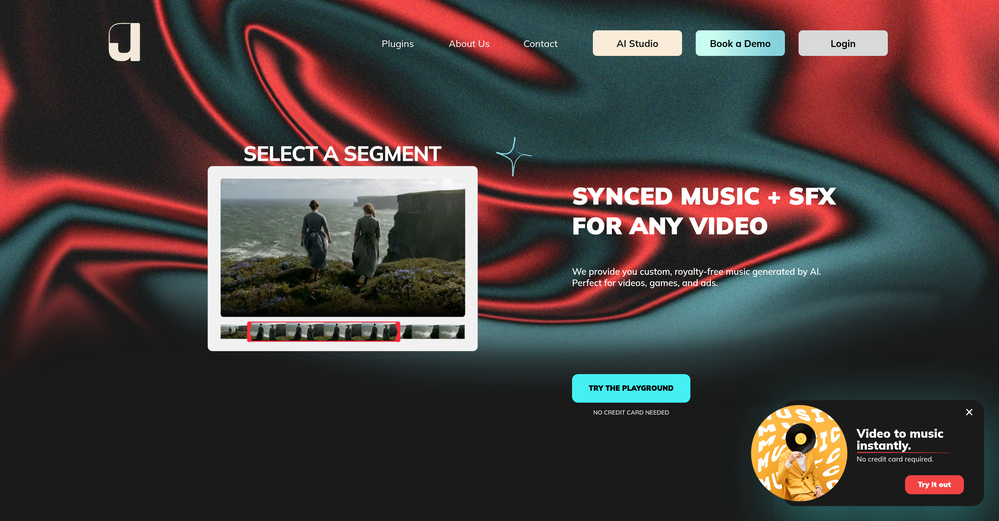 Jenny Li🛠️ 1 tool 🙏 1 karmaJun 14, 2026@AudiomaticVery helpful tool for content creators to find stock music!
 -




Verified tools
-
Hello Everyone, My name is Mohamed, the Co-Founder of linesNcircles.com. At linesNcircles our mission is to revolutionize AI & Humen Interaction. Our first product TheBar is an AI agent which can build websites for you, edit them, saves files locally, browses the internet and provide you with answers to your questions all in very simple interface. TheBar runs on your computer without signup. Your website files are saved locally with the option to publish them under our website with one click. All your files are under your creations folders. We built TheBar to be simple to use, super fast in building things for you and we are working tirelessly, to bring in more features for you like writing pdf documents and making presentations which are coming soon. Check TheBar out it is available for free now on our website https://www.linesncircles.com. We would love to hear your feedback and comments
-
A very useful AI slides tool! The content it generates is genuinely smart.
- SponsorWispr Flow - Don’t type, just speak🎤 Dictation
-
I did not like it. Seems very generic and did not adapt or recognized the topic to change the figures and the templates. Simply put my text to templates not related to the topic.
-
This is a very useful tool, especially for me as a small business owner. It keeps everything in one place
-
I had to tweak a few things to match my brand style, but overall it saved me a ton of time. Definitely handy if you need something fast and professional-looking.
-
I've used several Pinterest schedulers before Blogtopin but this is really the next level of automation! It takes a bit of time to set things up but once you get things set, it's amazing how AI in the tool matches blog posts to the boards, generates unique and relevant for the content pin titles, descriptions and gets respective images for each pin - all automatically! I also was very impressed with the speed of improvements that the founder adds to this tool, he's also replying to questions very fast. In a meaningful way and really trying to make it work perfectly. This is a true Pinterest automation tool, not just a scheduler. It's ideal for blogs that have a lot of content and many URLs.
-
It’s easy to plan and test app ideas and the AI helps a bit with coding. Some things could be smoother, but it works fine for simple projects.
-
 Open
Open -
 Transform brand logos into professional packaging designs instantly.OpenGenerate professional packaging from your logo, ready for print

















Other tools
-
They recently changed to a “point based system” where free users get 3000 daily point. Subscribers get 100,000,000 points monthly plus the 3000 daily. Each model has a wide range of costs. Some are cheap and some are more expensive. There is no longer unlimited messages for subscribers. It has since sparked an outrage among the community with many ending their subscriptions and moving away from Poe.
-
I enjoy testing new AIs for images and see what's new. This one has potential. It still messed up some features when I asked for people, but it's pretty consistent overall
-
basic image generation like any prompt on chatgpt. no value added here.
-
 Open
Open -
Uizard is so great for spinning out ideas and iterating. You can generate designs from text prompts as well as individual screens and themes. Also has a ton of other cool AI features like turning screenshots into editable designs and attention heatmaps. I suck at design so this is a game changer for me.
-
Threw a pic of my living room in, asked for warm modern and it gave me a layout that was actually really nice. Some renders look a bit plastic and it guesses weird details here and there, but as a quick vibe check it’s legit.
- Didn't find the AI you were looking for?
-
Its actually good. I was able to make 3 screens using the promo code and they were better than the other UI tools.
-
-
You have the option to waitlist or you can login with your email/pass or google account. I chose google. Once inside you have a suite of tools but im sure when you go to publish you have to sign up for a paid plan. So if your looking for a free option it will be branded. Use at your own risk. Thanks
-
 Open
Open -
 Transform any topic into clear, actionable instructions.Open
 -
 Transform any photograph into elegant engraving-style line art.Open
 -
 Transform inputs into minimalist masterpieces.Open