Go to section
Spotlight SureThing.io - "OpenClaw" for BeginnersTask automation
The front page of AI.Used by 90M+ humans.

TAAFT Tutorial
Generate image
Tasks
Generate text
Free mode
Trending
Leaderboard
Characters
 Mini tools
New
Featured
Lists
Agents
Requests
Jobs
Map
Newsletter
Starter pack
Free tools
Speech to text
Text translator
Remove background
Settings
Edit profile
My tools
Gallery
Dashboard
Inbox
Get featured
Contact TAAFT
For you
Popular
Job impact index
Most saved
Affiliate program
Submit AI tool
Notification preferences
Glossary
Home
Timeline
My profile
Create tool
Deals
Companies
Models
Robots
Papers
Fundraises
Repositories
Devices
Organizations
Events
Prompt Pack
Merchendise
APIs
Features
Tools
Countries
Collections
Videos
Mini tools
New
Featured
Lists
Agents
Requests
Jobs
Map
Newsletter
Starter pack
Free tools
Speech to text
Text translator
Remove background
Settings
Edit profile
My tools
Gallery
Dashboard
Inbox
Get featured
Contact TAAFT
For you
Popular
Job impact index
Most saved
Affiliate program
Submit AI tool
Notification preferences
Glossary
Home
Timeline
My profile
Create tool
Deals
Companies
Models
Robots
Papers
Fundraises
Repositories
Devices
Organizations
Events
Prompt Pack
Merchendise
APIs
Features
Tools
Countries
Collections
Videos
Mini tools
New
Featured
Lists
Agents
Requests
Jobs
Map
Newsletter
Starter pack
Free tools
Speech to text
Text translator
Remove background
Settings
Edit profile
My tools
Gallery
Dashboard
Inbox
Get featured
Contact TAAFT
For you
Popular
Job impact index
Most saved
Affiliate program
Submit AI tool
Notification preferences
Glossary
Home
Timeline
My profile
Create tool
Deals
Companies
Models
Robots
Papers
Fundraises
Repositories
Devices
Organizations
Events
Prompt Pack
Merchendise
APIs
Features
Tools
Countries
Collections
Videos

▼ Top rated
Extract
Free mode
100% free
Freemium
Free Trial
Featured matches
-

-
-
-
-
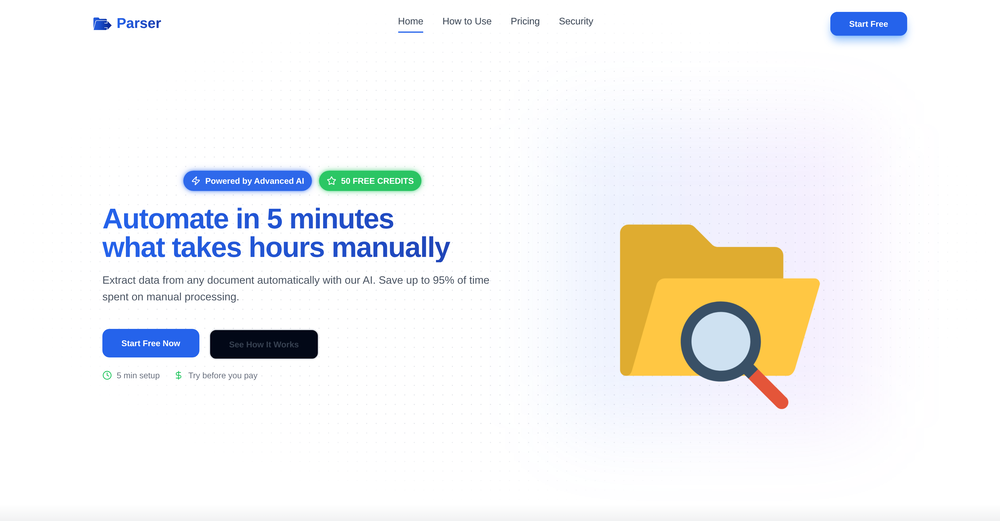
 Extract data from any document automatically with AI.Open
 Eduardo🙏 1 karmaNov 28, 2025@Parser by bix-tech.comThe tool worked really well for us. It was easy to upload our first PDFs and set up an automated flow through the API
 -
-
 Process YouTube playlists faster — extract signal without watching every minuteOpen
 TubeYakker matches how I already use YouTube. Saving things for later and processing them bit by bit. The UI is pretty minimal, which I like, though it took me a minute to understand the intended workflow. Keep it up ;-)







Other tools
-
 Extract structured data from images and PDFs into usable tables with AIOpen
 -
This is a text extraction service. Not image to text.
-
Hey everyone! We're making VIP mobile friendly, team-friendly (added support for organizations). We've added semantic search and better bulk analysis, and we're soon adding real-time camera feeds and API access for custom integrations. Try it out for free and let us know what you think!
- SpotlightSureThing.io - "OpenClaw" for BeginnersTask automation
-
I am one of the earlier user. I generated tons of reports with insight for my product, and few leads and comments for engagement. In my opinion it's underpriced, but wishing all the best to the dev team.
-
 Extract Wisdom from Any Link -- 6 AI Models, Haiku 4.5 SynthesizedOpenExtract wisdom from YT, websites, PDFs, any link. Multiple models catch what single perspectives miss. Organized thematically. Honest about uncertainty. Built for understanding, not compression. All feedback welcome!
 -
tried quickdata on a stack of rent rolls (pdf+xls), a couple T12s and one chunky OM. setup's just an excel add in, super barebones ribbon button and it goes straight to work (no gimmicks). it mapped a lot of line items correctly and dumped them into my model fast. i like that it plugs into your existing model instead of forcing theirs. a clearer "why" for each auto category would be good.
-
This is one of the best scrapers I have ever seen, especially considering that Cloudflare explicitly advises against scraping their pages. What makes this scraper stand out is that it opens a virtual machine and runs an agent on top of it, which allows it to bypass bot detection errors effectively. This advanced approach enables it to grab the text content reliably, even from websites with strong anti-scraping measures. By simulating a real user environment, it avoids common blocks and restrictions.
- Didn't find the AI you were looking for?
-
Highly recommend it for anyone dealing with high-volume document processing. Simplifies the process of extracting data from multiple PDFs into clean, accurate spreadsheets.
-
-
I was searching for such a tool literally two days ago, and today I found it on theresanaiforthat. That's funny and awesome. It seems to work well.
-
Had several issues with app, beginning with a refresh needed to find the upload (figured out while waiting for help desk). Relatively straightforward conversion, rearranged fields, merged integer and text field. Conversion was Ok on first 30 lines and 2 pages, second 25 lines needed more manual editing. Was going to rate lower, tried Parseur was even worse.
-
-
 Extract data instantly: Grab text, images, emails & links from any websiteOpen
 -
Think its a fab tool but why wont it allow you to save your workflows?
-
I use Olostep to gather data from millions of e-commerce pages for my AI shopping assistant service and it's the most cost-effective and reliable product on the market
-
Nice interface, but no good at PDF answers, especially tables data.