Go to section
Spotlight SureThing.io - "OpenClaw" for BeginnersTask automation
The front page of AI.Used by 90M+ humans.

Generate image
Tasks
Generate text
Free mode
Trending
Leaderboard
Characters
 Mini tools
New
Featured
Lists
Agents
Requests
Jobs
Map
Newsletter
Starter pack
Free tools
Speech to text
Text translator
Remove background
Settings
Edit profile
My tools
Gallery
Dashboard
Inbox
Get featured
Contact TAAFT
For you
Popular
Job impact index
Most saved
Affiliate program
Submit AI tool
Notification preferences
Glossary
Home
Timeline
My profile
Create tool
Deals
Companies
Models
Robots
Papers
Fundraises
Repositories
Devices
Organizations
Events
Prompt Pack
Merchendise
APIs
Features
Tools
Countries
Collections
Videos
Mini tools
New
Featured
Lists
Agents
Requests
Jobs
Map
Newsletter
Starter pack
Free tools
Speech to text
Text translator
Remove background
Settings
Edit profile
My tools
Gallery
Dashboard
Inbox
Get featured
Contact TAAFT
For you
Popular
Job impact index
Most saved
Affiliate program
Submit AI tool
Notification preferences
Glossary
Home
Timeline
My profile
Create tool
Deals
Companies
Models
Robots
Papers
Fundraises
Repositories
Devices
Organizations
Events
Prompt Pack
Merchendise
APIs
Features
Tools
Countries
Collections
Videos
Mini tools
New
Featured
Lists
Agents
Requests
Jobs
Map
Newsletter
Starter pack
Free tools
Speech to text
Text translator
Remove background
Settings
Edit profile
My tools
Gallery
Dashboard
Inbox
Get featured
Contact TAAFT
For you
Popular
Job impact index
Most saved
Affiliate program
Submit AI tool
Notification preferences
Glossary
Home
Timeline
My profile
Create tool
Deals
Companies
Models
Robots
Papers
Fundraises
Repositories
Devices
Organizations
Events
Prompt Pack
Merchendise
APIs
Features
Tools
Countries
Collections
Videos

▼ Latest
Interactive coding
Free mode
100% free
Freemium
Free Trial
Featured matches
-
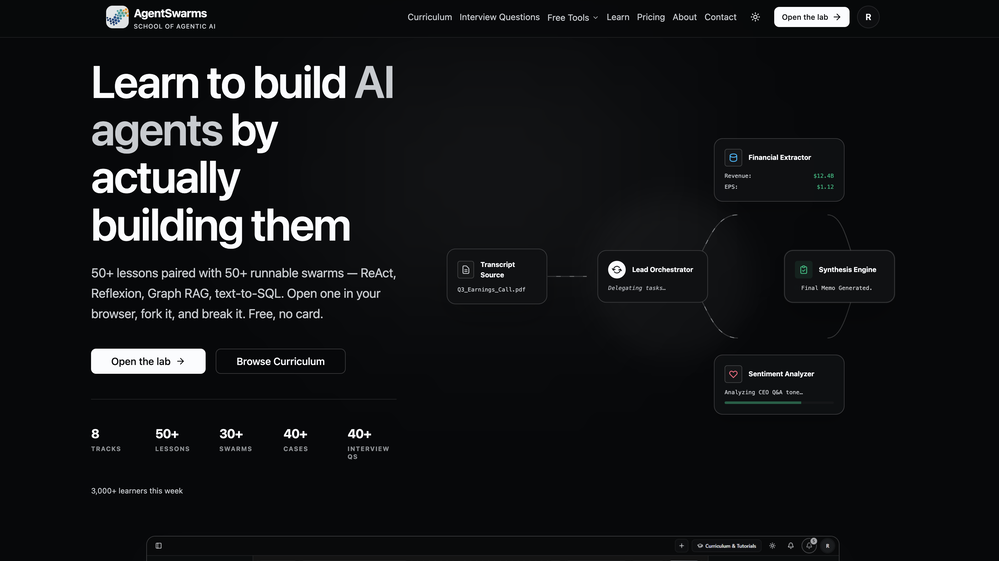 Rohan Ghosh🛠️ 1 tool 🙏 4 karmaMay 12, 2026@AgentSwarmsBuilding multi-agent AI systems shouldn’t require wrestling with messy Python boilerplate, cloud subscription or complex local setups. I built AgentSwarms (AgentSwarms.fyi) to solve this. It’s an interactive, in-browser visual sandbox for learning, building, testing, and orchestrating multi-agent AI workflows. Instead of relying on a single AI chatbot that easily hallucinates, AgentSwarms lets you drag and drop specialized AI agents—like data extractors, code reviewers, and SQL query nodes—to handle complex tasks reliably. Key features for builders: Visual Edge Tracing: Stop guessing why your AI failed. Click any connection line to see the exact JSON data passing between agents in real-time. In-Browser Execution: Powered by local DuckDB WASM. No backend setup required. Enterprise Templates: Test reverse-engineered Agenitic AI architectures for Cybersecurity, Finance, and E-commerce and 10+ industries right on the canvas. If you are tired of black-box AI debugging and want to master Agentic AI orchestration visually, come try the sandbox for free! Let me know what you think of the new execution history features. 🚀
 -
 AI agent for Jupyter: Generate code, run cells with natural language.Open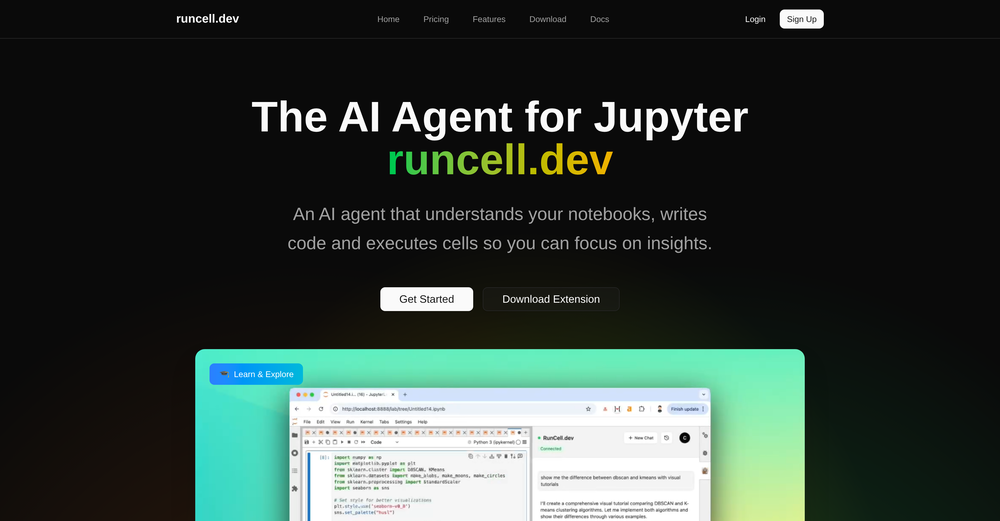
-
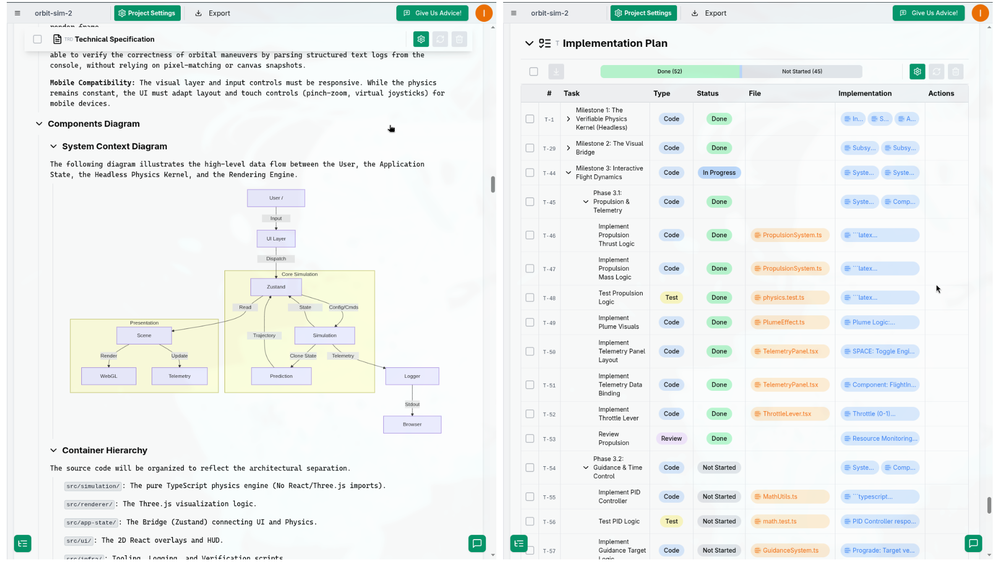 I successfully used this app for creating 50k+ LOC commertial projects. It shifts development effort to more thinking in advance and system design. And then straightforward implementation. Are we at the time of making Waterfall methodology great(er) again?
 -
-

-
-
-
 Search and chat across multiple developer documentation sources in one place.Open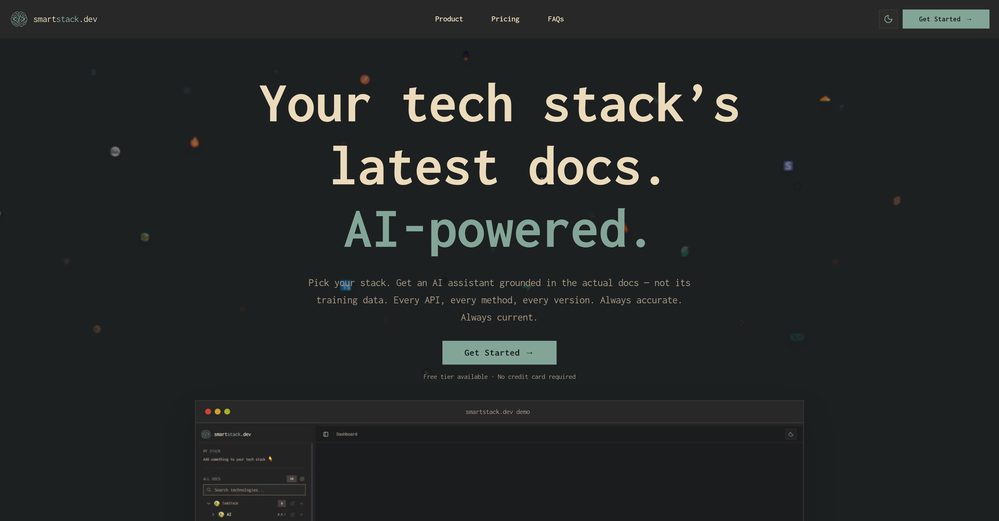
-
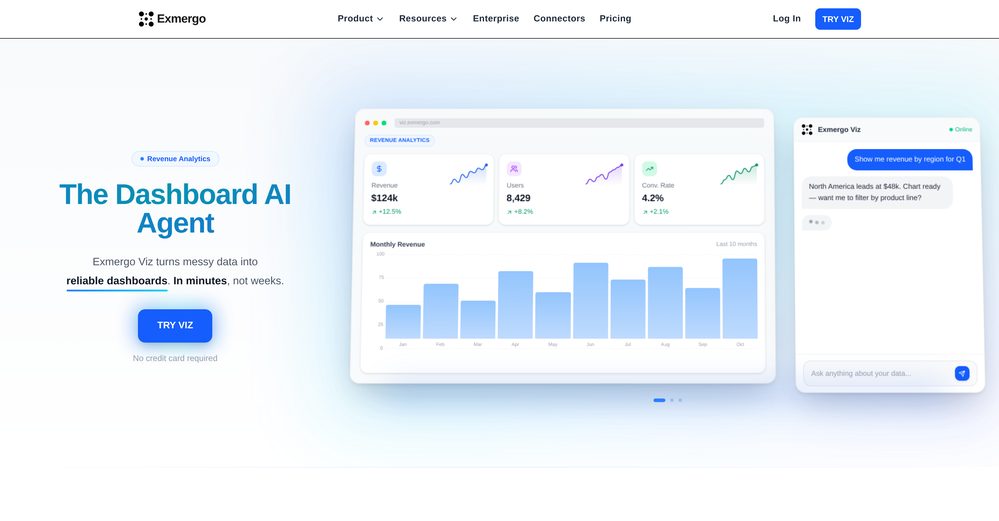 Viz makes the process of turning data into dashboards feel much simpler and more natural. Being able to upload or connect data, ask questions in plain language, and quickly get interactive visualizations is genuinely useful, especially for people who do not want to spend hours building dashboards manually. What I like most is that Viz feels focused: it is not just an AI chat tool, but a product designed to help users move from raw data to clear, shareable insights. Overall, it looks like a practical and intuitive tool for making data analysis faster and more accessible.
 -










Verified tools
-
TDGesk's multi-account messaging feature is highly efficient and user-friendly. It simplifies communication across multiple accounts, saving time and effort. Highly recommended for businesses seeking streamlined messaging solutions.
- SpotlightSureThing.io - "OpenClaw" for BeginnersTask automation
-
Love how direct the name is. “EduSolver” instantly tells you what problem it’s trying to solve 👀
-
Paying $300-$500/month for a docs site, as a small founder, is way too much. We've been looking for a simple, affordable, practically autonomous tool like Docsio for a while.
-
not working when i click Create a new project its just loading for half an hour
-
-
-
 Open
Open -
-
This is hands-down the most engaging language app I’ve ever used. The AI conversations feel real, and the talking avatar makes it fun to practice speaking without anxiety.





















Other tools
-
The K2.5 Agent mode itself is giving up on a particular small task
-
 Open
Open -
Seamless to setup and works as an excellent alternative to GitHub Copilot.
-
I gave Verve Copilot a fair shot. Used it for about two weeks hoping it would help me prep better for interviews. Honestly? It felt super basic. The responses were slow, generic, and half the time I didn’t even feel like I was in a real interview. More like filling out a survey. 🫠 The UI looked clean, but that’s about it. There was no depth in the feedback, and it didn’t adapt to my answers at all. I kept thinking — is this it? Out of frustration, I tried LockedIn AI (wasn’t expecting much tbh), but man… what a difference. The mock interviews actually felt real, the questions were on point for my role, and the feedback made sense. Even the resume review caught things I hadn’t noticed for months. I don’t usually write reviews, but if someone’s seriously preparing for interviews — skip Verve and go straight to LockedIn. It actually feels like you’re practicing with someone who knows what they’re doing. Verve was more like talking to a voice assistant who’s just... there. 😅
-
- Didn't find the AI you were looking for?
-
-
I've been using CodeKidz with my two kiddos, 9 and 12, and I gotta say, it's a pretty neat platform. The way it teaches Python through storytelling and games is super engaging - my kids are actually excited about coding, which is something I never thought I'd say. The AI coaching is a standout feature. It's like having a personal tutor available 24/7, which is a lifesaver for someone like me who can barely keep up with the tech lingo. My kids can ask questions and get immediate answers, which is fantastic. However, it's clear that CodeKidz is still in the early stages. There are a few bugs here and there, and the platform could definitely benefit from a wider variety of lessons. It's great for beginners, but I can see my older kid outgrowing it pretty soon if they don't add more advanced content. But you know what? Despite the growing pains, I think CodeKidz has a lot of potential. It's a fun, interactive way to introduce kids to coding, and I'm excited to see how it evolves. If you're looking to dip your kids' toes into the world of programming, I'd say give it a shot. Just remember to have a little patience as they work out the kinks.
-
-
Since the VSC extension became available, I've been using IDEs just to install the extension and run Claude Code in them. In the peak of my dev frenzy, I was running nine Claude Code instances in three projects on two computers. Cognitive strain was also extreme, but the amount of code and solutions deployed at that time was extreme as well.
-