Generate image
Tasks
Generate text
Free mode
Trending
Leaderboard
Characters
 Mini tools
New
Featured
Lists
Agents
Requests
Jobs
Map
Newsletter
Starter pack
Free tools
Speech to text
Text translator
Remove background
Settings
Edit profile
My tools
Gallery
Dashboard
Inbox
Get featured
Contact TAAFT
For you
Popular
Job impact index
Most saved
Affiliate program
Submit AI tool
Notification preferences
Glossary
Home
Timeline
My profile
Create tool
Deals
Companies
Models
Robots
Papers
Fundraises
Repositories
Devices
Organizations
Events
Prompt Pack
Merchendise
APIs
Features
Tools
Countries
Collections
Videos
Mini tools
New
Featured
Lists
Agents
Requests
Jobs
Map
Newsletter
Starter pack
Free tools
Speech to text
Text translator
Remove background
Settings
Edit profile
My tools
Gallery
Dashboard
Inbox
Get featured
Contact TAAFT
For you
Popular
Job impact index
Most saved
Affiliate program
Submit AI tool
Notification preferences
Glossary
Home
Timeline
My profile
Create tool
Deals
Companies
Models
Robots
Papers
Fundraises
Repositories
Devices
Organizations
Events
Prompt Pack
Merchendise
APIs
Features
Tools
Countries
Collections
Videos
Mini tools
New
Featured
Lists
Agents
Requests
Jobs
Map
Newsletter
Starter pack
Free tools
Speech to text
Text translator
Remove background
Settings
Edit profile
My tools
Gallery
Dashboard
Inbox
Get featured
Contact TAAFT
For you
Popular
Job impact index
Most saved
Affiliate program
Submit AI tool
Notification preferences
Glossary
Home
Timeline
My profile
Create tool
Deals
Companies
Models
Robots
Papers
Fundraises
Repositories
Devices
Organizations
Events
Prompt Pack
Merchendise
APIs
Features
Tools
Countries
Collections
Videos

▼ Latest
Interactive summarization
Free mode
100% free
Freemium
Free Trial
Featured matches
-
 Hari Krishnan R U🙏 1 karmaMar 29, 2026@GistrGistr has been a game changer for processing long YouTube videos and PDFs - saves hours and actually helps you retain what you consume.
 -
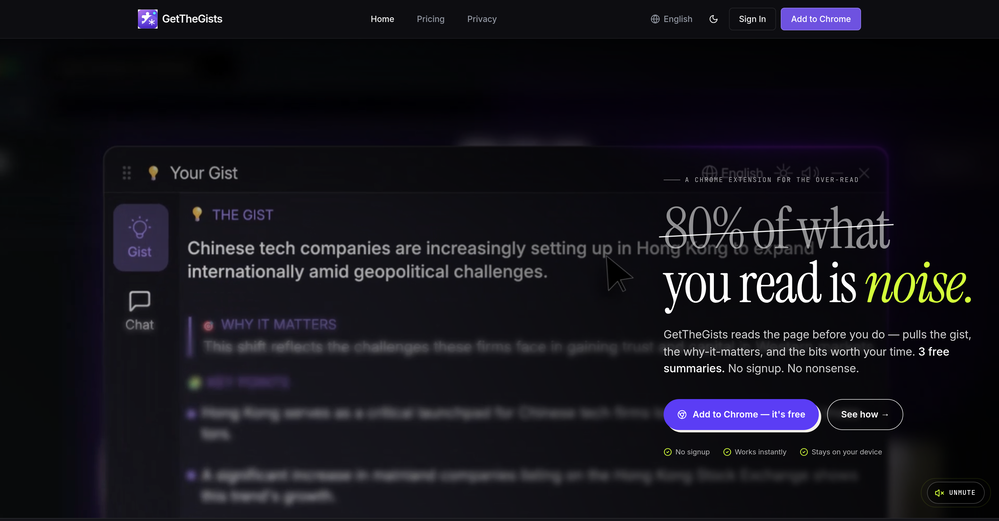 This started from a small frustration that wouldn't go away: I'd open 12 tabs for "research," skim none of them properly, and close my laptop feeling more behind than when I started. The web rewards reading speed, not reading depth — and I wanted a tool that flipped that. So I built GetTheGists: a Chrome extension that gives you the gist of any page in 3 seconds, then lets you ask follow-up questions like you would a smart friend who already read it. A few things we went out of our way to get right: - Cognitive hierarchy, not walls of text. Every summary is structured as Gist → Why It Matters → Key Takeaways → Implications. Compression before precision. - Ask, don't just read. Hit the page with follow-ups, get answers grounded in the content. - 20 languages, full dark mode, and a resizable side panel that actually respects your screen. What surprised me building this: the hardest part wasn't the AI — it was deciding what not to show. Every iteration was about removing a section, not adding one. It's free to try (Premium and Pro tiers if you want higher limits). I'd love your honest feedback — especially on the summary format and where it falls short on your favorite kind of page. I'll be in the comments all day. Thank you for taking a look 🙏
 -
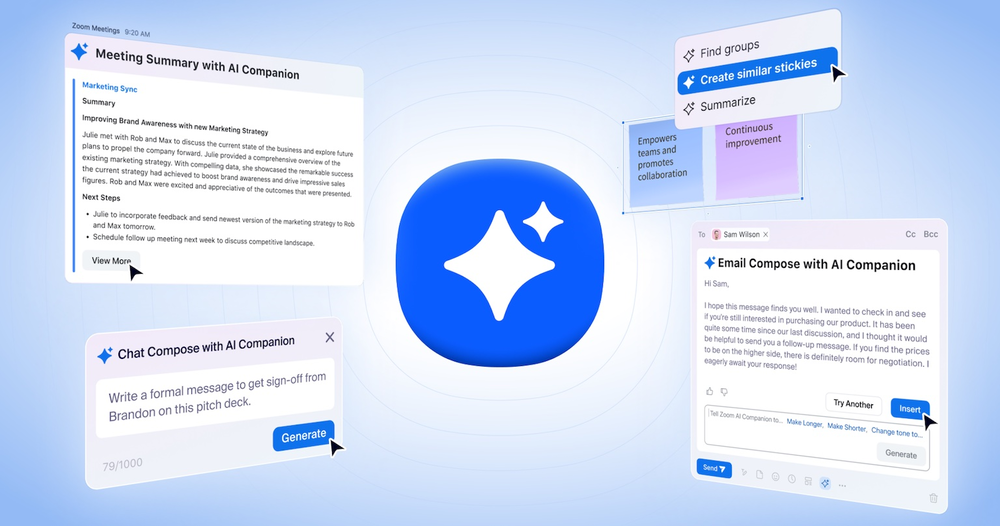 Saves me from rewatching hour-long recordings just to find one decision point. The recap feature is clutch when back-to-back calls pile up and I need to remember who committed to what.
 -
 Process YouTube playlists faster — extract signal without watching every minuteOpen
 TubeYakker matches how I already use YouTube. Saving things for later and processing them bit by bit. The UI is pretty minimal, which I like, though it took me a minute to understand the intended workflow. Keep it up ;-)






Verified tools
-
TDGesk's multi-account messaging feature is highly efficient and user-friendly. It simplifies communication across multiple accounts, saving time and effort. Highly recommended for businesses seeking streamlined messaging solutions.
-
Great reader app that allows for importing many articles. I hope the interface can be made to look a bit better. 期待を込めて5星を。
-
 Transform documents into interactive knowledge bases using advanced AI.OpenThis tool is expected to evolve rapidly, we are also taking all feature requests so submit what you like and we'll build it if it aligns with our product vision! Have fun with the tool and let us know what you think!
 - Spotlight
 ClarioScope AIHealthcare
 -
 AI spreadsheet & data analyst. 10x your productivity.OpenI use Sourcetable for quick data analysis and visualizations with natural-language queries. I'm working with Excel files and our Postgres database. It feels like an AI analyst built into a spreadsheet for turning raw data into clear reports. (Like ChatGPT + Excel, but better.)
 -
Who doesn’t have a never-ending list of saved items they never go back to? This app alleviates that by automatically tagging and grouping what you save. A chore becomes a joy!
-
Just another Chrome browser. Installed it. Don't see any AI anywhere. Don't waste your time. Sticking with Arc browser.
-
Every student must try this. It really saves me before final exams.
-
 Chat with any PDF, ask questions, summarize and extract insights effortlessly.OpenThe maximum number of pdf pages for the free tier is 10, which is a bit small. Generally, I think people need this service for pdf documents over 50 pages or so.
 -
 Open
Open -
The AI Phone helped me a lot during my last short trip. I can use it to make international calls easily without getting a sim card. When making reservations at restaurants and asking for information about scenic spots, the functions of live call captioning, highlighting information and prompting terms make me, a non-native speaker, no longer afraid of conversation. Even after hanging up the phone, I can review the information without having to grab a pen to write it down. Imagine that after you make a phone call, all the key information, such as the location of the restaurant and the phone number of the contact, are saved and highlighted in the record. What a worry-free and magical experience it is!


















Other tools
-
 Transform any material into summaries, flashcards, and quizzes instantly.Open
 -
Bruv, where was this when i was 15? Quick, easy and gave me the feelin' that i could read 1000 books xD
-
I'm currently testing on iOS and I so very strongly wish I had a web version or Android version as well so that I can use it across all my platforms. Hands down my fav app for news on any device currently.
-
Really impressed with the latest updates! The collaborative whiteboard and real-time web design tools are incredibly useful — I can sketch ideas, tweak layouts, and instantly see the results, all in one place. It’s smooth, fast, and actually helps me get work done instead of just talking about it. Athena is already one of my go-to tools. I use it daily for creative projects and team discussions, and it's made a real difference in how I work.
-
-
It's probably good, but it keeps asking you to pay for it.
-
 AI-powered PDF assistant for summarizing, translating, and creating content.Open
 - Didn't find the AI you were looking for?
-
I like it. It answers simple questions accurately and by the book. The Ref (reference) page is not usually accurate though. I'll keep you updated on how it responds to complex questions.
-
Amazing tool, helped so much in my undergrad. Would definitely recommend
-
KnowNotes is extremely helpful for students, especially if you have ADHD. It automatically transcribes lectures, takes notes, and generates study materials for you. It makes it so much more convenient to study!
-
-
I've tried several Youtube summarizers and this is...by far...the best.
-
-
I couldn't use it because it wouldn't let me upload a PDF file, so I can't really review it properly. This tool would work best with audio files. For example, if your teacher gave you an assignment in a PDF file, you wouldn't be able to use it. Until it enables that feature, it's not very useful for students. However, it is useful if you're incorporating audio.