Tools 50,507
Mini tools 36,175
Companies 7,163
Tasks 11,171
Jobs 5,238
Events 94
Papers 7,811
Models 1,188
Repos 39,608
Robots 545
Devices 197
Countries 100
Investors 1,885
Collections 13,248
Job openings 341
Requests 1,505
Fundraises 1,896
Deals 410
Characters 23,286
Features 68
Tools 50,507
Tasks 11,171
Models 1,188
Mini tools 36,175
Characters 23,286
Companies 7,163
Requests 1,505
Papers 7,811
Collections 13,248
Fundraises 1,896
Investors 1,885
Countries 100
Repos 39,608
Devices 197
Features 68
Jobs 5,238
Robots 545
Events 94
Deals 410
Tools 50,507
Mini tools 36,175
Companies 7,163
Tasks 11,171
Jobs 5,238
Events 94
Papers 7,811
Models 1,188
Repos 39,608
Robots 545
Devices 197
Countries 100
Investors 1,885
Collections 13,248
Job openings 341
Requests 1,505
Fundraises 1,896
Deals 410
Characters 23,286
Features 68
Tools 50,507
Tasks 11,171
Models 1,188
Mini tools 36,175
Characters 23,286
Companies 7,163
Requests 1,505
Papers 7,811
Collections 13,248
Fundraises 1,896
Investors 1,885
Countries 100
Repos 39,608
Devices 197
Features 68
Jobs 5,238
Robots 545
Events 94
Deals 410
Go to section
Sponsor
 Speechmatics - API for Voice AI Agents
#1 website for AI tools.Used by 90M+ humans.
TAAFT Tutorial
Generate image
Tasks
Generate text
Free mode
Trending
Leaderboard
Characters
 Mini tools
New
Featured
Lists
Agents
Requests
Jobs
Map
Newsletter
Starter pack
Free tools
Speech to text
Text translator
Remove background
Settings
Edit profile
My tools
Gallery
Dashboard
Inbox
Get featured
Contact TAAFT
For you
Popular
Job impact index
Most saved
Affiliate program
Submit AI tool
Notification preferences
Glossary
Home
Timeline
My profile
Create tool
Deals
Companies
Models
Robots
Papers
Fundraises
Repositories
Devices
Organizations
Events
Prompt Pack
Merchendise
Credits
APIs
Features
Tools
Countries
Collections
Mini tools
New
Featured
Lists
Agents
Requests
Jobs
Map
Newsletter
Starter pack
Free tools
Speech to text
Text translator
Remove background
Settings
Edit profile
My tools
Gallery
Dashboard
Inbox
Get featured
Contact TAAFT
For you
Popular
Job impact index
Most saved
Affiliate program
Submit AI tool
Notification preferences
Glossary
Home
Timeline
My profile
Create tool
Deals
Companies
Models
Robots
Papers
Fundraises
Repositories
Devices
Organizations
Events
Prompt Pack
Merchendise
Credits
APIs
Features
Tools
Countries
Collections
Mini tools
New
Featured
Lists
Agents
Requests
Jobs
Map
Newsletter
Starter pack
Free tools
Speech to text
Text translator
Remove background
Settings
Edit profile
My tools
Gallery
Dashboard
Inbox
Get featured
Contact TAAFT
For you
Popular
Job impact index
Most saved
Affiliate program
Submit AI tool
Notification preferences
Glossary
Home
Timeline
My profile
Create tool
Deals
Companies
Models
Robots
Papers
Fundraises
Repositories
Devices
Organizations
Events
Prompt Pack
Merchendise
Credits
APIs
Features
Tools
Countries
Collections

▼ Most saved
No-code tool
Free mode
100% free
Freemium
Free Trial
Featured matches
-
-
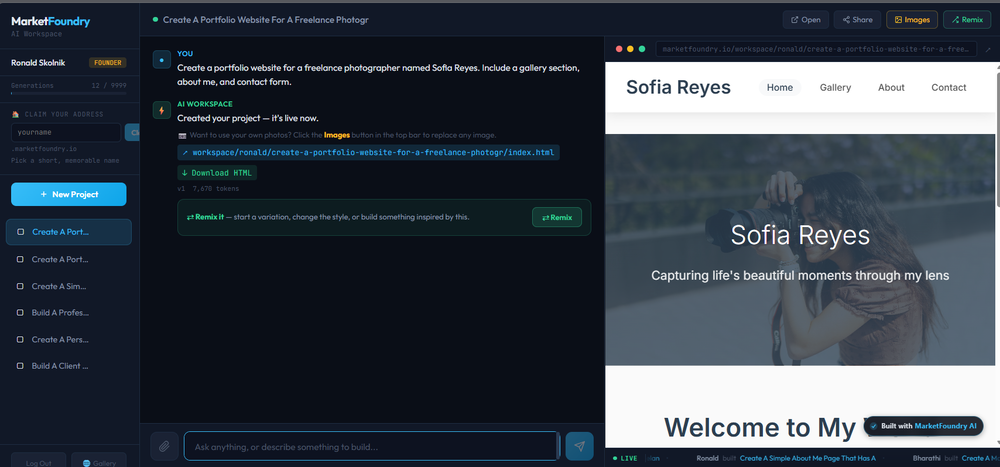
 Johnny Ruhlen🙏 4 karmaMar 6, 2026@TentedImpressive work from the team at Tented.ai, their approach to AI-driven automation is genuinely next-level.
 -
 CodePup AI is incredible — it makes generating professional websites effortless with zero coding required.
 -
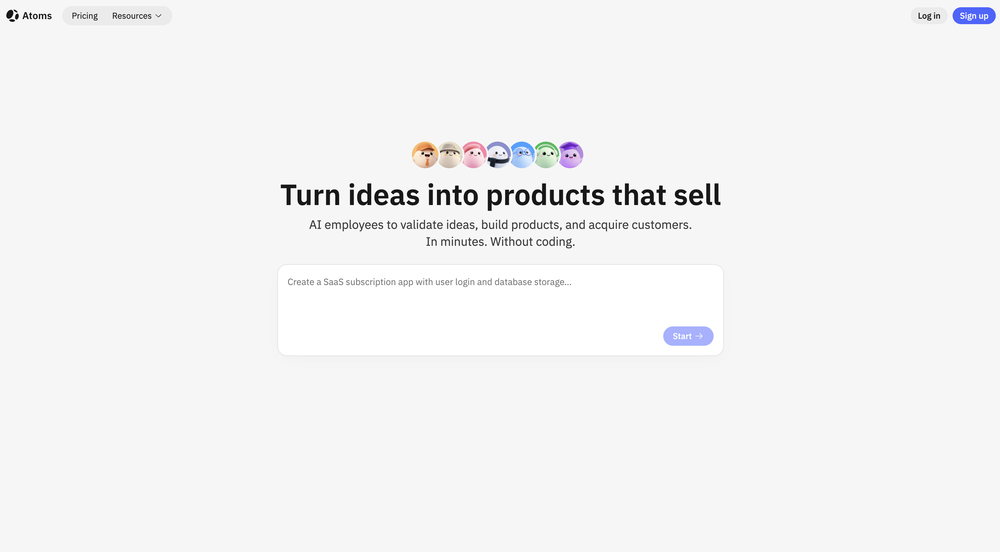 Man, with the free models that we have web creation became so easy. But everyone had the same websites. I really like how different they look from others.
 -
-
-
-
 Open
Open
-
-











Other tools
-
You have the option to waitlist or you can login with your email/pass or google account. I chose google. Once inside you have a suite of tools but im sure when you go to publish you have to sign up for a paid plan. So if your looking for a free option it will be branded. Use at your own risk. Thanks
-
Very expensive for most common pages, no way you pay that
- SponsorSpeechmatics - API for Voice AI Agents
-
Your builds just got faster. Here's what changed. Four updates shipped this week. Each one removes something that was slowing you down — an extra account to set up, a Git workflow that lived outside the platform, a repo handoff with dangling permissions, a build you could only poke at with a cursor. Here's what landed. 01 — Model access Use any LLM in your build. One prepaid key, full control over spend. Biela now has its own LLM API key dashboard. Create a key, add a prepaid balance, and start sending requests to whichever AI model your build needs — whether that's a chatbot, an automation, a content generator, or AI features wired into a SaaS product. Each key tracks its own usage so you always know what's being spent and where. No external accounts, no third-party billing — it's all inside Biela. In practice: You're building a SaaS product with two AI features — a support chatbot and an automated email summariser. You create two keys, assign a budget to each, and know at a glance which feature is consuming what. If one runs hot, you pause it without touching the other. 02 — Version control Branches, PRs, commits, pulls. A full Git workflow, inside Biela. Create and switch branches, raise and review pull requests, browse commit history, and pull the latest — without leaving the IDE. If you're shipping features to a team or running parallel environments, this is the workflow you were missing. In practice: You're adding a new checkout flow to a live e-commerce build. You branch off main, build and test in isolation, raise a PR for review, and merge when it's ready — all without touching a terminal or switching to GitHub in another tab. 03 — Repository management Connect, link, switch, hand off. Clean repo control, start to finish. Connect a new repo, link one you already have, or disconnect cleanly with a confirmation step. Permission checks are built in. No leftover access, no manual revokes, no awkward offboarding when a project ends. In practice: A client project wraps up. You disconnect the repo from Biela in one confirmed step — permissions cleared, connection closed. The next project gets a clean link from day one. No audit trail of half-removed integrations to clean up later. 04 — Mobile preview Stop looking at your mobile build. Start using it. Scan the QR code from Biela, open via Expo Go, and you're inside your actual build — navigating with your thumbs, tapping real buttons, scrolling real screens. Not a desktop simulation with a cursor pretending to be a finger. Your app, on your device, behaving exactly as your users will experience it. And when you prompt a change, it appears on your phone before you've set it down. In practice: You're building a field sales CRM. It looks fine on desktop. The moment you're actually holding it, you find it: the action buttons are buried, the nav takes two hands, the form fields are too small to tap cleanly. Thirty seconds of real use surfaces what hours of desktop review missed. One prompt per fix, each update on your screen in seconds. All four updates are live now at biela.dev — no update required, no configuration needed. Open a project and they're already there. Build faster. Ship smarter. Create without limits.
-
-
-
Hi there! I tested it myself and didn’t run into any errors, maybe try again now
-
I was just trying it out at first, used some free credits a few hours ago to build a simple app. Turns out, it actually came out pretty decent! I got to test it on my phone without spending a dime, and even showed it to my wife, she was pretty surprised too. So we decided to go ahead and pay to polish it up and download it properly. So far, everything’s running smooth
-
Cleaner, simpler, and more comfortable to use. The built-in eCommerce integration now appears in the top-level UI once you ask Horizons to add products or subscriptions to your website Analytics moved to the publish button dropdown with a quick 7-day visitor overview (you can find analytics in the top-left menu too) New button to hide the chat while keeping other actions visible Preview/Data/Code switcher moved outside the preview
- Didn't find the AI you were looking for?
-
-
AI Notebook does what it promises, it's a decent on the go note-taking app. I like the automated tweak of these newer note-taking apps. I can just throw in pdfs, voice memos or youtube videos, and it'll generate all type oof different format like summaries, mind maps or flashcards. Extremely useful for students and professionals as it digest lengthy materials into small chunks of text. Recommended for anyone looking for a no-frills note taker tool
-
I think imagica.ai could be a game changer in app creation!
-
We're live folks! Do check us out and drop your feedback or requests.
-
-
 Ask data questions, get instant insights, SQL, and charts — all poweredOpen
 -
says there is a free option(not a free trial) and no credit card is necessary but as soon as you sign up it prompts you to enter a credit card and states its a free trial...there are too many substandard ai platforms that this bait and switch is ridiculous..
-
 Ship Your Full-Stack MVP in Hours, No CodeOpenThe AI tool that turns Figma design into production-ready websites, automates complex backend tasks like auth and payments, adds AI capabilities, and I like their support team service.
 -
Integrated vector db tool invocation typed json output, pretty standard AI agent builder. Lack of pre-defined tools is a bit of a drawback compared to alternatives like Relevance.ai. BUT, it makes up for it as it allows you to monetize with account system / stripe integration. It is also WAAAAAAY cheaper than Relevance.ai Bubble.io.
-
 Transform your codebase into comprehensive, beautiful documentation automatically.Open
 -
Used it to make a client intake form and it nailed it, built the whole thing clean, simple and concise. Definitely considering using it more regularly.
-
 Turn any browser workflow into a polished, AI-narrated video guide in minutes.OpenHey everyone, I’m Evaldas, co-founder of Guideless, the fastest way to turn any browser workflow into a polished, AI-narrated video guide in minutes. No screen recording. No tedious editing. Just turn on the extension, click through your process as you normally would, and instantly get a share-ready guide. We recently shipped a major update: a sleeker UX and new high-quality AI voiceover characters — making guides sound and feel more vibrant than ever. Give Guideless a try and see how effortless creating high-quality tutorials can be 🪄
 -
Hey Michael 🙂 Thanks for the honest feedback , and I totally understand where you're coming from. We recently added the tutorial to help new users understand the app quickly, but we hear you , we’ll look into making it optional. Also, just to clarify: we do offer a free plan! You should be able to create and preview documents without paying. If you ran into any issues, please reach out to us at [email protected] , we’d be happy to give you extra free credits and make things right. We’d love the chance to turn that 2⭐️ into a 5⭐️ , and your input helps us get better. Appreciate you giving it a shot! Best, The Writedoc.ai Team
-
A very useful AI slides tool! The content it generates is genuinely smart.
-
Absolutely love this tool! It helps me apply to jobs so quickly and is so easy to use
-
This is awesome. It tells me the answers to my practice exam questions automatically through my airpods without me having to do anything, just by seeing my exam through my phone camera. I've been looking for an AI tool like this for a while.
-
not working when i click Create a new project its just loading for half an hour
-
Generating both Android and iOS while staying native is impressive.
-
Within less than an hour I was able to create an agent that helps people needing emotional and communication support with their aging parents.
-
Seemed good, the concept of 'vibe coding' is reaaally cool, but I couldnt generate anything with this tool :(
-
-
Hi Bith! I tested the tool and it's working here. Could you try once more?
-
 Hybrid assistant for quantum-classical simulations and conversations.Open
 -
 AI-powered scientific illustration and data visualization platform.Open
 -
Well, I use Statuz myself, so maybe I'm biased. The only way to find out is to try it yourself. Let us know here.
-
 AI Voice Agents for Pay per Call Agencies, Call Centers & BPOsOpen
 -
-
Spoken Punctuation Say punctuation and symbols by name and Voibe types them as you dictate, instantly and on your Mac. On by default, and you can turn it off anytime in Settings. Spoken Punctuation & Symbols Say a mark or symbol by name and Voibe types it instead of the words. Say "comma" for a comma or "open paren" for an opening bracket, plus @, math signs, currency, and even full email addresses. It happens the instant you speak, entirely on your Mac. Structure By Voice Use "new line", "new paragraph", "bullet point", or "numbered list" to lay out paragraphs and lists while you dictate. Cleaner Transcripts Custom dictionary words are recalled accurately without leaking into your text. Stability & Setup Fixes More Reliable Model Downloads Models now download with an integrity check, so a wrong or corrupted download no longer breaks transcription. If a download does fail, you can reach us directly with a new Contact Support option. Audio Handling While Dictating Improved how Voibe manages other audio playing on your Mac while you dictate. Live Dictation Watch your words appear as you speak, and edit them before they land. Live Dictation A new third dictation mode. Your words appear on screen as you speak, so you can read along and make edits before the text lands in your app. Like every mode, it transcribes entirely on your Mac. Cancel a Dictation Instantly Press Escape to discard the current dictation before it's inserted. Improved Simpler Default Hotkeys Hands-Free now starts with Fn+Space, and a quick double-tap of Fn works too. You can also assign function keys like F1 and F2, and choose your own key combination for Push-to-Talk. Refreshed App Icon A cleaner look for the Dock and menu bar icons.
-
 Open
Open