Go to section
Sponsor
 Flow - 4x faster than typing
🎤 Dictation
Flow - 4x faster than typing
🎤 Dictation
The front page of AI.Used by 90M+ humans.

TAAFT Tutorial
Generate image
Tasks
Generate text
Free mode
Trending
Leaderboard
Characters
 Mini tools
New
Featured
Lists
Agents
Requests
Jobs
Map
Newsletter
Starter pack
Free tools
Speech to text
Text translator
Remove background
Settings
Edit profile
My tools
Gallery
Dashboard
Inbox
Get featured
Contact TAAFT
For you
Popular
Job impact index
Most saved
Affiliate program
Submit AI tool
Notification preferences
Glossary
Home
Timeline
My profile
Create tool
Deals
Companies
Models
Robots
Papers
Fundraises
Repositories
Devices
Organizations
Events
Prompt Pack
Merchendise
APIs
Features
Tools
Countries
Collections
Videos
Mini tools
New
Featured
Lists
Agents
Requests
Jobs
Map
Newsletter
Starter pack
Free tools
Speech to text
Text translator
Remove background
Settings
Edit profile
My tools
Gallery
Dashboard
Inbox
Get featured
Contact TAAFT
For you
Popular
Job impact index
Most saved
Affiliate program
Submit AI tool
Notification preferences
Glossary
Home
Timeline
My profile
Create tool
Deals
Companies
Models
Robots
Papers
Fundraises
Repositories
Devices
Organizations
Events
Prompt Pack
Merchendise
APIs
Features
Tools
Countries
Collections
Videos
Mini tools
New
Featured
Lists
Agents
Requests
Jobs
Map
Newsletter
Starter pack
Free tools
Speech to text
Text translator
Remove background
Settings
Edit profile
My tools
Gallery
Dashboard
Inbox
Get featured
Contact TAAFT
For you
Popular
Job impact index
Most saved
Affiliate program
Submit AI tool
Notification preferences
Glossary
Home
Timeline
My profile
Create tool
Deals
Companies
Models
Robots
Papers
Fundraises
Repositories
Devices
Organizations
Events
Prompt Pack
Merchendise
APIs
Features
Tools
Countries
Collections
Videos

▼ Latest
Online editing
Free mode
100% free
Freemium
Free Trial
Featured matches
-
-
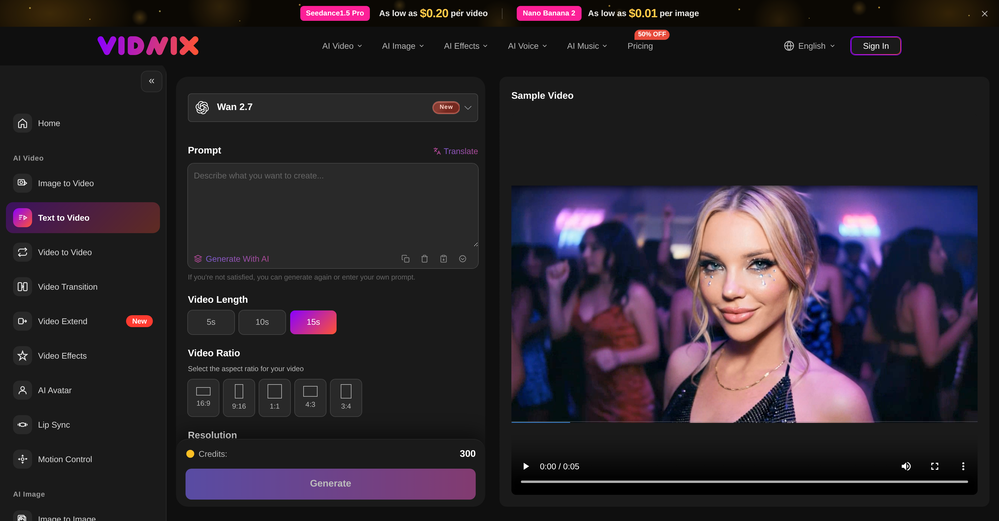 smith tom🙏 15 karmaJun 9, 2026@Vidnix | AI Text to Video GeneratorSolid. Not perfect but it gets the job done and the updates have been pretty consistent
 -

-
 Turn scanned or normal PDF invoices into UAE FTA-ready Excel in minutes.Open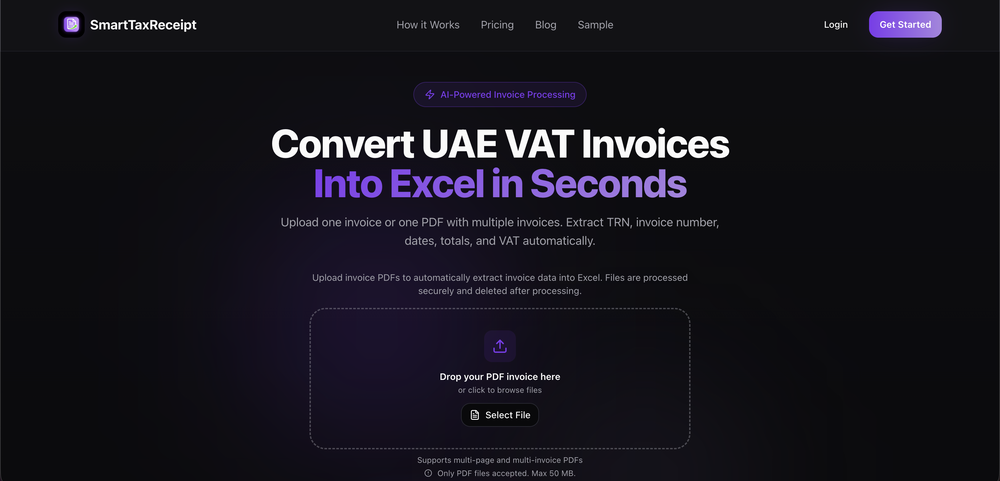
-
 Remove GIF backgrounds while keeping animation smooth.Open
-
-
-
-
 Turn property photos into scroll-stopping videos that sell homes faster.Open
-
 You are absolutely right. There are a lot of founder and certain types of tools that assume their users are experts, making their products very technical. GeekLink is not that kind of product. A creator shouldn't have to know the exact parameters, meanings, and depths behind it. All of that is handled behind GeekLink.







Verified tools
- SponsorFlow - 4x faster than typing🎤 Dictation
-
-
I have to be honest I tried so many ai headshot generators and in my opinion they all still are not strong and output image still looks ai generated but I just gave @Fotto AI a try and im shocked with the quality of output photos, so realistic photos and consistent. great job guys
-
it removed the watermark cleanly while keeping the original quality.
-
Ladies and gentlemen, welcome to Pak Udin's duck rice stall. The sun sets in the evening. Accidentally saw an apparition. As night falls, I wish you bon appetit. Where does love begin? From the eyes to the heart. Thank you for your time. Your presence means a lot.
-
-
Currently, generating course videos is basically free, and everyone is welcome to use it! If you have any problems during use, you can complain and we will quickly iterate! Thank you~!
-
Não conseguir testar pois a plataforma fica toda hora caindo, então não conseguir gerar a imagem. Mas gostaria de conseguir testar pois a proposta é muito boa.
-
No constraints implememnted yet. Work in progress, a lot can still be done on quality and constraint
-
 Open
Open -
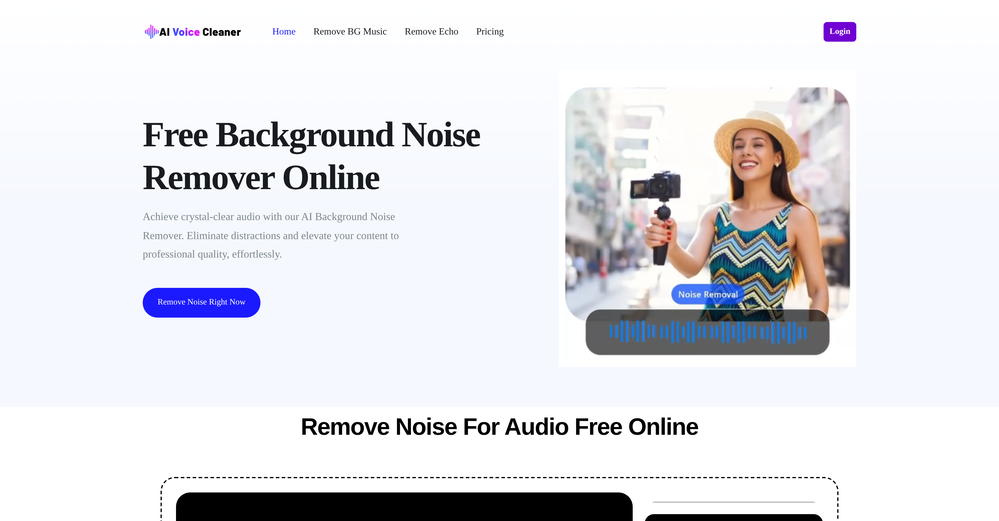
Particularly useful in scenarios where human voices are clear but background noise is complex.
-
Very simple and easy to use. The premium feature of Lyrics helper really helped me to write lyrics exactly the way i wanted.
-
 Turn one product upload into complete ecommerce image sets.Open
 -
 Transform images with AI-powered creative editing tools.Open
 -
 AI product photos for faster ecommerce launchesOpen
 -
 AI website builder that helps small businesses win customers.Open
 -
Steer clear of this by any cost ! it gives you ONE video for free and then ask you for no less than FIFTY dollars a month for only FIVE videos ! they must be crazy with all the alternatives.
-
-
The infographic maker lets you use it once for free without signing in. This infographic maker is simple and easy to use, even more so than Canva or Venngage. However, the available styles and templates are still limited. I hope they add more design options and customization in future updates. Overall, a good choice for quickly creating infographics.
-
 Open
Open -
I was skeptical about the "one-click video" claim, but I gave TemVideo a shot for a new product I'm testing. The biggest headache with AI video tools is usually the prompt engineering—you spend 30 minutes typing descriptions just to get a weird-looking hand. TemVideo completely bypasses that. My honest take after using it: The "From Raw Footage" feature is the real MVP. You know those random 10-second clips you take on your phone just to check lighting? The AI somehow turns those messy scraps into coherent ads. It’s almost spooky how well it edits around the product. It’s built for speed. If you are a dropshipper who needs to test 5 different products today, this workflow is unbeatable. Upload, click, done. I had an export ready faster than I could find a coffee. Multi-language is a bonus. It’s smart they included localization. If you sell globally, having the AI handle the lip sync and narration in different languages from one workflow is a massive time-saver. Best part? The built-in "Viral Hooks" library. It takes the guesswork out of what text to put on screen to stop the scroll.
-
This was impressive. From just one picture and a few details, it made a really good, professional video. Amazing quality!
-
-
I would just feel like a POS to create something like this. Like you got to be down bad or a degenerate...
-
 OpenWorked well to fill my room. Would love to see more options in terms of what I can configure in the future releases.
 -
 OpenThe watermark was removed so cleanly, it's amazing!
 -
It's very easy to use, completely free, and even supports files up to 1GB in size.
-
 Remove backgrounds from images with AI in seconds.Open
 -
✨ Key Advantages of Pixwith: 1. Wide range of AI models: From video generation to image creation, enhancement, and style transformation — you get access to a full suite of cutting-edge AI models in one place. 2. Affordable and transparent pricing: Our credit-based system is flexible and offers better value compared to many similar platforms. 3. Free trials available: Several models can be used for free, allowing you to test the quality before purchasing credits. 4.Beginner-friendly interface: Simple and intuitive design — generate high-quality content in just a few clicks. 5.Constant updates: We continuously add new models and features, ensuring you always have access to the latest AI capabilities.
-
 vocal remover, remove vocal, vocal remover online free, vocal remover AIOpen
 -
Tried to fix a cropped travel photo and it worked great. The AI naturally expanded the sky and beach, so the image fit a 16:9 YouTube thumbnail without any visible seams or quality loss.
-
 Remove unwanted text, watermark or logo from images online free.Open
 -
I used the tool with a one-time paid plan. 2/25 generations succeed with disappointing output. The tool is not intuitive and there is lack of explanation how to use it properly. I can not recommend based on my experience.
-
The translation is good enough. It's free, so waiting longer for the result is not a problem
-
 Open
Open -
create a background for a website
-
-
tried it for quick photo cleanups, solid results. the bg remover is free with HD downloads and does clean cutouts on tricky edges. the full editor gives 5 daily credits, not badd
-
pretty clean tool, i tried a couple product images fast and the controls make sense. model picks, image-to-image and quick batch runs are handy for ad shots or thumbnails. the free tier is tiny at 2 credits, so it's more of a taste test than real use.
-
 Auto remove people from photos with AI.OpenMaybe not the best tool, I uploaded an image and it removed the main subject, didnt even think it was possible. Literally only the background was left
 -
Six months ago I was building some landing pages and found myself wasting way too much time downloading stock photos, cropping them, resizing, rehosting... the whole thing felt broken. I looked around for a tool that just let me describe the image I wanted and get it in the right format instantly—but nothing really existed. So I built Inliner AI. Now when I need an image, I just write what I want directly into a URL like this: https://img.inliner.ai/my-project/panda-playing-guitar-on-stage_1200x750.png Hit enter and boom Inliner generates an original AI image, intelligently cropped, resized for the web, and served instantly via CDN. Need a quick edit? Just append it to the URL: .../remove-the-guitar_900x750.png No uploads, no UI, no waiting. You can also upload your own products, people, or logos and compose them into generated scenes. For more control, there's a Studio web GUI where you can play with prompts and dimensions and compare variants side by side before committing. Where this gets really powerful is when you show your LLM how to use these URLs. Once it knows the pattern like: https://img.inliner.ai/my-project/xxx-yyy-zzz.png It can generate, tweak, and iterate on image assets dynamically, right inside your prompts or your code. Everything stays self contained in the link. We also include copy/pasteable instructions for Claude, GPT, Cursor, and more so you can wire this up in minutes. If you're building a product, designing a page, or just prototyping something new try it out and let me know what you think!
-
I’ve been using this AI video quiz tool and it’s honestly super useful. It automatically creates quizzes from videos, so you can test your knowledge without any extra effort. Great for learning, especially if you’re someone who retains better through interaction.
-
 OpenHi, this is Zeeshaan, co-founder of The Influencer AI. Virtual try on technology has recently taken a massive jump with new core models, and we wanted to let people to see what it's like for themselves. I think this could be genuinely value-creating, and just enable things that weren't possible before. Open to all feedback. Appreciate the community!
 -
Hi there, it worked great for me, maybe try again with another video
-
 Open
Open -
tried it out on a few pics and the results were cleaner than expected. fun way to test outfit ideas without touching your closet. would be cool to get more theme variety in the free version tho.
-
 Create professional AI headshots instantly for freeOpenProduce nice picture and is fast but does a horrible job if you are no a white dude
 -
At least! I’ve always wanted an easy way to make karaoke tracks, and this app does exactly that. Everything I need is all in one place, and it’s super simple to use. My inner frustrated singer approves!
-
-
A very clean website — simple, clear, and fast to generate results.
-
Although the results are slightly inferior to Nano Banana, it has more relaxed content restrictions, including NSFW content.
-
Movie Maker Edit Web Edition v5.2.0 is a major performance and stability release that puts Pro-grade movie-making in your browser, free. Faster exports and rock-solid handling of long, large projects let you turn hundreds of AI-generated clips into a finished film without ever leaving the tab, with no installation and no account. It's essentially the Pro edition, at no cost. Start making movies from your AI-generated clips: moviemakeredit.iacolettisoftware.com














































































Other tools
-
Been using Knowcast to keep up with new ideas and information, and I like how easy it is to discover and revisit useful content. The experience feels straightforward and helps cut through a lot of the noise, making it easier to stay informed without getting overwhelmed.
-
 Apply spooky Halloween filters and scary makeup effects online for free.Open
 -
 Elevate your dating game with AI-powered profiles and conversations.OpenCool one. Pictures are too good to be true. I felt as if my match might think im catfishing. But chat is very good. It takes care of history unlike other apps which just suggest random lines
 -
Btw there’s a promo code “GETDATES” for first month free.
-
-
-
Not bad, its freemium and the feature is good like private pdf and support OCR
- Didn't find the AI you were looking for?
-
-
Really impressed with audien.to so far. I dropped in a meeting recording and got a clean transcript plus useful notes in just a few minutes, without having to tweak much. The speaker tags and filler cleanup make it way easier to share with the team.
-
 Open
Open -
Really useful tool here. Saves a lot of time when creating diagrams. Made a video about it here: https://www.youtube.com/watch?v=ClySYyEBvno
-
-
This tool is just rewriting the text, and the limit is 1500 words.
-
Spelling errors found throughout their website. If they can’t take the time to check for spelling, they can’t take the time to ensure the coding for security is accurate.
-
I tried many and this is probably the best website builder out here, especially for SaaS projects
-
Either I write like AI, or this tool is really bad at telling the difference. I question these detectors, especially when you give them something you know you wrote and they claim it is 80% AI-generated. I tested it by pasting in something I wrote entirely on my own, without using AI. I didn’t even proofread it, just ran a basic spell check, and that was it. The tool still claimed that 80% of it was written by AI. Then it rewrites the supposedly “AI-generated” text using AI, which essentially makes it AI-written. 😆 That’s kind of a weird concept.
-
-
 Create free AI professional headshots instantlyOpenNice to play with, but not for anything else. No resemblance, mix of faces...
 -
It is a great photo editing tool for e-commerce sellers who need product photos.
-
-
 Open
Open -
It's pretty good. transformed my regular selfie into a professional-quality portrait in seconds. Highly recommend!
-
-
Mega expensive (charged in euro). There's nothing for free...
-
Highly recommended. It saves a lot of time. Their PDF chat feature is very user-friendly.
-
-
-
 Open
Open -
Seemed good UI at first. But the quality is not good at all.
-
 Open
Open -
-
Would be nice to try some other feature without paying even if only 5 trys
-
Appears to be a full-featured video editor. It tried hard…but chose such shit B-roll.
-
I uploaded a video and edited it, then downloaded shorter clips for free. The free version only allows one video upload
-
-
 OpenSays free, but when you try to download your image they charge you for it. Also, you need to manually select the watermark. Not worth your money, as there are better free alternatives.
 -
-
AudioStrip did exactly what I wanted to do, to isolate and denoise an important video I had, there was a lady talking loudly close to the camera but we needed the background conversations to be heard and the noise taken out, this did the job, free and fast!
-
-
 Your AI assistant for dynamic, genuine dating chats.Open
 -
 Open
Open -
 Open
Open