Tools 50,547
Mini tools 36,212
Companies 7,163
Tasks 11,171
Jobs 5,238
Events 94
Papers 7,817
Models 1,188
Repos 39,608
Robots 545
Devices 197
Countries 100
Investors 1,885
Collections 13,257
Job openings 341
Requests 1,506
Fundraises 1,896
Deals 411
Characters 23,293
Features 68
Tools 50,547
Tasks 11,171
Models 1,188
Mini tools 36,212
Characters 23,293
Companies 7,163
Requests 1,506
Papers 7,817
Collections 13,257
Fundraises 1,896
Investors 1,885
Countries 100
Repos 39,608
Devices 197
Features 68
Jobs 5,238
Robots 545
Events 94
Deals 411
Tools 50,547
Mini tools 36,212
Companies 7,163
Tasks 11,171
Jobs 5,238
Events 94
Papers 7,817
Models 1,188
Repos 39,608
Robots 545
Devices 197
Countries 100
Investors 1,885
Collections 13,257
Job openings 341
Requests 1,506
Fundraises 1,896
Deals 411
Characters 23,293
Features 68
Tools 50,547
Tasks 11,171
Models 1,188
Mini tools 36,212
Characters 23,293
Companies 7,163
Requests 1,506
Papers 7,817
Collections 13,257
Fundraises 1,896
Investors 1,885
Countries 100
Repos 39,608
Devices 197
Features 68
Jobs 5,238
Robots 545
Events 94
Deals 411
Go to section
Sponsor
 Speechmatics - API for Voice AI Agents
#1 website for AI tools.Used by 90M+ humans.
TAAFT Tutorial
Generate image
Tasks
Generate text
Free mode
Trending
Leaderboard
Characters
 Mini tools
New
Featured
Lists
Agents
Requests
Jobs
Map
Newsletter
Starter pack
Free tools
Speech to text
Text translator
Remove background
Settings
Edit profile
My tools
Gallery
Dashboard
Inbox
Get featured
Contact TAAFT
For you
Popular
Job impact index
Most saved
Affiliate program
Submit AI tool
Notification preferences
Glossary
Home
Timeline
My profile
Create tool
Deals
Companies
Models
Robots
Papers
Fundraises
Repositories
Devices
Organizations
Events
Prompt Pack
Merchendise
Credits
APIs
Features
Tools
Countries
Collections
Mini tools
New
Featured
Lists
Agents
Requests
Jobs
Map
Newsletter
Starter pack
Free tools
Speech to text
Text translator
Remove background
Settings
Edit profile
My tools
Gallery
Dashboard
Inbox
Get featured
Contact TAAFT
For you
Popular
Job impact index
Most saved
Affiliate program
Submit AI tool
Notification preferences
Glossary
Home
Timeline
My profile
Create tool
Deals
Companies
Models
Robots
Papers
Fundraises
Repositories
Devices
Organizations
Events
Prompt Pack
Merchendise
Credits
APIs
Features
Tools
Countries
Collections
Mini tools
New
Featured
Lists
Agents
Requests
Jobs
Map
Newsletter
Starter pack
Free tools
Speech to text
Text translator
Remove background
Settings
Edit profile
My tools
Gallery
Dashboard
Inbox
Get featured
Contact TAAFT
For you
Popular
Job impact index
Most saved
Affiliate program
Submit AI tool
Notification preferences
Glossary
Home
Timeline
My profile
Create tool
Deals
Companies
Models
Robots
Papers
Fundraises
Repositories
Devices
Organizations
Events
Prompt Pack
Merchendise
Credits
APIs
Features
Tools
Countries
Collections

▼ Latest
Piping
Free mode
100% free
Freemium
Free Trial
Featured matches
-
-
 AI-powered task list: Dictate tasks, integrate with Gmail, Slack, ChatGPT & Calendar.Open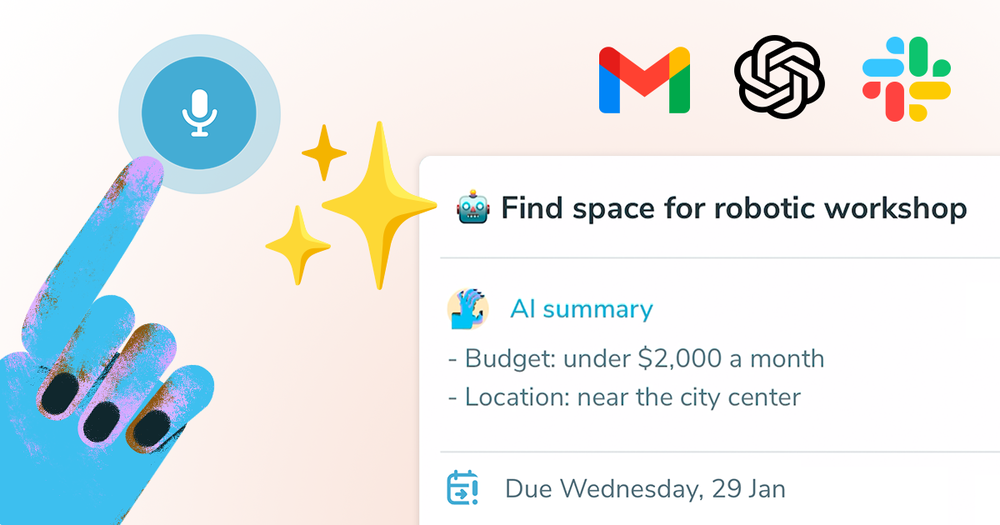
 Michael🙏 10 karmaJan 29, 2025@Ping: AI-Powered To Do ListEasy to use and the AI does its work but it is not something extraordinary. But the AI can do nothing more as it does right now

Verified tools
-
 AI-powered candidate screening with instant results.OpenGreat app! User-friendly design, smooth performance, and all the tools I need are easily accessible. Highly recommend!
 -
this one's actually built well, quality is nice, but it struggles with the text parts. it either messes up the letters or blends them into the background. even small changes like asking for a different font just resets the whole design. still, you can grab some really great base concepts and finish them up yourself, so just for that, i strongly recommend it as a starting point for logo designs.
-
 Openyou know what, heck yes. it works great! I like how simplistic it is, i don't need to get a lot of info on the audio sample, i'm using AI it explicit that i don't know how and what. really cool!
 -
Great that you like it! Due to a lot of abuse, we had to disable exports in the free trial. We do have a 14 day money back guarantee for one-time licenses, so you can try out all the features.
- SponsorSpeechmatics - API for Voice AI Agents
-
I’ve been using it for a month now and I have decided to keep it for a year. There definitely are some kinks they can still work out like file management, but it’s very good at it’s core function: it generally does a good job answering questions and most times identifies PDFs automatically and correctly. The browser plugin works great, and it’s very nice that Papers allows you to add your university’s library API so you can automatically download PDFs that are accessible through your institution (sometimes it refuses to download some papers, so you just have to downlow it yourself and manually add it). The iPad and Android apps are serviceable. Every once in a while it will mess up the PDF identification, especially with papers from either very old sources or online-only journals. Things they must work on: * A much better system to annotate PDFs (the post-it type notes are cumbersome). * Introduce a notepad attached to each PDF or some way to easily link and save the AI’s output to the PDF. Currently, you have to add a little post it note and then paste the text there. * Keep the AI answers available after closing the documents. If you close the document by mistake or have several open and wish to close some, the ai conversation will be reset. * I REALLY wish that you could get citations and links to where the info was from extracted from PDFs. Currently, I have found Coral.ai does a much better job of showing you where the info came from and it even highlights it for you. Give it a try, their 30-day no credit card needed trial allowed me to truly test it, and now I’m a yearly subscriber looking forward for new additions and releases.










Other tools
-
Teams use text shortcuts, but without clear impact on pipeline metrics that tool becomes a cost center → usually drops enterprise conversions by ~15–25% vs solutions tied to revenue outcomes. Are buyers asking how you move the needle on revenue, or just “does this save typing”?
-
Best font app I ever tried. Because it is really simple and effective.
-
- Didn't find the AI you were looking for?
-
 Transform portraits into surreal micro-epics with cinematic realism.Open
 -
 Transform photos into stunning aerial crop circle portraits.Open
 -
 Transform your photo into cinematic 8K nature sculptures.Open
 -
 Transform portraits into cinematic shooting range scenes.Open
 -
 Open
Open -
 Transform your space instantly with AI-powered living room designs.Open
 -
 Craft stunning Indian art mosaics from user input.Open
 -
 Transform mundane scenes into surreal, humorous masterpieces.Open
 -
 Create stunning Viking warrior women portraits from text.Open