 VeriIA
 Mini tools
▼ Price
Process automation
Free mode
100% free
Freemium
Free Trial
Featured matches
-
 Create AI assistants that chat, talk, and answer from your data.Open
 ✧ New integrations: Cal.com, Calendly, GoHighLevel, Linear, Trello, Zendesk and Stripe ✧ Website Crawling and Indexing ✧ Agent availability status: Never assign conversations to unavailable agents ✧ Team member assignment: Assign specific team members when transferring to humans ✧ New roles: "Manager" and "Agent" roles for better team control ✧ User location support: Assistants can now request location (WhatsApp & Web Widget) ✧ Contact memories: Your assistant will remember relevant information from your users. ✧ White label support ✧ New AI models: GPT 5.1, Opus 4.5 & Sonnet 4.5 now available ✧ Active memories in Contact and agent/AI view ✧ Even smarter human handoffs ✧ Much clearer chat events and timeline ✧ Usage-based cost calculator ✧ Design system & brand assets
 -

 Cameron Wills🛠️ 3 tools 🙏 32 karmaApr 17, 2025@n8nChatI’ve added the newest OpenAI models to n8nChat! - gpt-4.1-nano - gpt-4.1-mini - o4-mini - gpt-4.1 - o3 This update is currently live in the Firefox version, however the Chrome version is still pending Google approval for the update.
 -
-
 Turn book ideas into creations - Ready for Amazon or alternative platformsOpen
 Bruv not gonna lie this one gave me a clean outline and a draft in couple of minutes, a bit boilerplate at first but after you tweak the prompt it hits the vibe.
 -
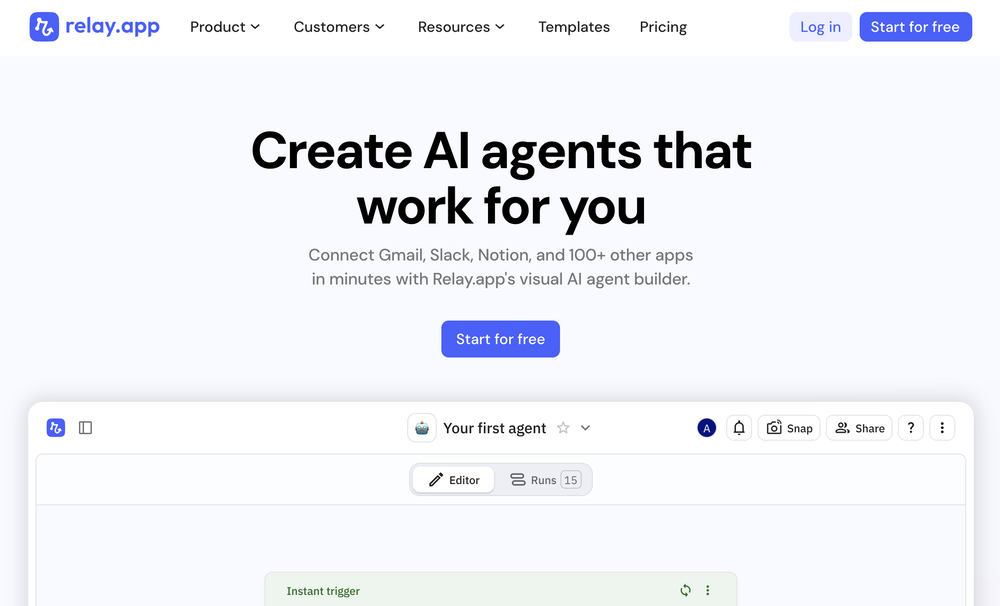 Relay.app fills the gap between AI and actually using it. It allows you to build your own custom flows and agents, unlocking a level of customisation that was previously only achievable through custom code. It's a game changer, and the free plan is so generous - go try it!
 -

-
-
-
-
 Hi, I am Kingsley, the co-founder of VoicePod AI voice automation solution for businesses. We developed this solution to help business owners streamline lead prospecting, qualification and follow-up, appointment scheduling, customer care support and more using intelligent voice assistants for inbound and outbound calls featuring multi-lingual and custom voices with deep integration into existing CRM and workflow. Please, do leave your review or support requests and we would be in touch. Thank you.








Other tools
-
-
Very helpful tool in my design process and coming up with new features!
-
The website is pretty good but there are only a limited number of responses
- Spotlight: VeriIA (AI content detection)
-
Super student Ai is a genius idea! It makes studying more fun by turning practice questions into a scrollable format like TikTok. Perfect for students who want to learn smarter and stay engaged."
-
Tha I think about this application this is so girate application
- Didn't find the AI you were looking for?
-
I don't know how to rate it. I'm tired of these companies making you sign up and there's no even explanation about what there ai is about or how it works! So I just leave.
-
Amazing! Combining AI with tasks, helping us get stuff done - that's what it's all about!
-
 Open
Open -
It seems like you've shifted from discussing an AI tool for teachers to talking about the SYM Sport Bonus SR motorcycle! The text you've written is a poetic and stylish description of the bike, highlighting its features, performance, and attitude. It's clear you're passionate about the SYM SR and its unique character. Would you like to talk more about the bike, or go back to discussing the AI tool for teachers? I'm here to listen and help! Just to confirm, I'll provide a short summary of our conversation so far: You initially asked about creating an AI tool for teachers in Tunisia. You then suddenly shifted to describing the SYM Sport Bonus SR motorcycle. Let me know how I can assist you further!
-
Yeah, Chatgot is really amazing. I used it for over two months, it was really precise and helpful with every kind of question. I used to ask it to explain math problems to me, and any other questions. It gave detailed and comprehensive explanations. It used to be free, but now it is premium so I can't use it anymore. Overall, it's really great.
-
BEST AI CO-PILOT FOR YOUR DAY TODAT WORK ON THE INTERNET IT'S FOR EVERYONE
-
Insanely easy to use yet reliable automation tool. Recommend to give it a try.
-
Seems great. Just setup an account to try it out. Basically bounced ideas off it for SOPs for a fire department and it actually does a wonderful job.
-
Uizard is so great for spinning out ideas and iterating. You can generate designs from text prompts as well as individual screens and themes. Also has a ton of other cool AI features like turning screenshots into editable designs and attention heatmaps. I suck at design so this is a game changer for me.
-
I'm not familiar with their main product, but they offer the best AI web search.
-
 AI-powered candidate screening with instant results.OpenGreat app! User-friendly design, smooth performance, and all the tools I need are easily accessible. Highly recommend!
 -
-
Awesome! Pricing is also good. Would recommend 100%
-
No free option all models are behind a pay wall.
-
This isn't too bad, it generated a pretty basic template site with AI-generated copy in the descriptions. Not too bad, but you could probably do this with a static site generator and GPT open in another tab. Nothing groundbreaking.
-
-
Highly recommend it for anyone dealing with high-volume document processing. Simplifies the process of extracting data from multiple PDFs into clean, accurate spreadsheets.
-
 OpenLove the idea of having a business/personal AI page you can share across your online channels. It’s perfect for creators, professionals & businesses of all kinds. the customization and design options are excellent... and it’s super easy to train and make your AI your own. nice work!
 -
Great tool for engaging customers and repurposing content! I also made a video on it https://youtu.be/cIEUz3bxPRc
-
Awesome tool! Way better than chatgpt because everything is in one place, it can browse, superfast file upload for my own knowledge base. Perfect!
-
 OpenHey everyone, I’m Evaldas, co-founder of Guideless, the fastest way to turn any browser workflow into a polished, AI-narrated video guide in minutes. No screen recording. No tedious editing. Just turn on the extension, click through your process as you normally would, and instantly get a share-ready guide. We recently shipped a major update: a sleeker UX and new high-quality AI voiceover characters — making guides sound and feel more vibrant than ever. Give Guideless a try and see how effortless creating high-quality tutorials can be 🪄
 -
It allowed me to specify the name and number to call from but the call was received from unknown caller and a number I don't recognize. The female voice also has a pretty whacky personality..
-
Took me a minute to get the first really good workflow done but I definitely see the value. Keep going on this one and I’ll keep sending feedback.
-
 OpenHi! I'm the founder of LyricEdits. After 20 years as a bass player and 20 years in software engineering, I finally combined both passions into one. I'd love to hear your comments and suggestions!
 -
Its an impressive tool , eases the HR key tasks. Highly recommendable for the HR community
-
 Your AI Studio for supercharged productivity, file management, development, and task automation.Open
 -
 Open
Open -
 Open
Open -
-
Process Street has increased my efficiency in ways I didn't even know was possible especially with the AI-powered workflow builder and the insanely large template library!
-
-
 Streamline legal processes with AI-powered contract management.Open
 -
-
-
Changed the prompt to improve results.
-
 Open
Open -
eh, not the best, but with a liiiittle bit of shaping your prompt, you can get great results
-
-
42,938 AI tools for 11,679 tasks and 5,155 jobs Spotlight PDFClean.aiPDFClean.ai PDF to Spreadsheets Search... #1 website for AI tools. Used by 70M+ humans. Generate images Create AI Tools Home Search Deals Leaderboard Tasks Mini tools Characters Map Launch / Advertise Newsletter Merchandise Contact us Create tool Mini tools Code snippets Web App: Code Generator Code snippets Free Unlimited Free commercial use Web App: Code Generator icon Web App: Code Generator 4.2(5) 99 users 73 Author Lanie Farmer profile picture Lanie Farmer TAAFTUse mini tool Saved Spotlight PDFClean.aiPDFClean.ai PDF to Spreadsheets Please describe the web application you want to build, including its main features and any specific technologies you want to use. Suggest create a website that can track locations using instragam lik. #1 website for AI tools. Used by 70M+ humans. Generate images Create AI Tools, John clarance deleon TAAFTGenerate Generated content is 100% free to use, including commercial use. Copy text 0 0 Location Tracking Website with Instagram-like Features Project Overview Create a website that allows users to track locations, similar to Instagram, with a focus on AI-powered features. The website will be designed for 70M+ users and will include tools for generating images and creating AI-powered tools. Technical Requirements Frontend: React, HTML, CSS, JavaScript Backend: Node.js, Express.js Database: MongoDB APIs: Google Maps API, OpenStreetMap API Project Structure Frontend components LocationTracker.js: Component for tracking locations ImageGenerator.js: Component for generating images AITools.js: Component for creating AI-powered tools containers App.js: Main application container index.js: Entry point for the frontend Backend models Location.js: Model for location data User.js: Model for user data controllers locationController.js: Controller for location data userController.js: Controller for user data routes locationRoutes.js: Routes for location data userRoutes.js: Routes for user data server.js: Entry point for the backend Code Frontend LocationTracker.js import React, { useState, useEffect } from 'react'; import { GoogleMap, LoadScript, Marker } from '@react-google-maps/api'; const LocationTracker = () => { const [location,_setLocation] = useState({ lat: 0, lng: 0 }); const [markers,_setMarkers] = useState([]); useEffect(() => { navigator.geolocation.getCurrentPosition((position) => { setLocation({ lat: position.coords.latitude, lng: position.coords.longitude, }); }); }, []); const handleMarkerClick = (marker) => { setMarkers((prevMarkers) => [...prevMarkers,_marker]); }; return ( {markers.map((marker, index) => ( handleMarkerClick(marker)} /> ))} ); }; export default LocationTracker; ImageGenerator.js import React, { useState } from 'react'; import axios from 'axios'; const ImageGenerator = () => { const [image,_setImage] = useState(null); const [location,_setLocation] = useState({ lat: 0, lng: 0 }); const handleGenerateImage = async () => { const response = await axios.post('/api/image', { location, }); setImage(response.data.image); }; return ( setLocation({ ...location, lat: e.target.value })} /> setLocation({ ...location, lng: e.target.value })} /> Generate Image {image && } ); }; export default ImageGenerator; AITools.js import React, { useState } from 'react'; import axios from 'axios'; const AITools = () => { const [tool,_setTool] = useState(null); const [input,_setInput] = useState(''); const handleCreateTool = async () => { const response = await axios.post('/api/tool', { input, }); setTool(response.data.tool); }; return ( setInput(e.target.value)} /> Create Tool {tool && {tool}} ); }; export default AITools; Backend locationController.js const express = require('express'); const router = express.Router(); const Location = require('../models/Location'); router.get('/', async (req, res) => { const locations = await Location.find(); res.json(locations); }); router.post('/', async (req, res) => { const location = new Location(req.body); await location.save(); res.json(location); }); module.exports = router; imageController.js const express = require('express'); const router = express.Router(); const axios = require('axios'); router.post('/', async (req, res) => { const { location } = req.body; const response = await axios.get(`https://maps.googleapis.com/maps/api/staticmap?center=${location.lat},${location.lng}&zoom=15&size=400x400&key=YOUR_API_KEY`); const image = response.data; res.json({ image }); }); module.exports = router; toolController.js const express = require('express'); const router = express.Router(); const axios = require('axios'); router.post('/', async (req, res) => { const { input } = req.body; const response = await axios.post('https://api.example.com/tool', { input, }); const tool = response.data.tool; res.json({ tool }); }); module.exports = router; Explanation This code creates a basic location tracking website with Instagram-like features. The website uses React for the frontend, Node.js and Express.js for the backend, and MongoDB for the database. The LocationTracker component uses the Google Maps API to display a map and track the user's location. The ImageGenerator component uses the Google Maps API to generate an image based on the user's location. The AITools component uses an external API to create AI-powered tools. The backend uses Express.js to handle requests and interact with the database. The locationController handles location data, the imageController handles image generation, and the toolController handles AI-powered tool creation. Note that this is just a basic example and you will need to modify and extend the code to fit your specific requirements. Additionally, you will need to obtain API keys and configure the Google Maps API and other external APIs. Integration To integrate this code into a larger project, you will need to: Create a new React project using create-react-app. Install the required dependencies, including axios and @react-google-maps/api. Create a new Node.js project using express. Install the required dependencies, including mongoose and axios. Configure the Google Maps API and other external APIs. Modify and extend the code to fit your specific requirements. I hope this helps! Let me know if you have any questions or need further clarification. Project Overview The goal of this project is to create a location-based website similar to Instagram. The website will allow users to track locations and generate images based on those locations. Additionally, the website will provide AI-powered tools for users to create and interact with. Technical Requirements The project will utilize the following technologies: Frontend: React, HTML, CSS, JavaScript Backend: Node.js, Express.js Database: MongoDB APIs: Google Maps API, OpenStreetMap API Project Structure The project will consist of the following components: Frontend components LocationTracker.js: Component for tracking locations ImageGenerator.js: Component for generating images AITools.js: Component for creating AI-powered tools containers App.js: Main application container index.js: Entry point for the frontend Backend models Location.js: Model for location data User.js: Model for user data controllers locationController.js: Controller for location data userController.js: Controller for user data routes locationRoutes.js: Routes for location data userRoutes.js: Routes for user data server.js: Entry point for the backend Code The code for this project will be provided in the following sections. Frontend LocationTracker.js import React, { useState, useEffect } from 'react'; import { GoogleMap, LoadScript, Marker } from '@react-google-maps/api'; const LocationTracker = () => { const [location,_setLocation] = useState({ lat: 0, lng: 0 }); const [markers,_setMarkers] = useState([]); useEffect(() => { navigator.geolocation.getCurrentPosition((position) => { setLocation({ lat: position.coords.latitude, lng: position.coords.longitude, }); }); }, []); const handleMarkerClick = (marker) => { setMarkers((prevMarkers) => [...prevMarkers,_marker]); }; return ( {markers.map((marker, index) => ( handleMarkerClick(marker)} /> ))} ); }; export default LocationTracker; ImageGenerator.js import React, { useState } from 'react'; import axios from 'axios'; const ImageGenerator = () => { const [image,_setImage] = useState(null); const [location,_setLocation] = useState({ lat: 0, lng: 0 }); const handleGenerateImage = async () => { const response = await axios.post('/api/image', { location, }); setImage(response.data.image); }; return ( setLocation({ ...location, lat: e.target.value })} /> setLocation({ ...location, lng: e.target.value })} /> Generate Image {image && } ); }; export default ImageGenerator; AITools.js import React, { useState } from 'react'; import axios from 'axios'; const AITools = () => { const [tool,_setTool] = useState(null); const [input,_setInput] = useState(''); const handleCreateTool = async () => { const response = await axios.post('/api/tool', { input, }); setTool(response.data.tool); }; return ( setInput(e.target.value)} /> Create Tool {tool && {tool}} ); }; export default AITools; Backend locationController.js const express = require('express'); const router = express.Router(); const Location = require('../models/Location'); router.get('/', async (req, res) => { const locations = await Location.find(); res.json(locations); }); router.post('/', async (req, res) => { const location = new Location(req.body); await location.save(); res.json(location); }); module.exports = router; imageController.js const express = require('express'); const router = express.Router(); const axios = require('axios'); router.post('/', async (req, res) => { const { location } = req.body; const response = await axios.get(`https://maps.googleapis.com/maps/api/staticmap?center=${location.lat},${location.lng}&zoom=15&size=400x400&key=YOUR_API_KEY`); const image = response.data; res.json({ image }); }); module.exports = router; toolController.js const express = require('express'); const router = express.Router(); const axios = require('axios'); router.post('/', async (req, res) => { const { input } = req.body; const response = await axios.post('https://api.example.com/tool', { input, }); const tool = response.data.tool; res.json({ tool }); }); module.exports = router; Copy Listen Ask for changes to the result Edit Generations Other tools by this author Popular tools Top rated View more mini tools in our Mini Tools section Explore mini tools Copy text 0 0 Location Tracking Website with Instagram-like Features Overview The following code generates a basic structure for a location tracking website with Instagram-like features. This example uses HTML, CSS, and JavaScript for the frontend, and a simple Node.js server with Express.js for handling backend requests. Technologies Used Frontend: HTML, CSS, JavaScript Backend: Node.js, Express.js Database: MongoDB (for storing user and location data) Project Structure project/ |---- client/ | |---- index.html | |---- styles.css | |---- script.js |---- server/ | |---- server.js | |---- models/ | | |---- User.js | | |---- Location.js |---- package.json Client-side Code index.html Location Tracker Location Tracker Share Your Location Share Location Feed styles.css /* client/styles.css */ body { font-family: Arial, sans-serif; margin: 0; padding: 0; } header { background-color: #333; color: #fff; padding: 1rem; text-align: center; } main { display: flex; flex-direction: column; align-items: center; padding: 2rem; } #map-container { width: 100%; height: 500px; border: 1px solid #ddd; margin-bottom: 2rem; } #location-form { background-color: #f7f7f7; padding: 1rem; border: 1px solid #ddd; border-radius: 0.5rem; box-shadow: 0 0 10px rgba(0, 0, 0, 0.1); } #location-feed { margin-top: 2rem; } #location-feed-container { display: flex; flex-wrap: wrap; justify-content: center; } .location-card { background-color: #f7f7f7; padding: 1rem; border: 1px solid #ddd; border-radius: 0.5rem; box-shadow: 0 0 10px rgba(0, 0, 0, 0.1); margin: 1rem; width: 200px; } .location-card img { width: 100%; height: 150px; object-fit: cover; border-radius: 0.5rem 0.5rem 0 0; } .location-card .location-info { padding: 1rem; } .location-card .location-info h3 { margin-top: 0; } script.js // client/script.js const mapContainer = document.getElementById('map-container'); const locationForm = document.getElementById('location-form'); const locationFeedContainer = document.getElementById('location-feed-container'); // Initialize map const map = L.map(mapContainer).setView([51.505,_-0.09], 13); L.tileLayer('https://{s}.tile.openstreetmap.org/{z}/{x}/{y}.png', { attribution: '© OpenStreetMap', subdomains: ['a',_'b',_'c'] }).addTo(map); // Add event listener to location form locationForm.addEventListener('submit', async (e) => { e.preventDefault(); const locationName = document.getElementById('location-name').value; const locationDescription = document.getElementById('location-description').value; const locationData = { name: locationName, description: locationDescription }; try { const response = await fetch('/api/locations', { method: 'POST', headers: { 'Content-Type': 'application/json' }, body: JSON.stringify(locationData) }); const data = await response.json(); console.log(data); // Update location feed updateLocationFeed(); } catch (error) { console.error(error); } }); // Update location feed async function updateLocationFeed() { try { const response = await fetch('/api/locations'); const data = await response.json(); locationFeedContainer.innerHTML = ''; data.forEach((location) => { const locationCard = document.createElement('div'); locationCard.classList.add('location-card'); locationCard.innerHTML = ` ${location.name} ${location.description} `; locationFeedContainer.appendChild(locationCard); }); } catch (error) { console.error(error); } } // Get user location and display on map navigator.geolocation.getCurrentPosition((position) => { const latitude = position.coords.latitude; const longitude = position.coords.longitude; map.setView([latitude,_longitude], 13); L.marker([latitude,_longitude]).addTo(map).bindPopup('Your Location'); }); Server-side Code server.js // server/server.js const express = require('express'); const app = express(); const mongoose = require('mongoose'); // Connect to MongoDB mongoose.connect('mongodb://localhost/location-tracker', { useNewUrlParser: true, useUnifiedTopology: true }); // Define location model const locationSchema = new mongoose.Schema({ name: String, description: String, latitude: Number, longitude: Number }); const Location = mongoose.model('Location', locationSchema); // Define user model const userSchema = new mongoose.Schema({ name: String, email: String }); const User = mongoose.model('User', userSchema); // Middleware app.use(express.json()); // API Endpoints app.post('/api/locations', async (req, res) => { try { const location = new Location(req.body); await location.save(); res.json(location); } catch (error) { console.error(error); res.status(500).json({ message: 'Error creating location' }); } }); app.get('/api/locations', async (req, res) => { try { const locations = await Location.find(); res.json(locations); } catch (error) { console.error(error); res.status(500).json({ message: 'Error fetching locations' }); } }); // Start server const port = 3000; app.listen(port, () => { console.log(`Server started on port ${port}`); }); Explanation This code creates a basic location tracking website with Instagram-like features. The client-side code uses HTML, CSS, and JavaScript to create a map container, location form, and location feed. The server-side code uses Node.js, Express.js, and MongoDB to handle API requests and store location data. Guidance To implement this code, follow these steps: Create a new project folder and navigate to it in your terminal/command prompt. Create the client and server folders, and create the necessary files (index.html, styles.css, script.js, server.js, etc.). Install the required dependencies (Express.js, Mongoose, etc.) using npm or yarn. Start the server by running node server/server.js in your terminal/command prompt. Open a web browser and navigate to http://localhost:3000 to view the location tracking website. Note that this is a basic example, and you may want to add additional features such as user authentication, location validation, and error handling. Location Tracking Website Technologies Used Frontend: HTML, CSS, JavaScript Backend: Node.js, Express.js Database: MongoDB Features User can share their location User can view location feed Map integration using Leaflet Usage Run node server/server.js to start the server Open a web browser and navigate to http://localhost:3000 to view the location tracking website Sailenmendoza profile picture Sailenmendoza 🛠️ 0 🙏 0 How would you rate Web App: Code Generator? Help other people by letting them know if this AI was useful. Add a comment ★ ★ ★ ★ ★ Let people know what you think about Web App: Code Generator. It helps to provide much detail as possible about your experience. Post Speechmatics | AI Voice Agents Speechmatics | AI Voice Agents Build smarter AI voice agents with the best speech recognition technology Voice agents 170,388 www.speechmatics.com 179,806 75 4.4 EasyAI Custom Chatbots + APIs EasyAI Custom Chatbots + APIs No Code AI Dashboard to create customized chatbots, ai tools, and more Chatbots 34,974 easyai.passiolife.com Leonie profile picture Leonie 🛠️ 1 🙏 5 This tool removes all of the prep work of getting an LLM API endpoint running. I can try out ideas quickly and see within minutes whether an endpoint concept actually works. And when it does, moving it into a production app is about as easy as it gets. 5 36,486 22 4.2 Try these tools Prompt Generator for Images Prompt Generator for Images Image prompts Original prompt: a fish family in the ocean Enhanced prompt: "Depict a thriving school of iridescent blue and yellow damselfish, swimming in unison amidst the vibrant coral reef ecosystem of the Indo-Pacific Ocean. The family of fish, led by the majestic patriarch with his striking blue stripes, navigates through the wavy sea fans and colorful sea anemones. Captured from a slightly above-water camera angle, the sunlight filtering down from the surface highlights the delicate scales ...






















































































































































Post





