Tools 50,388
Mini tools 36,065
Companies 7,163
Tasks 11,172
Jobs 5,238
Events 95
Papers 7,807
Models 1,188
Repos 39,608
Robots 545
Devices 197
Countries 100
Investors 1,885
Collections 13,222
Job openings 341
Requests 1,505
Fundraises 1,896
Deals 410
Characters 23,260
Features 68
Tools 50,388
Tasks 11,172
Models 1,188
Mini tools 36,065
Characters 23,260
Companies 7,163
Requests 1,505
Papers 7,807
Collections 13,222
Fundraises 1,896
Investors 1,885
Countries 100
Repos 39,608
Devices 197
Features 68
Jobs 5,238
Robots 545
Events 95
Deals 410
Tools 50,388
Mini tools 36,065
Companies 7,163
Tasks 11,172
Jobs 5,238
Events 95
Papers 7,807
Models 1,188
Repos 39,608
Robots 545
Devices 197
Countries 100
Investors 1,885
Collections 13,222
Job openings 341
Requests 1,505
Fundraises 1,896
Deals 410
Characters 23,260
Features 68
Tools 50,388
Tasks 11,172
Models 1,188
Mini tools 36,065
Characters 23,260
Companies 7,163
Requests 1,505
Papers 7,807
Collections 13,222
Fundraises 1,896
Investors 1,885
Countries 100
Repos 39,608
Devices 197
Features 68
Jobs 5,238
Robots 545
Events 95
Deals 410
Go to section
Spotlight PUNKU.AIAgents
#1 website for AI tools.Used by 90M+ humans.
TAAFT Tutorial
Generate image
Tasks
Generate text
Free mode
Trending
Leaderboard
Characters
 Mini tools
New
Featured
Lists
Agents
Requests
Jobs
Map
Newsletter
Starter pack
Free tools
Speech to text
Text translator
Remove background
Settings
Edit profile
My tools
Gallery
Dashboard
Inbox
Get featured
Contact TAAFT
For you
Popular
Job impact index
Most saved
Affiliate program
Submit AI tool
Notification preferences
Glossary
Home
Timeline
My profile
Create tool
Deals
Companies
Models
Robots
Papers
Fundraises
Repositories
Devices
Organizations
Events
Prompt Pack
Merchendise
Credits
APIs
Features
Tools
Countries
Collections
Mini tools
New
Featured
Lists
Agents
Requests
Jobs
Map
Newsletter
Starter pack
Free tools
Speech to text
Text translator
Remove background
Settings
Edit profile
My tools
Gallery
Dashboard
Inbox
Get featured
Contact TAAFT
For you
Popular
Job impact index
Most saved
Affiliate program
Submit AI tool
Notification preferences
Glossary
Home
Timeline
My profile
Create tool
Deals
Companies
Models
Robots
Papers
Fundraises
Repositories
Devices
Organizations
Events
Prompt Pack
Merchendise
Credits
APIs
Features
Tools
Countries
Collections
Mini tools
New
Featured
Lists
Agents
Requests
Jobs
Map
Newsletter
Starter pack
Free tools
Speech to text
Text translator
Remove background
Settings
Edit profile
My tools
Gallery
Dashboard
Inbox
Get featured
Contact TAAFT
For you
Popular
Job impact index
Most saved
Affiliate program
Submit AI tool
Notification preferences
Glossary
Home
Timeline
My profile
Create tool
Deals
Companies
Models
Robots
Papers
Fundraises
Repositories
Devices
Organizations
Events
Prompt Pack
Merchendise
Credits
APIs
Features
Tools
Countries
Collections

▼ Popular
Return
Free mode
100% free
Freemium
Free Trial
Featured matches
-
 AI-powered influencer marketing automation platform.Open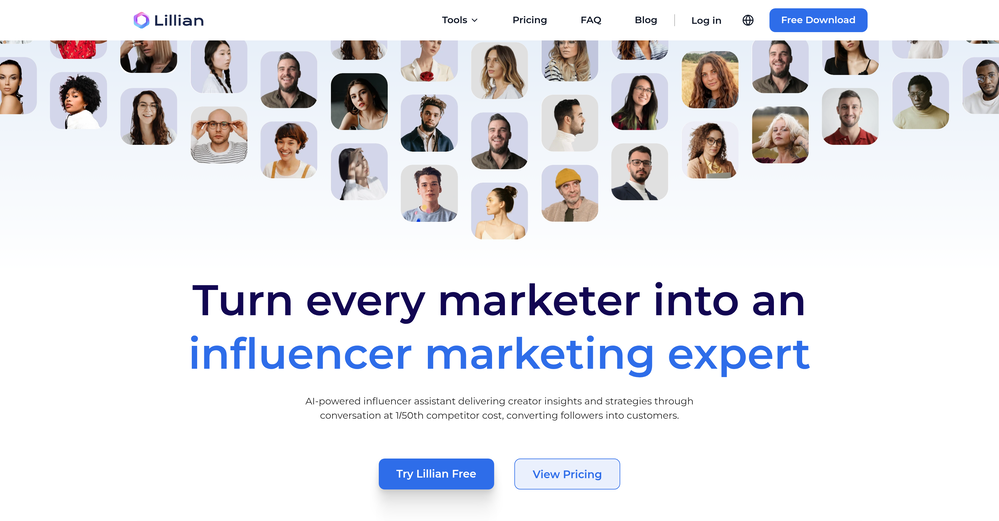
-
 Detects the invisible obstacles that are blocking your traffic and salesOpen
-
-

-
 Open
Open
-
-
 AI-powered media planning for programmatic advertising successOpen
-





Other tools
-
Andy🙏 116 karmaDec 9, 2023@FindsightGreat idea, but does not find what you are looking for-about the same as Google Scholar
-
After not even ONE try, it asks for Pro. No success, just imo developer hyper-greed. Avoid!
-
very easy to use and navigate, shows never before seen listings, the analytical consulting is major and so many other great factors
- SpotlightPUNKU.AIAgents
-
Such a legendary epic badass tool and I sincerely appreciate it being free and thx very much to the adept developer. Exquisite tool. Peace. ✌️
-
 Open
Open -
 OpenI tested the product on my own idea and was really satisfied with the result. The analysis feels structured, professional, and much more grounded than a typical LLM chat. It helped me see both the strengths and weak points of the idea and made me want to run it again with a more thoughtful input. I also liked the detailed AI analysis logging, the debate flow, and the potential/readiness matrix. Even after one run, the product already feels valuable for a founder. With deeper UX/UI and technical development, I can see strong potential in it.
 - Didn't find the AI you were looking for?
-
 OpenVideo editing is the process of selecting, trimming, and arranging footage to create a cohesive story or visual narrative. Here are some fundamental concepts and techniques: Types of Video Editing Linear editing: A straightforward, sequential approach to editing, where clips are arranged in a linear timeline. Non-linear editing: A more flexible approach, where clips can be arranged and rearranged freely in a timeline. Key Video Editing Techniques Cutting: A transition between two clips, where one clip ends and another begins. Cutting on action: Cutting between two clips while an action is in progress, to create a seamless transition. J-cut: Cutting from one clip to another while audio from the second clip starts playing before the video cuts to it. L-cut: Cutting from one clip to another while audio from the first clip continues to play. Video Editing Software Popular video editing software includes: Adobe Premiere Pro: A professional-level editing software with advanced features and integration with other Adobe tools. Final Cut Pro: A professional-level editing software for Mac users, known for its user-friendly interface and advanced features. DaVinci Resolve: A free and paid editing software that offers advanced color grading and audio editing tools. Best Practices for Video Editing Plan your edit: Develop a clear vision and storyboard before starting to edit. Organize your footage: Label and categorize your clips to make them easily accessible. Keep it simple: Avoid overusing transitions and effects; focus on telling a clear story. Advanced Video Editing Techniques Color grading: Adjusting the color and brightness of footage to create a specific mood or atmosphere. Audio ducking: Automatically reducing the volume of background audio when dialogue is present. Motion graphics: Adding animated text, logos, or other graphics to enhance the visual narrative. Video editing involves selecting, trimming, and arranging footage to create a cohesive story. Linear and non-linear editing are two fundamental approaches. Key techniques include cutting, cutting on action, J-cuts, and L-cuts. Popular software includes Adobe Premiere Pro, Final Cut Pro, and DaVinci Resolve. Best practices involve planning, organizing footage, and keeping it simple. Advanced techniques include color grading, audio ducking, and motion graphics. Capcat pro Capcat pro Download image-to-image-generator generated imagetransparent pixel Image to Image Generator Image to Image Generator Download image-to-image-generator generated imagetransparent pixel Image to Image Generator Image to Image Generator Download image-to-image-generator generated imagetransparent pixel Image to Image Generator Image to Image Generator Download image-to-image-generator generated imagetransparent pixel Image to Image Generator Image to Image Generator Download image-to-image-generator generated imagetransparent pixel Image to Image Generator Image to Image Generator Download image-to-image-generator generated imagetransparent pixel Image to Image Generator Image to Image Generator Download image-generator generated imagetransparent pixel Image Generator Image Generator Copy Video Editing Basics Video editing is the process of selecting, trimming, and arranging footage to create a cohesive story or visual narrative. Here are some fundamental concepts and techniques: Types of Video Editing Linear editing: A straightforward, sequential approach to editing, where clips are arranged in a linear timeline. Non-linear editing: A more flexible approach, where clips can be arranged and rearranged freely in a timeline. Key Video Editing Techniques Cutting: A transition between two clips, where one clip ends and another begins. Cutting on action: Cutting between two clips while an action is in progress, to create a seamless transition. J-cut: Cutting from one clip to another while audio from the second clip starts playing before the video cuts to it. L-cut: Cutting from one clip to another while audio from the first clip continues to play. Video Editing Software Popular video editing software includes: Adobe Premiere Pro: A professional-level editing software with advanced features and integration with other Adobe tools. Final Cut Pro: A professional-level editing software for Mac users, known for its user-friendly interface and advanced features. DaVinci Resolve: A free and paid editing software that offers advanced color grading and audio editing tools. Best Practices for Video Editing Plan your edit: Develop a clear vision and storyboard before starting to edit. Organize your footage: Label and categorize your clips to make them easily accessible. Keep it simple: Avoid overusing transitions and effects; focus on telling a clear story. Advanced Video Editing Techniques Color grading: Adjusting the color and brightness of footage to create a specific mood or atmosphere. Audio ducking: Automatically reducing the volume of background audio when dialogue is present. Motion graphics: Adding animated text, logos, or other graphics to enhance the visual narrative. Video editing involves selecting, trimming, and arranging footage to create a cohesive story. Linear and non-linear editing are two fundamental approaches. Key techniques include cutting, cutting on action, J-cuts, and L-cuts. Popular software includes Adobe Premiere Pro, Final Cut Pro, and DaVinci Resolve. Best practices involve planning, organizing footage, and keeping it simple. Advanced techniques include color grading,
 -
 Historical philosophers debate your business dilemmas and deliver decision frameworksOpenThe idea is cool, doesn't really live up to expectations though.
 -
 Openquick n easy to use, great results with upscaling option. great tool. 5/5
 -
No information about the company or its leadership anywhere on the site...very low trust factor.
-
 Transform your photo into a cinematic masterpiece.Open
 -
 Send AI-generated customer retention emails automaticallyOpen
 -
 Resurrect historical cityscapes with AI-generated vintage architecture.Open
 -
 Transform photos into charming retro cartoons.Open
 -
 Craft nostalgic anime art with retro flair.OpenNow I got a new wallpaper for my phone home-screen. Thank you very much! Nice tool.
 -
 Creates vintage automotive illustrations with classic advertisement aesthetics.Open
 -
Changed the prompt to improve results.
-
not very consistent with the pixels, but the main image request at least is respected to some degree. could be better tho
-
Changed the prompt to improve results.
-
 Transform photos into Lichtenstein pop-art portraits.Open
 -
being just a text to image it's pretty hard to "transform myself" into a '50 film icon haha. but in general the outcomes here are niceeeeee!
-
 Transform modern photos into authentic vintage masterpieces with AI.Openi love the vintage aesthetic, this is a perfect AI tool for me! pictures are great!!
 -
 Generate nostalgic visions of tomorrow from the past.OpenChanged the prompt to improve results.
 -
-
 Generate engaging social media captions with AI.Open
 -
 Transform any concept into stunning 1980s-inspired visuals.OpenChanged the prompt to improve results.
 -
 Transform your photo into an ultra-realistic 8K cinematic portrait.Open
 -
 Transform photos into vintage comic book covers.Open
 -
 Transform your photo into El Chavo del 8 memories.OpenSimply upload your photo; you don't need to type anything in the prompt field. Just click "generate" and watch the magic happen.
 -
 AI visual art generator creating stunning 'Futuristic Retro' images.Open
 -
 Generate nostalgic 90s-style analog photos of yourself.Open
 -
 Transform photos into stunning vintage portraits with AI.Open
 -
 Open
Open