Go to section
Sponsor
 MongoDB - Build AI That Scales
🗄️ Database
MongoDB - Build AI That Scales
🗄️ Database
The front page of AI.Used by 90M+ humans.

TAAFT Tutorial
Generate image
Tasks
Generate text
Free mode
Trending
Leaderboard
Characters
 Mini tools
New
Featured
Lists
Agents
Requests
Jobs
Map
Newsletter
Starter pack
Free tools
Speech to text
Text translator
Remove background
Settings
Edit profile
My tools
Gallery
Dashboard
Inbox
Get featured
Contact TAAFT
For you
Popular
Job impact index
Most saved
Affiliate program
Submit AI tool
Notification preferences
Glossary
Home
Timeline
My profile
Create tool
Deals
Companies
Models
Robots
Papers
Fundraises
Repositories
Devices
Organizations
Events
Prompt Pack
Merchendise
Credits
APIs
Features
Tools
Countries
Collections
Mini tools
New
Featured
Lists
Agents
Requests
Jobs
Map
Newsletter
Starter pack
Free tools
Speech to text
Text translator
Remove background
Settings
Edit profile
My tools
Gallery
Dashboard
Inbox
Get featured
Contact TAAFT
For you
Popular
Job impact index
Most saved
Affiliate program
Submit AI tool
Notification preferences
Glossary
Home
Timeline
My profile
Create tool
Deals
Companies
Models
Robots
Papers
Fundraises
Repositories
Devices
Organizations
Events
Prompt Pack
Merchendise
Credits
APIs
Features
Tools
Countries
Collections
Mini tools
New
Featured
Lists
Agents
Requests
Jobs
Map
Newsletter
Starter pack
Free tools
Speech to text
Text translator
Remove background
Settings
Edit profile
My tools
Gallery
Dashboard
Inbox
Get featured
Contact TAAFT
For you
Popular
Job impact index
Most saved
Affiliate program
Submit AI tool
Notification preferences
Glossary
Home
Timeline
My profile
Create tool
Deals
Companies
Models
Robots
Papers
Fundraises
Repositories
Devices
Organizations
Events
Prompt Pack
Merchendise
Credits
APIs
Features
Tools
Countries
Collections

▼ Latest
Visual ui
Free mode
100% free
Freemium
Free Trial
Featured matches
-
 Turn any idea or face photo into polished square icons instantly.Open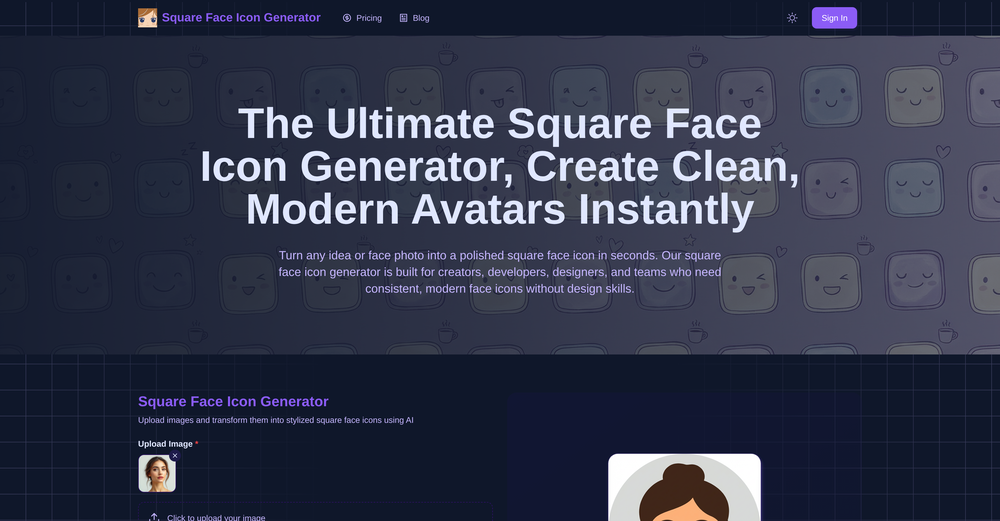
-
-
-



Verified tools
-
Karl Wirth🛠️ 1 toolMay 6, 2026@NimbalystHigh bandwidth way to work with Claude Code and Codex. Has become my main workspace.
-
- SponsorMongoDB - Build AI That Scales🗄️ Database
-
like it . I punch in 1920×1080 or 2000×2000 and it delivers the right size
-
As a technical entrepreneur, working with designers is often way too slow - when I have an idea, I want a prototype the same day - not days/weeks later. I created UX Canvas because I wanted a better way to communicate my UI/UX ideas to developers, without having to spend thousands on hiring UI/UX designers or opening Figma and spending days/hours manually creating, iterating on, and prototyping designs myself. UX Canvas unlocks the ability for anyone - technical or not - to rapidly prototype their design ideas and instantly share them with team members in minutes. If you can put your idea into words, you can design it. No design skills required. (Although they are helpful) The agent has the ability to do cool things like generate it’s own image assets to be used in the design, and you can even export your designs to clean React/Typescript code - so you can hand the code over to your developers (or other AI tools like Cursor, Windsurf, etc.) to bring your product idea to life. Try it for free and let me know what you think! https://uxcanvas.ai
-
-
Looks promising but found it very slow to load and create templates and previews
-
 Empower your investment strategies with AI signals, option flow data, and advanced chart patterns.OpenOver-priced for what it promises to do. Other AI powered services, at more affordable prices, or cheaper, some with incredible track records and scientists with great track records.
 -
Just paste content in, layout will automatically be desigend

















Other tools
-
 Transform your visual world with AI-powered insights.Open
 -
Only tested the freemium version. Two minutes of nonsensical dialogs was enough to give up.
- Didn't find the AI you were looking for?
-
That's soo cool I love the idea, takes me back to when I was a kid
-
-
-
-
Its Not Free Its fully paid even you cant access few seconds without payment. not recommended.
-
-
-
Hi everyone, PromeAI has updated to a new domain: https://www.promeai.pro/
-
-
Was very useful for my class assignment. Very easy to edit on and the AI converts sketches into great wireframes.
-
-
Uizard is so great for spinning out ideas and iterating. You can generate designs from text prompts as well as individual screens and themes. Also has a ton of other cool AI features like turning screenshots into editable designs and attention heatmaps. I suck at design so this is a game changer for me.
-
Its actually good. I was able to make 3 screens using the promo code and they were better than the other UI tools.
-
Absolute BS crap. Don't bother, waste of money and it is just a trap
-
 Transform any concept into stunning dark sci-fi visuals.Open
 -
 Transform any portrait into 12 stunning artistic styles.OpenSimply upload your photo; you don't need to type anything in the prompt field. Just click "generate" and watch the magic happen.
 -
-
 Open
Open -
 AI-powered psychedelic art generator for dreamlike visuals.Open
 -
I like the creative encouragement I feel when using this app. It's awesome thank you
-
good for wallpapers, pretty fast tho.
-
Artist Tips for Better Results with Somnira Canvas: To help Somnira Canvas render the most compelling and emotionally resonant figures—whether human or animal—users are encouraged to guide the tool with poetic, suggestive phrasing rather than highly technical descriptions. This helps maintain harmony with the platform’s expressive strengths. For human figures, try emotion-based posture phrases like “curled in sorrow,” “reaching toward a fading light,” or “kneeling in wind.” Favor mood-based modifiers over anatomical specifics, such as “a silhouette bathed in dusk” or “a quiet figure in motion blur.” For animals, use mythic or metaphorical phrasing like “a fox made of stars,” “a deer outlined in frost,” or “a lion woven from dusk and gold.” Avoid strict biological realism unless intentionally stylized (e.g., “cubist owl,” “ink-drawn heron”). Best practices include specifying camera perspective or body angle with terms like “3/4 view,” “top-down shot,” or “over-the-shoulder,” and adding atmospheric cues such as “drifting in chalk mist,” “outlined by candlelight,” or “carved in shadow.” You can also add emotion-based tags directly into the prompt—words like “longing,” “grief,” “stillness,” or “wonder” will guide the aesthetic and expressive qualities of the final artwork.
-
 Open
Open -
eh, not the best, but with a liiiittle bit of shaping your prompt, you can get great results
-