Go to section
Sponsor
 MongoDB - Build AI That Scales
🗄️ Database
MongoDB - Build AI That Scales
🗄️ Database
The front page of AI.Used by 90M+ humans.

TAAFT Tutorial
Generate image
Tasks
Generate text
Free mode
Trending
Leaderboard
Characters
 Mini tools
New
Featured
Lists
Agents
Requests
Jobs
Map
Newsletter
Starter pack
Free tools
Speech to text
Text translator
Remove background
Settings
Edit profile
My tools
Gallery
Dashboard
Inbox
Get featured
Contact TAAFT
For you
Popular
Job impact index
Most saved
Affiliate program
Submit AI tool
Notification preferences
Glossary
Home
Timeline
My profile
Create tool
Deals
Companies
Models
Robots
Papers
Fundraises
Repositories
Devices
Organizations
Events
Prompt Pack
Merchendise
Credits
APIs
Features
Tools
Countries
Collections
Mini tools
New
Featured
Lists
Agents
Requests
Jobs
Map
Newsletter
Starter pack
Free tools
Speech to text
Text translator
Remove background
Settings
Edit profile
My tools
Gallery
Dashboard
Inbox
Get featured
Contact TAAFT
For you
Popular
Job impact index
Most saved
Affiliate program
Submit AI tool
Notification preferences
Glossary
Home
Timeline
My profile
Create tool
Deals
Companies
Models
Robots
Papers
Fundraises
Repositories
Devices
Organizations
Events
Prompt Pack
Merchendise
Credits
APIs
Features
Tools
Countries
Collections
Mini tools
New
Featured
Lists
Agents
Requests
Jobs
Map
Newsletter
Starter pack
Free tools
Speech to text
Text translator
Remove background
Settings
Edit profile
My tools
Gallery
Dashboard
Inbox
Get featured
Contact TAAFT
For you
Popular
Job impact index
Most saved
Affiliate program
Submit AI tool
Notification preferences
Glossary
Home
Timeline
My profile
Create tool
Deals
Companies
Models
Robots
Papers
Fundraises
Repositories
Devices
Organizations
Events
Prompt Pack
Merchendise
Credits
APIs
Features
Tools
Countries
Collections

▼ Price
Web user interface
Free mode
100% free
Freemium
Free Trial
Featured matches
-
-

-
 Turn any idea or face photo into polished square icons instantly.Open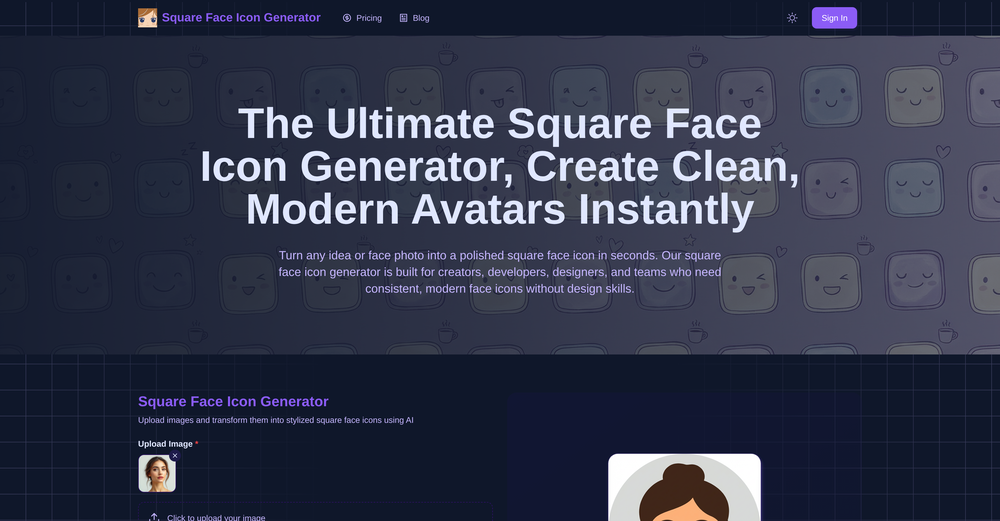
-
-
-

-
 Leah🙏 8 karmaFeb 11, 2026@FindTube.aiSuper interesting tool! I’ve been using FindTube to learn data analysis, and it solved a problem I always had with YouTube—I could easily collect too many tutorials, but I was always lost about where to start, and everything felt unstructured.
 -
 This is truly a wonderful experience that brings joy and delight.
 -








Other tools
-
 Open
Open -
-
 Instant compression, zero restrictions just fast, free, and flawless.Open
 - SponsorMongoDB - Build AI That Scales🗄️ Database
-
-
it is really cool and easy to use you can create diagrams really easily it even has a unique and lovely theme
- Didn't find the AI you were looking for?
-
-
Thank you I got a great score and the information I needed to know if I was on the right track with this one.
-
Best font app I ever tried. Because it is really simple and effective.
-
 Open
Open -
not working when i click Create a new project its just loading for half an hour
-
I am glad to rate it as one of the best tool for website creation maybe developer recognise me and reply me. I really want to thank the developers personally
-
 Transform any image into stunning AI-enhanced visuals.OpenIt can generate any image I want freely, it's amazing!
 -
-
Absolute BS crap. Don't bother, waste of money and it is just a trap
-
Tried to fix a cropped travel photo and it worked great. The AI naturally expanded the sky and beach, so the image fit a 16:9 YouTube thumbnail without any visible seams or quality loss.
-
Still crashes on Mac Silicon. No response from emails to support about crashes with logs. Indexing takes forever and ai not that good once completed.
-
-
I’ve used ChatGPT, I’ve tried scraping tools, and this just blew my mind. Chat4Data is like GPT got tired of talking and started doing things. I literally type ‘get me all the product listings from this page’ — and boom, it’s done. No code. No setup. Just results. 10/10 would recommend.
-
Was very useful for my class assignment. Very easy to edit on and the AI converts sketches into great wireframes.
-
It's amazing, I have already used it to create a personal website.
-
Uizard is so great for spinning out ideas and iterating. You can generate designs from text prompts as well as individual screens and themes. Also has a ton of other cool AI features like turning screenshots into editable designs and attention heatmaps. I suck at design so this is a game changer for me.
-
-
interesting ai tool, quickly let you create a good looking website.. thumbs up
-
I tried many and this is probably the best website builder out here, especially for SaaS projects
-
Being able to tell it to create an app for anything I want - for myself or for the AI to use is the coolest thing!
-
Its Not Free Its fully paid even you cant access few seconds without payment. not recommended.
-
-
 Build AI Mobile & Web Apps - No Code, No Api KeysOpenI built my fitness app and published it to both App Store and Google Play in just 3 days. OnSpace AI handled all the mobile development complexity. I'm now earning from in-app subscriptions.
 -
🤖 Autonomous AI Assistant Your AI assistant is now fully agentic — it understands what you want and takes action on its own. It can generate images, rewrite copy, create new pages, and even regenerate your entire website on command. Smarter reasoning means it gets your intent right the first time. 🎨 Smarter Website Designs Now built with the latest AI models for sharper, more modern layouts. Designs are more polished and conversion-focused right out of the gate. 🖐️ Upgraded Live Editor Robust, intuitive pan and zoom for effortless navigation around your canvas. Cleaner, more responsive UI that stays out of your way while you build. 📝 Powerful Form Builder Build custom forms directly in the editor — no workarounds needed. Capture exactly the information you want from your visitors. 🧭 Easy Nav Editor Rebuilt navigation editor with a simple, intuitive UX. Add, reorder, and edit menu items in seconds. 📈 Improved Lead Capture Pipeline A faster, more reliable flow from form submission to organized lead. Never lose an inquiry — every lead lands where it should. 🔍 Built-In SEO Tools Update meta tags and keywords right inside the editor. Help your site rank higher and get found faster — no plugins required.
-
Its actually good. I was able to make 3 screens using the promo code and they were better than the other UI tools.
-
 Open
Open -
 OpenI recently tried legasite.io The process was straightforward. You paste in your site’s URL, choose a template, and wait. It didn’t take long before I got a downloadable version built with modern structure (Next/React.js). That alone saved me a decent chunk of manual setup time. The generated layout was clean and usable. Overall, I’d say it’s genuinely useful if you’re modernizing legacy sites and want a head start with the possibility of refining the output if the original website has messy interactions or complex structures.
 -
eh, not the best, but with a liiiittle bit of shaping your prompt, you can get great results
-
It’s good tool, but needs work when I write what supposed to be written is not working properly