Go to section
Sponsor
 MongoDB - Build AI That Scales
🗄️ Database
MongoDB - Build AI That Scales
🗄️ Database
The front page of AI.Used by 90M+ humans.

TAAFT Tutorial
Generate image
Tasks
Generate text
Free mode
Trending
Leaderboard
Characters
 Mini tools
New
Featured
Lists
Agents
Requests
Jobs
Map
Newsletter
Starter pack
Free tools
Speech to text
Text translator
Remove background
Settings
Edit profile
My tools
Gallery
Dashboard
Inbox
Get featured
Contact TAAFT
For you
Popular
Job impact index
Most saved
Affiliate program
Submit AI tool
Notification preferences
Glossary
Home
Timeline
My profile
Create tool
Deals
Companies
Models
Robots
Papers
Fundraises
Repositories
Devices
Organizations
Events
Prompt Pack
Merchendise
Credits
APIs
Features
Tools
Countries
Collections
Mini tools
New
Featured
Lists
Agents
Requests
Jobs
Map
Newsletter
Starter pack
Free tools
Speech to text
Text translator
Remove background
Settings
Edit profile
My tools
Gallery
Dashboard
Inbox
Get featured
Contact TAAFT
For you
Popular
Job impact index
Most saved
Affiliate program
Submit AI tool
Notification preferences
Glossary
Home
Timeline
My profile
Create tool
Deals
Companies
Models
Robots
Papers
Fundraises
Repositories
Devices
Organizations
Events
Prompt Pack
Merchendise
Credits
APIs
Features
Tools
Countries
Collections
Mini tools
New
Featured
Lists
Agents
Requests
Jobs
Map
Newsletter
Starter pack
Free tools
Speech to text
Text translator
Remove background
Settings
Edit profile
My tools
Gallery
Dashboard
Inbox
Get featured
Contact TAAFT
For you
Popular
Job impact index
Most saved
Affiliate program
Submit AI tool
Notification preferences
Glossary
Home
Timeline
My profile
Create tool
Deals
Companies
Models
Robots
Papers
Fundraises
Repositories
Devices
Organizations
Events
Prompt Pack
Merchendise
Credits
APIs
Features
Tools
Countries
Collections

▼ Most saved
Website clone
Free mode
100% free
Freemium
Free Trial
Featured matches
-
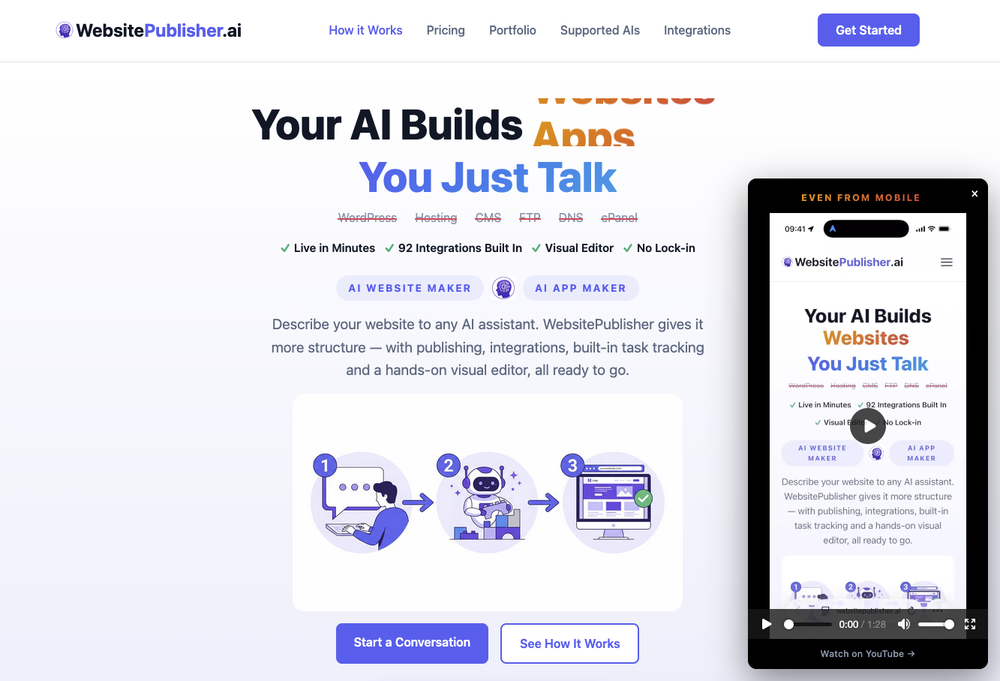 E🙏 4 karmaMay 3, 2026@WebsitePublisher AIInstantly goes live without hassle
 -



Other tools
-
B12 exceeded my expectations especially after I tried a few similar tools. Signing up took under a minute and because I offer a very specific set of services as a consultant, I didn't expect the AI to be able to capture my work, but it did a great job with creating content for me. I only had to make a few edits, add my bio, and was able to publish that same day. Now I get lots of compliments on my site and I've even tried their other tools like email marketing, which is great because the emails match my site's appearance. Overall I would recommend B12 as an effective, affordable, and easy to use website solution.
-
You have the option to waitlist or you can login with your email/pass or google account. I chose google. Once inside you have a suite of tools but im sure when you go to publish you have to sign up for a paid plan. So if your looking for a free option it will be branded. Use at your own risk. Thanks
-
Thank you for the review. I increased the speed of site generation (takes 1 minute to generate 3 versions). The workflow is much better now as well. Adding more templates is the next thing on my plate.
-
Rocket is fast as heeeelll for spinning up prototypes when an idea hits. I've shipped small tools and MVPs with this as the foundation, saves days of boilerplate setup. Great one :)
- SponsorMongoDB - Build AI That Scales🗄️ Database
-
Add unlimited photos — just by chatting. Most AI website builders hand you a blank canvas and a stock-photo library. WebZum builds the entire site for you, and now you can add as many of your own photos as you want. Drop your product shots, your team, your storefront, your menu, your before-and-afters into any section just by talking to your site — WebZum places them, captions them, and fits them into the layout, mixing your real photos with its own custom AI imagery (Flux2 Pro). Already have a website? WebZum now pulls the photos off your existing site into your image pool automatically, and every image is labeled so you always know what's yours and what's AI. New in 2.8.0: drop any link into the chat — a menu, a brochure, an old site, a social profile — and WebZum reads it and builds it into your pages. SEO is now built into every site: before generating, WebZum runs AI keyword research to find the low-competition and answer-engine (AEO) phrases your real customers actually search, then writes your pages around them — so your site is built to be found, not just to look good. Editing is sharper too — regenerate a single image, logo, or hero on command, in any language, without touching the rest of the page. And every site looks better and loads faster: self-hosted brand fonts with no swap flicker, a contrast guardrail that keeps text readable on any theme, and edge-cached hosting that paints pages in well under a second. Still everything WebZum ships in 5 minutes: market research on your trade and local competition, a real logo, multi-page copy written around your customers, AWS hosting, CloudFront CDN, SSL, a registered domain, and a cinematic Launch Reel video for TikTok and Reels. ChatGPT writes code. Claude writes code. WebZum builds your website — with your photos in it.
-
Tried it out today. The speed is definitely the standout part. Pasting a Google Maps link and getting a usable website so quickly is impressive, especially for businesses that have no site at all. That said, it is more of a strong starting point than a finished website. The generated result looked clean, but I’d still want more control over layout, branding, sections, and finer edits before publishing. For some users that may be enough, but others will want deeper customization. Overall though, the idea solves a real problem: many small businesses delay getting online because websites feel expensive or complicated. If Wowable keeps improving the editing side while keeping the setup this simple, it has real potential.
-
We see so many use cases like conducting workshops, doing role plays, monetizing the content, etc.
- Didn't find the AI you were looking for?
-
 OpenI recently tried legasite.io The process was straightforward. You paste in your site’s URL, choose a template, and wait. It didn’t take long before I got a downloadable version built with modern structure (Next/React.js). That alone saved me a decent chunk of manual setup time. The generated layout was clean and usable. Overall, I’d say it’s genuinely useful if you’re modernizing legacy sites and want a head start with the possibility of refining the output if the original website has messy interactions or complex structures.