Go to section
Sponsor
 MongoDB - Build AI That Scales
🗄️ Database
MongoDB - Build AI That Scales
🗄️ Database
The front page of AI.Used by 90M+ humans.

TAAFT Tutorial
Generate image
Tasks
Generate text
Free mode
Trending
Leaderboard
Characters
 Mini tools
New
Featured
Lists
Agents
Requests
Jobs
Map
Newsletter
Starter pack
Free tools
Speech to text
Text translator
Remove background
Settings
Edit profile
My tools
Gallery
Dashboard
Inbox
Get featured
Contact TAAFT
For you
Popular
Job impact index
Most saved
Affiliate program
Submit AI tool
Notification preferences
Glossary
Home
Timeline
My profile
Create tool
Deals
Companies
Models
Robots
Papers
Fundraises
Repositories
Devices
Organizations
Events
Prompt Pack
Merchendise
Credits
APIs
Features
Tools
Countries
Collections
Mini tools
New
Featured
Lists
Agents
Requests
Jobs
Map
Newsletter
Starter pack
Free tools
Speech to text
Text translator
Remove background
Settings
Edit profile
My tools
Gallery
Dashboard
Inbox
Get featured
Contact TAAFT
For you
Popular
Job impact index
Most saved
Affiliate program
Submit AI tool
Notification preferences
Glossary
Home
Timeline
My profile
Create tool
Deals
Companies
Models
Robots
Papers
Fundraises
Repositories
Devices
Organizations
Events
Prompt Pack
Merchendise
Credits
APIs
Features
Tools
Countries
Collections
Mini tools
New
Featured
Lists
Agents
Requests
Jobs
Map
Newsletter
Starter pack
Free tools
Speech to text
Text translator
Remove background
Settings
Edit profile
My tools
Gallery
Dashboard
Inbox
Get featured
Contact TAAFT
For you
Popular
Job impact index
Most saved
Affiliate program
Submit AI tool
Notification preferences
Glossary
Home
Timeline
My profile
Create tool
Deals
Companies
Models
Robots
Papers
Fundraises
Repositories
Devices
Organizations
Events
Prompt Pack
Merchendise
Credits
APIs
Features
Tools
Countries
Collections

▼ Latest
Media-entertainment
Free mode
100% free
Freemium
Free Trial
Featured matches
-
-
-
 Leah🙏 8 karmaFeb 11, 2026@FindTube.aiSuper interesting tool! I’ve been using FindTube to learn data analysis, and it solved a problem I always had with YouTube—I could easily collect too many tutorials, but I was always lost about where to start, and everything felt unstructured.
 -
 Turn baby photos into talking podcast videos.Open
 Wow, The AI tool is so interesting for the AI talking baby podcast. I like it. Thank you for the AI




Verified tools
-
 Create and download your digital clone to live forever. Interact with others.Open
 - SponsorMongoDB - Build AI That Scales🗄️ Database
-
-
Lmao this is gold. Kirkify my friend's face in seconds. 😂
-
So cute! It's actually crazy how real the dance moves look. Highly recommend using high-quality photos for the best result.
-
So, how is it "100% FREE" if there is "PRICING" involved? Did I awake in an alternate universe where "red" is "green" on the traffic light and "free" means "free after you pay?" ;-)
-
 Create Celebrity voices and voiceovers in 120 languages with 800+ AI voices.OpenThis is a cool little generator for a quick clip! Could see some potential quick use cases if you needed to generate something with an accent on the fly. Not a bad little tool!
 -
I think this is the future of movies, but I have to give you some advice : 1. Make all images automatically animated and animating them does not cost additional credits 2. Make sure it doesn't all have to be family friendly, put age ratings (PG, PG-13, R) This way all your creations won't have to be family friendly and your site will be much more successful.
-






















Other tools
-
-
Pretty disgusting. Someone should make the same thing for incels and rate the likelihood of becoming a school shooter or killing themselves.
-
Easy to use. If you select Trump's voice, type Epsteen rather than Epstein. Pronunciation is perfect hehe.
-
What I really like about this AI is that it doesn't feel like you're chatting with an AI as much as other options. The daily check-ins are a good way to keep an ongoing journal and the prompts help with figuring out what to talk about. It's not free and probably why some will rate it low, but you do get unlimited access for a reasonable price and an interesting, fun way to interact with AI. If you've ever heard of Little Prince, this app will have an odd familiarity to that story. Overall, it's a great AI tool that I'm getting a lot of enjoyment out of it and can see the potential for it as the developers add more to it and fine-tune the AI even more.
-
Greetings Kalyani. Tool offers you 1 credit upon sign up, you can use that in order to test it out. That counts as a free trial. Have fun !
- Didn't find the AI you were looking for?
-
i like the format but the jokes aren’t anything to write home about. still, it is pretty fast and you can basically choose any topic you want. decent tool overall
-
Seemed good UI at first. But the quality is not good at all.
-
Product seems to have been changed entirely. It's now an iOS only, CYOA story generator, no longer related to audiobooks at all.
-
-
-
Amazing, it's really working so good, love from India 🇮🇳
-
i use nova almost every day, mostly for work and learning new things. the app is straightforward and does what i need without a lot of extra clutter. definitely one of the better ai apps i've tried so far.
-
Excellent quality with a lot of active development. They really listen to customer feedback.
-
Promising. Refitting for other platforms isn't what we'd hoped but for a beginner test, ok. Sadly this one too has issues with audio and video being in sync. They weren't.
-
-
They removed the face swap features without any warning. This app should not appear when you search a face swap app anymore.
-
 Open
Open -
 Transform photos into ultra-realistic cinematic scenes.Open
 -
 Transform photos into epic 3D cartoon characters.OpenSimply upload your photo; you don't need to type anything in the prompt field. Just click "generate" and watch the magic happen.
 -
 AI-powered cartoon character generator for vibrant, inclusive characters.Open
 -
 OpenVideo editing is the process of selecting, trimming, and arranging footage to create a cohesive story or visual narrative. Here are some fundamental concepts and techniques: Types of Video Editing Linear editing: A straightforward, sequential approach to editing, where clips are arranged in a linear timeline. Non-linear editing: A more flexible approach, where clips can be arranged and rearranged freely in a timeline. Key Video Editing Techniques Cutting: A transition between two clips, where one clip ends and another begins. Cutting on action: Cutting between two clips while an action is in progress, to create a seamless transition. J-cut: Cutting from one clip to another while audio from the second clip starts playing before the video cuts to it. L-cut: Cutting from one clip to another while audio from the first clip continues to play. Video Editing Software Popular video editing software includes: Adobe Premiere Pro: A professional-level editing software with advanced features and integration with other Adobe tools. Final Cut Pro: A professional-level editing software for Mac users, known for its user-friendly interface and advanced features. DaVinci Resolve: A free and paid editing software that offers advanced color grading and audio editing tools. Best Practices for Video Editing Plan your edit: Develop a clear vision and storyboard before starting to edit. Organize your footage: Label and categorize your clips to make them easily accessible. Keep it simple: Avoid overusing transitions and effects; focus on telling a clear story. Advanced Video Editing Techniques Color grading: Adjusting the color and brightness of footage to create a specific mood or atmosphere. Audio ducking: Automatically reducing the volume of background audio when dialogue is present. Motion graphics: Adding animated text, logos, or other graphics to enhance the visual narrative. Video editing involves selecting, trimming, and arranging footage to create a cohesive story. Linear and non-linear editing are two fundamental approaches. Key techniques include cutting, cutting on action, J-cuts, and L-cuts. Popular software includes Adobe Premiere Pro, Final Cut Pro, and DaVinci Resolve. Best practices involve planning, organizing footage, and keeping it simple. Advanced techniques include color grading, audio ducking, and motion graphics. Capcat pro Capcat pro Download image-to-image-generator generated imagetransparent pixel Image to Image Generator Image to Image Generator Download image-to-image-generator generated imagetransparent pixel Image to Image Generator Image to Image Generator Download image-to-image-generator generated imagetransparent pixel Image to Image Generator Image to Image Generator Download image-to-image-generator generated imagetransparent pixel Image to Image Generator Image to Image Generator Download image-to-image-generator generated imagetransparent pixel Image to Image Generator Image to Image Generator Download image-to-image-generator generated imagetransparent pixel Image to Image Generator Image to Image Generator Download image-generator generated imagetransparent pixel Image Generator Image Generator Copy Video Editing Basics Video editing is the process of selecting, trimming, and arranging footage to create a cohesive story or visual narrative. Here are some fundamental concepts and techniques: Types of Video Editing Linear editing: A straightforward, sequential approach to editing, where clips are arranged in a linear timeline. Non-linear editing: A more flexible approach, where clips can be arranged and rearranged freely in a timeline. Key Video Editing Techniques Cutting: A transition between two clips, where one clip ends and another begins. Cutting on action: Cutting between two clips while an action is in progress, to create a seamless transition. J-cut: Cutting from one clip to another while audio from the second clip starts playing before the video cuts to it. L-cut: Cutting from one clip to another while audio from the first clip continues to play. Video Editing Software Popular video editing software includes: Adobe Premiere Pro: A professional-level editing software with advanced features and integration with other Adobe tools. Final Cut Pro: A professional-level editing software for Mac users, known for its user-friendly interface and advanced features. DaVinci Resolve: A free and paid editing software that offers advanced color grading and audio editing tools. Best Practices for Video Editing Plan your edit: Develop a clear vision and storyboard before starting to edit. Organize your footage: Label and categorize your clips to make them easily accessible. Keep it simple: Avoid overusing transitions and effects; focus on telling a clear story. Advanced Video Editing Techniques Color grading: Adjusting the color and brightness of footage to create a specific mood or atmosphere. Audio ducking: Automatically reducing the volume of background audio when dialogue is present. Motion graphics: Adding animated text, logos, or other graphics to enhance the visual narrative. Video editing involves selecting, trimming, and arranging footage to create a cohesive story. Linear and non-linear editing are two fundamental approaches. Key techniques include cutting, cutting on action, J-cuts, and L-cuts. Popular software includes Adobe Premiere Pro, Final Cut Pro, and DaVinci Resolve. Best practices involve planning, organizing footage, and keeping it simple. Advanced techniques include color grading,
 -
 AI-powered social media content creator for engaging posts.Open
 -
 Create hyper-realistic beach party scenes for personal branding.Open
 -
 Transform yourself into a Fast & Furious action hero!Open
 -
 Generate ultra-realistic 8K selfies with legendary rockstars.Open
 -
Create an emotional Afro-pop / TikTok viral song titled “Don’t Leave Me on Seen”. Male vocal, emotional but smooth tone. Tempo: mid-tempo (90–105 BPM). Mood: sad but catchy, relatable, modern TikTok vibes. Lyrics theme: being ignored, left on read, online silence, emotional honesty, love frustration. Include a strong catchy chorus suitable for TikTok trends and short videos. Clean production, soft afro drums, light piano or guitar, subtle bass. Song length: 1:30 – 2:00 minutes. Language: English. Style inspired by modern Afro-pop and TikTok viral songs (emotional but danceable).
-
I am very satisfied with the result, and all from the first prompt. great.
-
 Create ultra-realistic celebrity selfies in iconic locations.Open
 -
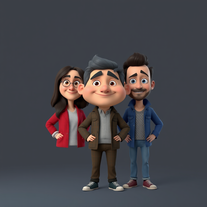 OpenI really appreciate you trying out my tool! The best results come from simple prompts, so no need to overthink it. Follow me, leave a comment with your thoughts or requests, and let’s keep building new tools together. Also, check out the other tools I’ve created—you might find one you really enjoy!
 -
 Transform any idea into authentic Simpsons-style artwork.OpenChanged the prompt to improve results.
 -
 Generate chilling Ghostface wallpapers in one click.Open
 -
 Open
Open -
 Open
Open -
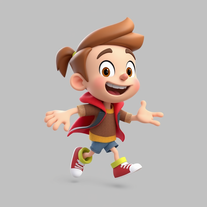 Open
Open -
 AI-powered action anime recommendations tailored for you.Open
 -
 Predict TV show end dates with AI precision.Open
 -
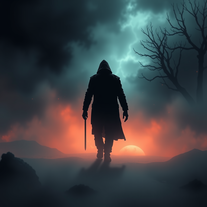 AI-powered thriller backgrounds for gripping narratives.Open
 -
 Craft AI-powered TV schedules for Brazilian viewers.Open