Tools 50,396
Mini tools 36,070
Companies 7,163
Tasks 11,172
Jobs 5,238
Events 95
Papers 7,810
Models 1,188
Repos 39,608
Robots 545
Devices 197
Countries 100
Investors 1,885
Collections 13,248
Job openings 341
Requests 1,505
Fundraises 1,896
Deals 410
Characters 23,262
Features 68
Tools 50,396
Tasks 11,172
Models 1,188
Mini tools 36,070
Characters 23,262
Companies 7,163
Requests 1,505
Papers 7,810
Collections 13,248
Fundraises 1,896
Investors 1,885
Countries 100
Repos 39,608
Devices 197
Features 68
Jobs 5,238
Robots 545
Events 95
Deals 410
Tools 50,396
Mini tools 36,070
Companies 7,163
Tasks 11,172
Jobs 5,238
Events 95
Papers 7,810
Models 1,188
Repos 39,608
Robots 545
Devices 197
Countries 100
Investors 1,885
Collections 13,248
Job openings 341
Requests 1,505
Fundraises 1,896
Deals 410
Characters 23,262
Features 68
Tools 50,396
Tasks 11,172
Models 1,188
Mini tools 36,070
Characters 23,262
Companies 7,163
Requests 1,505
Papers 7,810
Collections 13,248
Fundraises 1,896
Investors 1,885
Countries 100
Repos 39,608
Devices 197
Features 68
Jobs 5,238
Robots 545
Events 95
Deals 410
Go to section
Spotlight RealSmileFacial symmetry analysis
#1 website for AI tools.Used by 90M+ humans.
TAAFT Tutorial
Generate image
Tasks
Generate text
Free mode
Trending
Leaderboard
Characters
 Mini tools
New
Featured
Lists
Agents
Requests
Jobs
Map
Newsletter
Starter pack
Free tools
Speech to text
Text translator
Remove background
Settings
Edit profile
My tools
Gallery
Dashboard
Inbox
Get featured
Contact TAAFT
For you
Popular
Job impact index
Most saved
Affiliate program
Submit AI tool
Notification preferences
Glossary
Home
Timeline
My profile
Create tool
Deals
Companies
Models
Robots
Papers
Fundraises
Repositories
Devices
Organizations
Events
Prompt Pack
Merchendise
Credits
APIs
Features
Tools
Countries
Collections
Mini tools
New
Featured
Lists
Agents
Requests
Jobs
Map
Newsletter
Starter pack
Free tools
Speech to text
Text translator
Remove background
Settings
Edit profile
My tools
Gallery
Dashboard
Inbox
Get featured
Contact TAAFT
For you
Popular
Job impact index
Most saved
Affiliate program
Submit AI tool
Notification preferences
Glossary
Home
Timeline
My profile
Create tool
Deals
Companies
Models
Robots
Papers
Fundraises
Repositories
Devices
Organizations
Events
Prompt Pack
Merchendise
Credits
APIs
Features
Tools
Countries
Collections
Mini tools
New
Featured
Lists
Agents
Requests
Jobs
Map
Newsletter
Starter pack
Free tools
Speech to text
Text translator
Remove background
Settings
Edit profile
My tools
Gallery
Dashboard
Inbox
Get featured
Contact TAAFT
For you
Popular
Job impact index
Most saved
Affiliate program
Submit AI tool
Notification preferences
Glossary
Home
Timeline
My profile
Create tool
Deals
Companies
Models
Robots
Papers
Fundraises
Repositories
Devices
Organizations
Events
Prompt Pack
Merchendise
Credits
APIs
Features
Tools
Countries
Collections

▼ Latest
Dashboard generator
Free mode
100% free
Freemium
Free Trial
Featured matches
-
-
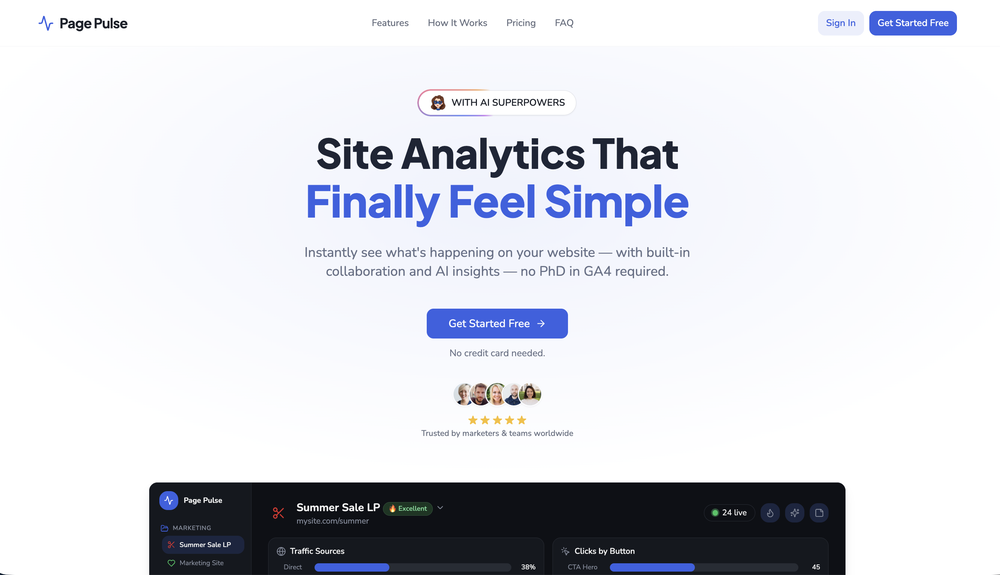
 Anya🙏 4 karmaMay 21, 2026@Page PulseOne of the best website analytics tools I’ve tried so far.
 -
-
 Your autonomous marketing team that creates and publishes everything automatically.Open
 UGO has a pretty ambitious concept honestly. I like the idea of an autonomous marketing workflow that keeps content consistent without needing to manually manage every small publishing step.
 -
-
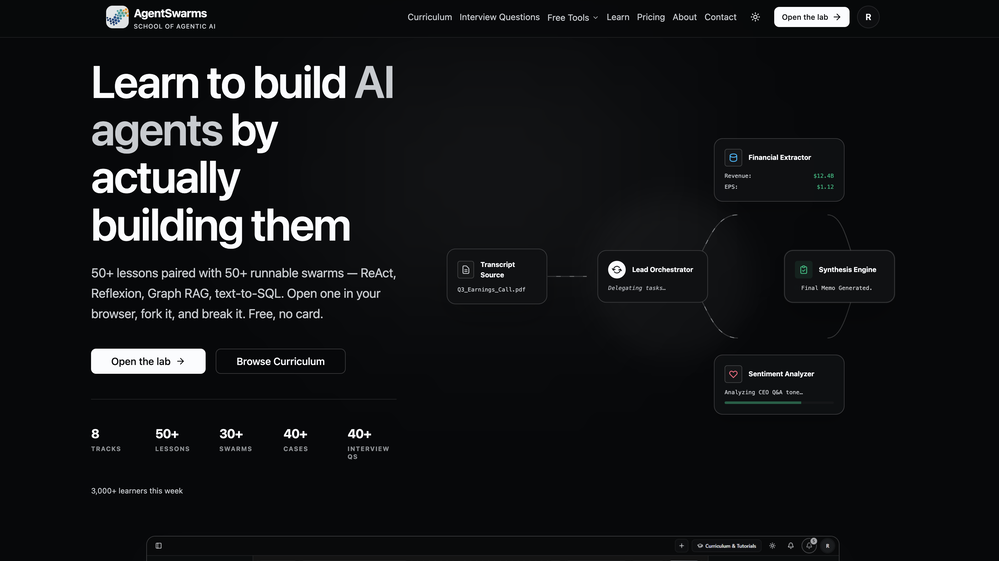 Building multi-agent AI systems shouldn’t require wrestling with messy Python boilerplate, cloud subscription or complex local setups. I built AgentSwarms (AgentSwarms.fyi) to solve this. It’s an interactive, in-browser visual sandbox for learning, building, testing, and orchestrating multi-agent AI workflows. Instead of relying on a single AI chatbot that easily hallucinates, AgentSwarms lets you drag and drop specialized AI agents—like data extractors, code reviewers, and SQL query nodes—to handle complex tasks reliably. Key features for builders: Visual Edge Tracing: Stop guessing why your AI failed. Click any connection line to see the exact JSON data passing between agents in real-time. In-Browser Execution: Powered by local DuckDB WASM. No backend setup required. Enterprise Templates: Test reverse-engineered Agenitic AI architectures for Cybersecurity, Finance, and E-commerce and 10+ industries right on the canvas. If you are tired of black-box AI debugging and want to master Agentic AI orchestration visually, come try the sandbox for free! Let me know what you think of the new execution history features. 🚀
 -
 Quick thought after seeing Convo. Meeting notes tools are a crowded $10 SaaS category. But a tool that helps sales reps answer questions and handle objections live sits in a completely different value tier. That shift alone can change pricing and conversion dynamics significantly.
 -
 Open
Open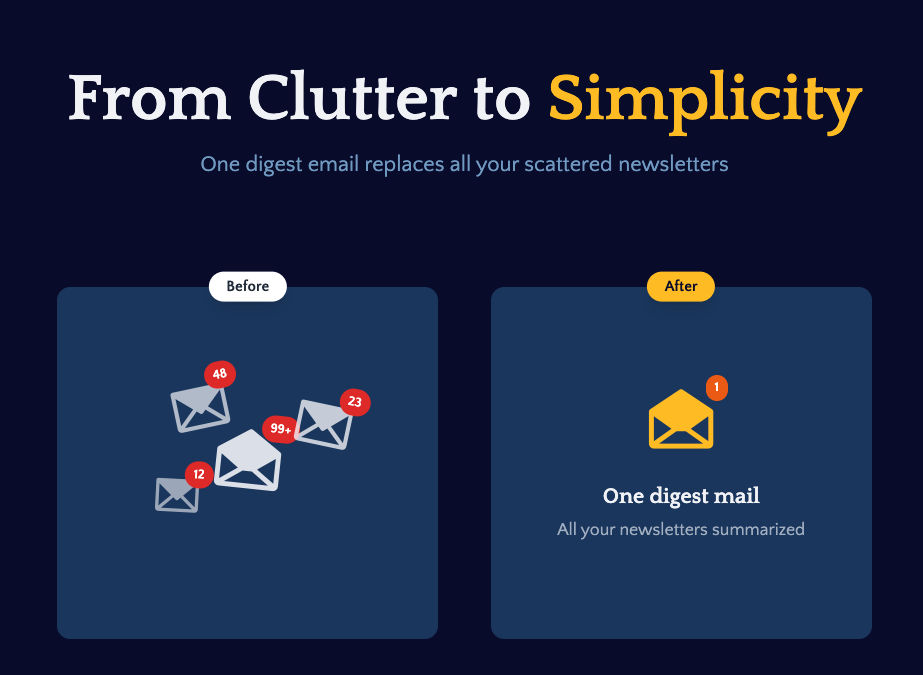 I built Remy to solve a problem I face every day: Newsletter overload 📬 Remy is your personal AI assistant that summarizes all your newsletters into a single digest email. Go from a cluttered inbox to a clear, concise briefing in one go.
 -
-










Verified tools
- Spotlight
 PUNKU.AIAgents
 -
 This tells you which queries you can win and what to make.Open
 -
HitPublish seems useful for people trying to scale SEO/content production without manually handling every publishing step. I like that it focuses on automation across the full WordPress workflow instead of only generating text.
-
What I love most about 1ClickReport is how fast it helps you spot what's broken. We started catching conversion drops, budget leaks and underperforming campaigns way earlier than before. Fixed issues we didn't even know existed. Our clients are seeing better results and we look smarter. This is the tool that actually moves the needle.
-
-
Let your AI agents run your Meta/Google/TikTok ads for you! Spy competitors, generate creatives, launch ads, and manage everything from your AI agent directly! Since v1.1.0: - TikTok Ads — create campaigns, upload media, and manage TikTok ads via MCP and CLI. - Reddit Ads — create and manage Reddit campaigns via MCP (beta). - Google Performance Max — build and publish PMAX campaigns with Merchant Center support (beta). - Studio → Meta publishing — generate ads in Studio and publish them straight to Meta, with per-placement media variants. - Workspaces — manage your team under a single workspace with shared access to all projects. - Multi-project MCP — connect all your projects with a single MCP connection. No more one-connector-per-project. - Multiple ad accounts per project — connect several Meta, Google, TikTok, or Reddit accounts to the same project. - ChatGPT support — connect AdKit to ChatGPT as an AI agent alongside Claude, Cursor, and Codex. - Advanced Platform Access — direct API access to Meta, Google, and TikTok for features not yet built into AdKit. - Self-serve API keys — create API keys from the dashboard for agents that don't support remote MCP.
-
-
Test failure can be triggered by: - Text not being found - Image not being found - "Assert" condition not being met (according to AI with 90% confidence)
-
We're live folks! Do check us out and drop your feedback or requests.
-
Your builds just got faster. Here's what changed. Four updates shipped this week. Each one removes something that was slowing you down — an extra account to set up, a Git workflow that lived outside the platform, a repo handoff with dangling permissions, a build you could only poke at with a cursor. Here's what landed. 01 — Model access Use any LLM in your build. One prepaid key, full control over spend. Biela now has its own LLM API key dashboard. Create a key, add a prepaid balance, and start sending requests to whichever AI model your build needs — whether that's a chatbot, an automation, a content generator, or AI features wired into a SaaS product. Each key tracks its own usage so you always know what's being spent and where. No external accounts, no third-party billing — it's all inside Biela. In practice: You're building a SaaS product with two AI features — a support chatbot and an automated email summariser. You create two keys, assign a budget to each, and know at a glance which feature is consuming what. If one runs hot, you pause it without touching the other. 02 — Version control Branches, PRs, commits, pulls. A full Git workflow, inside Biela. Create and switch branches, raise and review pull requests, browse commit history, and pull the latest — without leaving the IDE. If you're shipping features to a team or running parallel environments, this is the workflow you were missing. In practice: You're adding a new checkout flow to a live e-commerce build. You branch off main, build and test in isolation, raise a PR for review, and merge when it's ready — all without touching a terminal or switching to GitHub in another tab. 03 — Repository management Connect, link, switch, hand off. Clean repo control, start to finish. Connect a new repo, link one you already have, or disconnect cleanly with a confirmation step. Permission checks are built in. No leftover access, no manual revokes, no awkward offboarding when a project ends. In practice: A client project wraps up. You disconnect the repo from Biela in one confirmed step — permissions cleared, connection closed. The next project gets a clean link from day one. No audit trail of half-removed integrations to clean up later. 04 — Mobile preview Stop looking at your mobile build. Start using it. Scan the QR code from Biela, open via Expo Go, and you're inside your actual build — navigating with your thumbs, tapping real buttons, scrolling real screens. Not a desktop simulation with a cursor pretending to be a finger. Your app, on your device, behaving exactly as your users will experience it. And when you prompt a change, it appears on your phone before you've set it down. In practice: You're building a field sales CRM. It looks fine on desktop. The moment you're actually holding it, you find it: the action buttons are buried, the nav takes two hands, the form fields are too small to tap cleanly. Thirty seconds of real use surfaces what hours of desktop review missed. One prompt per fix, each update on your screen in seconds. All four updates are live now at biela.dev — no update required, no configuration needed. Open a project and they're already there. Build faster. Ship smarter. Create without limits.
-
Rocket is fast as heeeelll for spinning up prototypes when an idea hits. I've shipped small tools and MVPs with this as the foundation, saves days of boilerplate setup. Great one :)
-
-
Thanks! So happy to hear you're liking FlowPost.
-
Sorry for inconvenience, Its up and running now
-
 Automate data work and reporting with AI Agents. No data|coding skills required.OpenSigned up for a pro account for Google Drive integration. Works great! Saves me a lot of manual excel work.
 -
-
Hi everyone. 👋 I created Ozigi because I was tired of seeing AI slop in content all over the internet, from social media posts to long-form content. Ozigi operates on two principles: 1. We eliminate AI slop words from your content, using a banned lexicon feature that filters common/known AI words or structures from getting into your content. 2. We encourage a human-in-the-loop philosophy. We do not believe in mindless automation that values quantity over quality. We value quality, and that is why it is important to us to make sure that you--a human--reviews the generated content first before setting it up for publishing. Ozigi does more than just social media content. It generates email newsletters and blogppsts as well.
-
I have seen it on Reddit, surprisingly, it did help me to save 30% in input/output agent tokens, not 60% unfortunately, but for sure better than not using it. Saved way more than I spent on subscription, shame didnt know of 50% discount :)
-
The infographic maker lets you use it once for free without signing in. This infographic maker is simple and easy to use, even more so than Canva or Venngage. However, the available styles and templates are still limited. I hope they add more design options and customization in future updates. Overall, a good choice for quickly creating infographics.
-
Feels like outbound is shifting from manual SDR work to autonomous sales agents. Are your users mostly SaaS founders running their own outbound, or larger sales teams?
-
PDF Digest is a helpful AI tool that makes working with PDF files easier and saves time.
-
 AI visibility, site audits, Local GEO, and site migration for small businessOpen
 -
Looks great, I really appreciated that it gives you credits to test it out first, not many video tools do that. Makes it way easier to actually see what it can do before paying. Nice experience overall :)
-
Solid hub for socials. Schedules to a lot of platforms in one place with ai post ideas and short-form tools, plus a free tier to try things out. I like the planner and analytics, ui feels busy at first but once you learn the flow it moves fast.
-
-
Super clean UX and really nice onboarding!
-
I really liked the agency billing with stripe really makes it easier to charge my clients and show their campaign results
-
 Ask data questions, get instant insights, SQL, and charts — all poweredOpen
 -
The hybrid feature is very powerful. I finally don’t need to manage our local knowledge base anymore.
-











































































Other tools
-
 OpenA perfect blend of entertainment and education! QualiTime.ai makes learning playful and interactive for children. Great overview!
 -
I run an early-stage startup. Arka has been pretty amazing for understanding our user adoption data (and then be able to ask follow up questions) in just a few clicks!
- Didn't find the AI you were looking for?
-
Easy to use. If you select Trump's voice, type Epsteen rather than Epstein. Pronunciation is perfect hehe.
-
-
Pretty good, I like the process. I did run into a couple questions that were worded weirdly or just had odd answer logic (it'll mark you wrong for the tiniest typo). Would be cool if it had a bit more wiggle room or a way to flag those. But still, definitely helpful.
-
No information about the company or its leadership anywhere on the site...very low trust factor.
-
Such a powerful tool with free account, all your data analysis needs with an easy intuitive itnerface
-
basic image generation like any prompt on chatgpt. no value added here.
-
I asked it to generate simple and more complicated code, from scratch or fixing. Planning on trying it out more in the future, as it could be of great help.
-
-
Very powerful, it not only gets data magically for your nl question but also builds a nice visual tailored to that data. Impressive.
-
AVOID AT ALL COSTS. Amateur hour if I ever saw it: they change their entire API endpoints on a whim on the SAME VERSION, breaking all of the work you've done to integrate with them (thousands of $), then tell you you're not an $5k / month Enterprise customer and they don't really support their self serve product so...tough luck buddy. I was one of their first customers and have been using them for over a year and a half only to wake up one day to customer complaints because our integration had broken and be told they basically don't care about. After I reached out to their team, it became clear that they had simply changed their entire API from one day to the next on the same version, with no notice and a documentation that doesn't reflect the changes they made. Literally everything is broken in one way or another: the UI fails to save changes every other try, the API has three different versions in use at the same time, some endpoints use v3 others use v4, similar payload responses don't even reply with the same structure for the data, the documentation is completely out of sync with the actual endpoints, the webhooks trigger 3 times in a row and on and on and on... Somehow they have several engineers, yet no-one there actually knows how to fix your problem. I've been a customer for over a year and a half and after breaking my entire integration, they just told me to go take my business elsewhere because they couldn't support their OWN breaking changes! Oh and by the way, it took a week of back and forth and trying to fix my integration and work with their broken documentation to tell me this. Total insanity. I couldn't ever imagine being an Enterprise customer with these people, their whole product is built on a shoestring and they have absolutely no respect whatsoever for their customers.
-
- Waitlist