Tools 50,538
Mini tools 36,205
Companies 7,163
Tasks 11,171
Jobs 5,238
Events 94
Papers 7,814
Models 1,188
Repos 39,608
Robots 545
Devices 197
Countries 100
Investors 1,885
Collections 13,254
Job openings 341
Requests 1,506
Fundraises 1,896
Deals 411
Characters 23,291
Features 68
Tools 50,538
Tasks 11,171
Models 1,188
Mini tools 36,205
Characters 23,291
Companies 7,163
Requests 1,506
Papers 7,814
Collections 13,254
Fundraises 1,896
Investors 1,885
Countries 100
Repos 39,608
Devices 197
Features 68
Jobs 5,238
Robots 545
Events 94
Deals 411
Tools 50,538
Mini tools 36,205
Companies 7,163
Tasks 11,171
Jobs 5,238
Events 94
Papers 7,814
Models 1,188
Repos 39,608
Robots 545
Devices 197
Countries 100
Investors 1,885
Collections 13,254
Job openings 341
Requests 1,506
Fundraises 1,896
Deals 411
Characters 23,291
Features 68
Tools 50,538
Tasks 11,171
Models 1,188
Mini tools 36,205
Characters 23,291
Companies 7,163
Requests 1,506
Papers 7,814
Collections 13,254
Fundraises 1,896
Investors 1,885
Countries 100
Repos 39,608
Devices 197
Features 68
Jobs 5,238
Robots 545
Events 94
Deals 411
Go to section
Sponsor
 Speechmatics - API for Voice AI Agents
#1 website for AI tools.Used by 90M+ humans.
TAAFT Tutorial
Generate image
Tasks
Generate text
Free mode
Trending
Leaderboard
Characters
 Mini tools
New
Featured
Lists
Agents
Requests
Jobs
Map
Newsletter
Starter pack
Free tools
Speech to text
Text translator
Remove background
Settings
Edit profile
My tools
Gallery
Dashboard
Inbox
Get featured
Contact TAAFT
For you
Popular
Job impact index
Most saved
Affiliate program
Submit AI tool
Notification preferences
Glossary
Home
Timeline
My profile
Create tool
Deals
Companies
Models
Robots
Papers
Fundraises
Repositories
Devices
Organizations
Events
Prompt Pack
Merchendise
Credits
APIs
Features
Tools
Countries
Collections
Mini tools
New
Featured
Lists
Agents
Requests
Jobs
Map
Newsletter
Starter pack
Free tools
Speech to text
Text translator
Remove background
Settings
Edit profile
My tools
Gallery
Dashboard
Inbox
Get featured
Contact TAAFT
For you
Popular
Job impact index
Most saved
Affiliate program
Submit AI tool
Notification preferences
Glossary
Home
Timeline
My profile
Create tool
Deals
Companies
Models
Robots
Papers
Fundraises
Repositories
Devices
Organizations
Events
Prompt Pack
Merchendise
Credits
APIs
Features
Tools
Countries
Collections
Mini tools
New
Featured
Lists
Agents
Requests
Jobs
Map
Newsletter
Starter pack
Free tools
Speech to text
Text translator
Remove background
Settings
Edit profile
My tools
Gallery
Dashboard
Inbox
Get featured
Contact TAAFT
For you
Popular
Job impact index
Most saved
Affiliate program
Submit AI tool
Notification preferences
Glossary
Home
Timeline
My profile
Create tool
Deals
Companies
Models
Robots
Papers
Fundraises
Repositories
Devices
Organizations
Events
Prompt Pack
Merchendise
Credits
APIs
Features
Tools
Countries
Collections

▼ Latest
Dictation
Free mode
100% free
Freemium
Free Trial
Featured matches
-
 Zeeshan🛠️ 1 toolMay 9, 2026@HyprcoreAwesome to use, the dictation really helps out while doing dev work
 -
 This is one of those apps that when you use it for the first time, it feels like magic. It is one of the apps that has led to me using it the most every day. It's almost as integral to me now as ChatGPT.
 -
 It just feels seamless when I ask it to generate my Q2 marketing docs and polish my email replies. I mean you don't need to write a long prompt and copy all the Re:Re:Re:Re email to it like other LLMs do. You just give a clear instruction and it gets things done.
 -
-
 Verify every reference against academic databases in seconds.Open
-
-
-
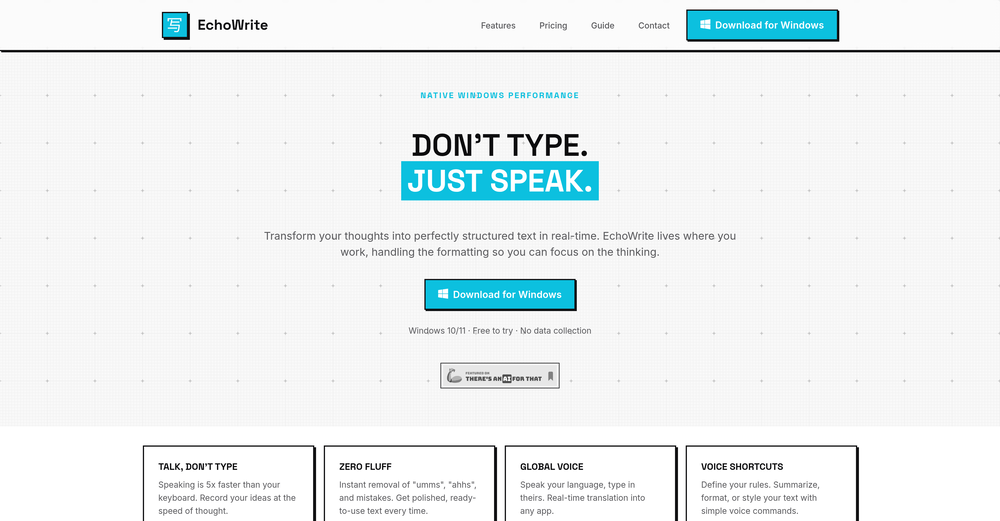 Really solid on Windows. I’ve tried several similar transcription tools before, but this one feels much better integrated into the system. The customizable global shortcuts are a game changer, you can either just do plain transcription or trigger your own custom prompts/actions with Adifferent hotkeys. A lot of competitors do Aroughly the same thing, but EchoWrite stands out because the basic transcription is essentially free (you just need your own OpenAI API key, which costs next to nothing). If you want the custom prompts and translations, it’s a one-time payment instead of yet another subscription. In 2026 that’s actually pretty fair compared to everything else out there. Big thumbs up.
 -
-
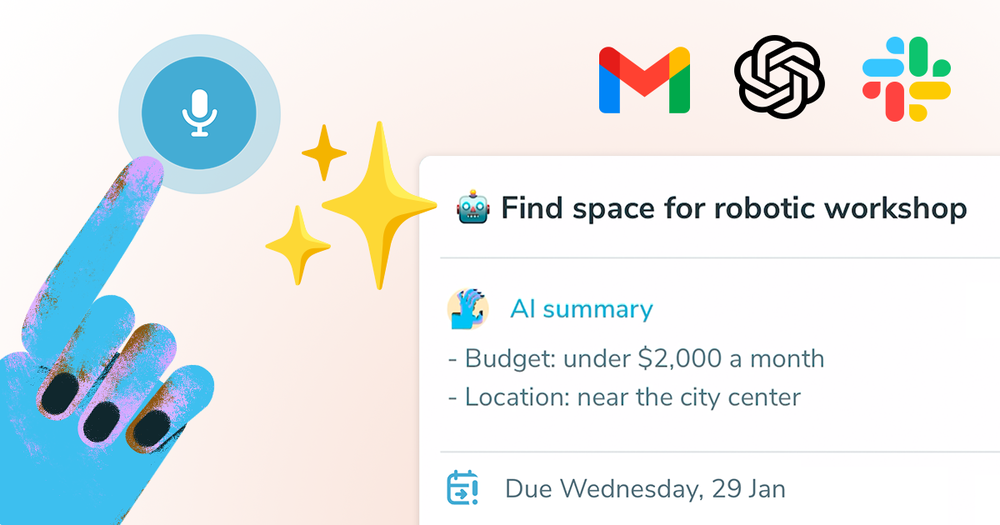
 AI-powered task list: Dictate tasks, integrate with Gmail, Slack, ChatGPT & Calendar.Open
 Easy to use and the AI does its work but it is not something extraordinary. But the AI can do nothing more as it does right now







Verified tools
-
Spoken Punctuation Say punctuation and symbols by name and Voibe types them as you dictate, instantly and on your Mac. On by default, and you can turn it off anytime in Settings. Spoken Punctuation & Symbols Say a mark or symbol by name and Voibe types it instead of the words. Say "comma" for a comma or "open paren" for an opening bracket, plus @, math signs, currency, and even full email addresses. It happens the instant you speak, entirely on your Mac. Structure By Voice Use "new line", "new paragraph", "bullet point", or "numbered list" to lay out paragraphs and lists while you dictate. Cleaner Transcripts Custom dictionary words are recalled accurately without leaking into your text. Stability & Setup Fixes More Reliable Model Downloads Models now download with an integrity check, so a wrong or corrupted download no longer breaks transcription. If a download does fail, you can reach us directly with a new Contact Support option. Audio Handling While Dictating Improved how Voibe manages other audio playing on your Mac while you dictate. Live Dictation Watch your words appear as you speak, and edit them before they land. Live Dictation A new third dictation mode. Your words appear on screen as you speak, so you can read along and make edits before the text lands in your app. Like every mode, it transcribes entirely on your Mac. Cancel a Dictation Instantly Press Escape to discard the current dictation before it's inserted. Improved Simpler Default Hotkeys Hands-Free now starts with Fn+Space, and a quick double-tap of Fn works too. You can also assign function keys like F1 and F2, and choose your own key combination for Push-to-Talk. Refreshed App Icon A cleaner look for the Dock and menu bar icons.
-
Spokenly feels genuinely practical for people who prefer talking through ideas instead of typing everything manually. I also like that offline/local support is included since a lot of dictation tools still depend completely on the cloud.
- SponsorSpeechmatics - API for Voice AI Agents
-
the founder is cool, definitely a recommendation if you have personal requests and grow the app along with you.
-
 OpenEasily saves me an hour every day - I no longer have to type long winded “professional” sounding email replies to my colleagues, I just speak roughly with minimal effort 👏
 -
Every time i switch to a new mac -> this is the first tool i install
-
I love the smart formatting and multi language support. It fits perfectly into my workflow and feels thoughtfully built for real world use.
-
-
Hands down best multilingual stt API.
-
Before registration, it was free, but after downloading to your computer, it became paid.
-
Mentalyc has been a very useful addition to my workflow as a mental health provider. Writing therapy progress notes used to take a significant amount of time after each session, but using Mentalyc to generate structured drafts from session recordings has helped reduce that burden. The notes it generates are organized and clinically meaningful, especially in formats like SOAP and DAP. It highlights important elements such as presenting issues, interventions, and client engagement, which makes it easier to review and finalize documentation efficiently. I also appreciate that it supports staying compliant with documentation standards while reducing mental load and burnout related to admin tasks. It doesn’t replace clinical judgment, but it does make the documentation process smoother and more consistent. For therapists looking for an AI-powered note writing assistant, Mentalyc is definitely worth exploring.
-
Dorascribe is quick, accurate, and cuts down on admin work. Security seems solid. Looks promising.
-
I'm currently using Speech to Note for multiple purposes like academic research paper making, quick notes recording for development related feedbacks and it's generating supercool responses that exactly matches my requirements, it's the best AI tools in voice space



















Other tools
-
Among mobile apps this is the best tool making AI-written texts out of speech
-
Probably the best class lecture focused note taking I've seen yet. But the prices are steep and only given 30 free minutes a month.
-
-
I really like Transkribieren. The free features allowed to me to transcribe PERFECTLY some Youtube downloaded audios, into perfectly written texts (in French). Too bad there are no timestamps, but it did the job I needed it to do.
-
Works fine for me... and quite well i must say xD
- Didn't find the AI you were looking for?