Go to section
Sponsor
 MongoDB - Build AI That Scales
🗄️ Database
MongoDB - Build AI That Scales
🗄️ Database
The front page of AI.Used by 90M+ humans.

TAAFT Tutorial
Generate image
Tasks
Generate text
Free mode
Trending
Leaderboard
Characters
 Mini tools
New
Featured
Lists
Agents
Requests
Jobs
Map
Newsletter
Starter pack
Free tools
Speech to text
Text translator
Remove background
Settings
Edit profile
My tools
Gallery
Dashboard
Inbox
Get featured
Contact TAAFT
For you
Popular
Job impact index
Most saved
Affiliate program
Submit AI tool
Notification preferences
Glossary
Home
Timeline
My profile
Create tool
Deals
Companies
Models
Robots
Papers
Fundraises
Repositories
Devices
Organizations
Events
Prompt Pack
Merchendise
Credits
APIs
Features
Tools
Countries
Collections
Mini tools
New
Featured
Lists
Agents
Requests
Jobs
Map
Newsletter
Starter pack
Free tools
Speech to text
Text translator
Remove background
Settings
Edit profile
My tools
Gallery
Dashboard
Inbox
Get featured
Contact TAAFT
For you
Popular
Job impact index
Most saved
Affiliate program
Submit AI tool
Notification preferences
Glossary
Home
Timeline
My profile
Create tool
Deals
Companies
Models
Robots
Papers
Fundraises
Repositories
Devices
Organizations
Events
Prompt Pack
Merchendise
Credits
APIs
Features
Tools
Countries
Collections
Mini tools
New
Featured
Lists
Agents
Requests
Jobs
Map
Newsletter
Starter pack
Free tools
Speech to text
Text translator
Remove background
Settings
Edit profile
My tools
Gallery
Dashboard
Inbox
Get featured
Contact TAAFT
For you
Popular
Job impact index
Most saved
Affiliate program
Submit AI tool
Notification preferences
Glossary
Home
Timeline
My profile
Create tool
Deals
Companies
Models
Robots
Papers
Fundraises
Repositories
Devices
Organizations
Events
Prompt Pack
Merchendise
Credits
APIs
Features
Tools
Countries
Collections

▼ Latest
Text-to-data
Free mode
100% free
Freemium
Free Trial
Featured matches
-
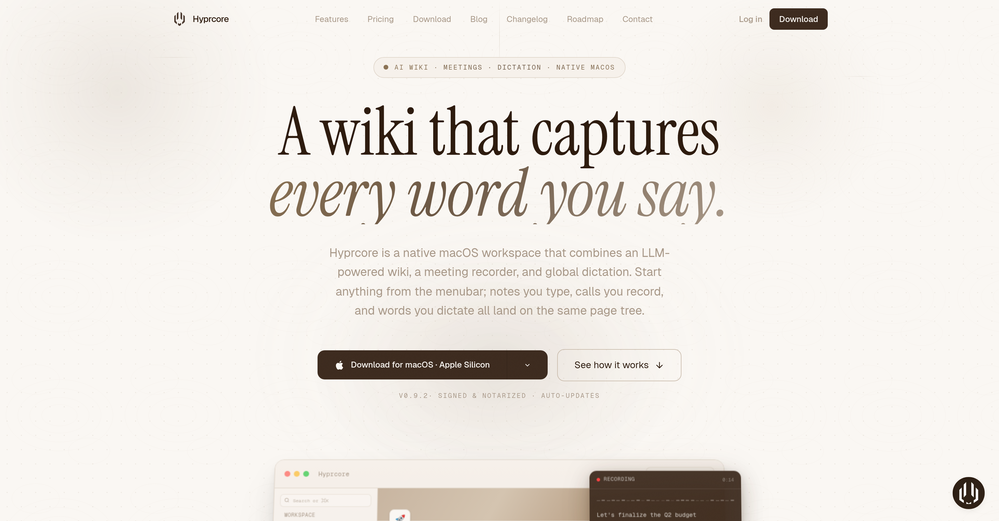
 Zeeshan🛠️ 1 toolMay 9, 2026@HyprcoreAwesome to use, the dictation really helps out while doing dev work
 -
-
-
-
-

-
-
-
-









Verified tools
- SponsorMongoDB - Build AI That Scales🗄️ Database
-
Been using TranscriptTool whenever I need to quickly turn short videos into text. I like that it keeps things simple and makes it easier to review claims or pull quotes without having to watch clips repeatedly. Handy tool for anyone dealing with video content regularly.
-
Wow, this little widget is a game changer. It saves me a lot of time in writing emails, comments and work notes. Thank you, it's really useful, I was looking for it!
-
-
This is truly a wonderful experience that brings joy and delight.
-
👋 Hey, I'm the founder of Flowova! We built this because we were tired of spending hours dragging boxes in traditional flowchart tools. A few things you might not know: - Works with anything — text, images, PDFs, Word, PPT, Excel, even photos of whiteboard sketches - 40+ themes designed for presentations - Full Mermaid code support for developers Happy to answer any questions! 🚀
-
 Discord voice transcription and note taking app for teams and DnD sessionsOpen
 -
We're live folks! Do check us out and drop your feedback or requests.
-
Spoken Punctuation Say punctuation and symbols by name and Voibe types them as you dictate, instantly and on your Mac. On by default, and you can turn it off anytime in Settings. Spoken Punctuation & Symbols Say a mark or symbol by name and Voibe types it instead of the words. Say "comma" for a comma or "open paren" for an opening bracket, plus @, math signs, currency, and even full email addresses. It happens the instant you speak, entirely on your Mac. Structure By Voice Use "new line", "new paragraph", "bullet point", or "numbered list" to lay out paragraphs and lists while you dictate. Cleaner Transcripts Custom dictionary words are recalled accurately without leaking into your text. Stability & Setup Fixes More Reliable Model Downloads Models now download with an integrity check, so a wrong or corrupted download no longer breaks transcription. If a download does fail, you can reach us directly with a new Contact Support option. Audio Handling While Dictating Improved how Voibe manages other audio playing on your Mac while you dictate. Live Dictation Watch your words appear as you speak, and edit them before they land. Live Dictation A new third dictation mode. Your words appear on screen as you speak, so you can read along and make edits before the text lands in your app. Like every mode, it transcribes entirely on your Mac. Cancel a Dictation Instantly Press Escape to discard the current dictation before it's inserted. Improved Simpler Default Hotkeys Hands-Free now starts with Fn+Space, and a quick double-tap of Fn works too. You can also assign function keys like F1 and F2, and choose your own key combination for Push-to-Talk. Refreshed App Icon A cleaner look for the Dock and menu bar icons.
-
the founder is cool, definitely a recommendation if you have personal requests and grow the app along with you.
-
Didn't really do the graphs that i thought it would do. Good for simple graphs, like for a presentation
-
 Transform documents into interactive knowledge bases using advanced AI.OpenThis tool is expected to evolve rapidly, we are also taking all feature requests so submit what you like and we'll build it if it aligns with our product vision! Have fun with the tool and let us know what you think!
 -
Hi 👋 I'm Vera, the maker of Whisper Web. I built it because I needed a frictionless way to turn recordings into structured text — meeting notes, interview quotes, podcast transcripts, YouTube research. Whisper Web runs entirely in your browser. Drop an audio or video file (up to 2GB), record from your mic, or paste a YouTube URL. You get a clean transcript with automatic speaker labels and a structured AI summary covering key points, action items, decisions, and quotes — all in under 3 minutes. 100+ languages, auto-detected. Six export formats: TXT, DOCX, PDF, SRT, VTT, and JSON. Privacy-first by design. Free to try, no credit card. Would love your feedback — drop a recording you've been putting off and tell me how it went. — Vera
-
 AI-powered scientific illustration and data visualization platform.Open
 -
-
Vocallab AI is honestly the easiest tool I’ve ever used. The interface is super simple and intuitive. Generations take less than 2 seconds. The quality is also incredible. The voices sound very realistic — almost like real people. You can even add emotions and details like coughs, laughs, sighs, and other subtle effects, which makes everything feel much more natural and alive. Highly recommend it to anyone working with content, videos, or voice projects.
-
 Open
Open -
Nice interface and a good ai humanizer.
-
 Extract structured data from images and PDFs into usable tables with AIOpen
 -
-
It's a pity I got a red line saying there is an error Actually, after a while, I got an email with the presentation So it was created, delivery was average I'd say, I didn't use it
-
 AI-native OCR platform, 95%+ accuracy, zero prompt engineering, flags uncertain fields.OpenWe are a team of founders who worked before in data extraction, with traditional manual review of each document to check accuracy / errors. We are so excited about AI and the new LLM models because we have created DeepRead using those and the accuracy is 95% and we flag uncertain fields so no one has to manually review entire documents (whew), only the exceptions! We hope you try it out and please share your review, comments and feedback. Looking forward to hearing from users!
 -
Hi Taaft community! I’m the creator of ConceptViz. We built this tool specifically for educators and researchers who deal with complex information daily. ConceptViz uses AI to instantly transform dense lesson plans, curriculum notes, or research frameworks into clear, structured diagrams. Our goal is to help K12 teachers make abstract concepts tangible for students and to help researchers map out logical workflows without the manual drudgery of drawing. I’d love to hear how this fits into your academic or classroom workflow—your feedback will help us build a better tool for the education community! 🚀
-
 AI infographic generator that turns blog posts into link magnetsOpen
 -
It's very easy to use, completely free, and even supports files up to 1GB in size.
-
Hey everyone 👋 I’m excited to introduce VidFab, an AI-powered tool that turns text and images into cinematic videos in seconds. We built VidFab to help creators and startups make beautiful videos without complex editing or long render times. Just type an idea — and our AI brings it to life. I’d love to hear your feedback and ideas for what features you’d like to see next. Your thoughts really help us shape the future of VidFab!
-
I did not like it. Seems very generic and did not adapt or recognized the topic to change the figures and the templates. Simply put my text to templates not related to the topic.
-
-
This is awesome. It tells me the answers to my practice exam questions automatically through my airpods without me having to do anything, just by seeing my exam through my phone camera. I've been looking for an AI tool like this for a while.
-
So, how is it "100% FREE" if there is "PRICING" involved? Did I awake in an alternate universe where "red" is "green" on the traffic light and "free" means "free after you pay?" ;-)
-
unexpectedly nice email service with useful ai features. heavily recommended.
-
-
-
YouTube to Doc is freaking awesome! Total lifesaver for turning videos into text. Just paste the URL → boom, you’ve got a doc. Perfect for notes or quotes. 10/10 recommend!
-
-
I had to tweak a few things to match my brand style, but overall it saved me a ton of time. Definitely handy if you need something fast and professional-looking.
-
Loved the tool, easy to use and understands any language, I used it in my spanish slang and also in english with no issues. Highly recommend it!
-
The maximum podcast duration is 10 minutes only. Whereas, with NotebookLM, the maximum is 35 minutes, and it's free. They need to increase the duration of the podcasts to at least 30 minutes. Also, definitely more than 200 minutes a month.
-
There is no image to see after giving prompt and generating
-
-
As tempting as it is, why pay for it if Google AI Studio (https://aistudio.google.com/generate-speech) offers the same for free? Nothing beats "gratis!" Besides, which author can afford so many monthly payments if he or she is not Steven King, who'd rather buy a whole studio with a dozen professional human narrators? ;-) THX
-
Transcriptmate is an outstanding transcription service, especially for those who value simplicity and convenience. What sets it apart from other platforms is that you don’t need to register or create an account to use it. This makes the whole process super fast and easy – perfect for people who just want to upload their audio or video and get a transcript without any hassle. Another great feature is its pay-as-you-go model. There are no hidden fees or monthly subscriptions. You simply pay for the transcription you need, whenever you need it. This flexibility ensures that you only pay for what you use, making it a highly efficient and cost-effective option. Overall, Transcriptmate offers a seamless and user-friendly experience for anyone needing quick, accurate transcriptions without the burden of signing up for yet another service. Highly recommended!
-
They're dreaming if they think I'd give them my credit card info just for a free trial. Most useless thing ever...
-
-
















































































Other tools
-
I wasn't able to use this one (I have my API key)
-
 Open
Open -
Been using it for the past few days and it is exactly what I hoped it was. Nothing complicated, does exactly what it says it does without the fluff. The analysis section is great, does not produce canned summaries. It appears to be doing something different for every different type of topic, which is great. Still playing with it.
-
Says "free during testing," but keeps telling me I have insufficient credits. I also can't seem to find a way to delete my account.
- Didn't find the AI you were looking for?
-
-
Threw a pic of my living room in, asked for warm modern and it gave me a layout that was actually really nice. Some renders look a bit plastic and it guesses weird details here and there, but as a quick vibe check it’s legit.
-
I was just trying to get a quick graph showing population evolution over the last 30 years, didn’t have the dataset ready, so I was hoping the tool could auto-fill something reasonable. But it literally gave me three values. Three?? For 30 years?? What kind of trend can I possibly see with that? If the tool offers to research the data, it should at least offer a full timeline. And when I pasted the data I found, it created a literally bar chart???
-
-
this one looks good, it has a clean layout and a clear flow that makes prompt-building feel approachable. the idea is genuinely useful, and the execution alr feels solid, it has a lot of potential, WELL DONE! :)
-
As a tattoo nerd who cares about solid guidance and clean cover-ups, this one is a surprisingly good jump-ogg. Great for "what can I make here" and getting three or four workable angles to bring to the shop.
-
It really helps in coding. I let chatgpt create a code, and copy paste and ask claude to check it if it can be done better. Well, it is really fun! I also use its Image creation tool to create posts for social media. Having a tool that uses Stability AI API to create photorealistic images is really helpful. Overall 5 Stars, especially for only 8.99 per month. It is the same price like a coffee latte but has really much more value :D
-
-
-
-
-
This is a text extraction service. Not image to text.
-
Chat2DB simplifies complex data analysis processes and improving our efficiency.
-
iPhone SE 2020 and iOS17.6.1 - totally not working
-
The major problem with this product is the limited word count. I tried an article with 975 words and it only humanized about 160 words.
-
it works.. it's free.. but the results are not crazy.
-
It's quite a bit more accurate than even traditional translations.
-
False advertising and broken. Did not do what it claimed. AI chat has footnote that it cannot do multiple types of outputs. It generally felt dumb. Documentation lacking. Costs $7 per month and only available via auto renewing subscription. I got $5 credit from a competing ai I found here and in less than 10 hours I got all kinds of charts and it used $2 of the $5 credit in tokens. Meanwhile I lost more dignitiy, time and dollars to what amounts to a fraudster masrquaqrading as a developer making an AI that cannot do what it claims it can. Who in the end, has a response time of minutes to tell me no refunds can be issued when inquired. Which is fine, I accepted the risk of $7, but this is daylight robbery with a broken app. either fix it, or stop the fraud, or you get reported and reviewed like this. I needed user journey map, or a flow chart, or a sequence diagram, could have been happy with either one, and this app completely failed to do anything useful at all. Even when it did generate anything, it was giant text boxes nad a few arrows, no ability to decipher, summarize, and make it short and sweet in visuals. Needs a lot of work at best.
-
Probably the best class lecture focused note taking I've seen yet. But the prices are steep and only given 30 free minutes a month.
-
 Open
Open -
Great app. I am trying Free version. Working fine. will upgrade to Pro soon to transcribe and summarize my online meetings.
-
Read the terms and conditions about data usage, not nice...
-
I want an impressive audit working papers, that show the audit program, and all audit samples with and steps done (ticks or symbols). They should enable the supervisor to track and assess the work of the team. This audit working paper should be interrelated and cover all accounting cycle and contain also the manufacturing cycle. It is worthwhile to be in the form of template in any file format (Pdf, word or excel).
-
It does exactly what is expected and more. I asked it to create a map with pins for 30 addresses and it did exactly that within a few seconds. It has great customization options also.
-
pontless. it spit out the word ”the” multiple time for a 9 minute file
-
-
It has content filters and there is no option to use a system prompt.